Table of Contents
Choose Claude Pro if you want Anthropic's ready-made chat experience for everyday writing, research, projects, and coding. Choose the Claude API if software needs to call a model programmatically, you want to automate a repeatable process, or you need fine-grained control over models and costs. They are separate products with separate billing, and the API is not a cheaper drop-in replacement for the Claude chat interface.
Claude Pro and the API at a glance
| Question | Claude Pro | Claude API |
|---|---|---|
| How do you use it? | Claude apps, Claude Code, and included user-facing tools | Code or a compatible application sends requests to the platform |
| How are you billed? | Fixed monthly or annual subscription | Pay-as-you-go usage, primarily measured in tokens |
| What is included? | Chat history, Projects, file tools, and plan features | Model access for building integrations and automated workflows |
| What limits apply? | Rolling session limits and additional caps can apply | Account spending and model-specific rate limits apply |
| Technical setup | Sign in and start using the app | Create and secure an API key, then configure code or another tool |
| Best fit | Interactive work by an individual | Applications, batch processing, and automation |
What Claude Pro provides
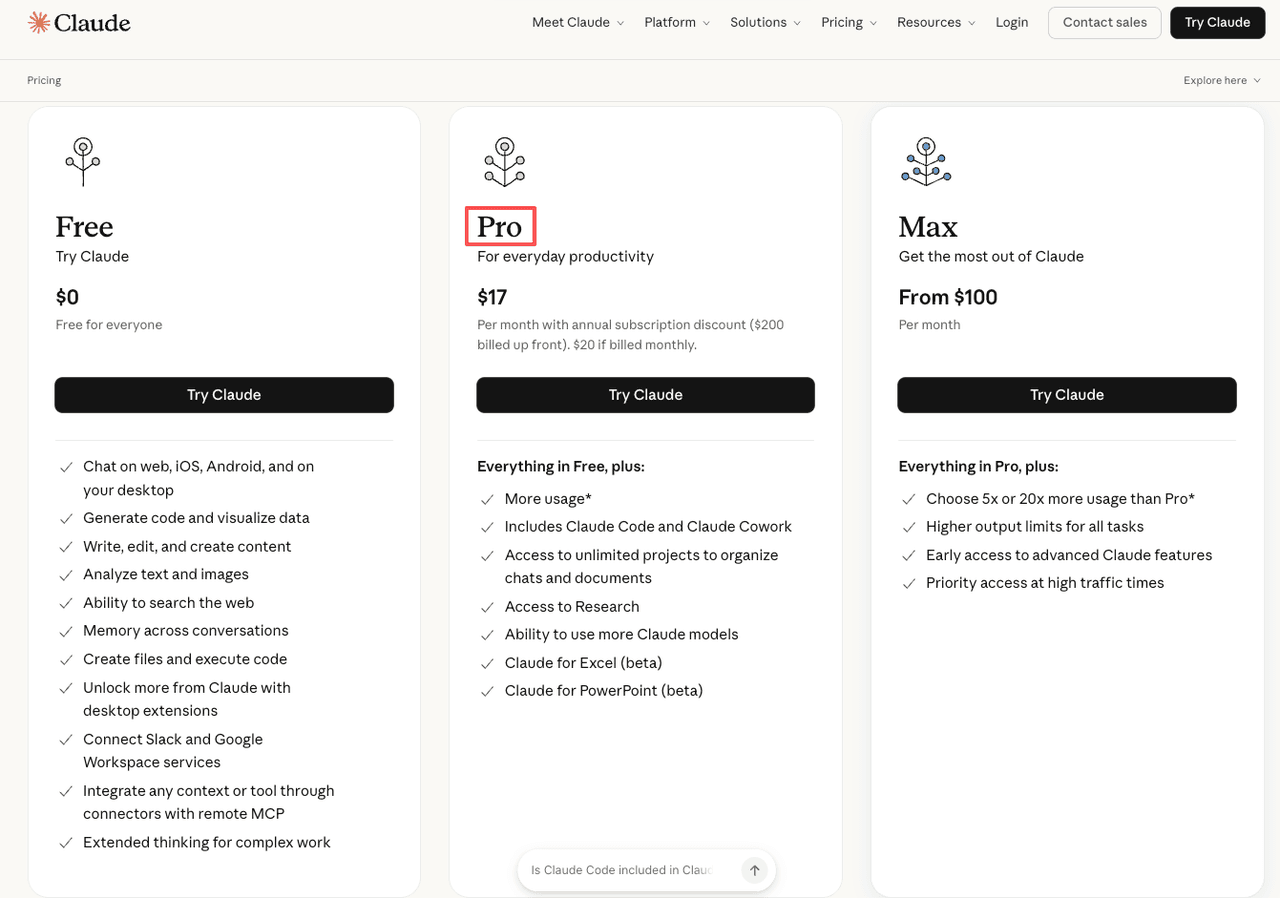
Claude Pro is a subscription for the consumer-facing Claude experience. It includes more usage than the free plan, access to additional models and features, Projects for organizing chats and documents, and Claude Code. The official price at the time of review is $20 when billed monthly or $200 billed annually, before applicable tax.
Pro is convenient because the interface manages conversation history, attachments, project context, and other user features. That makes it appropriate for someone who wants to write, analyze files, brainstorm, research, or code without building an integration.
Pro is not unlimited. Anthropic says usage draws from a rolling five-hour session window, with weekly limits on paid plans; actual capacity depends on the model, conversation length, and features used. Check Settings > Usage in Claude rather than relying on an estimated message count.
What the Claude API provides
The Claude API lets an application send prompts and receive model output. It is intended for developers and organizations building such things as document-classification pipelines, support tools, data extraction, custom agents, or batch summarization.
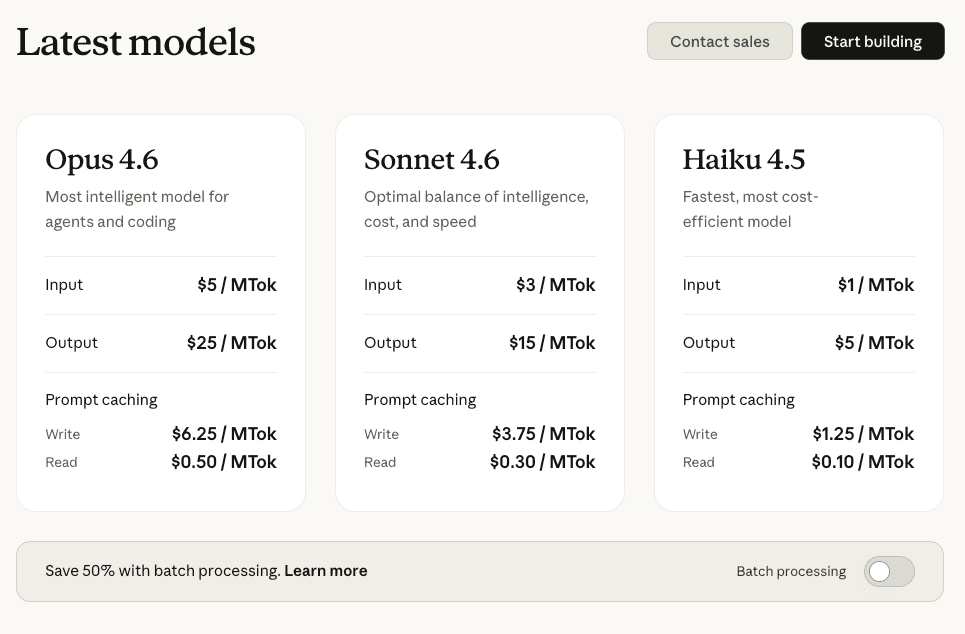
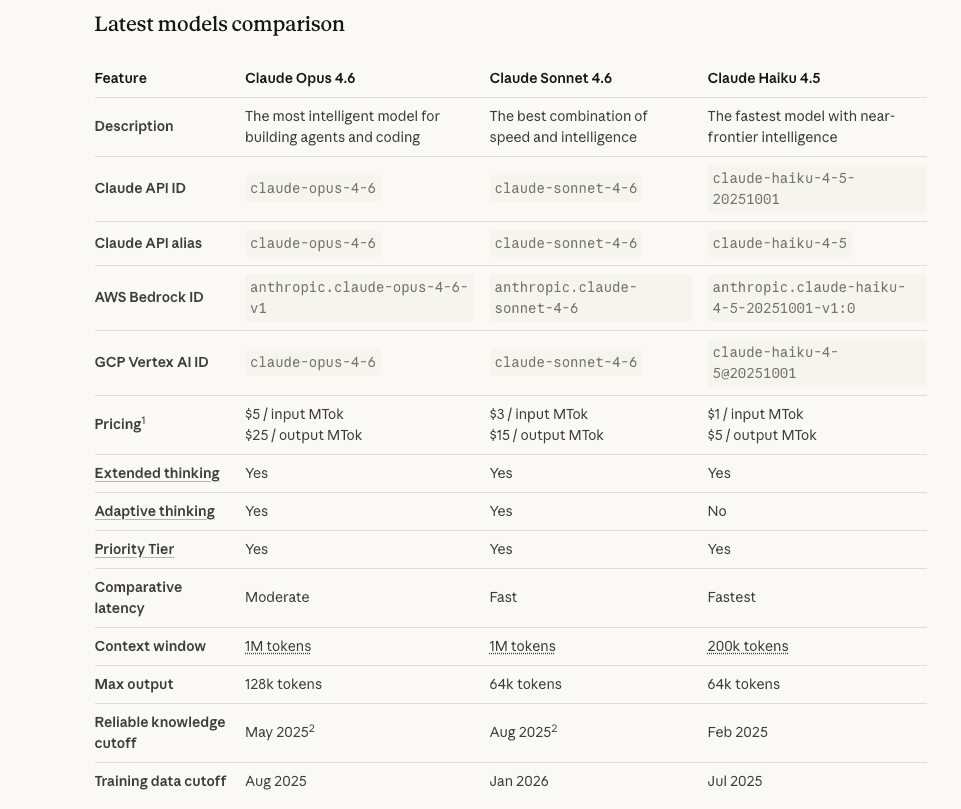
API usage is billed separately from a Claude Pro subscription. Input and output tokens have different prices, and rates vary by model. Additional charges or discounts can apply to features such as prompt caching, batch processing, web search, or regional inference.
The API is also subject to limits. Accounts have model-specific request and token rate limits as well as spending controls, so it is inaccurate to describe the service as having “unlimited speed.” Production workloads should handle rate-limit responses and temporary failures gracefully.
How to estimate API cost
Do not estimate cost from the number of chats alone. Record the monthly input tokens, output tokens, model, and any caching or tool usage. For a simple request without additional features, the basic calculation is:
Monthly cost = (input tokens ÷ 1,000,000 × input rate) + (output tokens ÷ 1,000,000 × output rate)
As of August 2026, Claude Sonnet 5 has introductory API pricing of $2 per million input tokens and $10 per million output tokens through August 31, 2026; Anthropic lists standard pricing of $3 and $15 respectively after that date. Prices can change, so use the official Claude API pricing page for a current estimate.
For example, one million input tokens and 200,000 output tokens would cost $4 at the introductory Sonnet 5 rates before tool charges: $2 for input plus $2 for output. At the listed standard rates, the same token volume would cost $6. This example does not include prompt caching, batch discounts, web searches, taxes, or third-party application fees.
Setup and security considerations
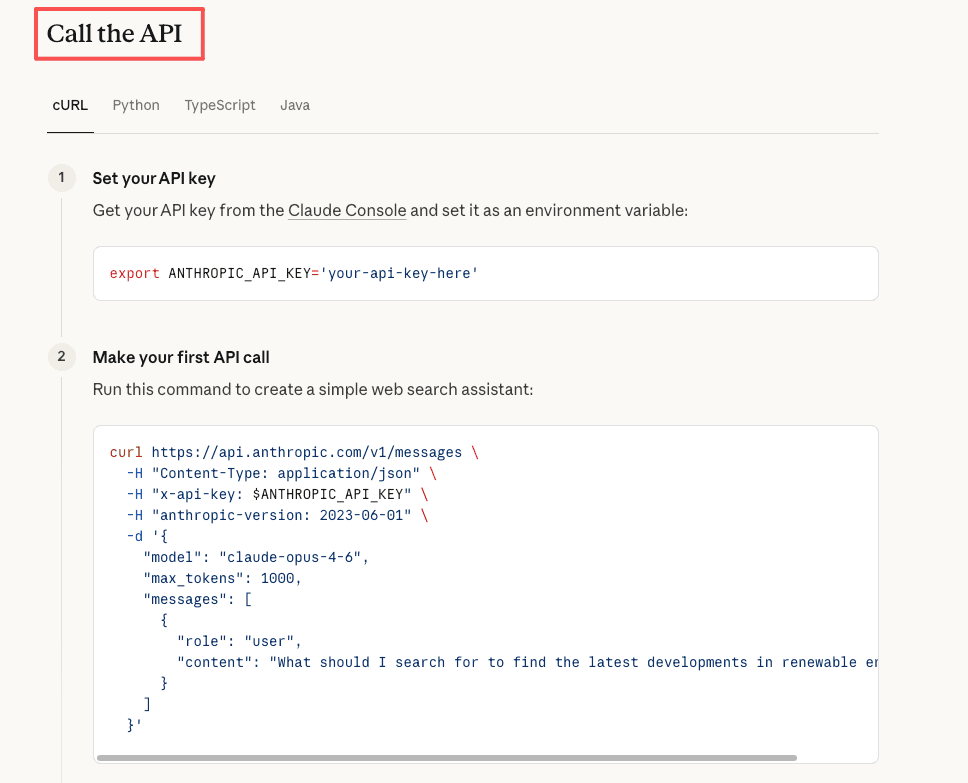
Using the API requires an Anthropic Console account, billing configuration, an API key, and either code or a compatible tool. The key is a credential: keep it out of browser-side code, public repositories, screenshots, and shared documents. Store it in a secret manager or protected environment variable and rotate it if it is exposed.
A third-party app that accepts an Anthropic API key can simplify setup, but it introduces another party that may see prompts or store the credential. Review that app's privacy policy, security design, and fees before connecting an account.
Which should you choose?
Choose Claude Pro when:
- You mainly work through Claude's chat, desktop, mobile, or coding interfaces.
- You value Projects, conversation history, file handling, and a predictable subscription.
- You do not need another application to call Claude automatically.
- Your normal use fits within the plan's session and weekly limits.
Choose the Claude API when:
- You are building software that needs model output.
- You need automated or repeatable processing rather than a manual chat.
- You want to select a model, system prompt, tools, and structured output in code.
- You can monitor usage, secure credentials, and handle API errors and rate limits.
Use both when the workflows differ
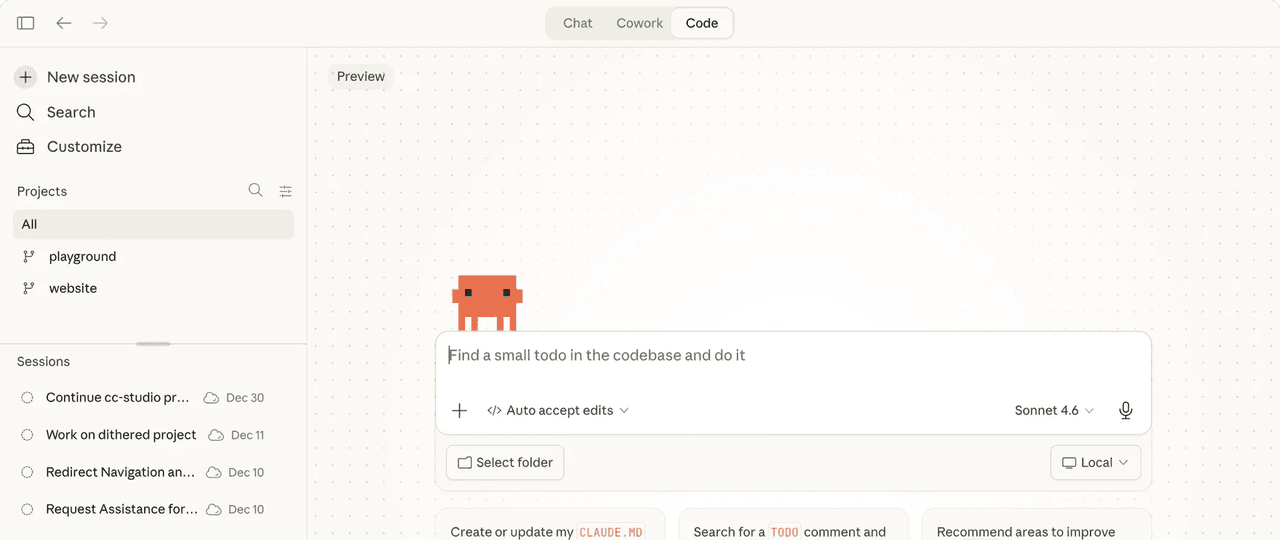
Pro and API access are complementary. A developer might use Pro for interactive planning and Claude Code, then use the API for a production application. Because the billing pools are separate, include both in the budget and do not assume a Pro subscription supplies API credits.
A practical decision test
- List the tasks you performed with Claude during a typical week.
- Separate interactive chats from tasks that must run automatically.
- Check current Pro usage and whether its limits interrupt real work.
- For API candidates, test a small sample and record actual token usage.
- Compare the full monthly cost, including third-party tools and development time.
If every task begins with you opening Claude and typing, Pro is usually the simpler choice. If another system must send the request without manual work, the API is the appropriate foundation.
Related Articles
 What Is the Claude Code: Clear Explanation7 minutes read
 Claude API: How to Get the Key and Use the API: Explained19 minutes read
 What Is Claude AI: Clear Explanation9 minutes read
 Why Do Developers Always Choose Claude Over Other AIs?11 minutes read
 What Is Claude Pro? How Does Claude Pro Compare to Chatgpt Plus?6 minutes read
 Tips for Using Project in Claude Effectively to Create a Personal AI Space8 minutes read
Reader Comments 0
Sign in with email or Google to join the discussion.