Table of Contents
Opera GX just became the first browser to do so, and will aim to turn your everyday browsing experience into a complete smart home interaction.
While the tech world has seen many changes over the years, browsers have remained pretty much the same. The only change we've seen in recent times is AI-powered browsing, with browsers like Comet, Opera Neon, and Dia incorporating AI support into your everyday browsing experience.
But, what if your browser could do more than just help you online? What if it could actually interact with the world around you, especially where you spend the most time – your home? Well, Opera GX has just become the first browser to do just that, and aims to turn your everyday browsing experience into a complete smart home interaction.
Opera GX's new smart home feature can connect the browser to your home
As announced via a press release, Opera has just introduced the Smart Home feature, making Opera GX the first browser to interact with your home and allow your home to interact with it.
Interestingly, Opera has designed the Smart Home integration to be 'two-way communication between Opera GX and other smart home devices.' Instead of just using the browser to control the devices, it works the other way around. Sensors and smart products can also control the operations of Opera GX.
In practice, you can set up a variety of creative automations, such as setting up a door sensor to trigger the Opera GX Panic Button, which instantly hides your browsing session. Or, if you're someone who can't watch a movie or TV show without the perfect ambiance, you can have the browser automatically dim the lights, pause the music, and close the window blinds as soon as you press play.
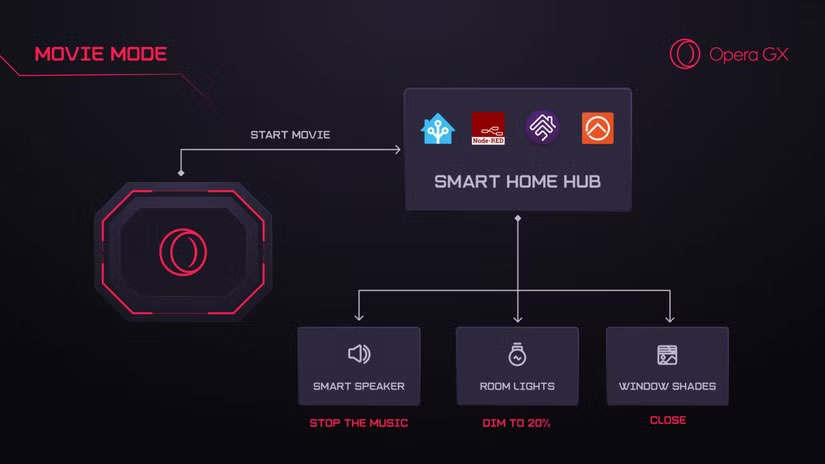
Those are just two examples that Opera has mentioned, but the potential doesn't stop there. Since the extension is open source, you can experiment with your own automation features, customize how the browser interacts with your home, and share your creations with the wider Opera GX community.
Smart Home is an open source solution that uses the MQTT API and browser extensions to connect to smart home hubs like Home Assistant, Homebridge, and Node-RED. Sounds complicated and difficult to set up, right? But don't let that discourage you.
Opera says the whole solution is designed to be easy to use and doesn't require any complex technical knowledge. Setup is simple enough for anyone with a smart home network, so you can start automating your browser and your room without having to be a tech expert.
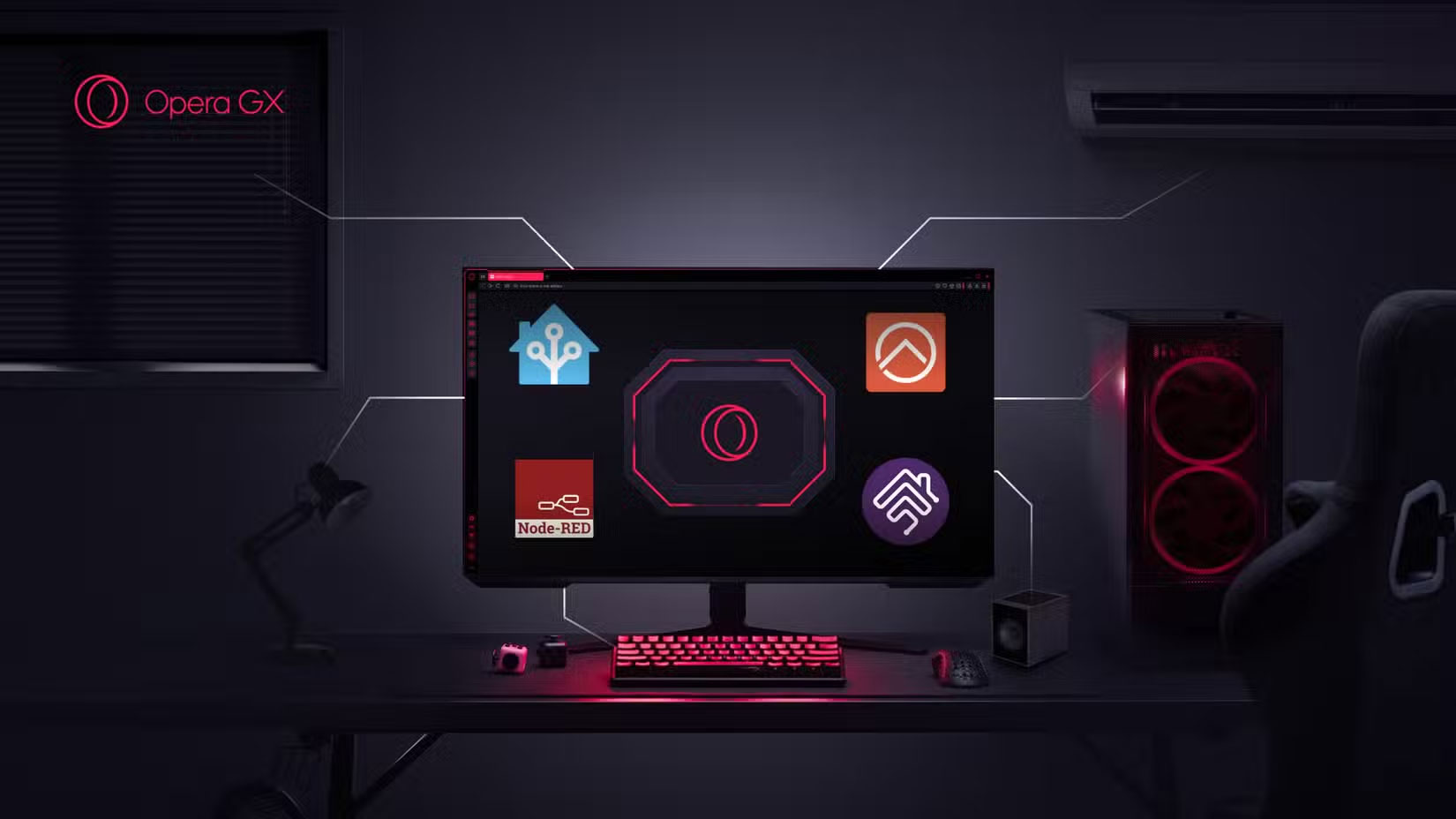
To do this, You should go to the Early Bird Settings in Opera GX, enable MQTT Support and fill in the necessary information. Once connected, you can install the Opera GX Smart Home Extension, and for Home Assistant users, the browser will be automatically detected as a new device on your network.
Opera has always been a pioneer in doing bold things, and with the Smart Home feature, they are once again redefining what a browser can do. If you want to try it out for yourself, just download Opera GX if you haven't already and follow the steps above to enable the Smart Home extension.
FAQ
What should you know about opera GX web browser can now become a smart home device?
In practical terms, opera GX just became the first browser to do so, and will aim to turn your everyday browsing experience into a complete smart home interaction.
Why does opera GX web browser can now become a smart home device matter?
The article highlights that opera GX's new smart home feature can connect the browser to your home As announced via a press release, Opera has just introduced the Smart Home feature, making Opera GX the first browser to interact with your home and.
What is the main takeaway?
The main takeaway is that once connected, you can install the Opera GX Smart Home Extension, and for Home Assistant users, the browser will be automatically detected as a new device on your network.
Related Articles
 Meet Opera Air: Opera's New Browser5 minutes read
 Opera Released Opera Touch - a New Browser for Single-handed Use4 minutes read
 Learn About Opera Page: of Opera Browser5 minutes read
 The Brand New Way to Use Opera One4 minutes read
 What Is Opera One Web Browser? What Can It Do?5 minutes read
 Smart Home - What Does a Smart Home Have?8 minutes read
Reader Comments 0
Sign in with email or Google to join the discussion.