Table of Contents
This updated guide explores Microsoft simplifies Windows 11 backup and data transfer with practical details, clear explanations, and useful takeaways. Since March 2023, Microsoft has begun publicly testing the Windows Backup application - a built-in backup tool on Windows 11. Although useful, this application has been criticized for some issues such as mandatory installation.
Along with Windows Backup, Microsoft has been quietly developing a migration tool. Some details about this application appeared in the Insider build in early 2024, and based on the leaked user interface (UI), the Windows enthusiast community has recreated the actual idea of this application.
Notably, traces of this "WindowsMigration" utility were discovered in April 2024, but Microsoft denied it at the time and said it was just a display error.
Now, with the latest Dev and Beta builds, the migration feature is officially available inside the Windows Backup app. As spotted by Windows expert @phantomofearth on X (Twitter), users will be able to:
- Backup this PC to OneDrive - legacy feature.
- Transfer files to new PC over local network - new feature.
The data transfer process includes:
- Local files
- System settings
- Apps
- Login information and other data
After pairing the two computers, users only need to authenticate with a simple PIN to start transferring data.
The launch of the new migration feature is good news because now users will not need third-party software like PCmover or EaseUS Todo PCTrans. Also, this feature is built into Windows 11, compatible with OneDrive, and contributes to simplifying the process of upgrading PCs or moving to a new machine.
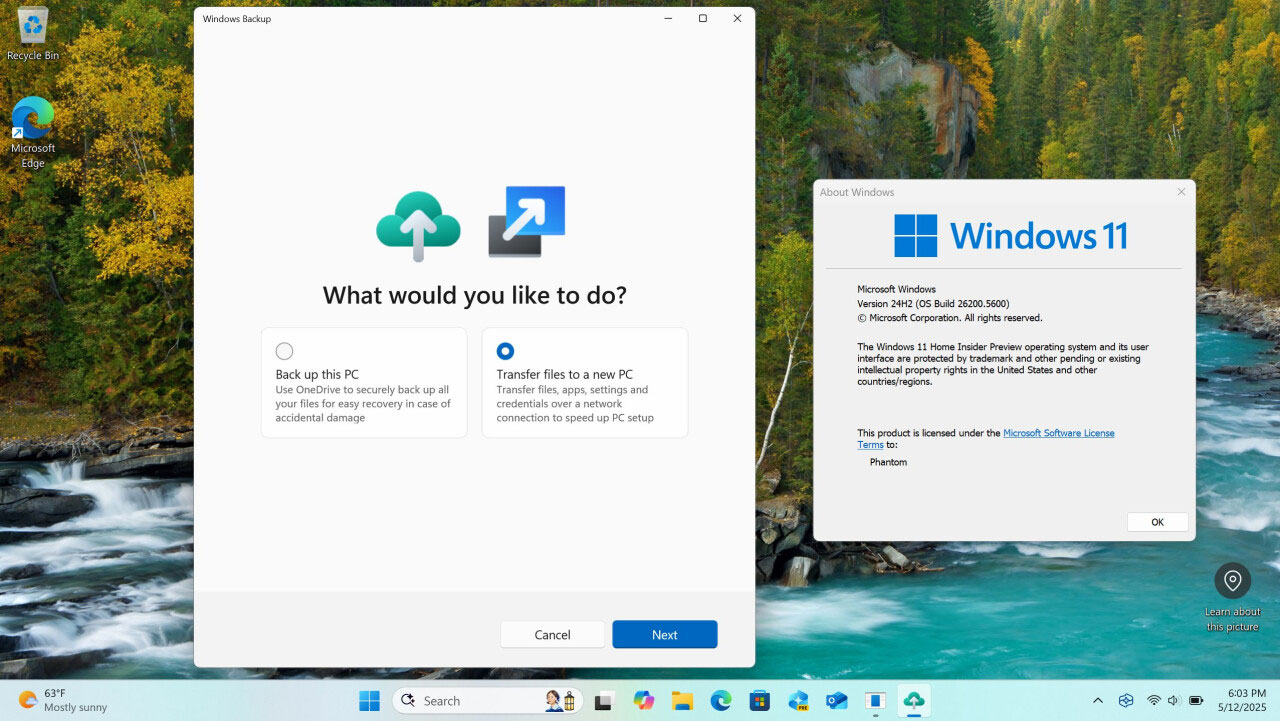
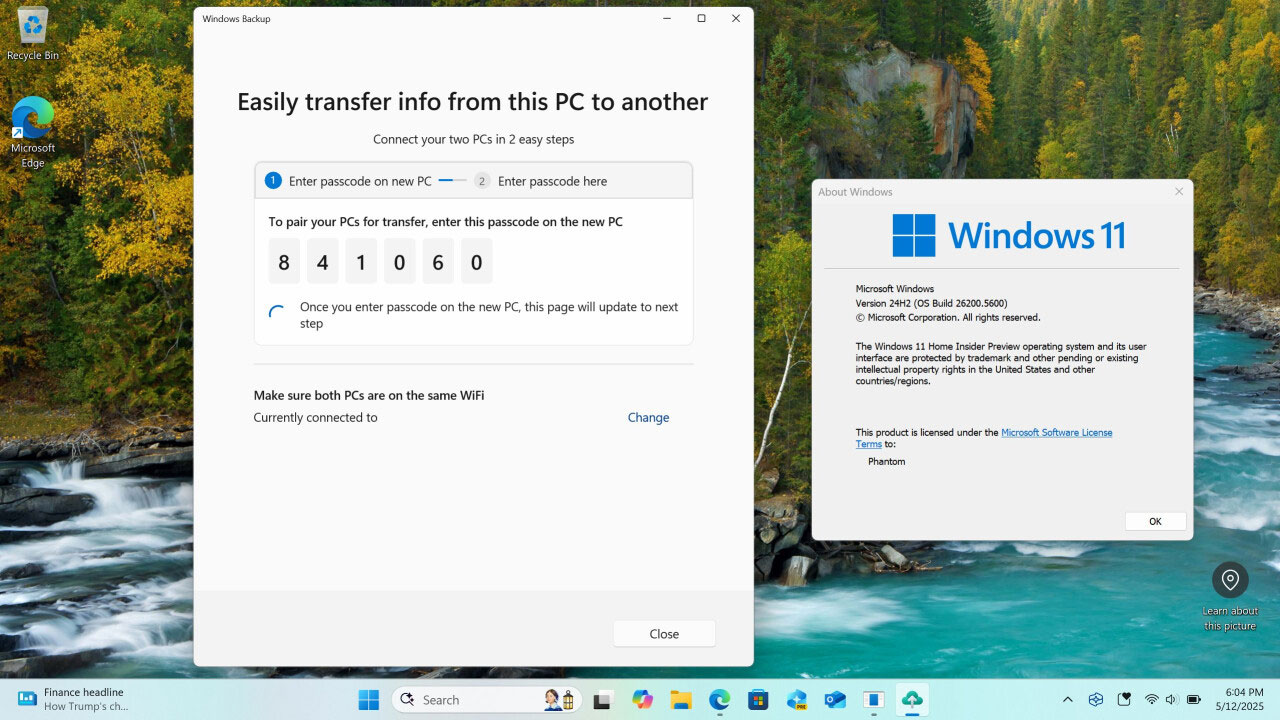
Note that the new feature is currently only available on Insider builds (Dev/Beta channels), and Microsoft has not announced an official release date. Still, with this move, Microsoft is gradually turning Windows 11 into an operating system that "automates" data backup and migration - minimizing technical barriers for ordinary users.
FAQ
What is the main takeaway about Microsoft Simplifies Windows 11 Backup and Data Transfer?
The key is to understand the core idea, compare the available options, and apply the practical guidance that matches your situation.
What should beginners know about Microsoft Simplifies Windows 11 Backup and Data Transfer?
Start with the essential steps and terminology. Avoid changing advanced settings until you understand how they affect performance, privacy, cost, or compatibility.
How can I use this information in practice?
Follow the relevant section in order, test one change at a time, and confirm the result before moving to the next step or recommendation.
Related Articles
 How to Backup Facebook Data to Your Computer: Facebook Tips7 minutes read
 How to Use Backup and Restore on Windows 7?6 minutes read
 10 Ways to Open Bluetooth File Transfer Utility on Windows 118 minutes read
 Windows 11 Is About to Have a New ''backup'' Application4 minutes read
 New Windows Tool Makes Moving to a New PC Easier5 minutes read
 4 Ways to Manage the Process of Backup Windows Server 2008 on7 minutes read
Reader Comments 0
Sign in with email or Google to join the discussion.