Table of Contents
This guide provides a clear, practical overview of "Windows 11 Is About to Let You Transfer Data from Your Old PC During". It organizes the most useful details, explains important considerations, and highlights the steps or choices that matter most.
How it works
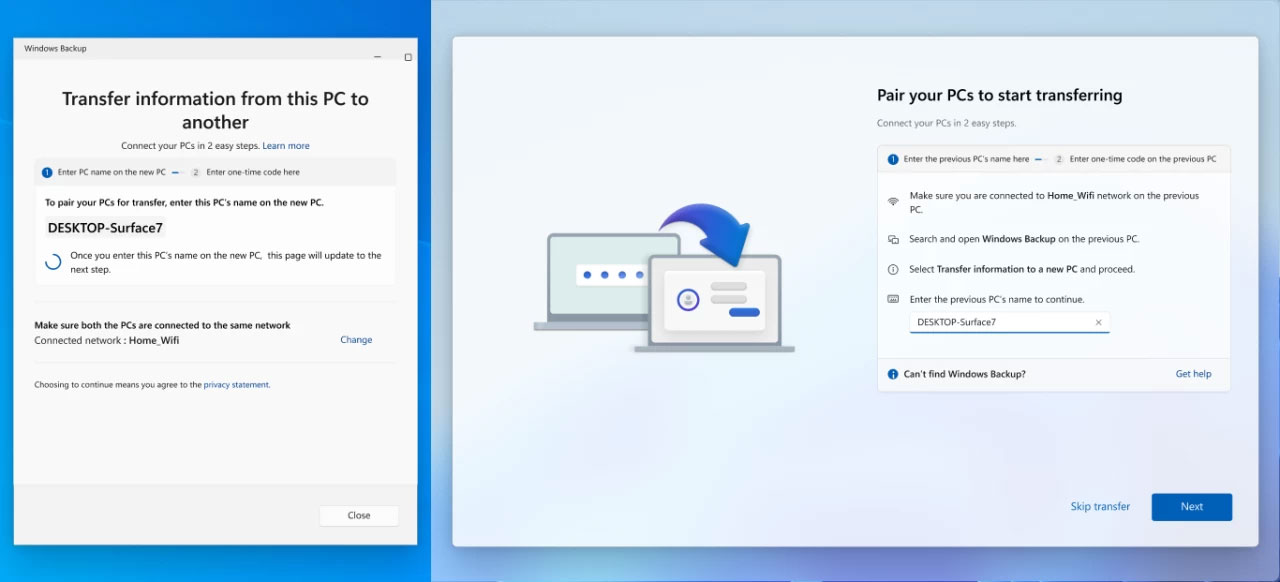
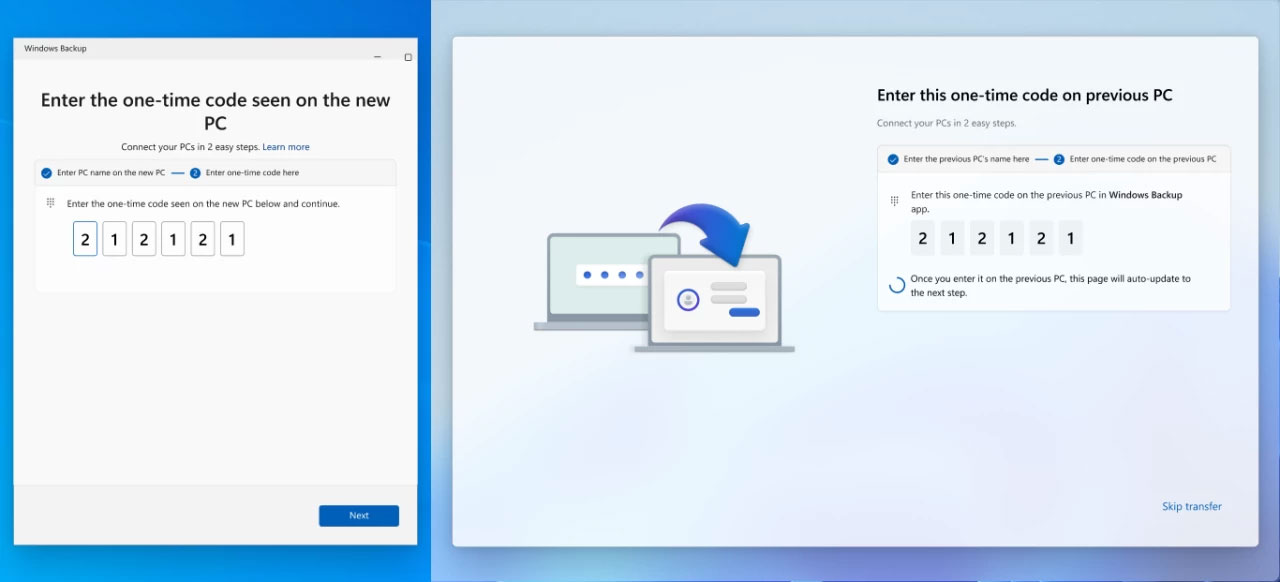
The new backup feature uses your local network to connect the two devices and transfer all your files, settings, and personal preferences. On your old computer, you can open the Windows Backup app, select "transfer information to a new PC," and follow the on-screen instructions to pair the two devices with a special code.
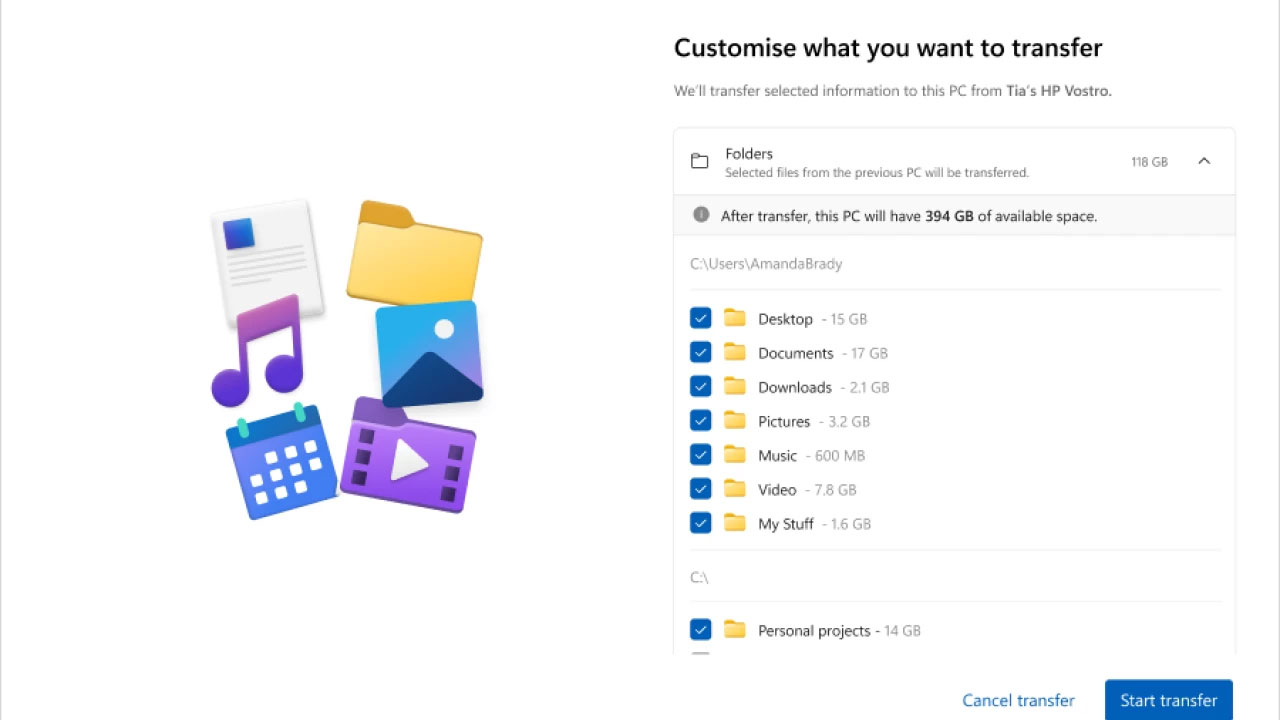
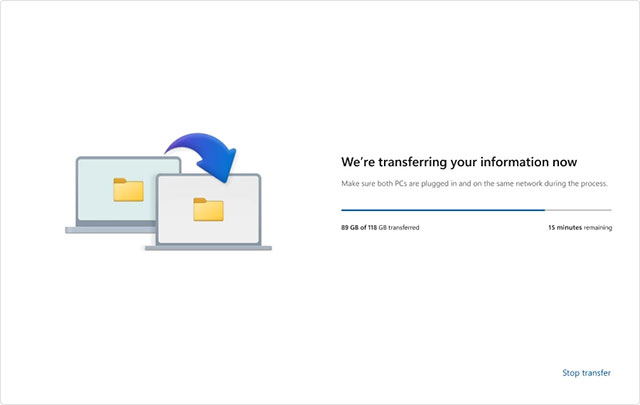
Windows 11 will then ask you to select the folder you want to move. You can select any user folder, or even an entire drive (remember to decrypt BitLocker drives first). Next, just hit "Start transfer" and watch as Windows 11 transfers data from your old PC to your new PC over the network.
Once complete, the system will display a summary of the content that has been transferred. Now, you can complete the initial setup as usual and all your important data will be ready to use immediately.
Limitations to note
Microsoft says this feature can't transfer the following content:
- System files (Program Files, Program Data, Temp,.)
- OneDrive data (needs to be set up separately on new PC)
- Installed applications
- Login and Password
- Data on BitLocker drive (must be decrypted first)
The new feature is currently being tested for Windows Insiders and will soon be available to all users. To use it, your PC must meet the following basic requirements:
- Old PC must be running Windows 10/11 (with latest cumulative update)
- New PC requires Windows 11 version 24H2 or later
Important: This feature is not currently available on ARM-based PCs. If you plan to buy a Surface Laptop 7 or an ARM-based Copilot+ PC, be prepared to manually copy your data until Microsoft fixes this limitation.
FAQ
How it works?
The new backup feature uses your local network to connect the two devices and transfer all your files, settings, and personal preferences. On your old computer, you can open the Windows Backup app, select "transfer information to a new PC," and follow the on-screen instructions to pair the two devices with a special code.
What should you know about limitations to note?
Microsoft says this feature can't transfer the following content:
What does this guide cover?
This guide explains Windows 11 is about to let you transfer data from your old PC during, including the main steps, important details, and practical considerations.
Related Articles
 How to Transfer Data from Windows to Mac OS X Quickly5 minutes read
 Use Iis to Set up Ftp Server on Windows11 minutes read
 7 Ways to Transfer Data Between 2 Computers5 minutes read
 Transfer Data Between Computers14 minutes read
 How to Transfer Data from Old iPhone to New iPhone (iPhone X8 minutes read
 How to Calculate Data Transfer Speed: Complete Guide7 minutes read
Reader Comments 0
Sign in with email or Google to join the discussion.