Table of Contents
Cloudflare's official 1.1.1.1 app is generally reasonable to use if you understand its limits and accept Cloudflare as the network provider handling your encrypted DNS or tunneled traffic. It can protect traffic between your device and Cloudflare, but it does not make you anonymous, block every malicious site, or guarantee a faster connection.
What the 1.1.1.1 app actually does
The consumer app offers two main connection modes:
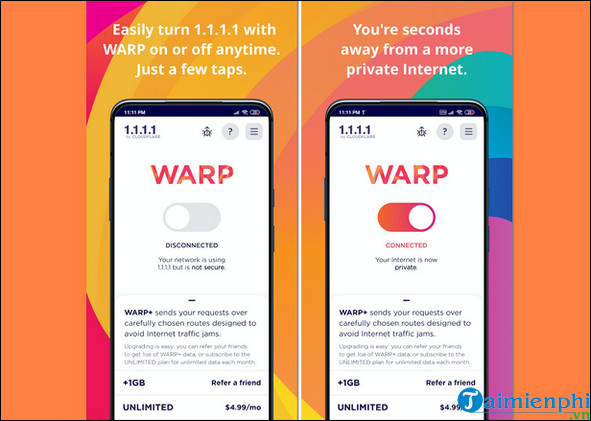
- WARP mode: Routes device traffic through an encrypted tunnel to Cloudflare's network. Websites still use their own HTTPS encryption, while WARP protects the connection from the device to Cloudflare.
- DNS only mode: Sends only DNS lookups to Cloudflare's 1.1.1.1 resolver using encrypted DNS. Other device traffic is not sent through the WARP tunnel.
Changing DNS can reduce lookup delays when a provider's resolver is slow, and WARP may improve some routes. Neither mode can increase the bandwidth supplied by your carrier or fix weak Wi-Fi. Depending on location, congestion, and the destination, performance may improve, stay similar, or become slower.
Is Cloudflare WARP safe?
The important question is not whether any network service is “perfectly safe,” but what it can see, what it stores, and whether its privacy policy fits your needs.
Cloudflare's Application Privacy Policy says the consumer app collects limited account, operational, and DNS-resolver data needed to operate and improve the service. It states that the company does not sell or rent personal information. The policy also explains that Cloudflare sees connection data such as source and destination IP addresses while routing traffic, but says it does not retain a link between the IP used to access WARP and the websites visited.
That is a stated policy, not a reason to treat WARP as an anonymity service. Cloudflare becomes the intermediary for traffic sent through the app. If the device is enrolled in an employer's Cloudflare Zero Trust organization, different organizational logging and filtering rules can apply.
What WARP does not do
- It is not a location-changing VPN: WARP is not designed to let you choose a country or reliably bypass streaming geo-restrictions.
- It is not antivirus software: Standard 1.1.1.1 does not promise to block malware, phishing, or unsafe downloads. Cloudflare offers separate DNS filtering options, but no filter catches every threat.
- It does not hide activity from the destination: A site can still identify an account, browser, cookies, and other signals.
- It does not repair poor connectivity: A damaged cable, overloaded network, weak cellular signal, or slow plan remains a problem.
- It cannot override every block: Local networks, organizations, providers, or destinations may block WARP traffic.
For a broader comparison with conventional VPN services, read what Cloudflare WARP is and when to use it.
How to download the official app
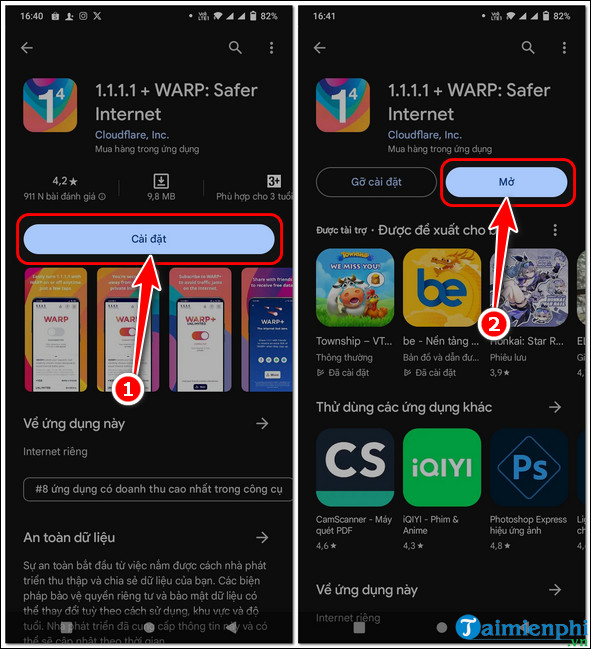
- Open Cloudflare's official 1.1.1.1 download page and follow the Android or iOS store link. Alternatively, search the Google Play Store or Apple App Store for 1.1.1.1 + WARP.
- Verify that the publisher is Cloudflare before installing. Avoid APK files and configuration profiles from unrelated download sites.
- Tap Install or Get, then open the app.
How to connect with WARP
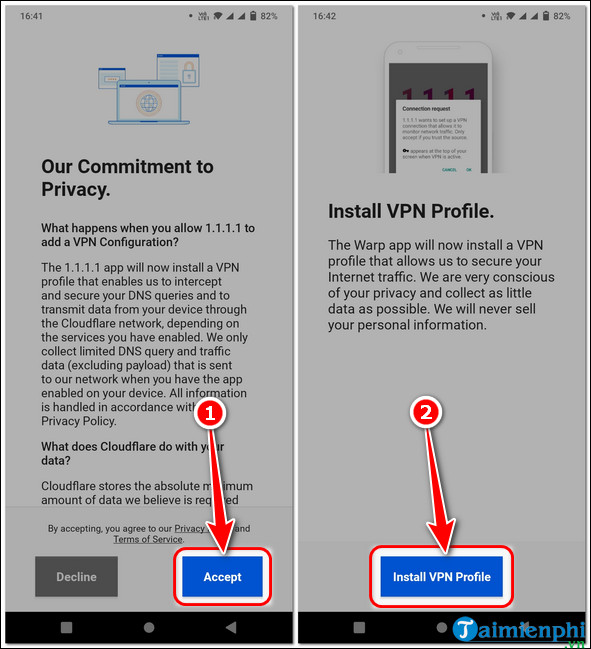
- Read the app's terms and privacy notice, then continue only if you accept them.
- When the phone asks to add a VPN configuration, approve it. Android and iOS use this system VPN interface to create the encrypted tunnel; the prompt does not mean you are installing an unknown third-party profile.
- Turn the main switch from Disconnected to Connected.
- Test a familiar website or app. If the connection becomes unreliable, disconnect WARP and compare again.
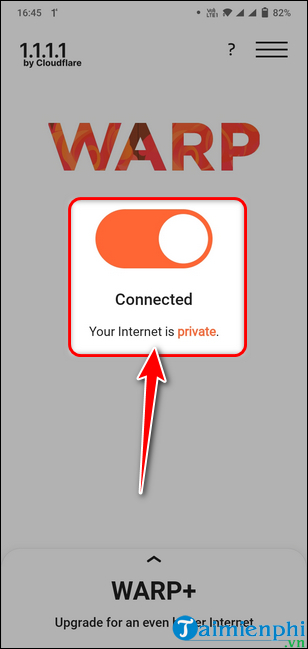
Choose WARP or DNS only
Use WARP when you want the app to tunnel device traffic to Cloudflare. Use DNS only when you want encrypted DNS without routing the rest of the connection through WARP.
Cloudflare's current Android instructions place the mode control behind the WARP toggle or menu; the exact location can change with app updates. The official WARP mode documentation describes the difference. If you prefer to configure DNS without the app, compare the options in TipsMake's list of public DNS services.
Privacy and security settings worth checking
- Disable the optional reporting of anonymized network information if you do not want to provide diagnostic data.
- Review any console logs before attaching them to a bug report; Cloudflare warns that logs can contain the device name and IP address.
- Keep the app and phone operating system updated through the official store.
- Use HTTPS, strong unique passwords, and multi-factor authentication. WARP does not replace account security.
- On a work or school device, confirm whether an administrator has enrolled it in Cloudflare Zero Trust, because organizational policies can inspect or filter traffic.
If WARP will not connect
- Turn WARP off and back on, then switch between Wi-Fi and mobile data.
- Temporarily disable another VPN, firewall app, or private-DNS profile; mobile operating systems normally allow only one active VPN tunnel.
- Sign in to a public Wi-Fi captive portal before enabling WARP.
- Try DNS only mode to determine whether the full tunnel is being blocked.
- Remove and reinstall the official app if its VPN profile is corrupted.
When troubleshooting, disconnecting WARP restores the phone's normal network path; it does not delete the app or your other network settings.
Related Articles
 The Safest and Fastest Way to Download APKs9 minutes read
 11 Essential Tips to Keep Your Android Phone Safe9 minutes read
 Tips to Keep Your Phone Safe from Online Threats7 minutes read
 6 Ways to Check If a Downloaded File Is Safe Before Using It10 minutes read
 Top-3 Android Apps for Your Kid's Safety11 minutes read
 Safe Steps to Download Software on Linux8 minutes read
Reader Comments 0
Sign in with email or Google to join the discussion.