Table of Contents
Learning how to separating photo backgrounds and creating stickers right in TikTok doesn't have to be complicated. This updated guide presents a clear workflow, practical checks, and troubleshooting advice you can use while completing the process.
Key Takeaways
- Follow the steps to remove photo background to create stickers in TikTok.
- Explore video tutorial on how to separate photo background to create stickers in TikTok.
- Follow the recommended steps in order to avoid common mistakes with separating photo backgrounds and creating stickers right in TikTok.
How to Remove Photo Background to Create Stickers in TikTok
Step 1:
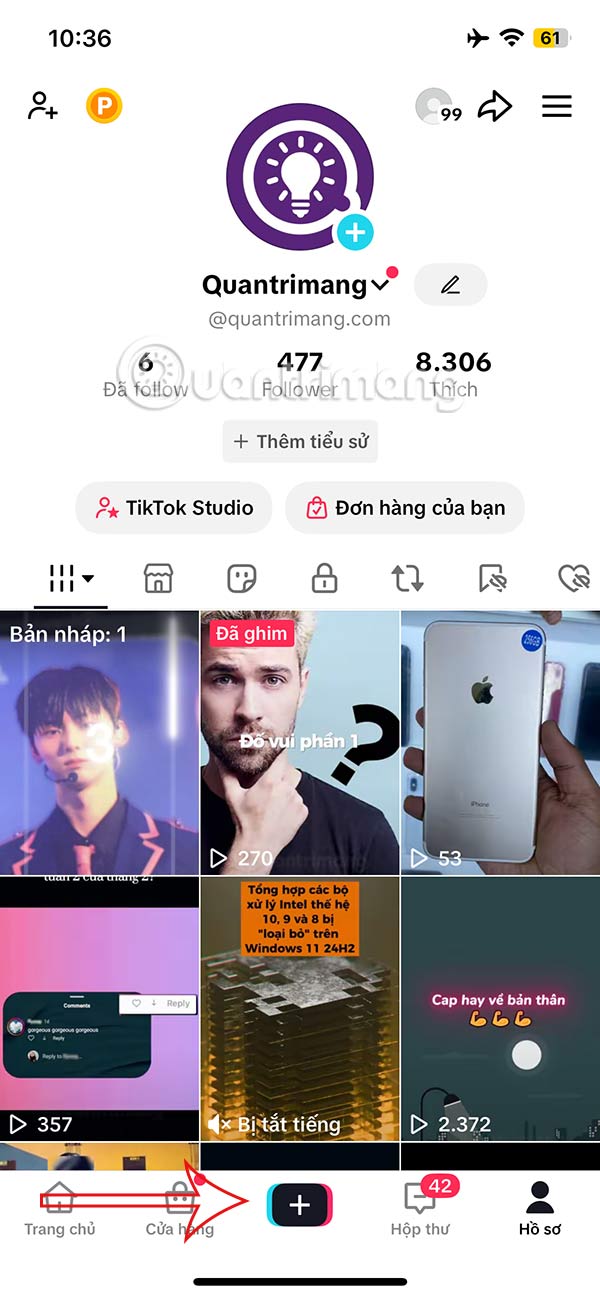
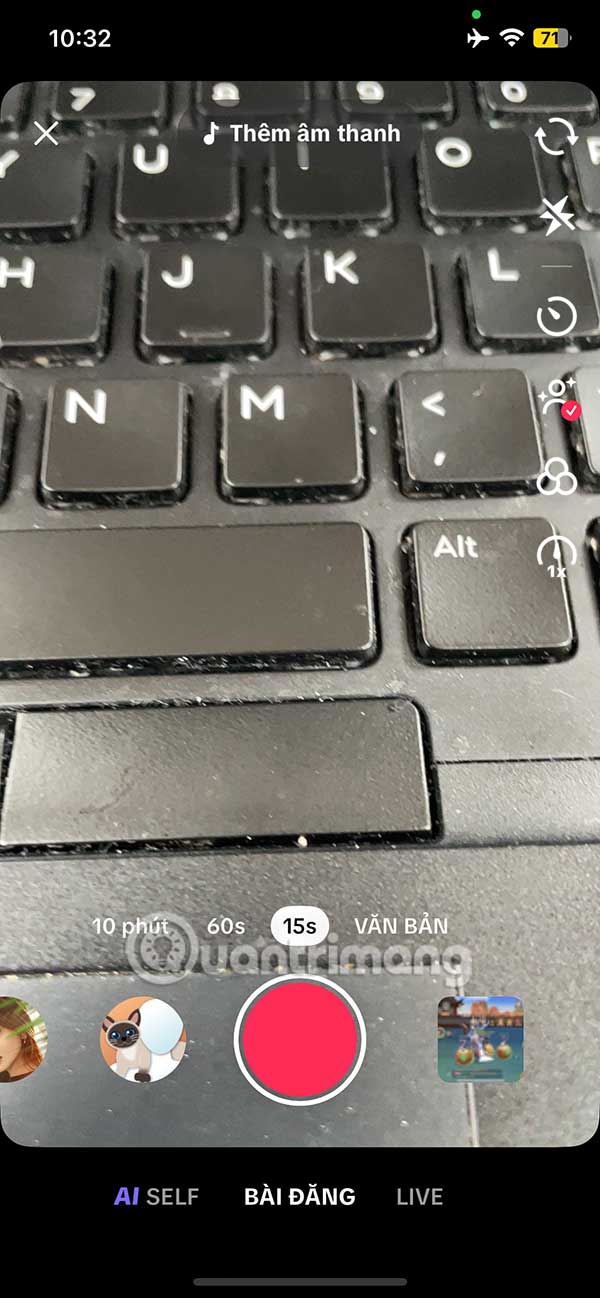
At the interface on the TikTok application, you select the plus icon to record a video as usual. Switch to the new interface, the user records a video as usual.
Step 2:
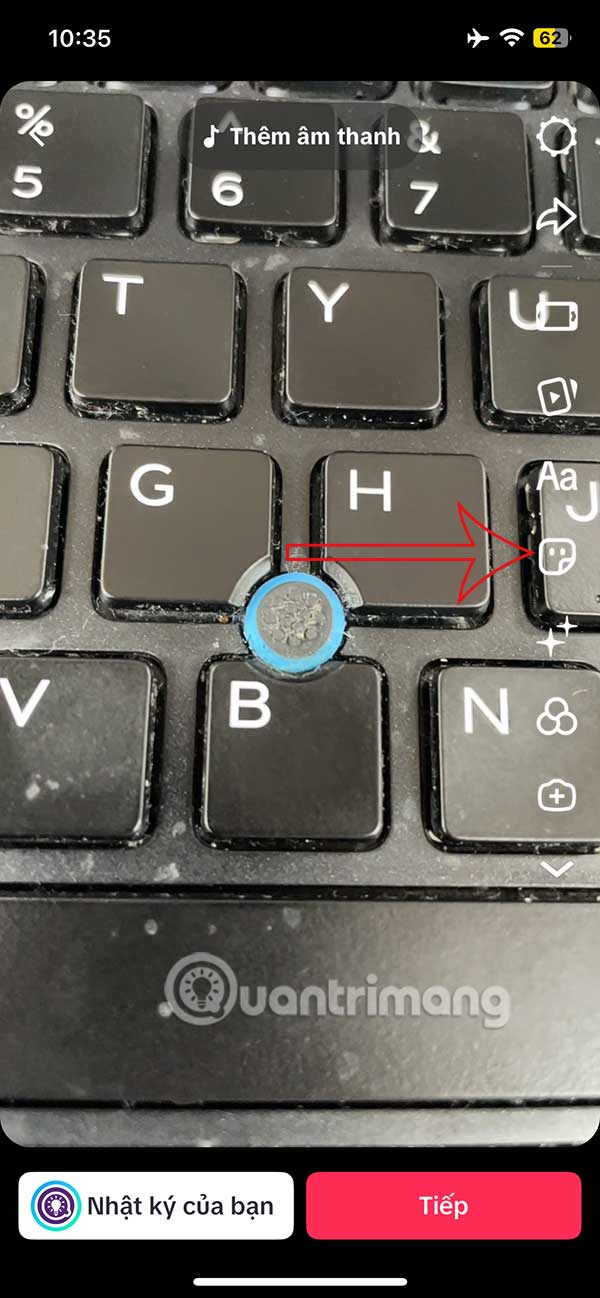
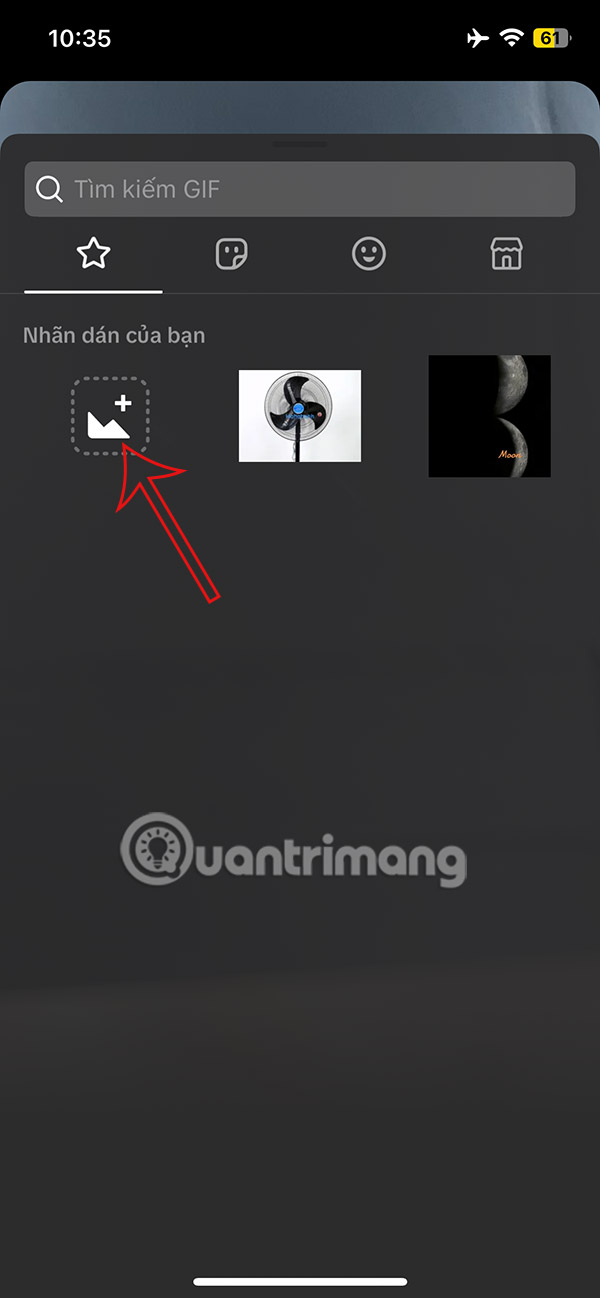
Select the sticker icon to insert into the video on TikTok. In the display interface, select the star item and then select the plus icon below to upload the image.
Step 4:
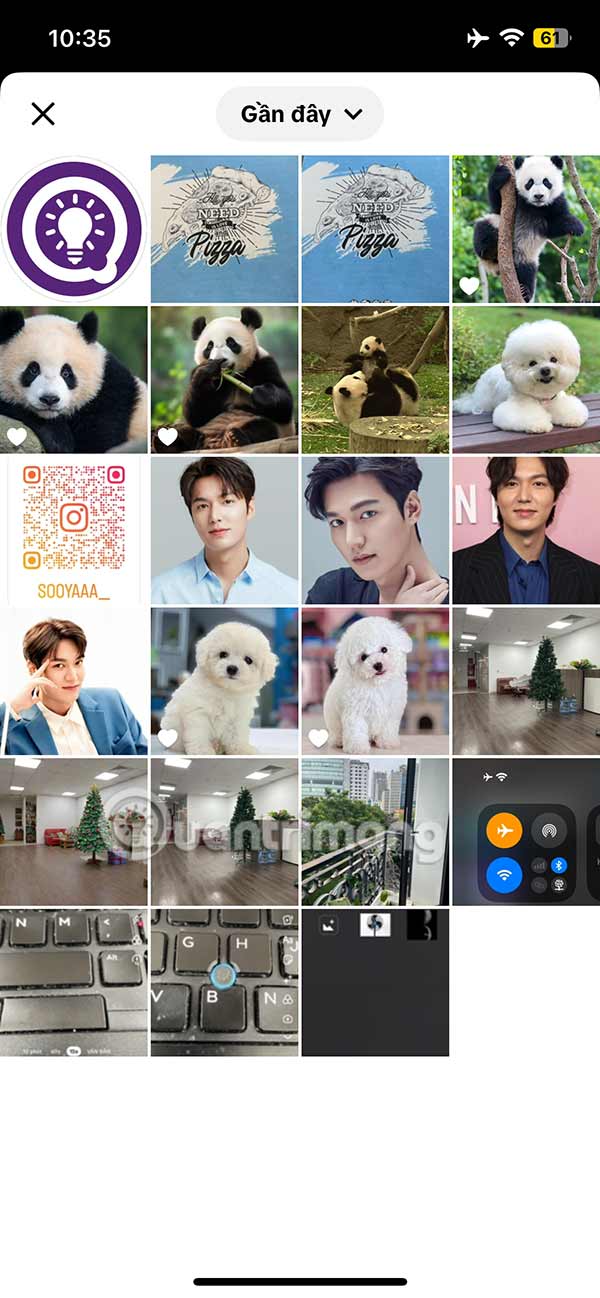
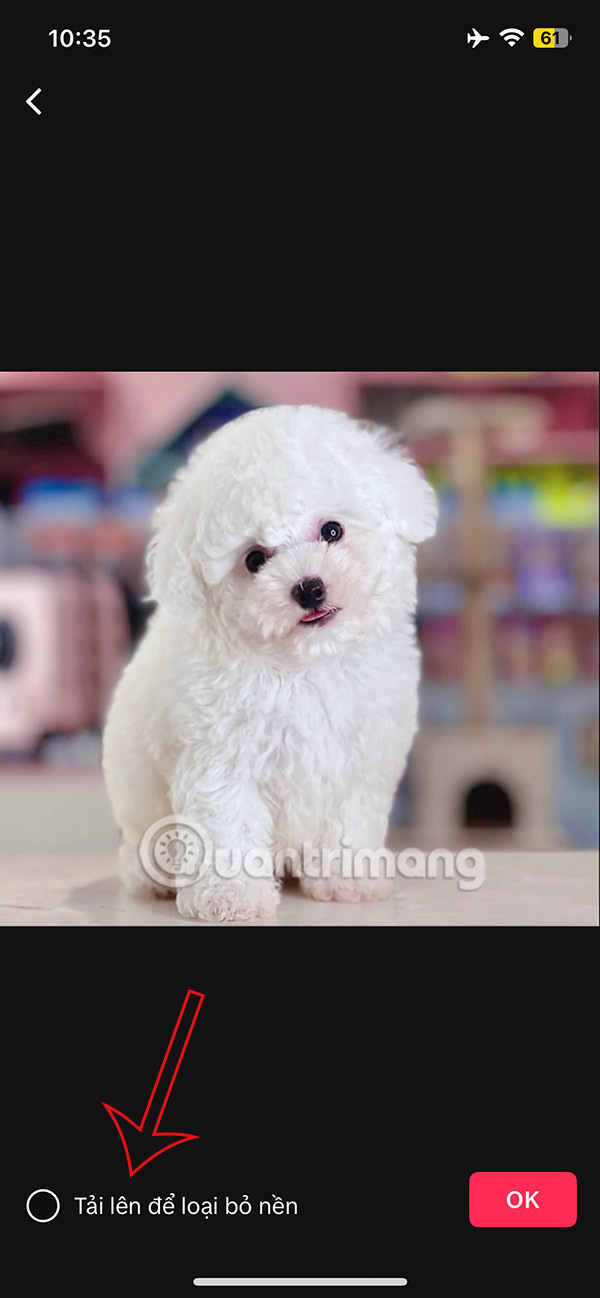
Select an image in the album to create a sticker. Then select Upload to remove the background image.
Step 5:
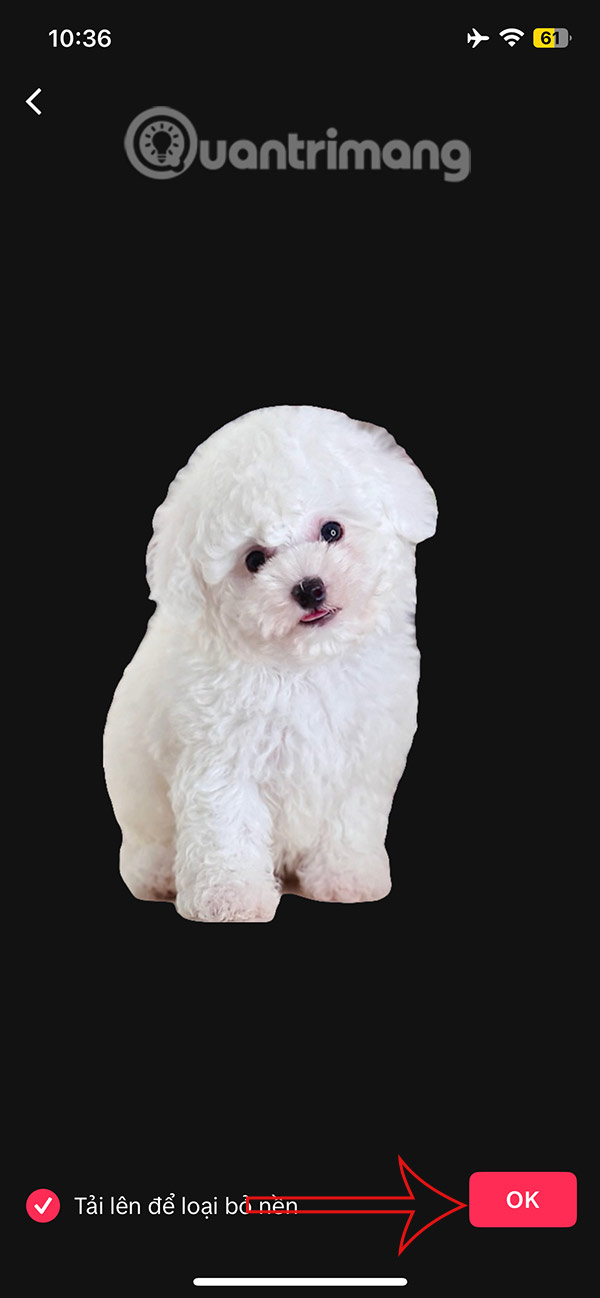
You will immediately see the background image as shown below and you click Ok to insert the sticker into the video on TikTok. The sticker is inserted into the video and you can adjust, zoom in and out or choose the sticker display position as you like.
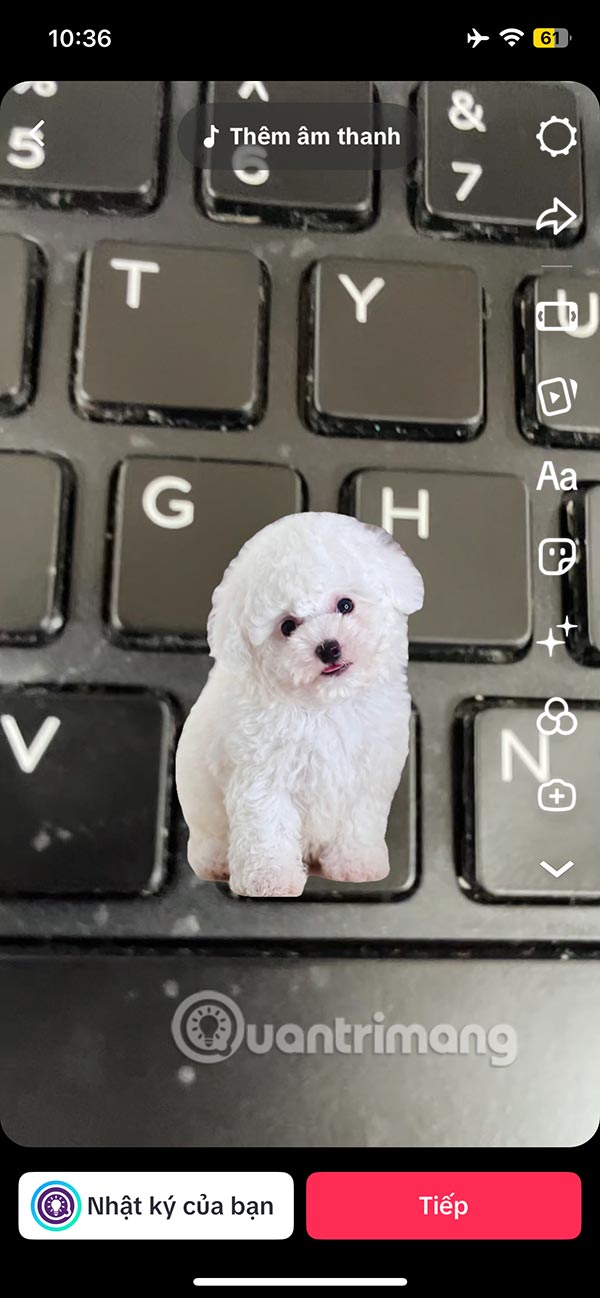
Finally, you edit or add other filters to the video and post it to your TikTok account as usual. The created sticker is saved for you to use later when needed.
Video Tutorial on How to Separate Photo Background to Create Stickers in TikTok
Final Thoughts
The most reliable way to handle separating photo backgrounds and creating stickers right in TikTok is to follow the process in order, verify each important setting, and test the result before moving on. Use the guidance above as a practical reference, then adjust the details for your device, software version, or specific goal.
FAQ
What should I check before I separating photo backgrounds and creating stickers right in TikTok?
Use the latest available software, confirm that your device meets the requirements, and make sure you have the necessary permissions, account access, or backup before changing anything.
Why might I be unable to separating photo backgrounds and creating stickers right in TikTok?
Common causes include outdated software, missing permissions, incompatible settings, incomplete setup steps, or a temporary network problem. Recheck the process from the beginning and restart the app or device if needed.
Is it safe to separating photo backgrounds and creating stickers right in TikTok?
It is generally safe when you use official tools, review every permission, and back up important data before making system-level or account-level changes.
Related Articles
 How to Create Stickers Using ChatGPT4 minutes read
 How to Comment with Photos on TikTok3 minutes read
 How to Create Stickers from Photos on Messenger3 minutes read
 Simple Way to Delete Photo Backdrops: Erase Photo Fonts12 minutes read
 How to Create AI Group Photos in TikTok: Step-by-Step Guide4 minutes read
 minutes read
Reader Comments 0
Sign in with email or Google to join the discussion.