Table of Contents
This updated guide explains how to Deleting Yahoo Account through clear steps, practical examples, and important checks that help prevent common errors.

this guide shows how to permanently delete Yahoo accounts. You need to consider before deleting, once you delete your Yahoo account, you delete all Yahoo services.
Step 1: You access the following address http://edit. yahoo. com/config/delete_user.
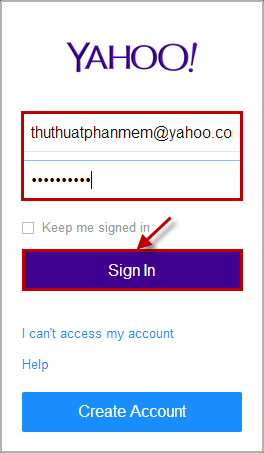
Step 2: Enter your yahoo account name and password. Then click Sign In .
Step 3: The website confirms the deletion of Yahoo account, you need to see information about deleting Yahoo account. If you may need to delete your account, then enter your password in the white box below the Word please identify yourself with your password . Next enter the code in the image into the text box below the code string. Then click Stop using this Account .

A notice of deletion appears, so your Yahoo account has been deleted.

So with these simple steps, you quickly delete your Yahoo account permanently. Good luck!
FAQ
What is the easiest way to Deleting Yahoo Account?
Start with the requirements in this guide, then follow each step in order. Check the result after every major change so problems are easier to identify.
Can beginners follow these instructions?
Yes. The process is organized into practical steps, and you can repeat any step before moving forward.
What should I check if the method does not work?
Confirm your software or device version, permissions, settings, file format, and internet connection when the task depends on online services.
Related Articles
 Instructions to Delete Yahoo Account Permanently4 minutes read
 Instructions for Restoring Yahoo Messenger Account5 minutes read
 How to Unlock Your Yahoo!: Yaoo3 minutes read
 How to Login to a Yahoo Account Without a Password4 minutes read
 Detailed Instructions for Deleting Telegram Account5 minutes read
 Yahoo Will Not Use Facebook and Google Accounts4 minutes read
Reader Comments 0
Sign in with email or Google to join the discussion.