Table of Contents
Overview
This guide covers for deleting Telegram account in clear, practical terms. It covers the key concepts, recommended steps, common limitations, and useful checks so you can make a better-informed decision.
Deleting a Telegram account is as simple as deleting a Facebook account or deleting an Instagram account. After completely deleting a Telegram account, you cannot recreate a new Telegram account using the same phone number that was previously deleted. Telegram also has the option to download your personal account data, saving all account data information. This guide explains in detail to delete your Telegram account.
How to download Telegram account data before deleting
Step 1:
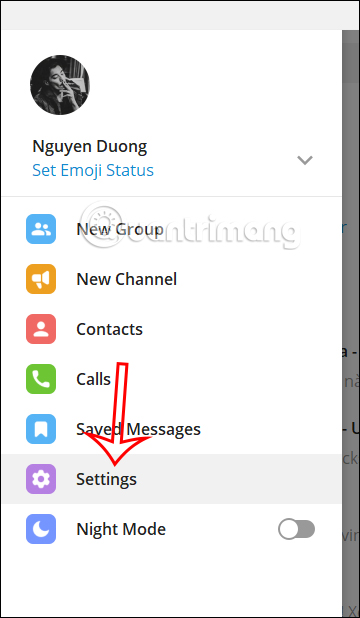
At the Telegram interface, click on the 3-dash icon and select Settings in the displayed list.
Step 2:
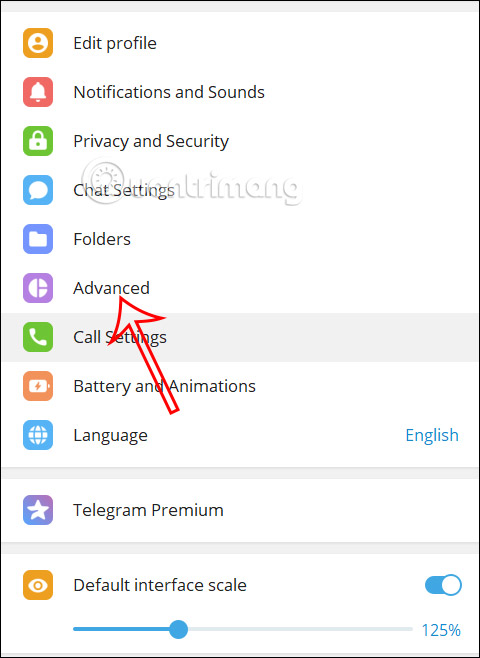
Display the settings interface for your Telegram account, we click on Advanced to see advanced settings for the application.
Step 3:
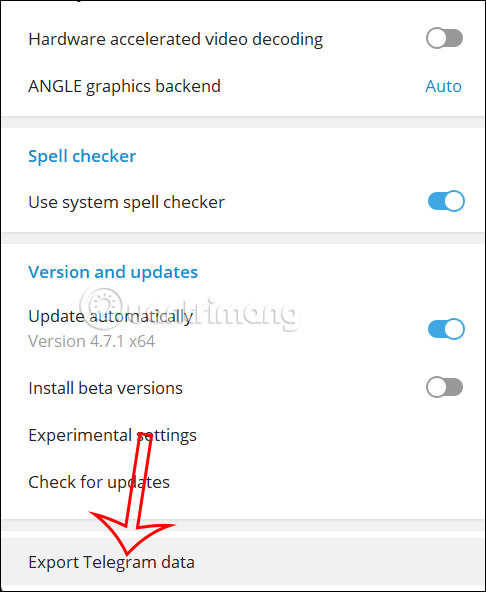
Scroll down and click Export Telegram data to download Telegram data.
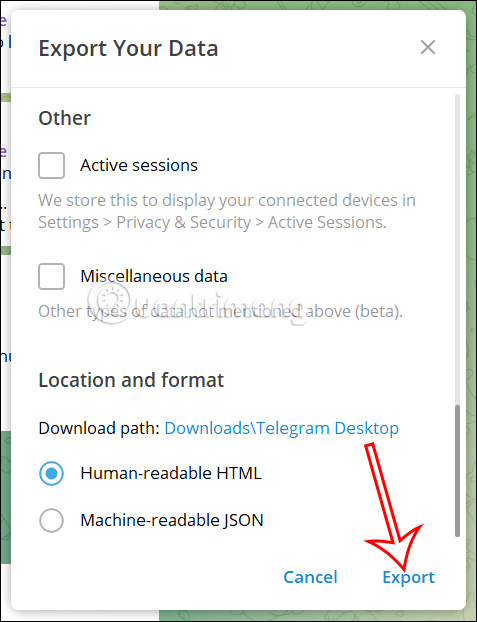
In the new interface, users will see all the data in Telegram for you to choose what type of content you want to download.
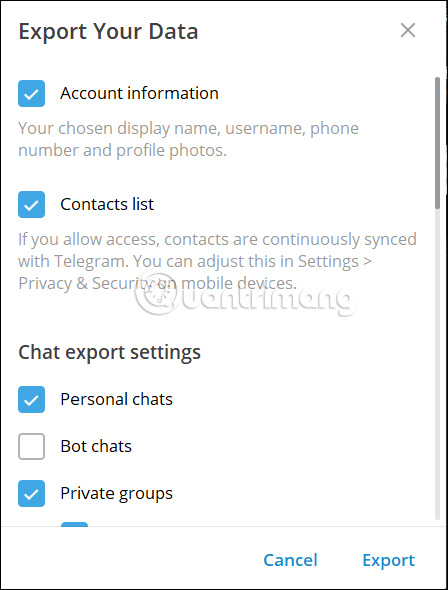
We can adjust the capacity of the Telegram account data file. In addition, we can change the data file storage location when downloading, choose the file format as HTML or JSON. Finally, the user clicks on Export to export personal Telegram account data.
How to delete Telegram account in detail
Step 1:
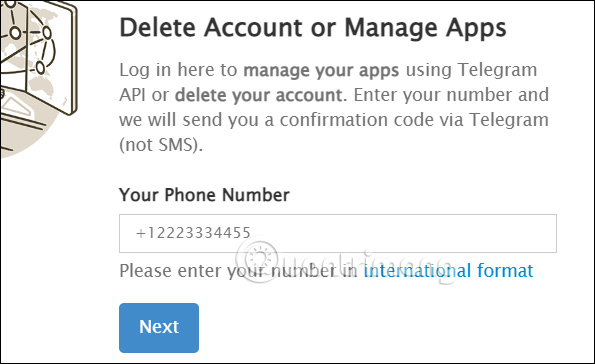
First, users access the Telegram link below.
At this interface, the user will enter the phone number registered for the Telegram account they want to delete and then click Next below.
Step 2:
Telegram will send a confirmation OTP code and you will enter that code into the interface as shown below, click Sign In to continue.

Step 3:
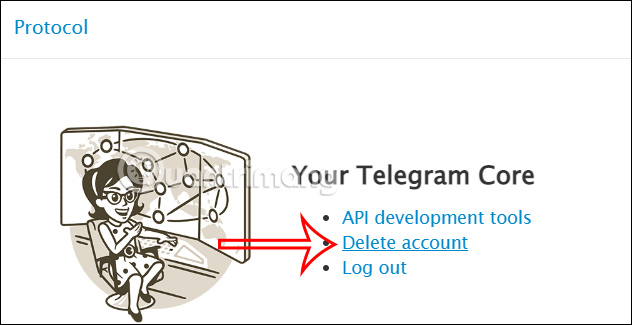
Then the user has 3 options to continue, we will click on Delete Account to continue the operation.
Step 4:
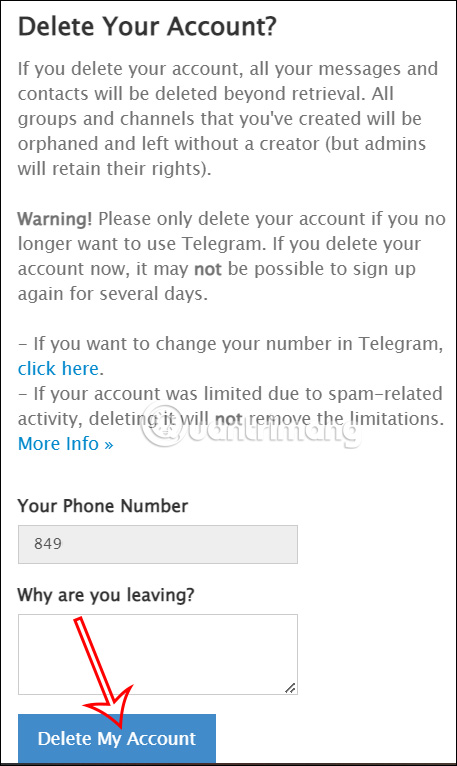
Telegram will ask you why you want to delete your account. You can fill it in or skip it, then click Delete My Account and then click Yes, Delete My Account to delete your account.
Immediately after deleting your Telegram account, all your data will be deleted from the application's system and cannot be recovered.
How to automatically delete Telegram account
Telegram has an automatic account deletion feature that allows you to delete your account after 6 months of inactivity. You can change that time period if you need to.
Step 1:
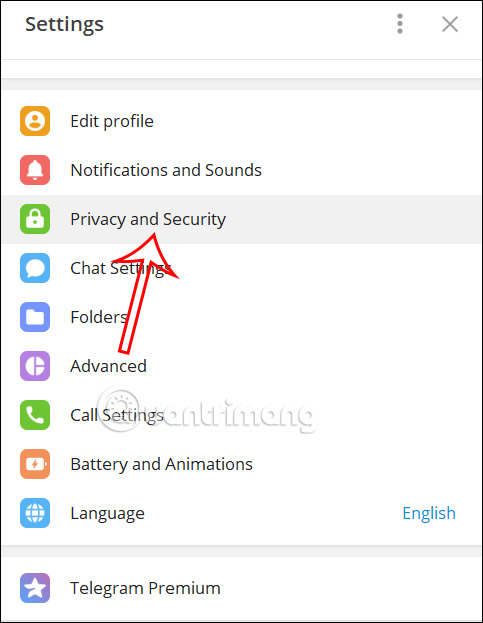
At the Telegram interface, click on the 3-dash icon, select Settings, then click on Privacy & Security.
Step 2:
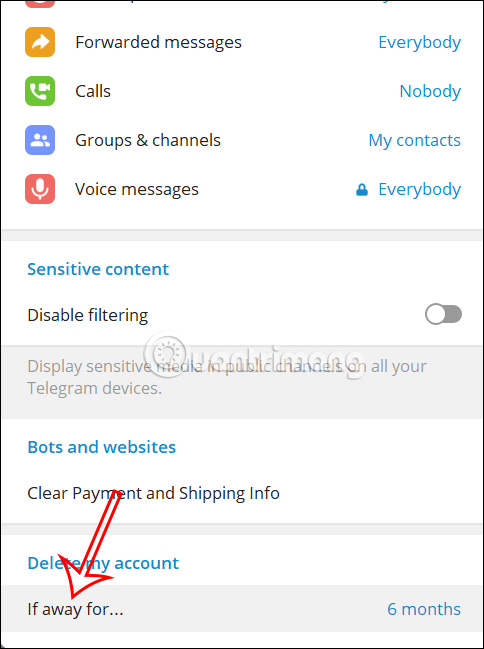
In the next interface, the user scrolls down below at Delete my account section If away for default to 6 months automatically delete the account if the user does not access for 6 months.
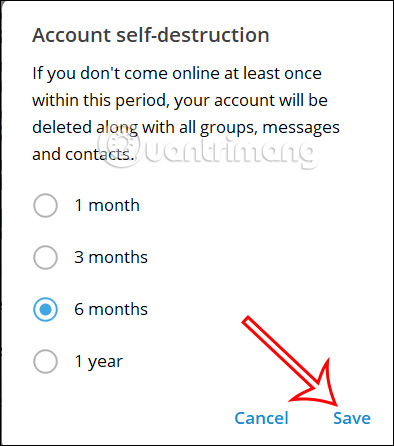
Click to change the time if needed. We can choose a maximum of 1 year or a minimum of 1 month without using Telegram for the application to automatically delete the account. After selecting, select Save to save.
Key Takeaways
Use the guidance above as a practical reference for for deleting Telegram account. Check compatibility, follow the steps carefully, and verify important details with official documentation when software, security, accounts, health, or purchases are involved.
FAQ
What is the main point of this article?
This article explains detailed instructions for deleting Telegram account, including the central facts, context, practical implications, and details needed to understand the topic.
Why does this topic matter?
It may affect performance, cost, safety, convenience, purchasing decisions, or how people understand a broader development.
Could the information change over time?
Yes. Product details, software features, prices, policies, codes, and news developments can change, so verify time-sensitive information with official sources.
Related Articles
 Detailed Guide on How to Quickly Integrate the Telegram API into N8n9 minutes read
 How to Create a Telegram Account on Computer and Phone3 minutes read
 How to Log Out of Telegram Account Remotely: Step-by-Step Guide5 minutes read
 Instructions for Using Free Chat Software Telegram on Your Computer4 minutes read
 Recover Telegram Account: How to Recover Hacked Telegram Account3 minutes read
 How to Create a Telegram Bot and Connect to N8n Quickly8 minutes read
Reader Comments 0
Sign in with email or Google to join the discussion.