Table of Contents
Understanding Online chat Owls requires more than a headline. The overview below breaks down the key facts, changes, and user impact.
Information security issues are always placed on top and get the attention of many people. So many security services are available to users such as sending automatic canceling files, or automatic canceling chat services like Owls. Chat.
Owls. Chat is a free, private, secure online chat service using End-to-End encryption. This is an encryption method that only those who communicate with each other can understand encryption. So your conversation will not leak. Specifically, these conversations will be automatically canceled after 24 hours so you won't have to worry about any stolen information.
- How to send email to self-destruct within 5 minutes on Gmail
- How to use Firefox Send to share large files
- 5 effective file sharing cloud applications
How to Chat Privately on Owls. Chat
Step 1:
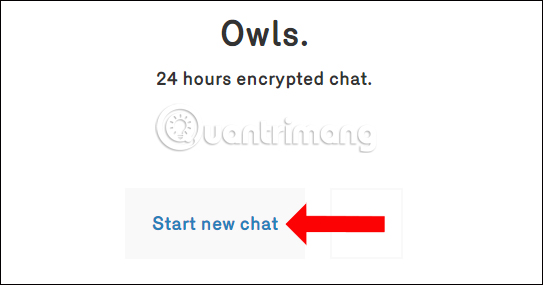
Read the link below to visit the Owls. Chat service homepage. We do not need to charge for use. Click Start new chat.
- Https://www. Owls. Chat
Step 2:
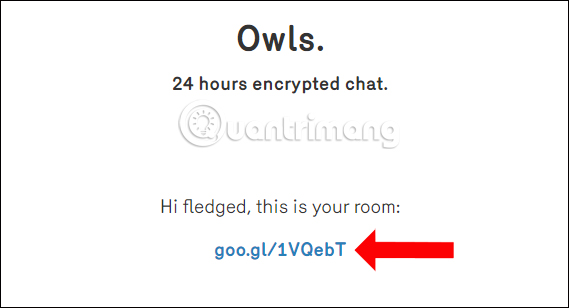
You wait for a few seconds to see the shortened link submission service of the chat room. Click on the chat room link Owls sent to you to access the secret chat room.
Step 3:
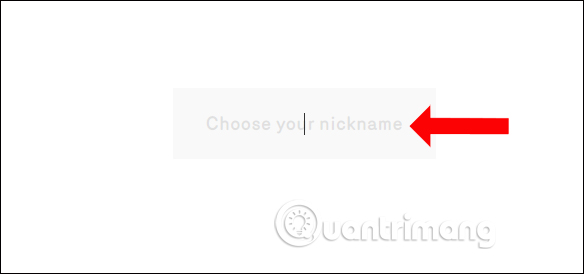
Next, users will be asked to enter their display name, enter the box Choose your nickname and press Enter to determine.
Step 4:
Thus we will be transferred to the chat interface on the online chat service Owls. Chat. The top right of the chat frame will be the time for this conversation to exist. You just need to enter the chat content in the Type a message box. To send the image, we click on the plus symbol next to the chat text input box.
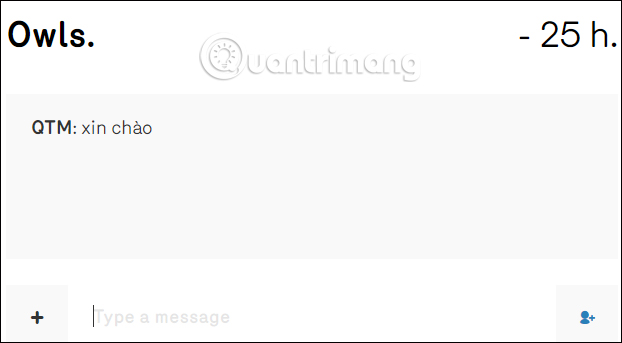
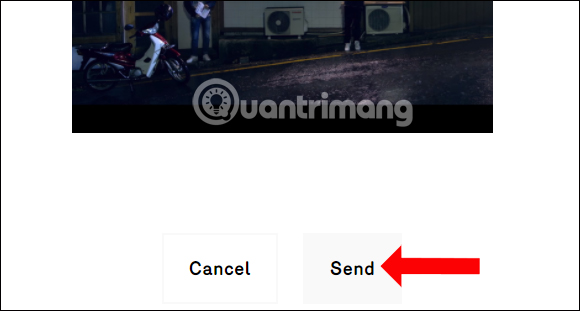
Then press the Send button to send the image and wait for a few seconds for Owls. Chat to send the data to the chat room.
Step 5:
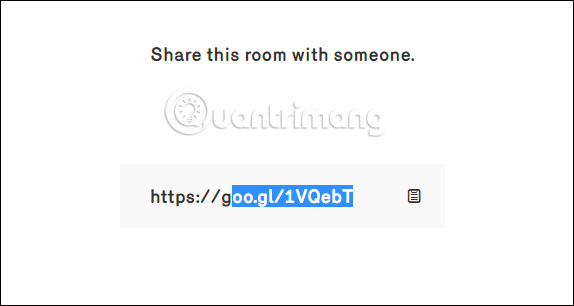
To open the chat room link, click on the account icon to the right of the chat content entry. Then you just need to copy the link to the chat room to send to the members who want to join.
The Owls. Chat service does not limit the number of people who join the chat room, so you can send a link to anyone who wants to join. The number of people creating chat rooms on Owls. Chat will be unlimited. The conversation will automatically delete within 24 hours, since we started the chat group.
- How to send an email that exceeds the size limit?
- How to send large files up to 20GB completely free
- Instructions for sharing files via Take A File service
I wish you all success!
FAQ
How does Online chat Owls work?
Understanding Online chat Owls requires more than a headline.
What should you prepare before using this method?
The overview below breaks down the key facts, changes, and user impact.
What should you do if the process does not work as expected?
Information security issues are always placed on top and get the attention of many people.
Related Articles
 6 Self-Destruct Chat Apps on the Phone6 minutes read
 Private Chat with Zhoo. App5 minutes read
 Self-Destructing Message on Sayhenlo: Chat Service Sayhenlo4 minutes read
 Send, Receive Encrypted Messages, Self-destruct Messages, Secure Chat4 minutes read
 How to Self-destruct Chat on Telegram2 minutes read
 How to Share Your Self-Destruct File with Degoo5 minutes read
Reader Comments 0
Sign in with email or Google to join the discussion.