Table of Contents
You can find a few ways to find the location of an application or program on your computer. Finding the installation folder for any application or game on Windows is pretty easy.
Have you ever wanted to uninstall a program or change a file but couldn't find its installation location? There are a few ways to find the location of an application or program on your computer. Finding the installation folder of any application or game on Windows is pretty easy. Here are a few ways to find the location of software installed on Windows.
Find location via software icon
Step 1:
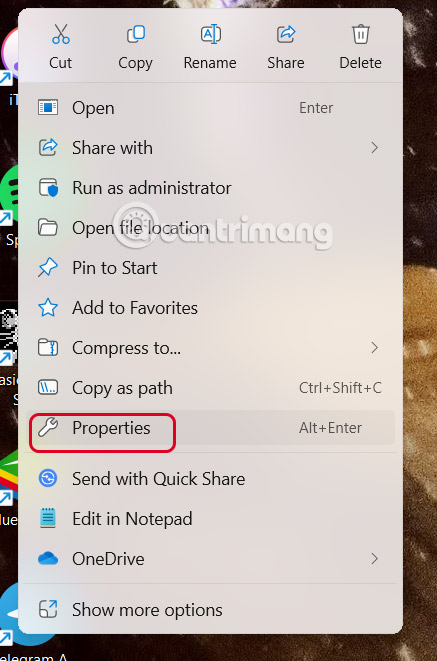
Right -click On the software And Select Properties In the displayed menu.
Step 2:
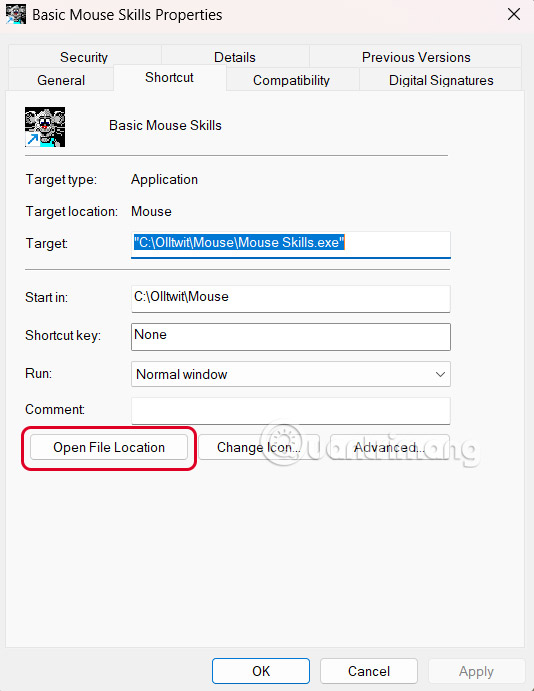
Now you will see the location of the software on your computer in the Target section. Click Open File Location To access the folder on your computer.
How to find software location via Start Menu
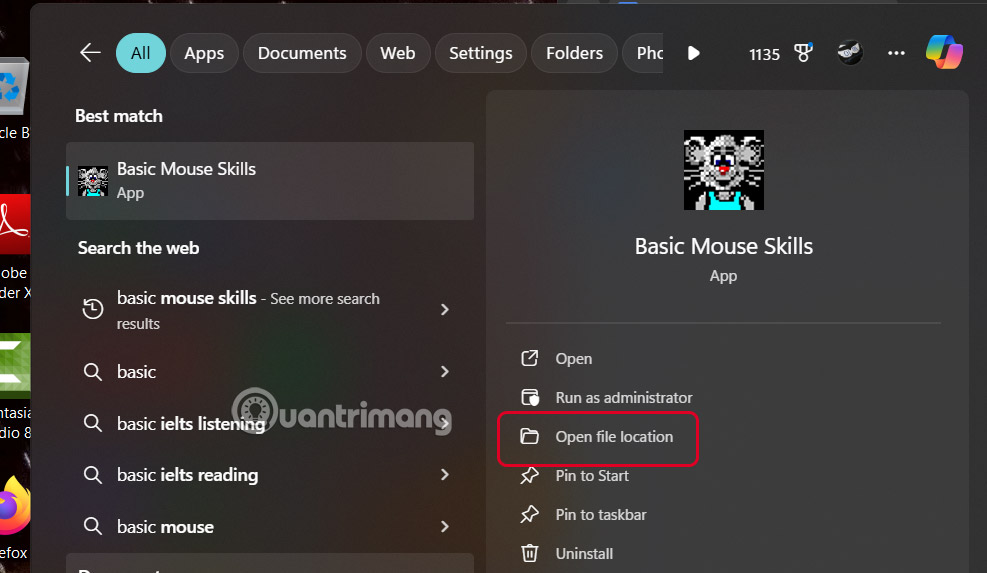
Enter The software name in the search bar , then click Open File Location To open the software folder on your computer.
Instructions for finding software location via Task Manager
Step 1:
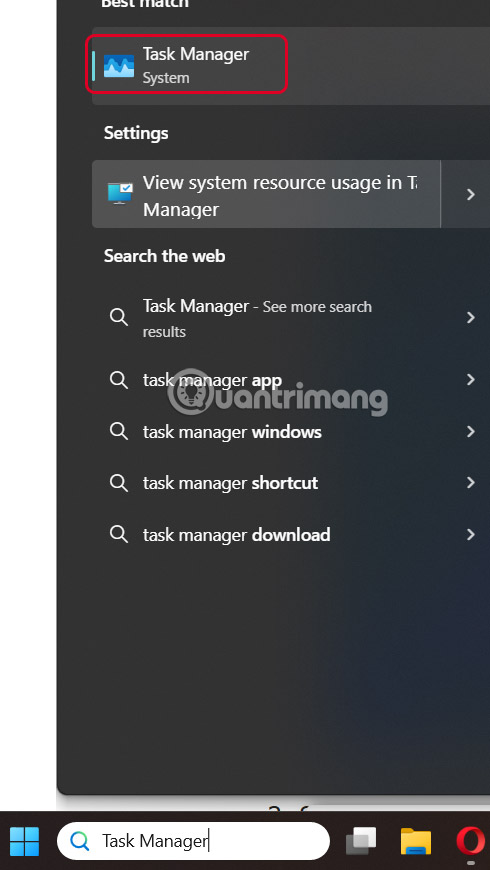
You Type Task Manager In the search bar to access it.
Step 2:
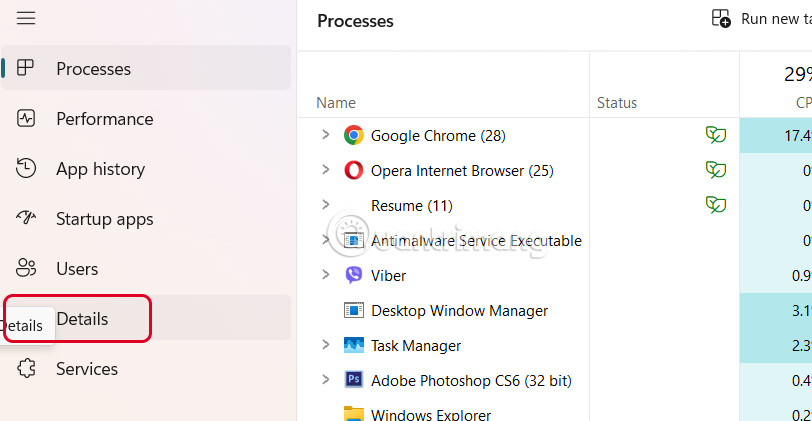
Continue Clicking on Details To access details of the software on your computer.
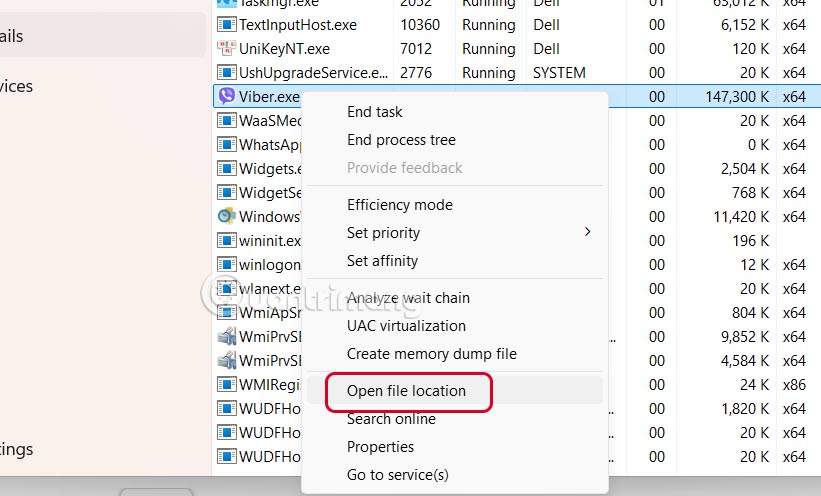
In the list of available software, Right-click on the software And Select Open File Location To open the software folder on your computer.
Find software location from Command Line via Task Manager
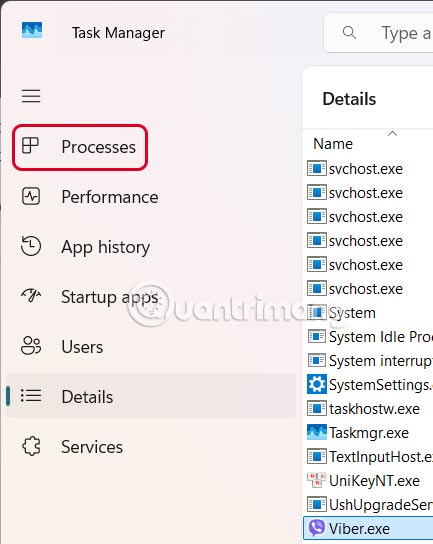
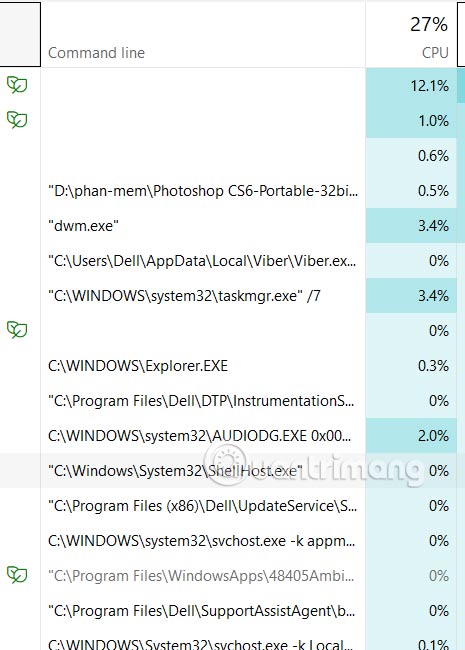
You also Open Task Manager Then click Processes .
Right- click On a column And select Command Line .
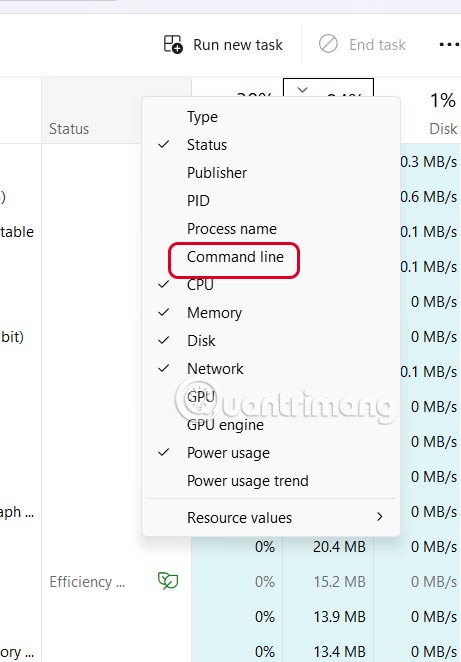
Immediately after that you will also see The Command Line column With the detailed Folder path for the software.
Find the program installation location from File Explorer
You open File Explorer then select drive C, then navigate to Program Files > Program Files (x86) . This is the folder where programs are usually installed.
FAQ
What should you know about the options in this guide?
In practical terms, there are a few ways to find the location of an application or program on your computer. Finding the installation folder for any application or game on Windows is pretty easy.
Which option is the best choice?
The best choice depends on your priorities, compatibility, budget, and the specific features discussed in the comparison.
What should you compare before deciding?
Compare core features, limitations, ease of use, compatibility, and long-term value before making a decision.
Related Articles
 How to Run Windows on a Mac6 minutes read
 Product Key: 21 Best Free Software Key Finders15 minutes read
 How to Refresh the Location in Find My Application3 minutes read
 How to Block Software Installation on Windows Computers5 minutes read
 How to Use Smakoon to Find Restaurants on Windows 105 minutes read
 How to Delete Location History on Windows 115 minutes read
Reader Comments 0
Sign in with email or Google to join the discussion.