Table of Contents
Overview
This guide explains how to sign out of your Google account on another device in clear, practical terms. It covers the key concepts, recommended steps, common limitations, and useful checks so you can make a better-informed decision.
How to log out of Google account on other devices remotely is a common question of many people when they forget to log out of their account after use. Let Software Tips share with you how to log out of Google account on other devices quickly.
I. What is remote Google account sign out?
Google Account – The account system chain includes: Gmail, Drive, Photos, Documents,… which are currently chosen by many people to use every day. Google accounts are now extremely diverse and are used on a variety of different devices such as: Phones, tablets, Laptops, computers, PCs…. Google accounts are always closely linked together and used for many different purposes.
Google accounts when logged in on different devices can manage remote login when there is an Internet connection. When managing remote Google account login, users can log out of the account quickly and accurately. Remote account logout is performed in logged in device management, users can use another device to log in to the Google account to log out. Remote Google account logout helps users not need to use the device that logged in the account but can still log out quickly.
Some of the uses of remote Google account signout on other devices are:
- When you lose your phone: When you lose your phone, you need to quickly log out of your Google account on the device to avoid data falling into the wrong hands.
- Forgot to log out of your account on public devices: When you log in to your Google account on public devices and forget to log out, you can quickly log out of your account remotely.
II. How to sign out of your Google account on another device
To log out of your Google account on another device, users can do it on a computer platform, web browser, phone or any way to connect to the Internet.
1. How to log out of Google account remotely on computer, laptop, PC
Step 1: Go to the Google homepage and log in to the Google account you need to log out of on another device.
Then you select the Account icon → Manage your Google Account.
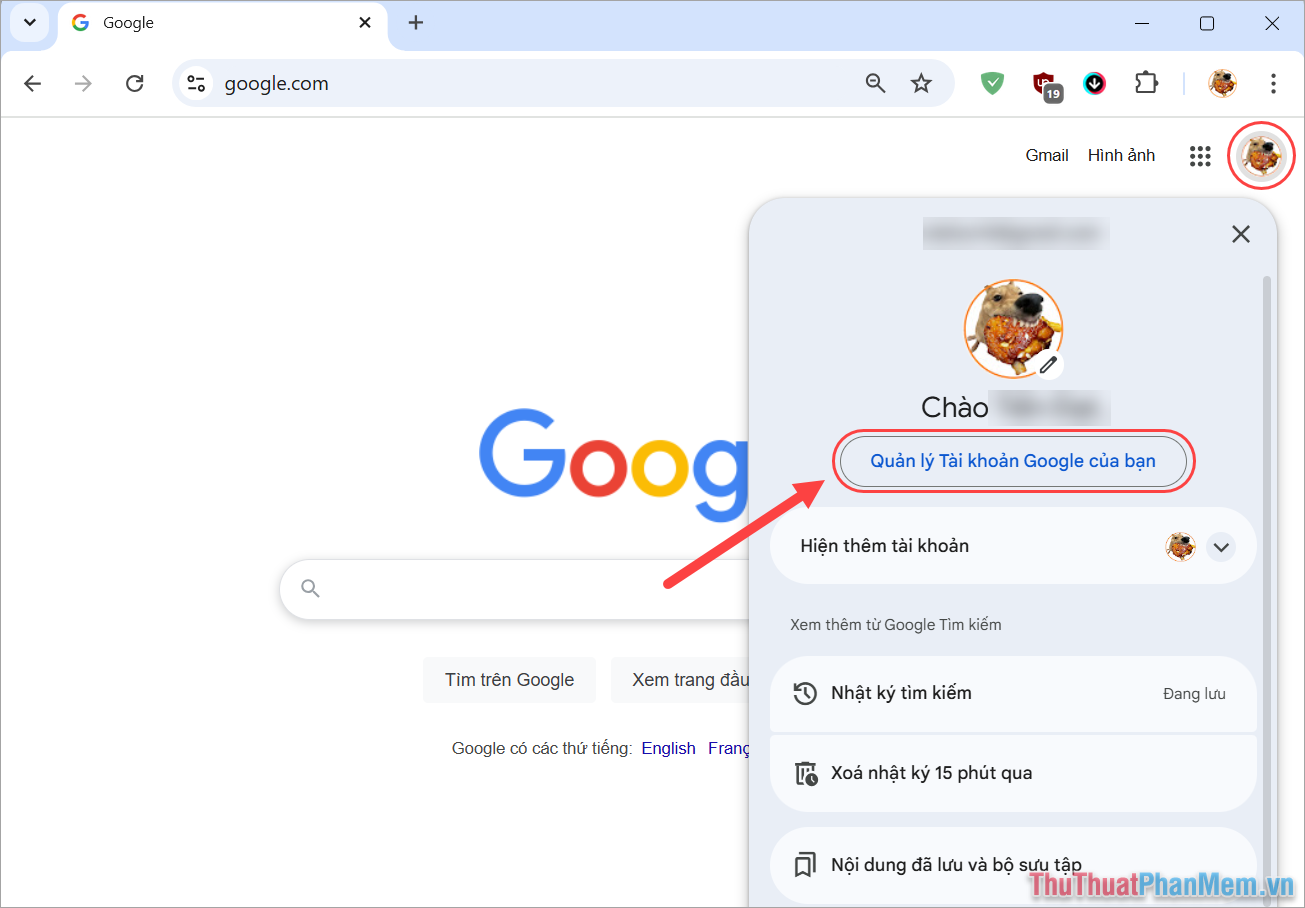
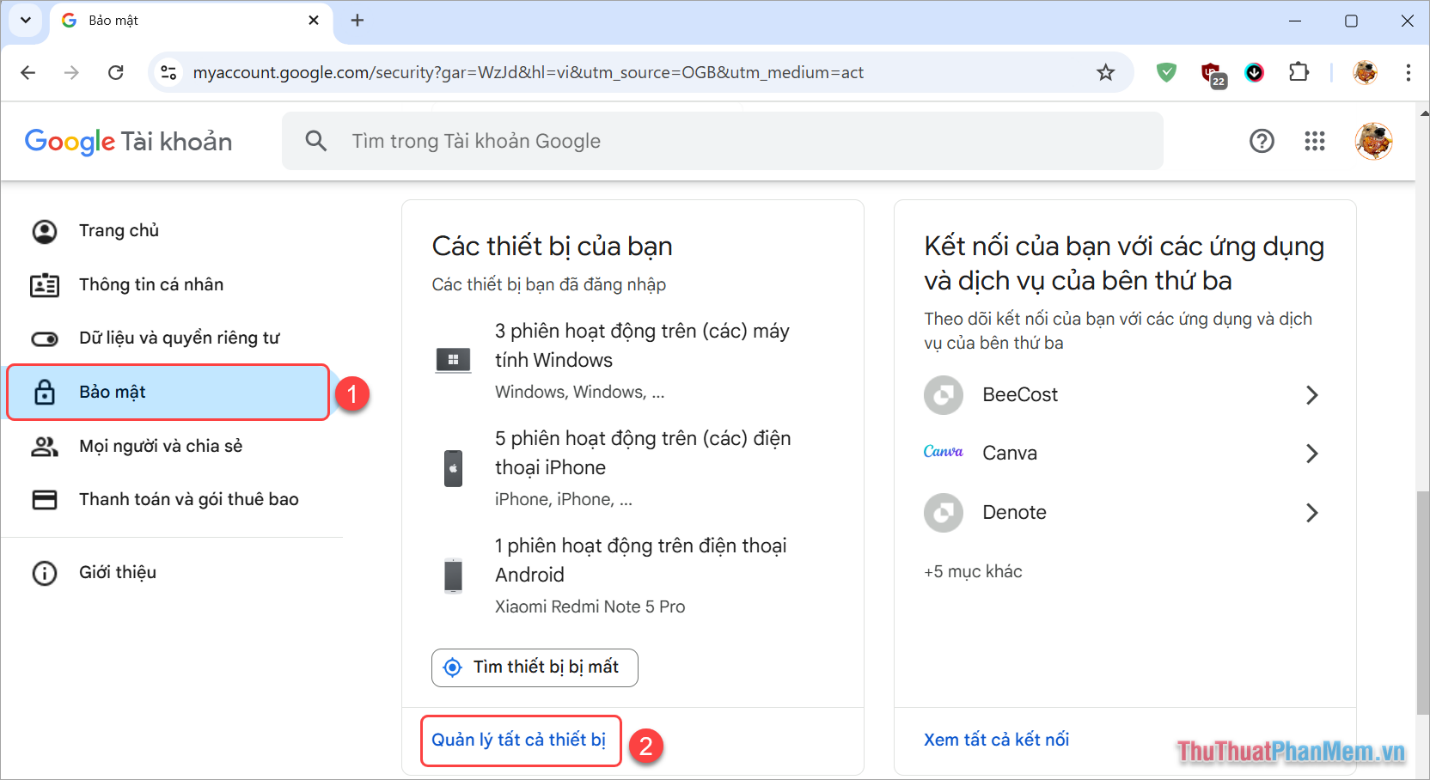
Step 2: Then, select Security (1) → Manage all devices (2) to see all the devices you have previously logged in with your Google account.
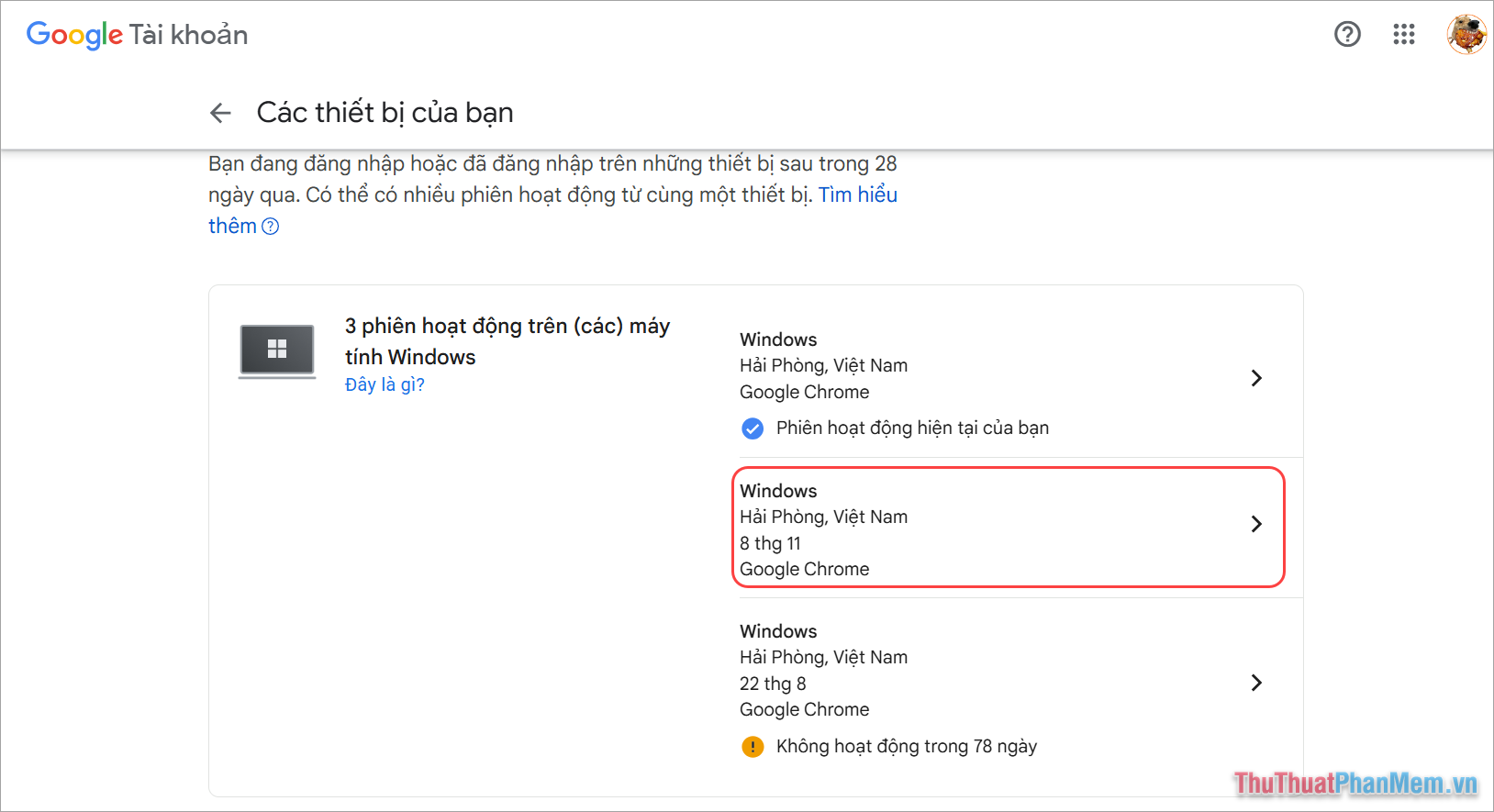
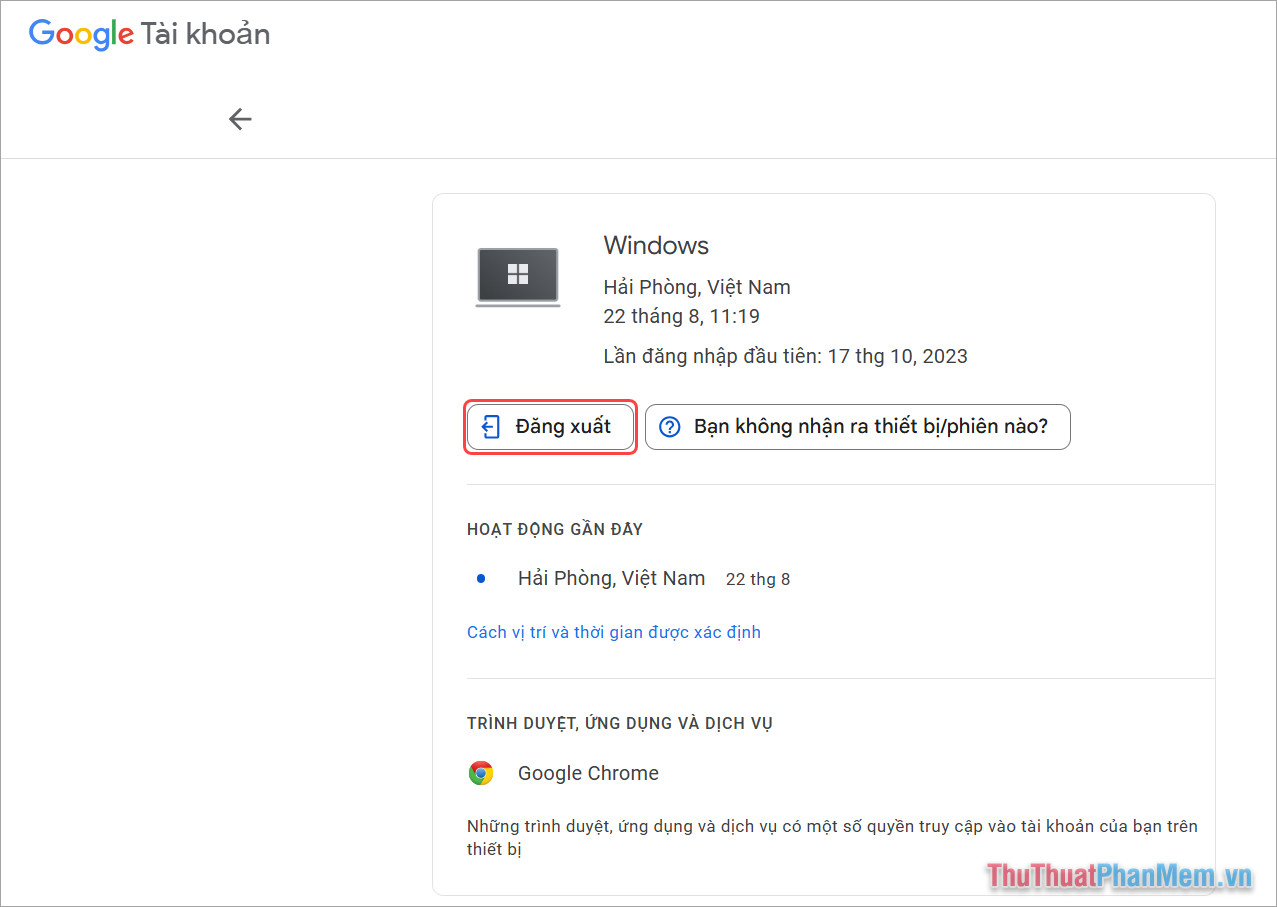
Step 3: In this list, Google will display all the devices you have previously logged in with your Google account. Now you need to identify the exact device that needs to log out of your Google account by looking at the device, login time and login location.
Step 4: In the login account options window, select Sign out to remotely sign out of your Google account on another device.
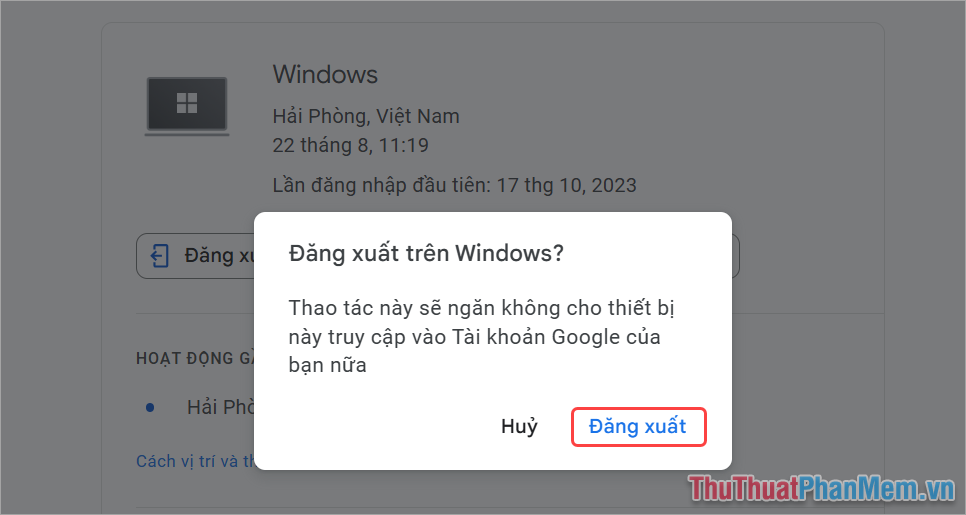
Step 5: Before logging out of your Google account, the system will ask you to confirm and you just need to select Log out.
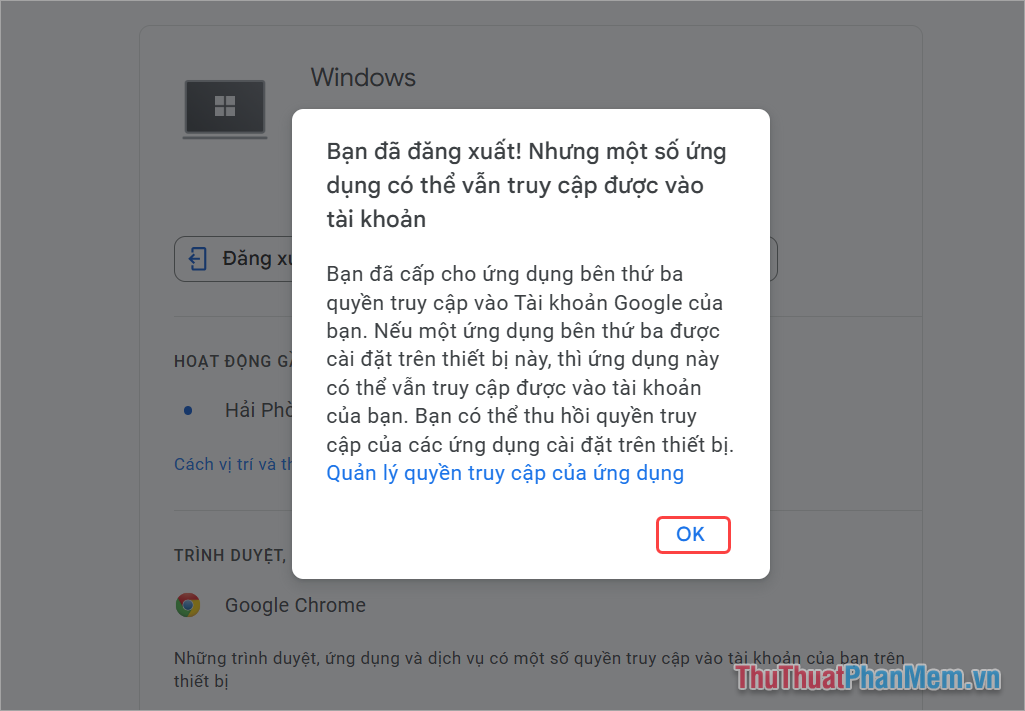
Step 6: Once logged out successfully, you will receive a message 'You're logged out! But some apps can still access your account'.
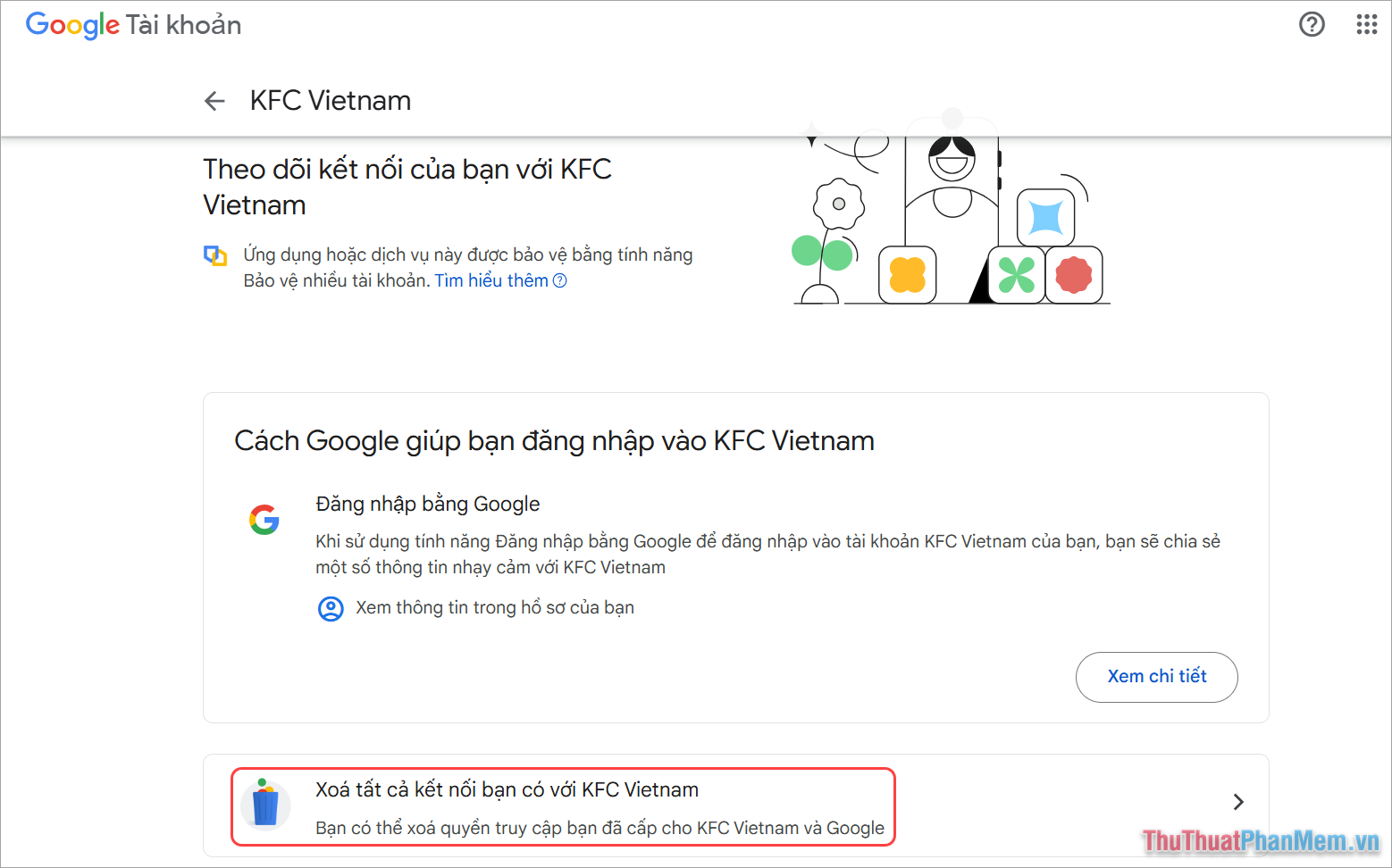
To sign out of previously logged-in apps, select Manage app access.
Step 7: In the list of Third-party Apps and Services, select the apps that need to be logged out of your Google account.
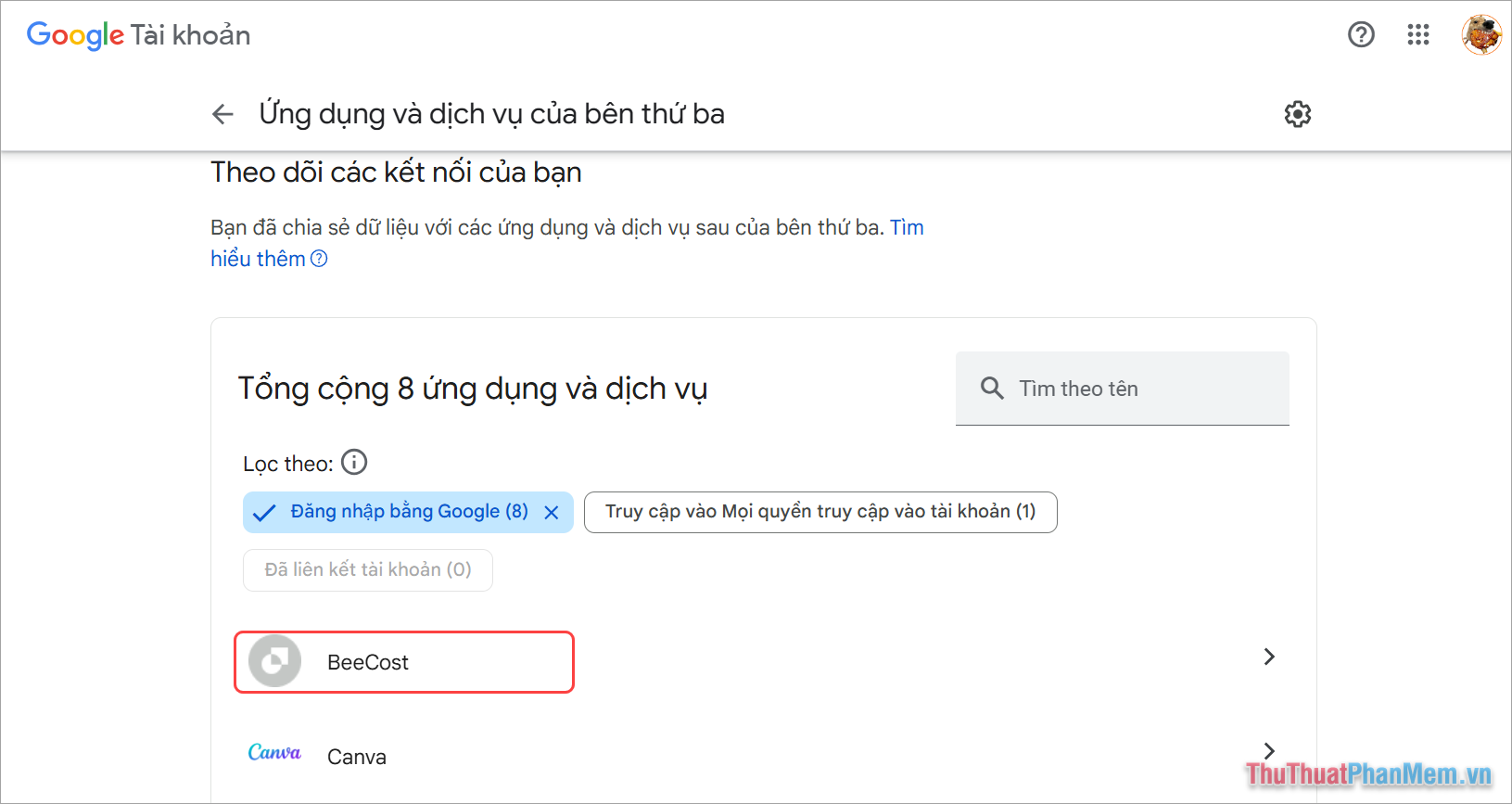
Step 8: Here, you choose Delete all connections you have with …. Thus, you have completed logging out of your Google account on other devices.
2. How to remotely log out of your Google account on your phone
For mobile platforms, users can remotely log out of their Google account using Google apps, Gmail, Drive, etc. or any other Google app. Additionally, users can also log out from the Google homepage on a web browser.
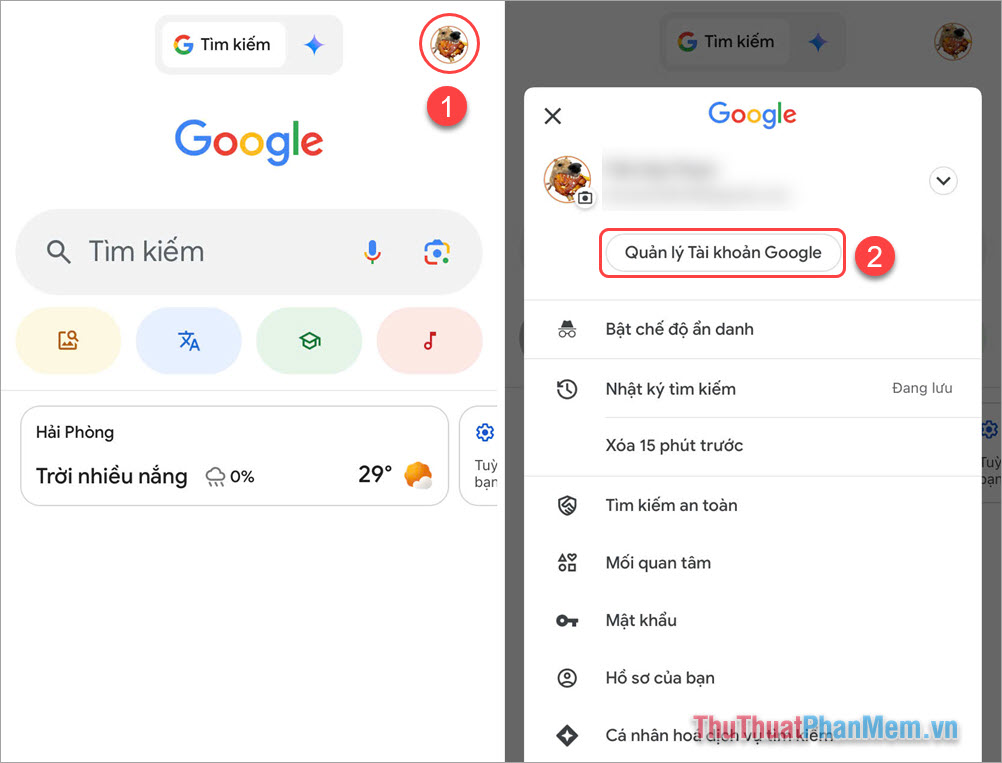
Step 1: Open the Google app on your phone, select Account ( 1) → Manage Google Account (2).
- Download: iOS | Android
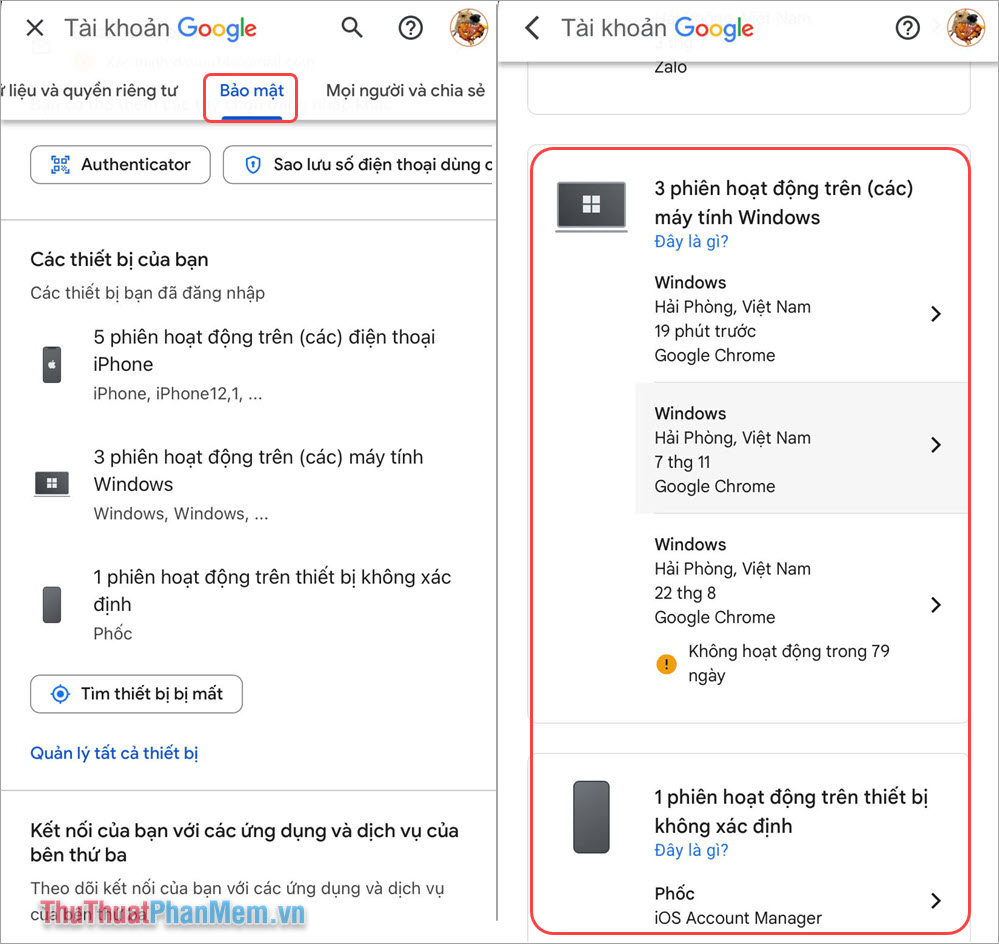
Step 2: Then, select Security → Manage all devices → Logged in devices.
In the list of Google accounts, the system will display all the devices and locations you have previously logged in.
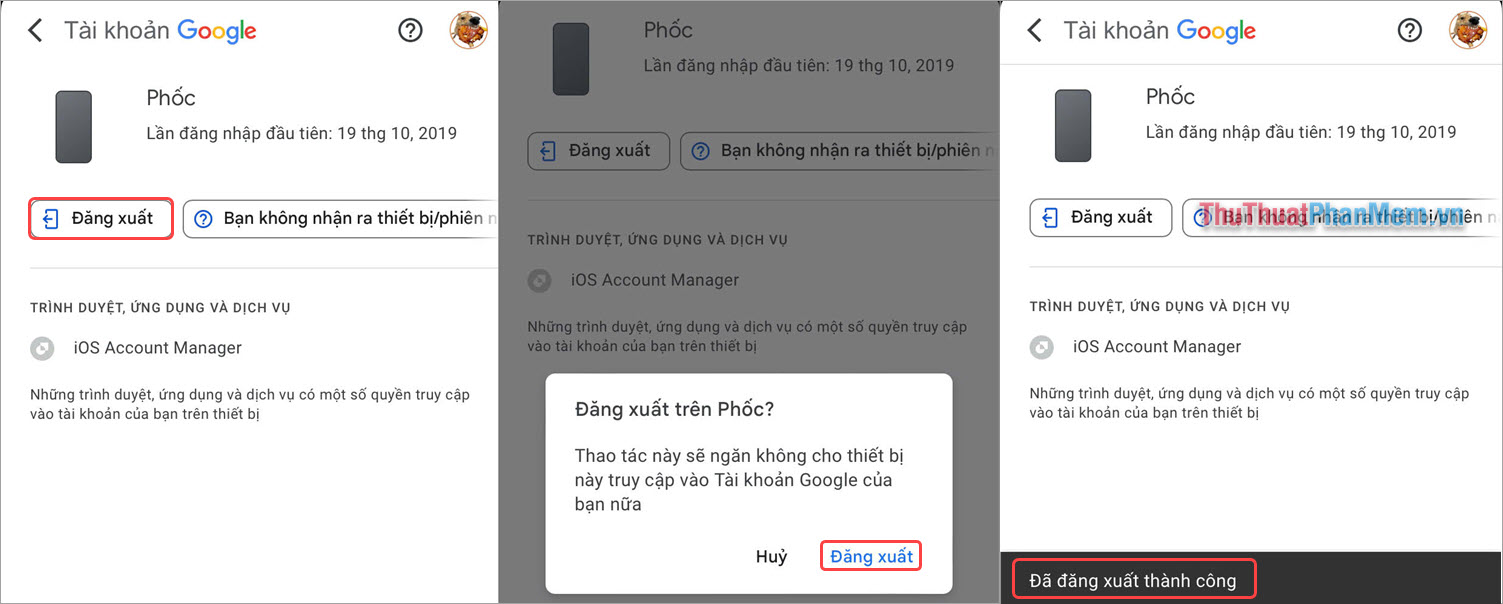
Step 3: Next, select Log out → Log out.
Once successfully logged out, you will receive a 'Successfully logged out' message.
In this guide, Software Tips has shared with you how to log out of your Google account on another device quickly. Have a nice day!
Key Takeaways
Use the guidance above as a practical reference for how to sign out of your Google account on another device. Check compatibility, follow the steps carefully, and verify important details with official documentation when software, security, accounts, health, or purchases are involved.
FAQ
How do I sign out of my Google account on another device?
Follow the steps in this guide in order, confirm each setting before continuing, and save, restart, or reconnect the device when the instructions require it.
What should I check before I begin?
Confirm the correct device, account access, software version, compatibility, and a current backup whenever the process could affect files, settings, or security.
What should I do if the process does not work?
Repeat the steps carefully, check for model or version differences, install available updates, and consult the manufacturer's official support documentation.
Related Articles
 How to Sign Out of Google Play: Practical Guide4 minutes read
 Risks of Using “Sign In With Google”4 minutes read
 The Simplest Way to Sign Out of Your Google Account on Your4 minutes read
 What Happens If You Don't Sign in to Your Google Account on Android Explained8 minutes read
 How to Fix 'We Can't Sign into Your Account' Error on Windows 103 minutes read
 How to Detect Someone Accessing Your Google Account3 minutes read
Reader Comments 0
Sign in with email or Google to join the discussion.