Table of Contents
You can make your iCloud calendar public on your iPhone and iPad so that people can easily track events when you share them with others.
IOS comes with a full-featured calendar app that lets you create and track events with ease. Notably, you can make iCloud calendars public on iPhone and iPad so that You can easily track events when sharing them with others. Here's how to share calendars on iPhone.
How to share calendar on iPhone
Step 1:
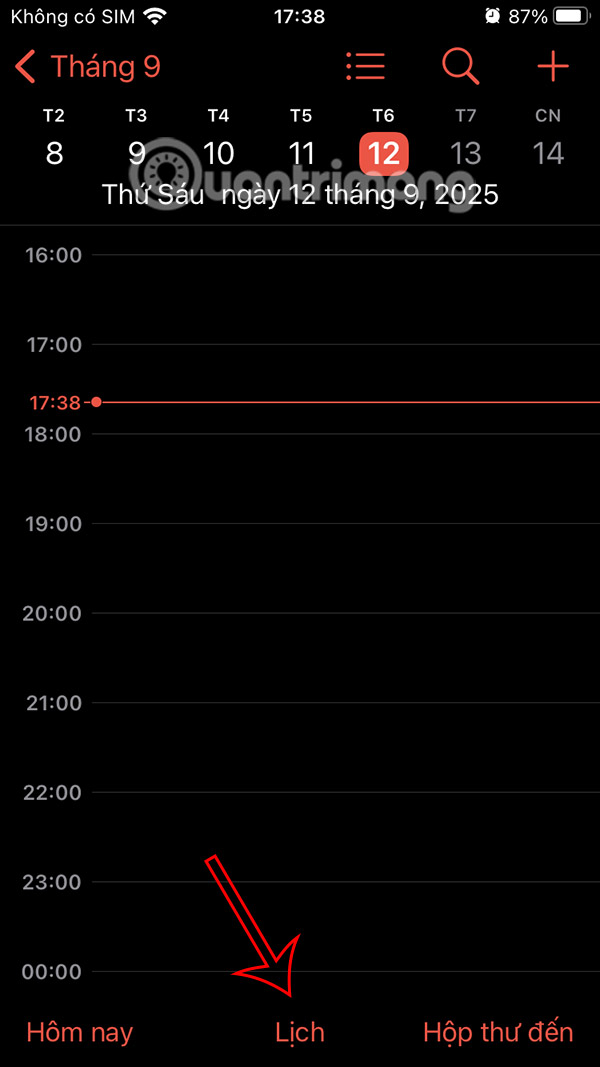
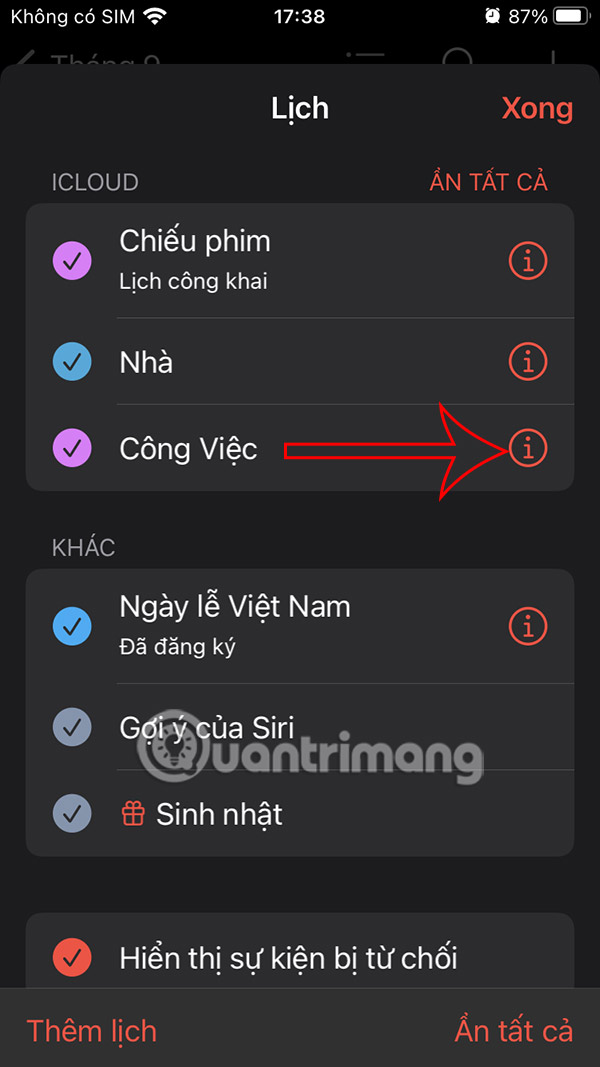
Go to the Calendar app and then tap on Calendar at the bottom of the screen. Switch to the calendar list, find the calendar you want to share and tap on the i icon.
Step 2:
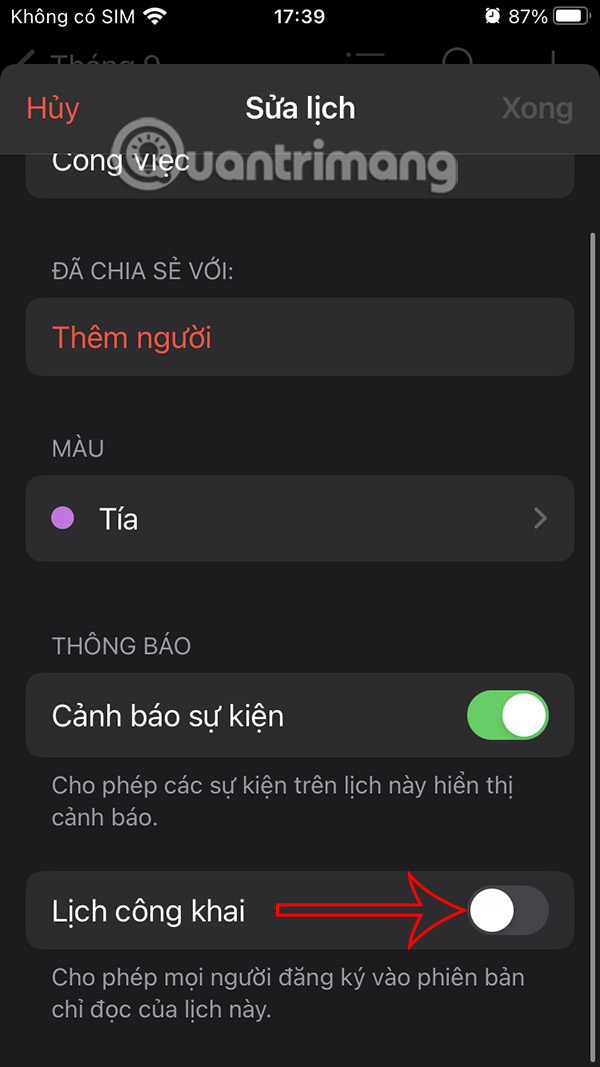
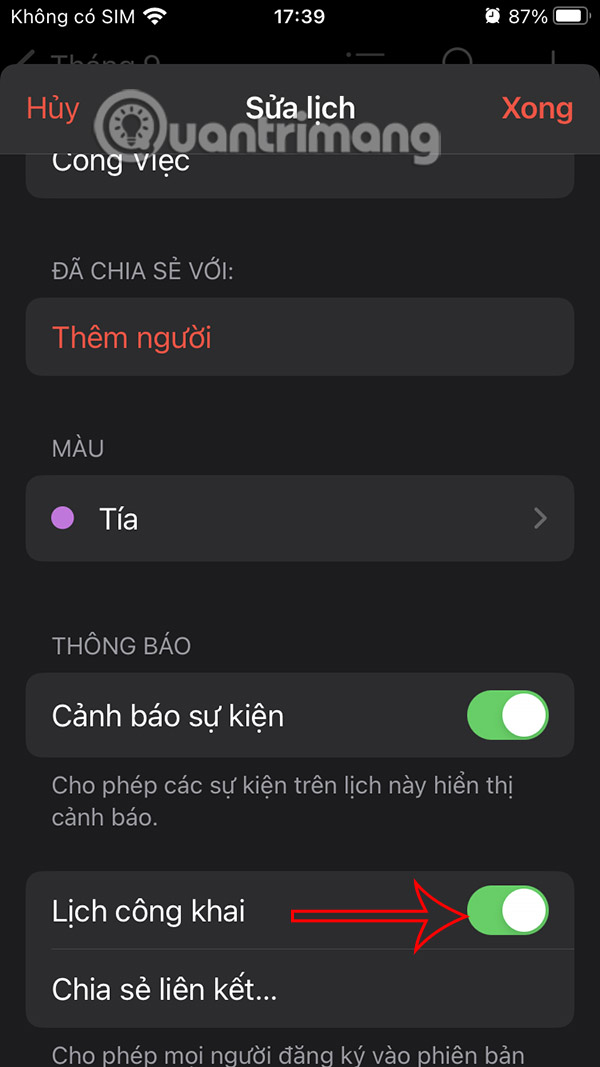
First You should enable Public Calendar mode To use. Then you click Share link below To do it.
Step 3:
You will then see A calendar sharing link To send this calendar to anyone else you want.
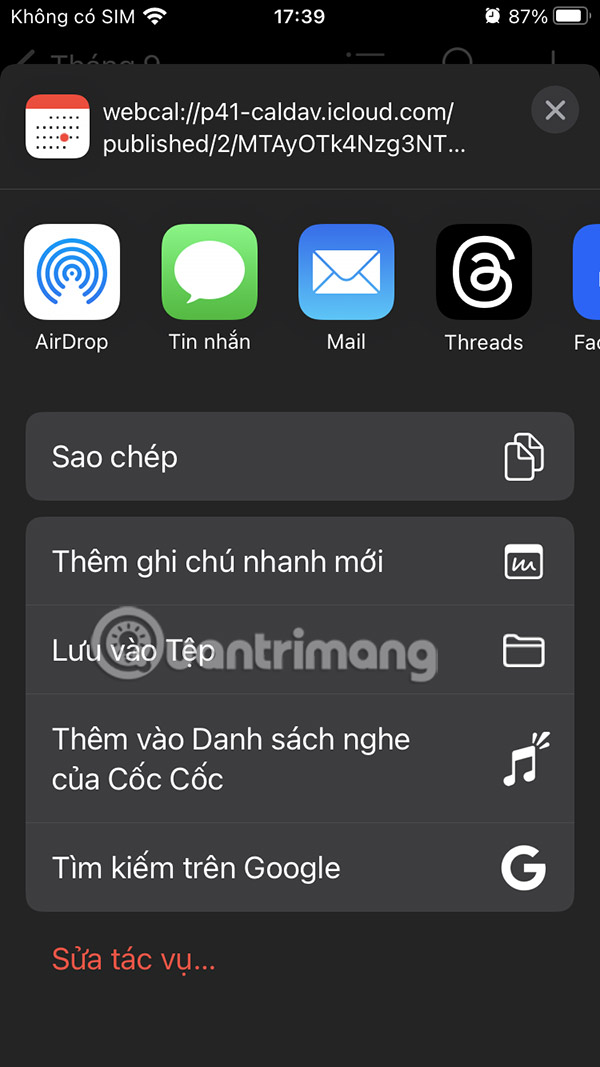
Or you can Tap Add People Then Tap the plus sign To add people from your contacts, or enter an account directly.
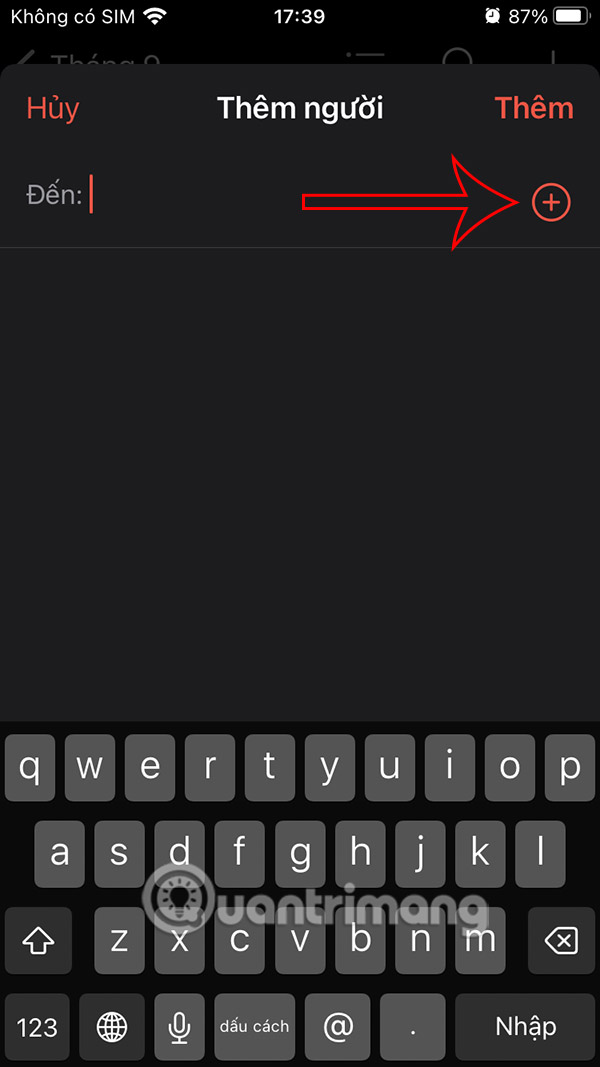
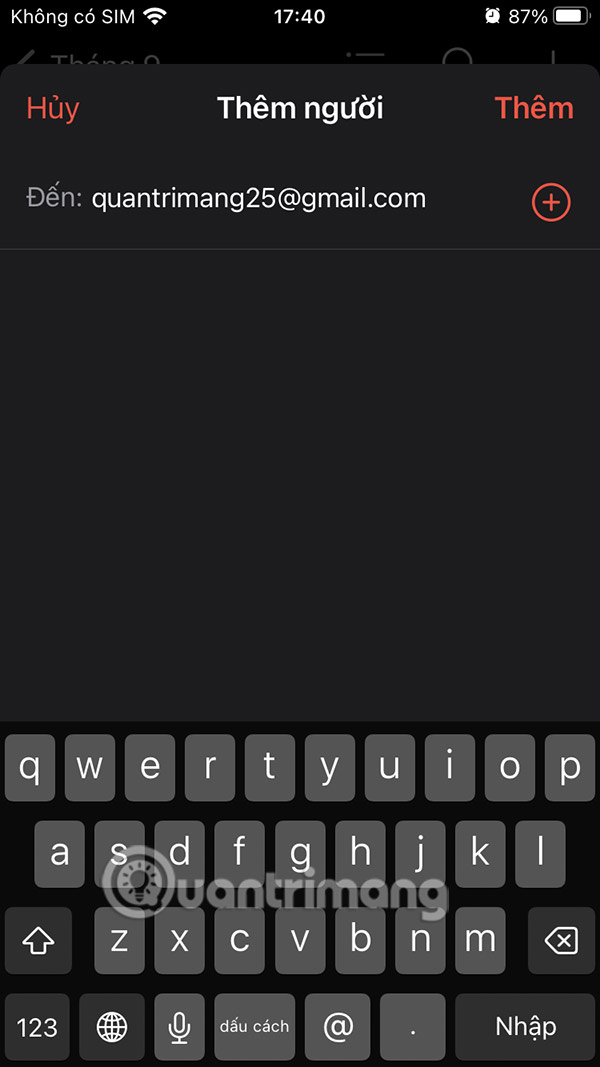
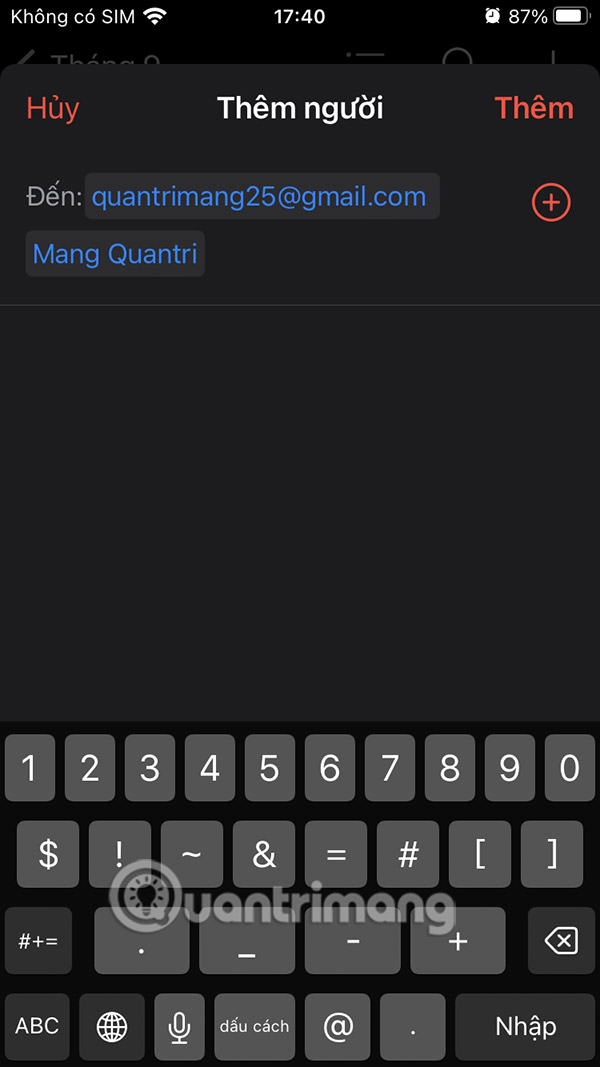
Step 4:
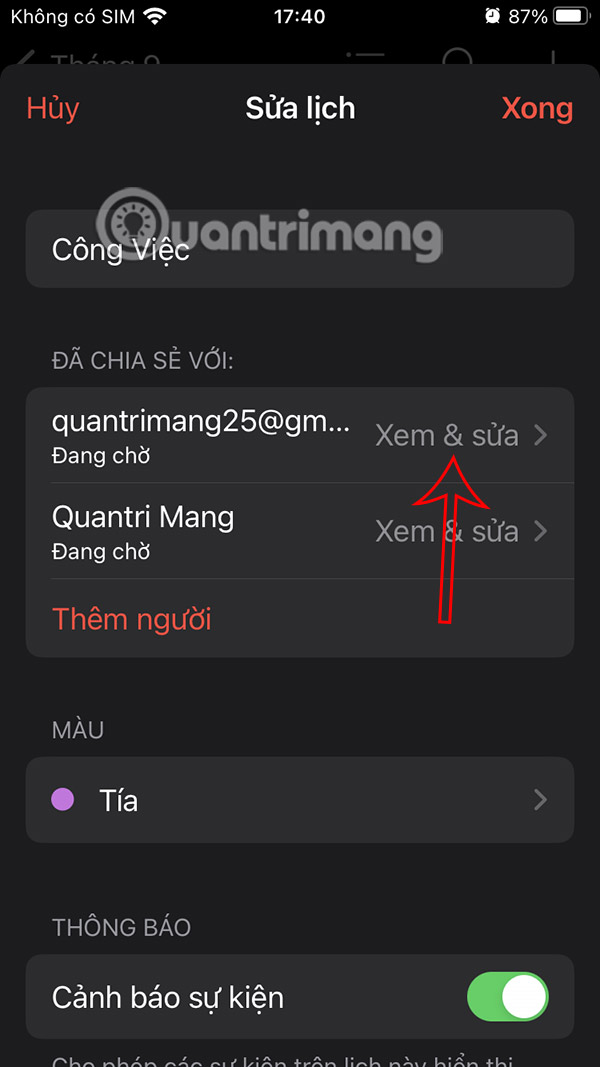
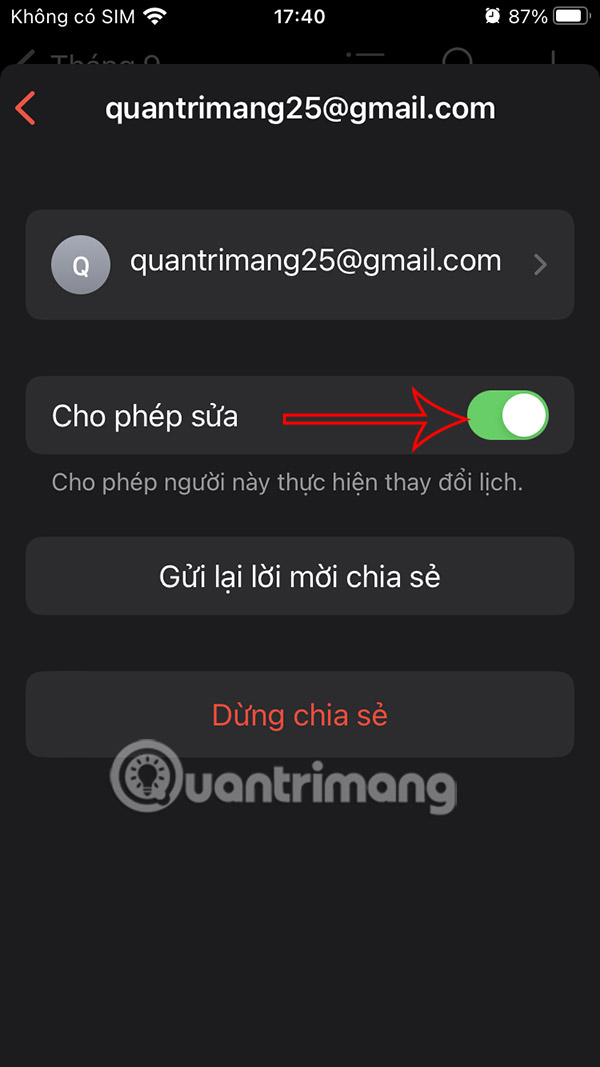
The recipient of the calendar will then need to agree to access the calendar you send. You can also Adjust the calendar access rights , Click on the sharer You want to adjust. Here you can Turn off the calendar editing mode If you want.
Step 5:
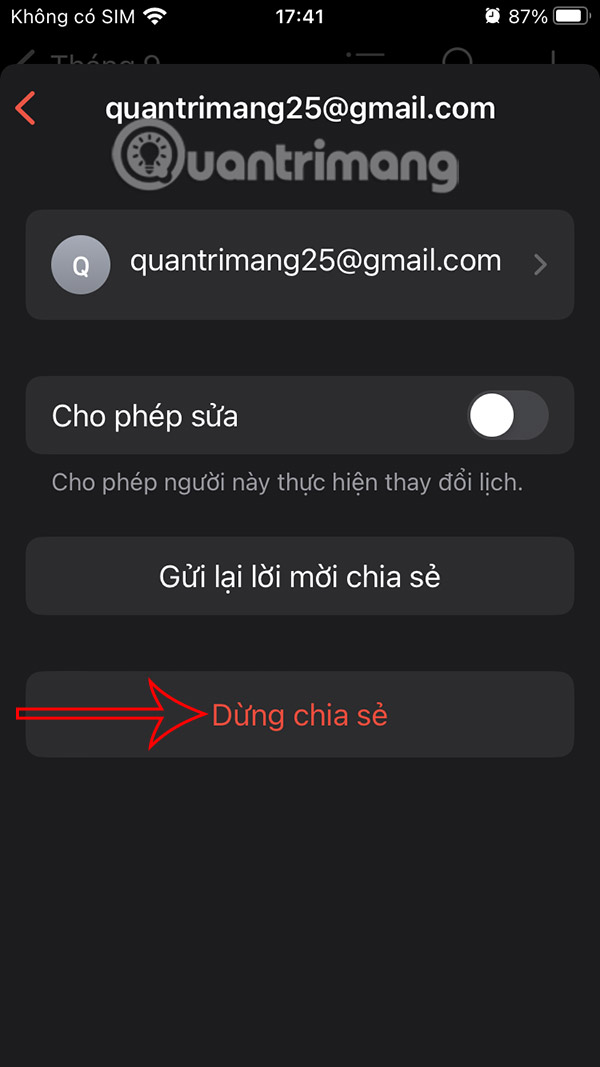
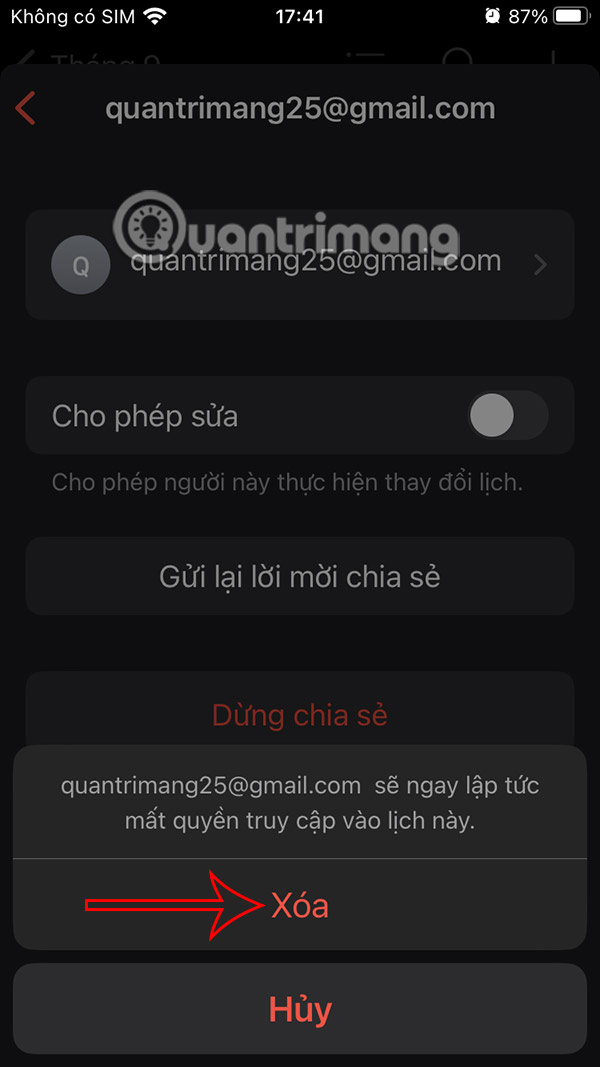
To Stop sharing the calendar , click Stop Sharing Below. Then Click Delete To remove sharing with this account.
FAQ
How do you share calendars on iPhone: step-by-step guide?
In practical terms, you can make your iCloud calendar public on your iPhone and iPad so that people can easily track events when you share them with others.
What should you check before getting started?
Review the requirements, compatible device or software version, and any warnings described in the guide before making changes.
What should you do if the steps do not work?
Repeat the steps in order, confirm that your app or system is up to date, and review the troubleshooting details provided above.
Related Articles
 How to Check Calendars from Apple Watch4 minutes read
 Instructions for Using Extension Share (Sharing) on iPhone and iPad5 minutes read
 How to Share Passwords on iPhone / iPad with Airdrop5 minutes read
 How to Share Airtag with Others on iPhone3 minutes read
 How to Customize Share Sheet on Iphone, Ipad7 minutes read
 How to Insert Calendars into PowerPoint4 minutes read
Reader Comments 0
Sign in with email or Google to join the discussion.