Table of Contents
Google has changed the design of the phone app on most Android devices. However, many people do not like this phone design because the new interface uses horizontal alignment for answering and rejecting calls, instead of vertical alignment. If you want to go back to the old phone design on Android, follow the steps below.
How to return to the old calling interface on Android
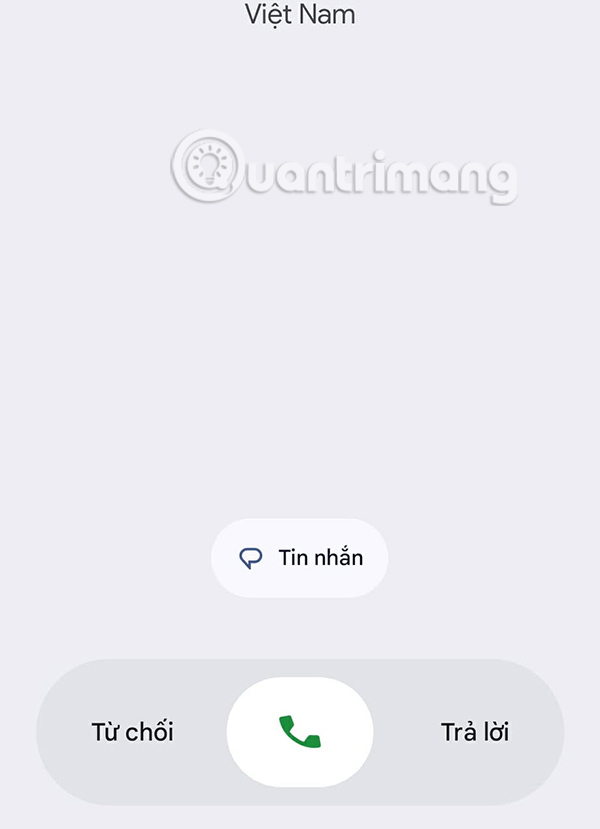
This is the new calling interface on Android phones, with horizontal swipes to perform the task of listening to or rejecting calls.
Step 1:
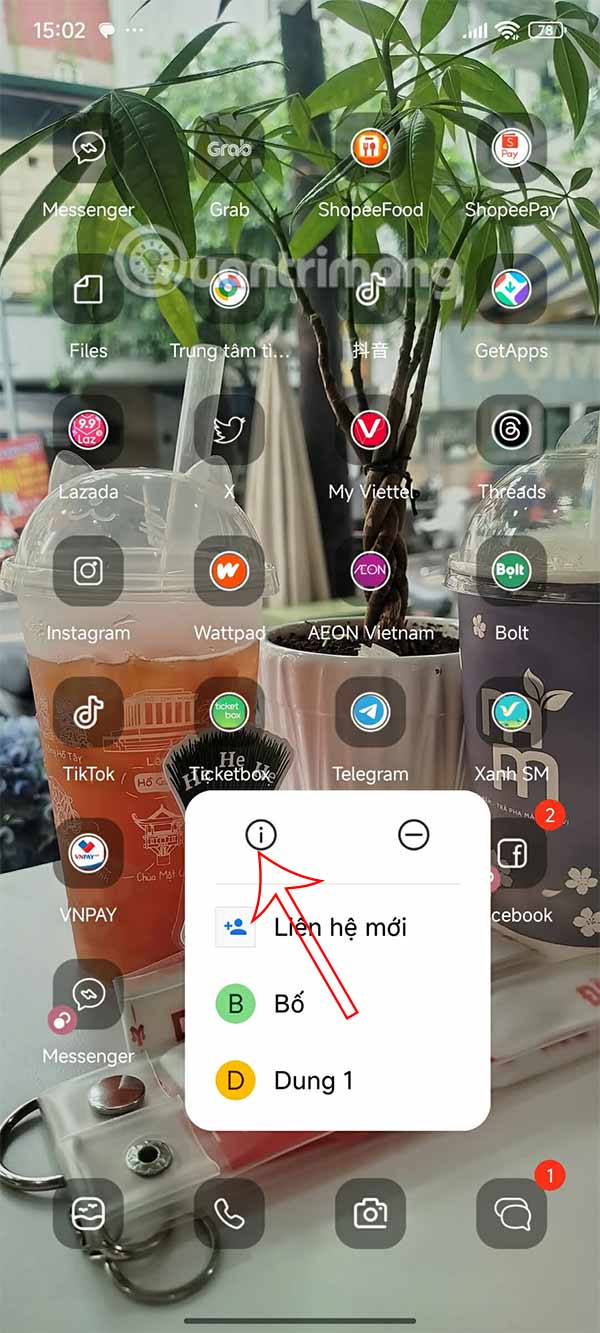
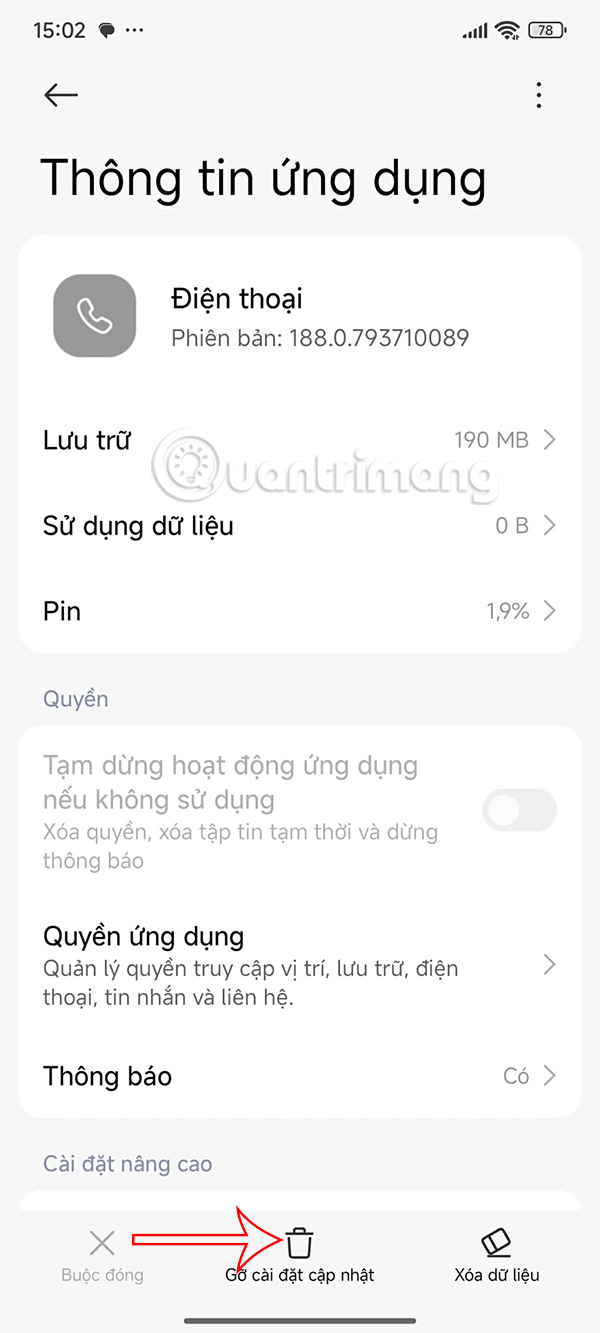
You hold down on the phone icon i then press on the i icon . Display the Phone application information interface, press Uninstall updates .
Step 2:
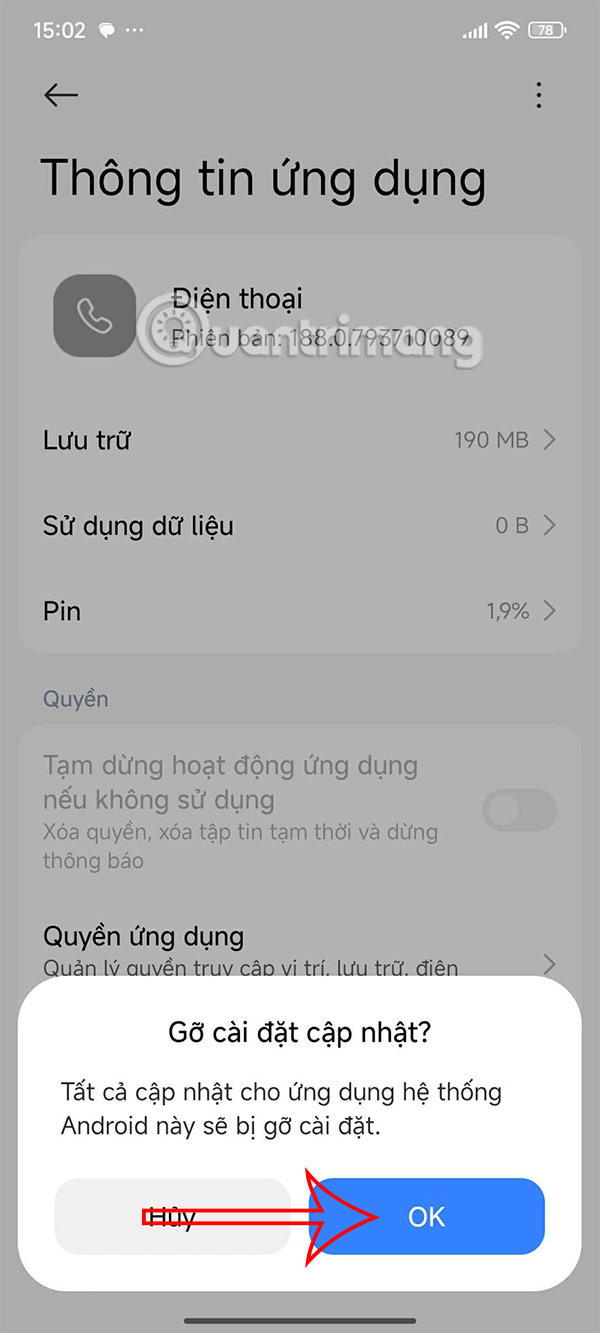
Now the message as shown is displayed, click OK to agree to remove the current update and return to the old calling application on Android.
Remove Phone app updates on Android
The procedure to uninstall Android calling app update may vary from device to device and some phones may not allow it, then follow the below method.
Step 1:
At the Google Play Store interface, find the Phone app and then click Uninstall .
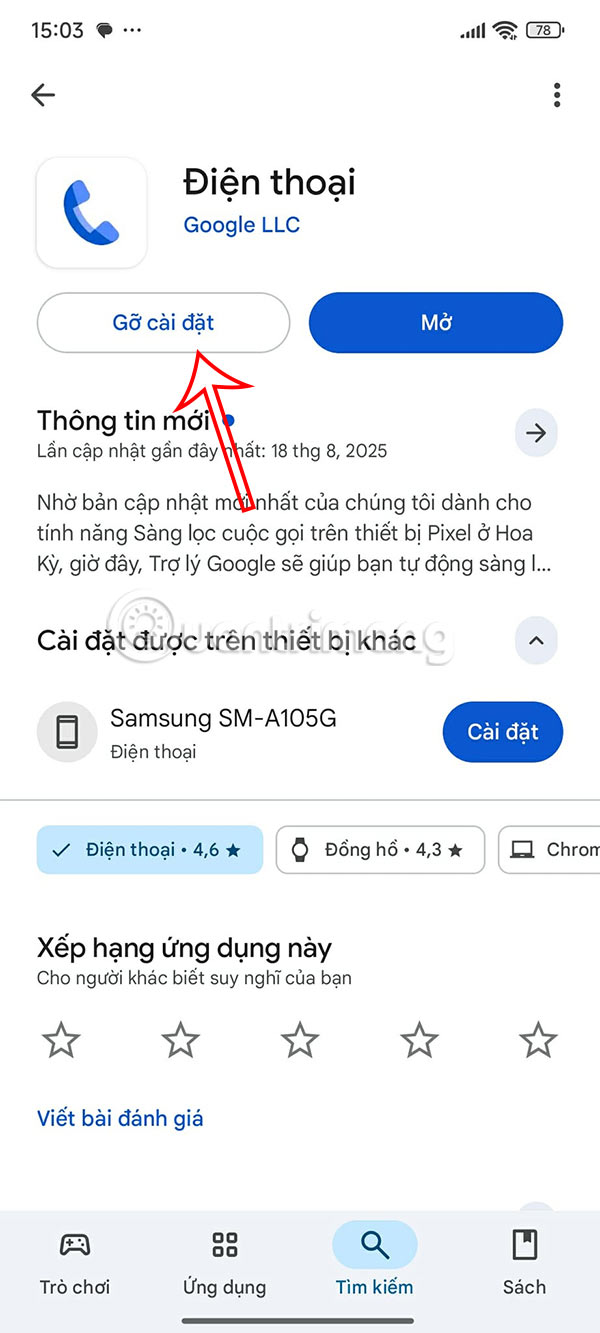
Step 2:
Next, we select the 3 dots icon in the top right corner and turn off the Enable automatic update mode .
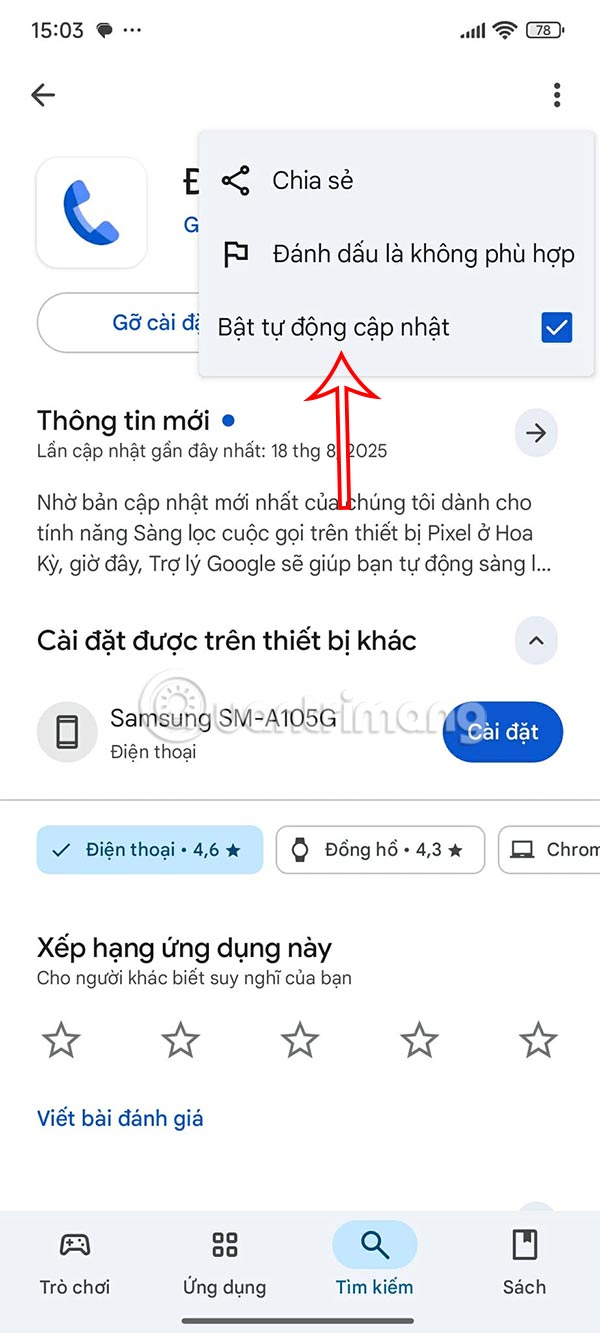
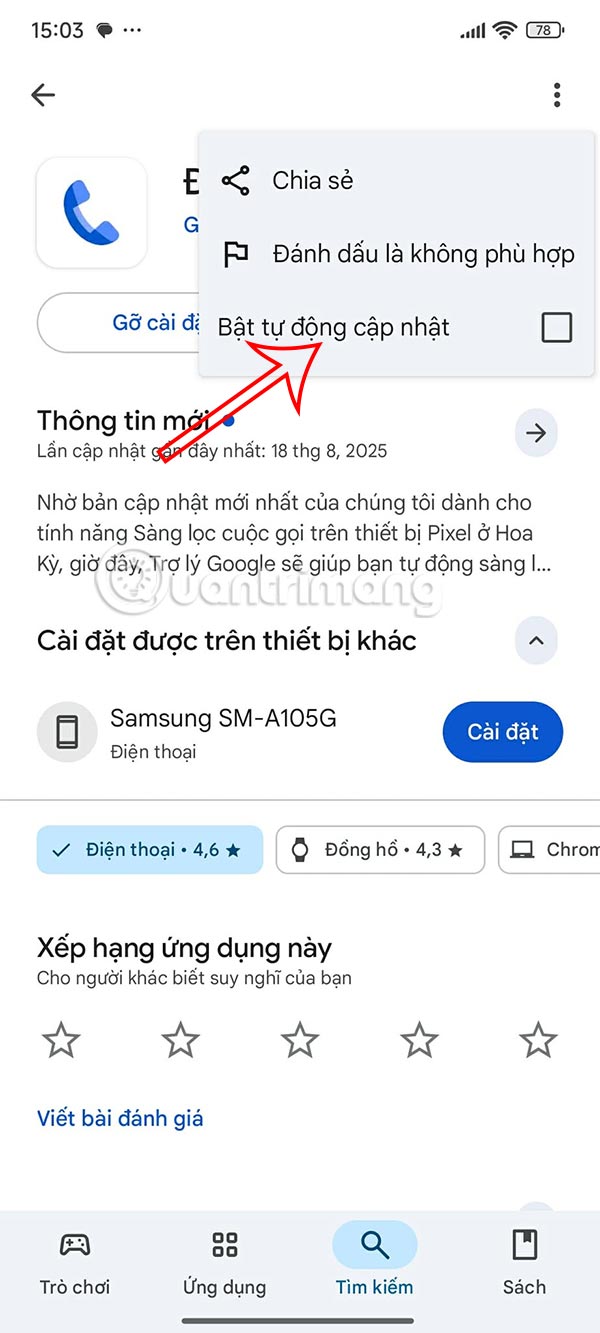
Turn off automatic Android system app updates
Step 1:
In the Google Play interface, click on the avatar and select Settings .
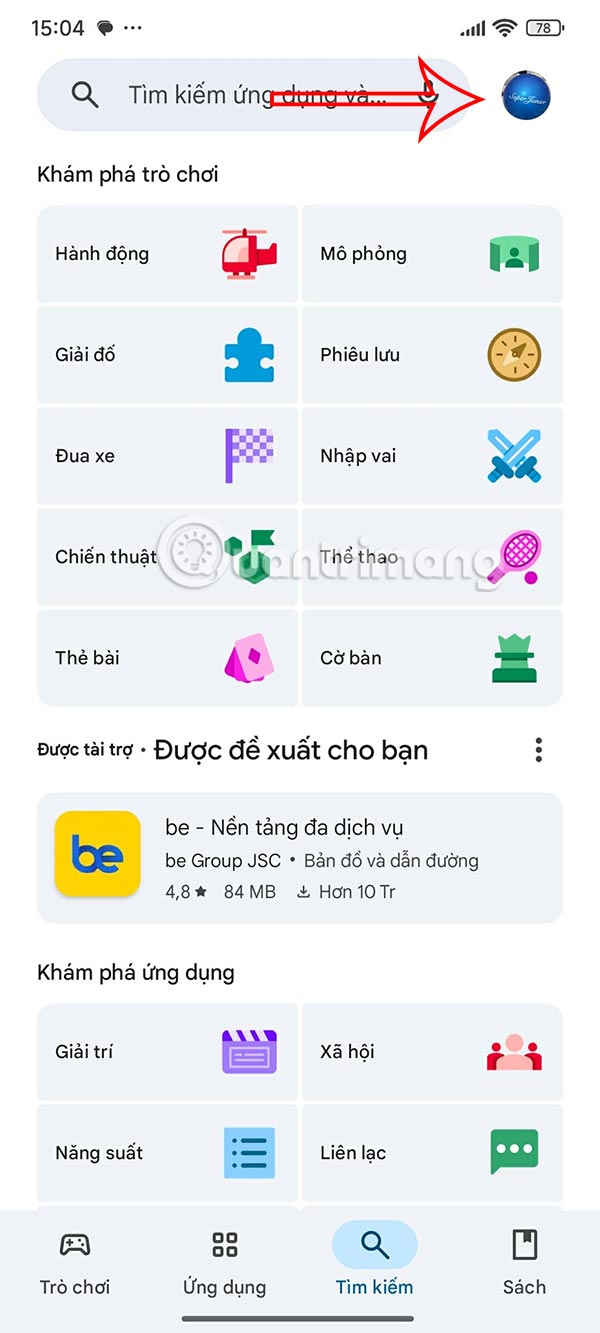
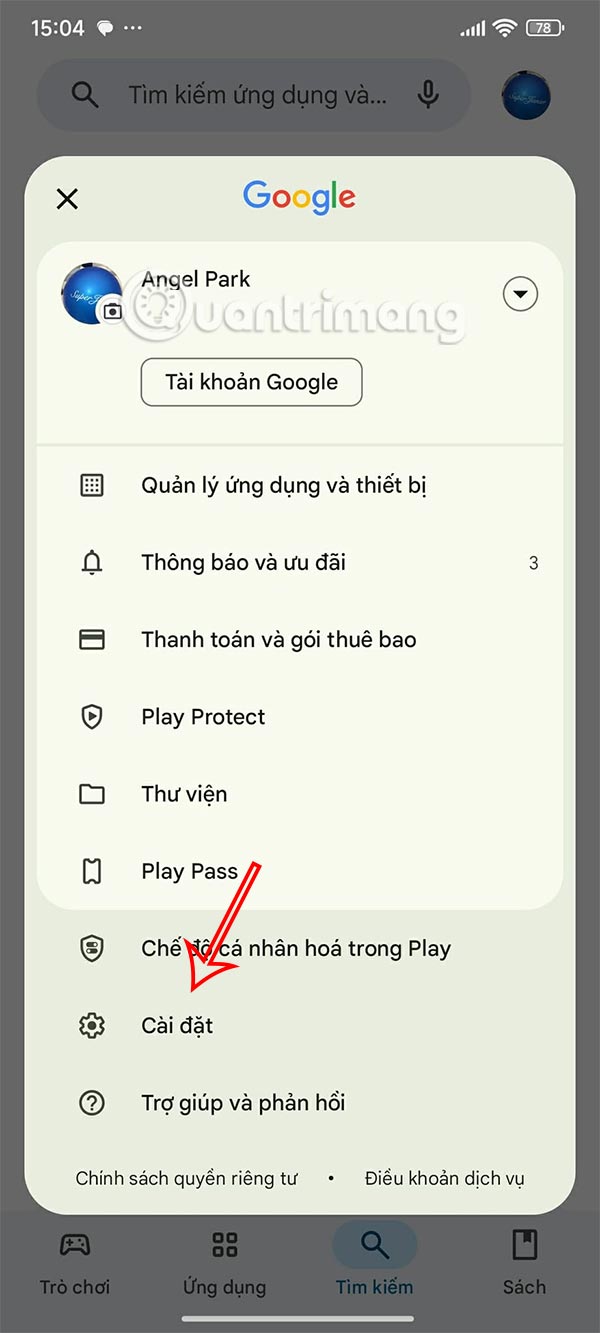
Step 2:
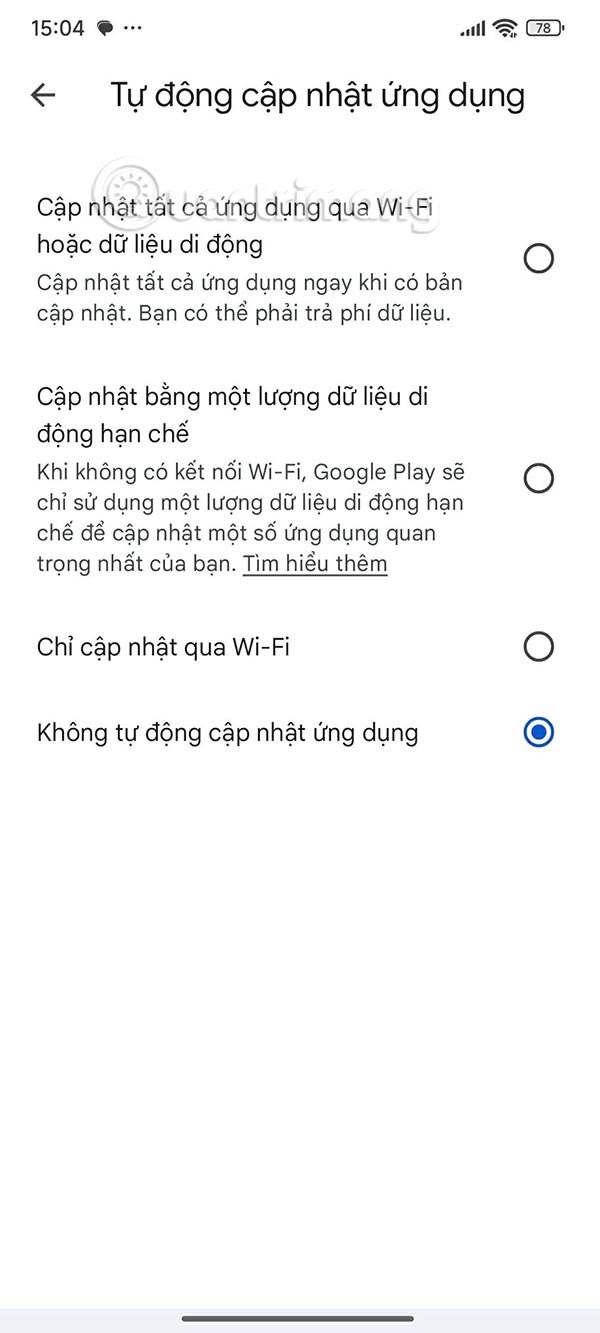
Go to the interface, select Network priority selection . select Auto-update apps to adjust again.
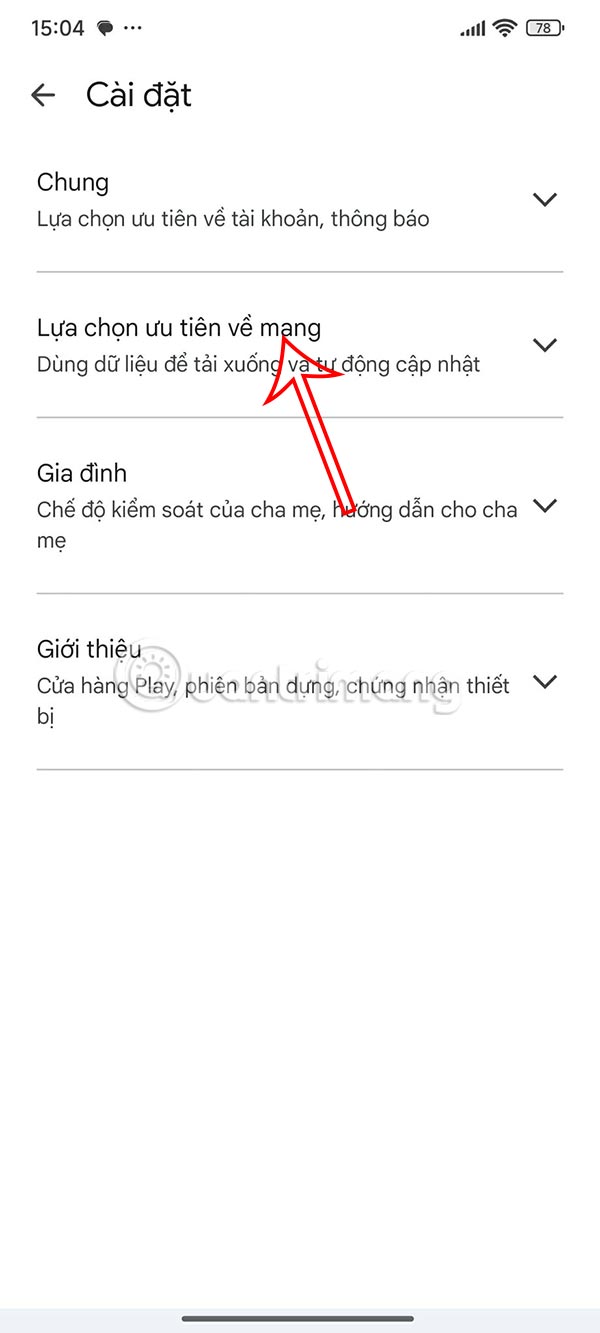
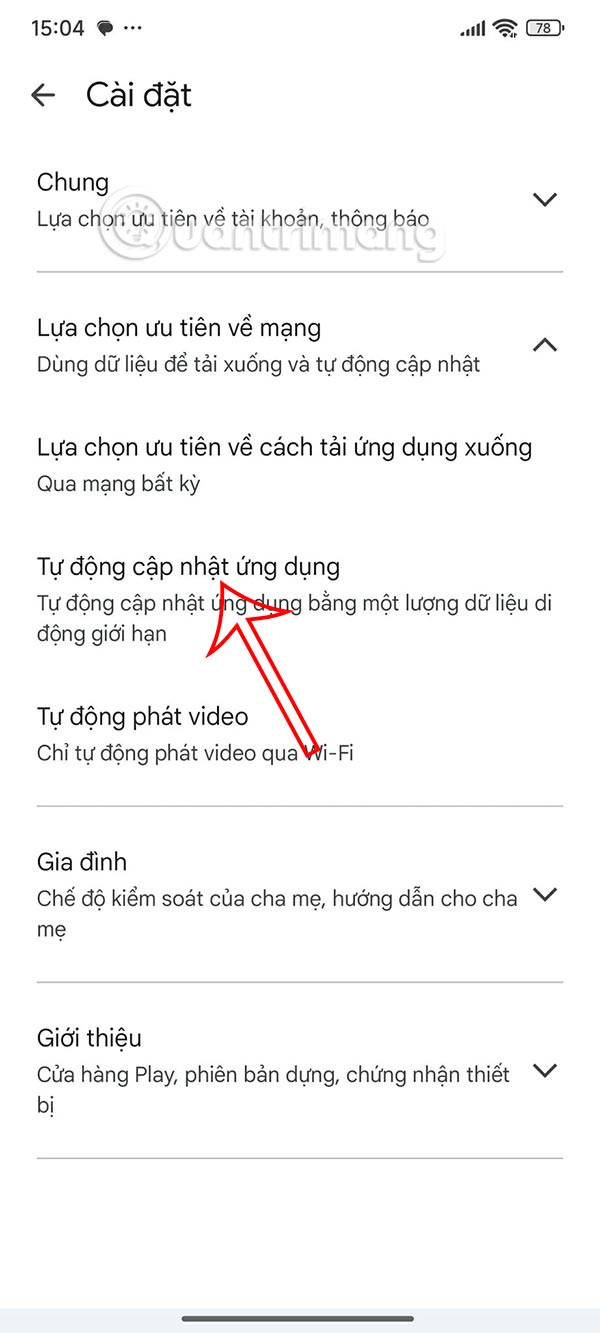
Here you will select Do not automatically update apps and switch to manual update mode.
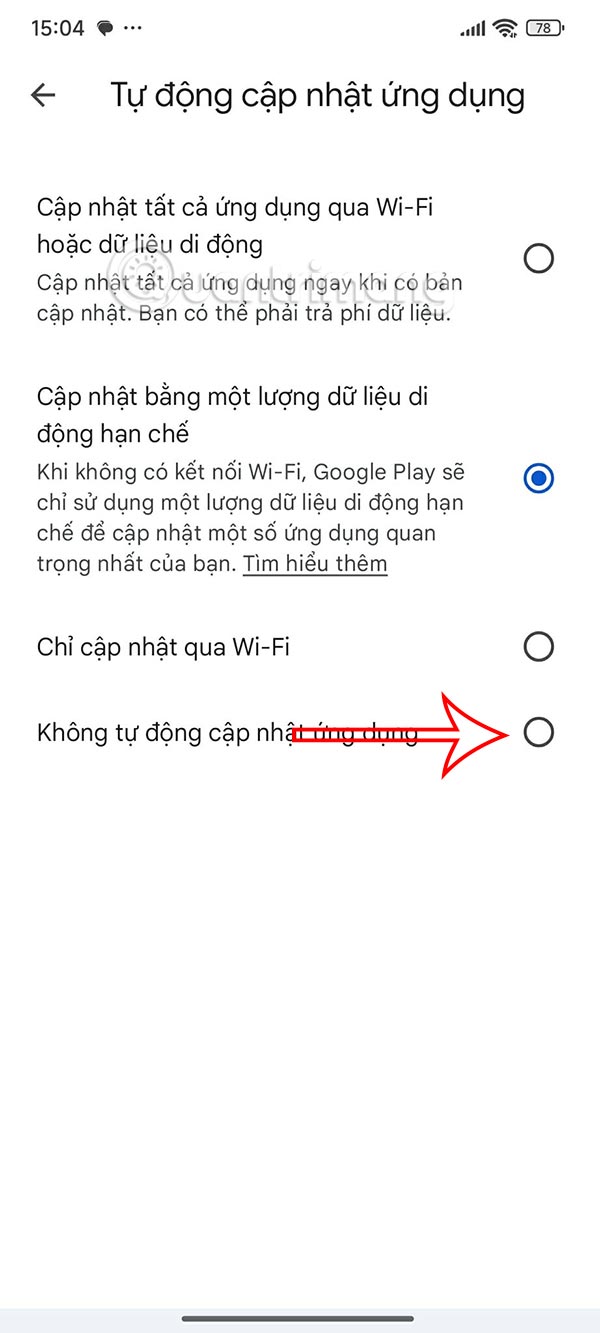
Final Thoughts
Following the steps in order and checking version-specific settings should make it easier to Return to the Old Calling Interface on Android. If an option looks different, verify the device, app, or operating-system version before changing additional settings.
FAQ
What is the best way to Return to the Old Calling Interface on Android?
Start with the requirements described in the article and follow the steps in order. Google has changed the design of the phone app on most Android devices. However, many people do not like this phone design because the new interface uses horizontal alignment for answering and rejecting calls, instead of vertical alignment.
What should you know about How to return to the old calling interface on Android?
This is the new calling interface on Android phones, with horizontal swipes to perform the task of listening to or rejecting calls.
What should you do if the instructions do not match your screen?
Check the device, software version, account permissions, and regional settings. Interfaces can change after updates, so use the closest matching option and consult the official support documentation when necessary.
Related Articles
 How to Turn Off WiFi Calling on Android4 minutes read
 Return to the Old Interface on Canva: Step-by-Step Guide4 minutes read
 How to Activate Wi-Fi Calling on Android Phones?5 minutes read
 How to Install the Android 10 Interface on All Android Phones4 minutes read
 Top Best Video Calling Applications on Android10 minutes read
 Steps to Make a Call on Wi-Fi Calling8 minutes read
Reader Comments 0
Sign in with email or Google to join the discussion.