Table of Contents
Claude's memory feature carries useful context from one conversation into another, such as your working preferences, ongoing projects, and recurring tasks. It can reduce repeated explanations, but it is not a complete or infallible record of everything you have said.
Anthropic first introduced memory for Team and Enterprise accounts, then announced its expansion to Pro and Max on October 23, 2025. Availability has since expanded. The current Help Center describes memory for Free, Pro, and Max accounts, with organization controls for Team and Enterprise.
Saved memory and chat search are different
Memory stores selected context that Claude can use in later work. Searching past chats retrieves relevant information from earlier conversations. A useful preference might belong in memory, while the precise wording of an old discussion may require a chat search or the original source.
Current Claude documentation describes memory as individual saved topics. Some organizations still use an older summary-based experience, so the interface and behavior may differ between accounts. See the official memory and chat-search guide for your version.
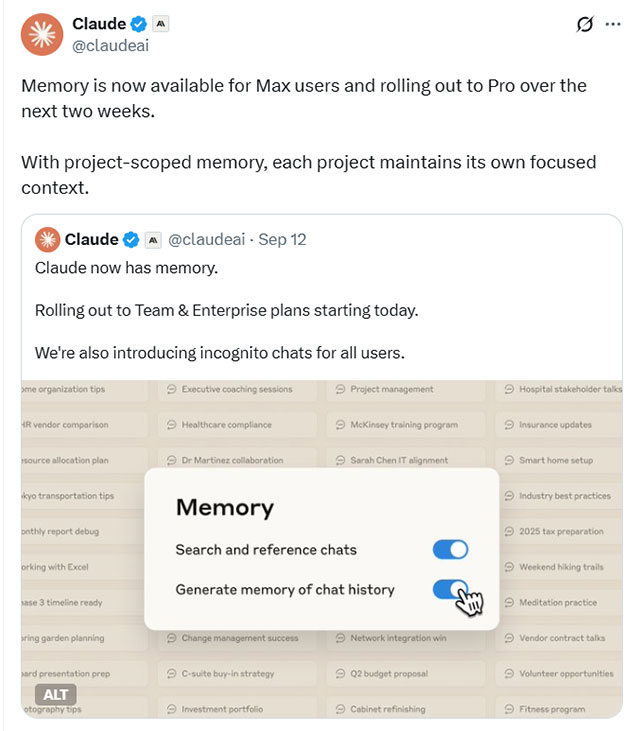
Projects keep their own context
A Claude Project has its own memory and project context, separate from other projects and ordinary chats. This helps keep a client's requirements or a writing assignment focused. Project instructions and reference files are still valuable: they give Claude an explicit source rather than relying on what it happens to retain.
For a practical setup, see our guide to using Claude Projects with instructions and reference files. Keep unrelated work in separate projects and correct outdated details when priorities change.
Review and control what Claude remembers
Open Settings > Memory in the current interface. Older accounts may place memory under Settings > Capabilities. Review the saved information and use the available controls to correct it, pause memory, or reset it.
Pausing and resetting have different effects: pausing stops memory use and new entries while retaining the existing memory; resetting deletes saved memory. Read the confirmation before resetting.
You can also ask Claude to remember or update a specific preference. Be concrete: “Remember that this project uses British English” is more useful than a broad request to remember everything. Check important details in the settings rather than assuming they were saved correctly.
Incognito does not mean immediate deletion
Incognito chats do not appear in normal chat history or contribute to memory, and they do not use existing memory. However, the original claim that all data disappears when you close the chat is incorrect. Anthropic's Incognito documentation says chats are retained for 30 days by default, with different retention possible under enterprise policies. Team and Enterprise exports can include them.
Memory settings and model-training preferences are separate controls. Our guide to chatbot model-training settings explains the distinction.
Use memory as context, not as the source of truth
For ongoing work, provide a current brief, ask Claude what context it is using, and verify deadlines or decisions against the original records. A question such as “What did we decide about the launch?” is useful only if the relevant discussion is available and the answer matches the source.
Claude also supports memory import and export in eligible accounts. Review transferred information before importing it, remove details you do not need, and check the destination service's privacy settings. Moving a memory file shares its contents with another provider.
Related Articles
 Claude Code Adds Multi-Agent Pull Request Reviews
 How to Use Claude Memory and Import Context From Another Chatbot
 What Is Claude AI? Uses, How It Works, and ChatGPT Comparison
 n8n AI Agent Memory: Sessions, Storage and Context
 How Claude Computer Use Works—and How to Use It Safely
 Claude Fable 5 Explained: Features, Access, Safety, and Pricing
Reader Comments 0
Sign in with email or Google to join the discussion.