Table of Contents
Ordinary copy and paste can turn a well-formatted ChatGPT equation into plain text, broken symbols, or misaligned fractions in Microsoft Word. The most reliable method depends on the amount of content:
- One or a few equations: ask for LaTeX and paste each formula into Word's equation editor.
- A complete worksheet or exam: copy the response as Markdown and use a converter that supports math, tables, and DOCX output.
Always check the mathematics after conversion. Preserved appearance does not prove that the formula, answer, or notation is correct.
Method 1: paste LaTeX into Word's equation editor
- Ask ChatGPT to return the formula in LaTeX without explanation.
- In Word, place the cursor where the equation should appear.
- Insert an equation with Alt + = on Windows, or use Insert > Equation.
- Paste the LaTeX inside the equation box.
- If Word shows linear text, use the equation conversion control to display the Professional format supported by your Word version.
Example request:
Return this formula as LaTeX only. Do not wrap it in a code fence:
the quadratic formula
Expected LaTeX:
x=
rac{-bpmsqrt{b^2-4ac}}{2a}Word's LaTeX support is not identical to a full TeX installation. Very complex environments, custom macros, packages, or diagrams may require simplification or a specialized converter.
Method 2: export a complete Markdown document with MassiveMark
If the response contains headings, tables, code, and many equations, converting the entire Markdown source can save time. BibCit MassiveMark is a third-party web tool that advertises Markdown-to-DOCX conversion with support for formulas and other structured content.
This workflow uploads the pasted document to a separate service. Do not use it for student records, confidential exams, unpublished research, private business content, or other material you are not authorized to process there. Review its current privacy terms and account requirements first.
1. Ask ChatGPT for clean Markdown and LaTeX
After the content is complete, use a precise instruction such as:
Convert the complete document above to Markdown.
Keep every heading, numbered question, table, and code block.
Write inline math as $...$ and display math as $$...$$.
Do not change the wording, values, or answer choices.
Return one Markdown code block only.
Copy the Markdown from the code block. Do not copy only the visually rendered preview, because the underlying equation delimiters may be lost.
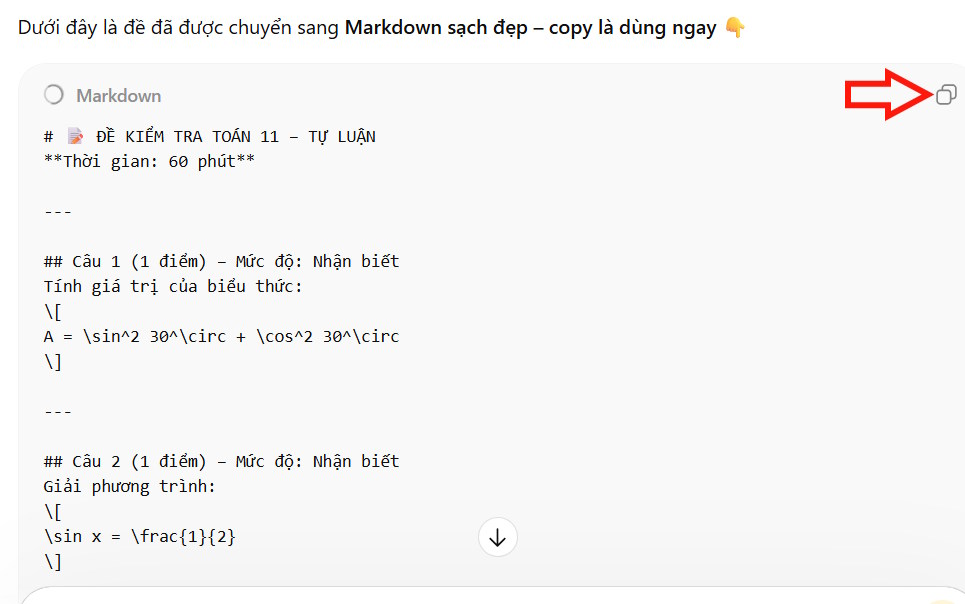
2. Open BibCit and review its terms
Open the official BibCit site. Sign in only if the current workflow requires an account, and verify that the page is the legitimate service before authorizing a Google account or uploading content.
The interface offers multiple languages. Changing the interface language does not translate the document itself.

3. Open MassiveMark
Select MassiveMark, the Markdown conversion tool. Product names and layout can change, so look for the description that mentions converting Markdown or AI responses to DOCX.

4. Paste the Markdown and create the document
Paste the complete Markdown into the editor. Check that opening and closing math delimiters are present, code fences are balanced, and tables have header separators. Select Insert or the current conversion command.
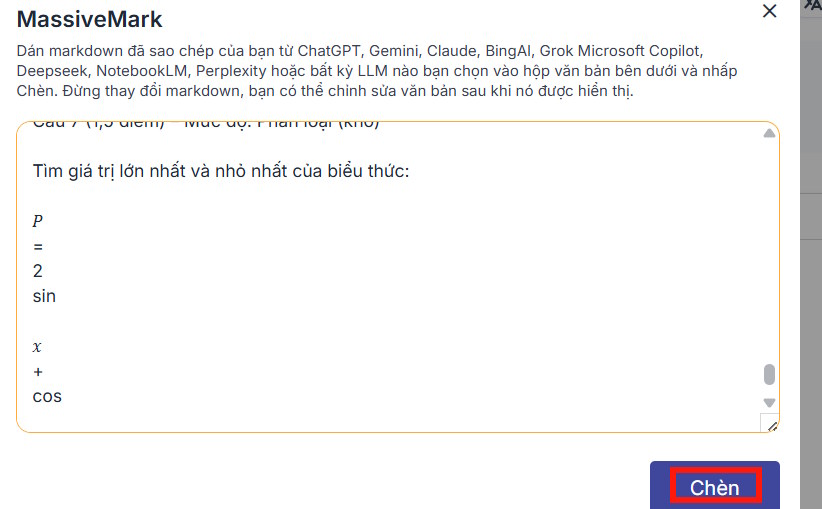
5. Inspect the rendered result
Review every formula before export. Pay particular attention to:
- fractions and nested radicals;
- superscripts and subscripts;
- minus signs versus hyphens;
- Greek letters and look-alike Latin letters;
- matrix rows and columns;
- equation numbers and references;
- units, decimal separators, and answer choices.
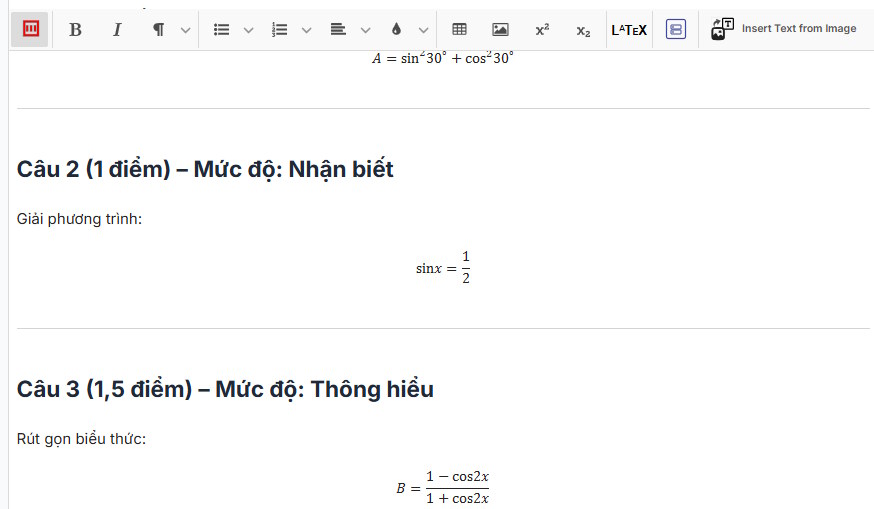
6. Download DOCX and check it in Word
Choose Download and select DOCX when available. Open the downloaded file in Word rather than assuming the browser preview and Word rendering will be identical.
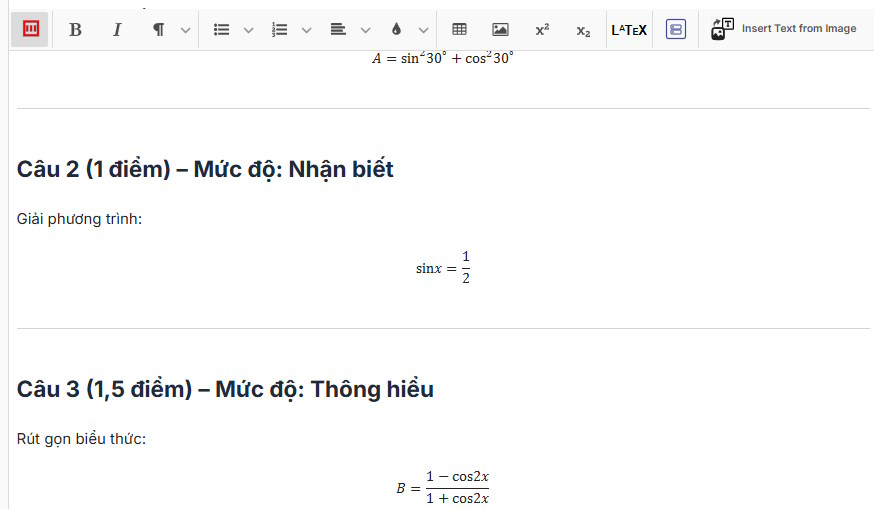
What to check in the Word file
- Click several equations to see whether they are editable equation objects or static images.
- Compare the first, middle, and last formulas with the source.
- Check page breaks, tables, numbering, and line wrapping.
- Use Word's print preview, especially for wide equations.
- Save a separate corrected copy instead of overwriting the only source.
Common problems
The equation appears as raw LaTeX
Make sure it was pasted inside a Word equation box, not an ordinary paragraph. Confirm that the Word equation input or conversion mode supports the syntax used.
Dollar signs appear in the final document
The converter may not recognize the selected math delimiters. Check whether it expects $...$, $$...$$, (...), or another format, and use one convention consistently.
Parts of the exam changed during conversion
Return to the original response and compare text, numbers, and answer choices. A formatting request to ChatGPT can unintentionally trigger rewriting, so explicitly instruct it not to change content and verify the result line by line.
The formula looks correct but cannot be edited
It may have been exported as an image. Use the LaTeX-to-Word equation method for formulas that teachers or students need to modify, or choose a converter that creates native equation objects.
Best workflow for teachers
Keep three versions: the original prompt and response, the Markdown/LaTeX source, and the reviewed DOCX. Solve or verify every question independently, then check answer keys after the final formatting pass. This separates mathematical accuracy from document conversion and makes later corrections much easier.
Related Articles
 How to Use ChatGPT to Write Excel Formulas9 minutes read
 How to Preserve Formatting When Using Copy and Paste6 minutes read
 How to Copy from ChatGPT to Word Without Formatting Errors5 minutes read
 What Are the Notable Features of ChatGPT for Excel?8 minutes read
 Learn About ChatGPT-4o: Features, Benefits and How to Use It: Complete Guide7 minutes read
 How to Preserve Beef, After 30 Days, Still Soft Like New3 minutes read
Reader Comments 0
Sign in with email or Google to join the discussion.