Table of Contents
The process for post articles on digitalized knowledge system - itrithuc. vn is straightforward once you know where to find the right controls. The steps below explain what to do and what to check.
On January 1, 2018, the Vietnamese digitalization system itrithuc. vn has officially started with the goal of building an integrated knowledge channel in all areas so that users can study and cultivate knowledge, enhance creative research.
How Post Articles on Digitalized Knowledge System - Itrithuc. Vn Works
The structure of Vietnamese digitized Knowledge System consists of 4 parts Knowledge System, Open Data, Question and Answer Bank and Developers for businesses and individuals. In which the Knowledge System part will synthesize all knowledge from the system, or the community of users can participate in editing, Open Data is the place to collect information and data contributed by State agencies, Business organizations, people.
A question and answer bank where you can ask search questions in all areas. Developers will be programs for independent developers, businesses or individuals to grow.
The steps below explain how to use the digitized Vietnamese Knowledge System, how to create an account, how to register questions, and how to look up questions.
To use the Digitalized Knowledge System, we should create an account to use.
Step 1:
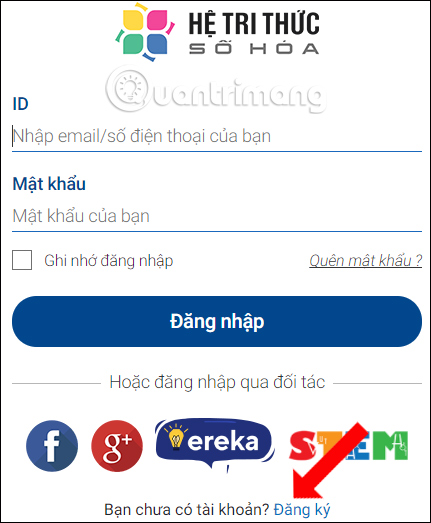
At the interface click The Login button . If you already have an account, enter the information. If you don't have an account, click The Register button .
- Https://itrithuc. vn/
Step 2:
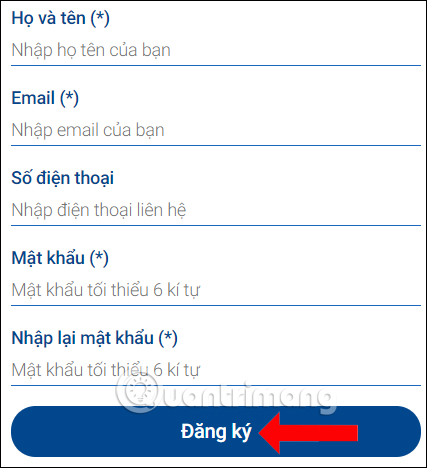
Enter the required information in the interface below and then click The Register button .
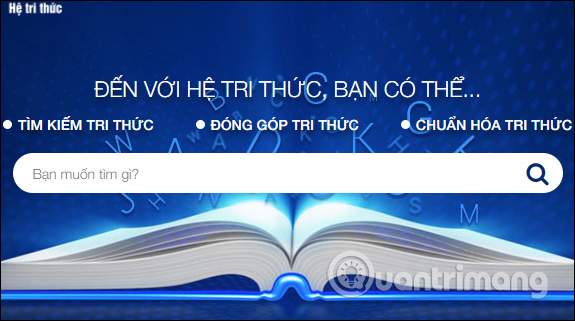
After you have successfully created an account, the homepage will automatically be redirected or you can visit the website below to then enter knowledge search keywords.
- Https://trithuc. itrithuc. vn/
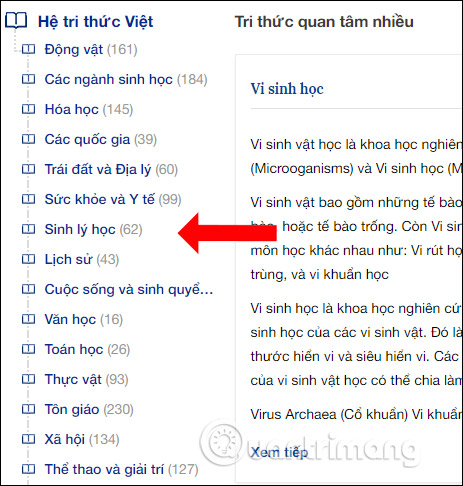
Or we can search for knowledge faster based on the Topics classified By the Vietnamese Knowledge System According to the list on the left side of the interface.
As mentioned above, the Digitalization Knowledge System in addition to helping users find information in all areas, users can post knowledge articles on the page, to expand the amount of information as well as perfecting the System Vietnamese digitalization more.
Step 1:
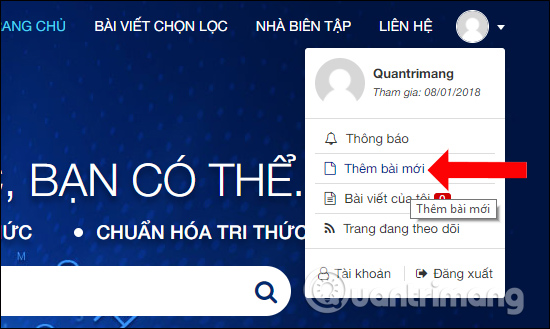
At the knowledge system interface click On the profile picture And then select the Item Add new post .
Step 2:
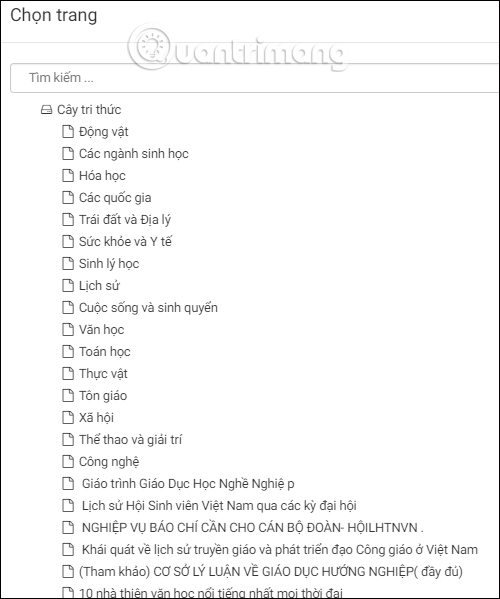
First we need to select the folder we want to create a new post. In the Location Section click The folder tree icon and Then select the category for the post you want to post.
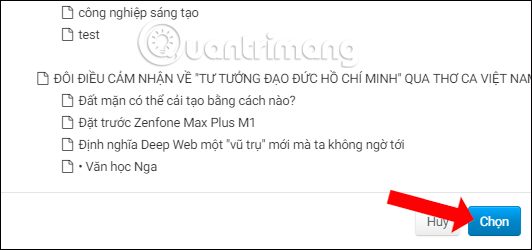
Then press The Select button At the bottom of the list.
Step 3:
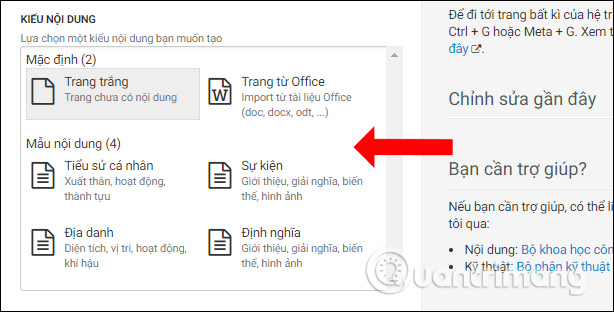
Then switch to The Content section For the article. Users can choose to create posts with a White Page, Office documents, or use the templates available with Personal Profile, Events, Places, and Definitions.
If you choose to download Content from an Office document, Simply click the Select file Button to download the document. Then click The Create new button To complete.
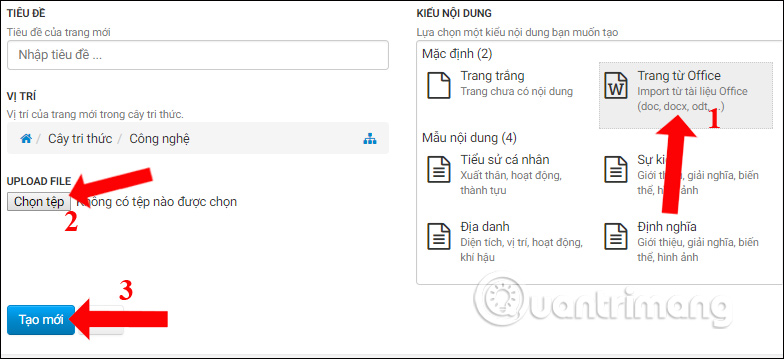
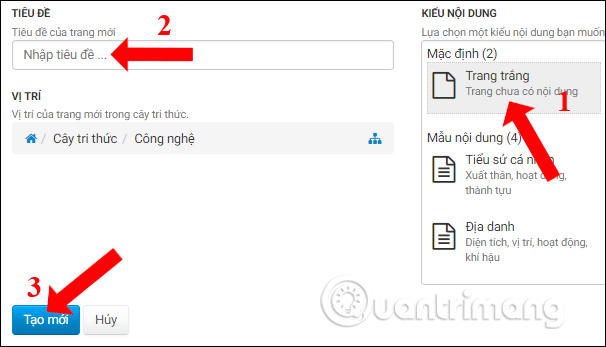
In the case of creating a new page, click the White Page Then enter The title for the content In the Title section at the side. Also press The New button To proceed with the post.
Step 4:
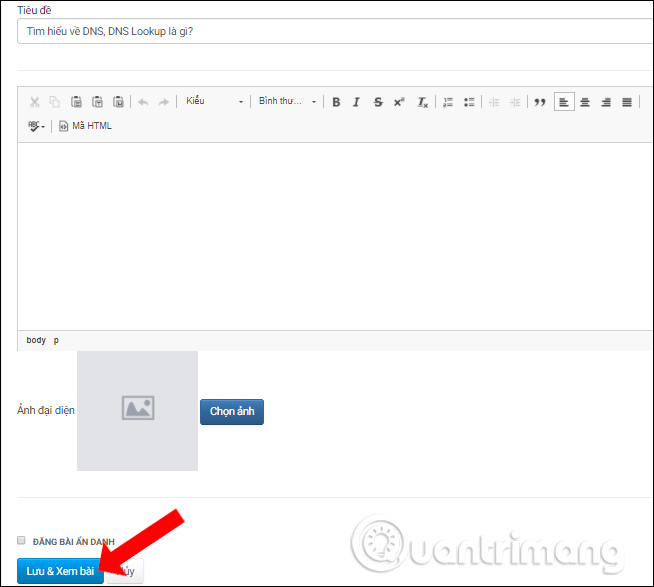
Next, you will enter the content for the article, edit the content as the title, the content can be added as an avatar if needed. The content entry section will have text editing tools for you to use fonts, font sizes, text formatting styles, inserting images, video, audio,.
After completing the content, click Save & View lesson To save and review, or Cancel to cancel the newly created article.
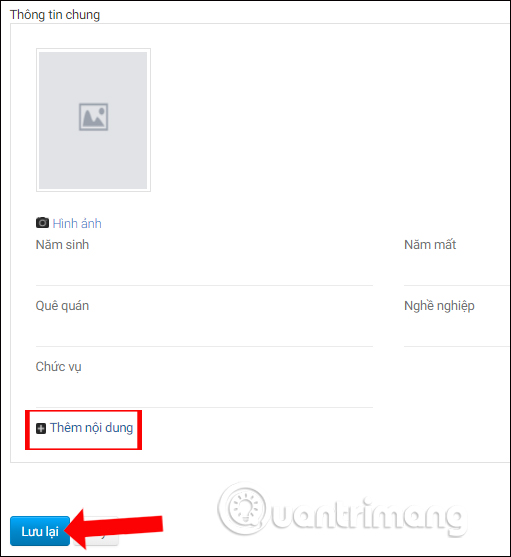
In the case of types of information such as Personal Profile, Events, Places, and Definition, we will enter specific information according to the requested content.
Or you can add other information items when clicking the Add content item. Finally click Save for this new article.
Step 5:
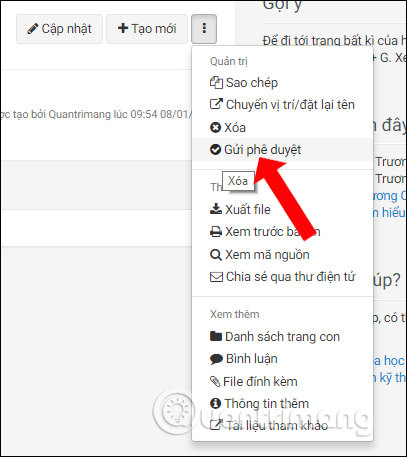
Please check the entire contents of the information and then click The 3 vertical dots icon And select Submit approval To submit the approval request for the article, before the article is posted to the system.
Or, click Delete to cancel the newly created article.
So you know how to use the Vietnamese digitalization system, look up information or publish yourself the knowledge content on the page of the digitized Vietnamese Knowledge System. In addition, the Vietnamese digitalization system has also provided additional versions for phones that users can quickly use when needed.
I wish you all success!
FAQ
What should I prepare before I post articles on digitalized knowledge system - itrithuc. vn?
Review the requirements in the guide, confirm that your device or software is compatible, and save important work before changing settings related to post articles on digitalized knowledge system - itrithuc. vn.
Why might post articles on digitalized knowledge system - itrithuc. vn not work as expected?
The most common causes are incompatible versions, missing permissions, incorrect settings, or an interrupted internet connection. Recheck each step and restart the app or device when appropriate.
Can beginners follow these post articles on digitalized knowledge system - itrithuc. vn steps?
Yes. Follow the steps in order, avoid skipping confirmation screens, and compare your interface with the screenshots because labels may differ slightly between versions.
Related Articles
 How to Find Instagram Post Drafts3 minutes read
 How to Send Web Articles to Kindle from Android Phones6 minutes read
 How to Create Attachments on Threads3 minutes read
 Experience Using Itrithuc.vn - the First Digitized Vietnamese Knowledge System Project6 minutes read
 What Test You Know About Operating System P12?3 minutes read
 What Are Instant Articles? How to Create Instant Articles?6 minutes read
Reader Comments 0
Sign in with email or Google to join the discussion.