Table of Contents
Spotify’s hidden Snake-style game is called Eat This Playlist. Open an eligible playlist in the Spotify mobile app, tap its three-dot menu, scroll down, and select Eat This Playlist. Swipe to guide the snake toward each album-cover tile.
The feature is not available on every platform or playlist. It has primarily appeared on iPhone and iPad, while availability on Android, desktop, and the web app may differ. Spotify can also test or change features by account and region.
Open Eat This Playlist
Step 1: Update Spotify from the App Store. In the mobile app, open Your Library, select Playlists, and choose a playlist.
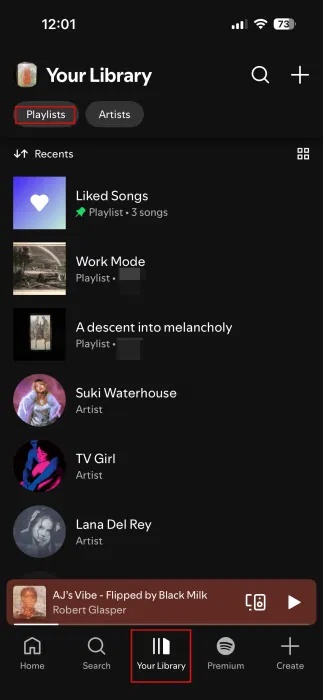
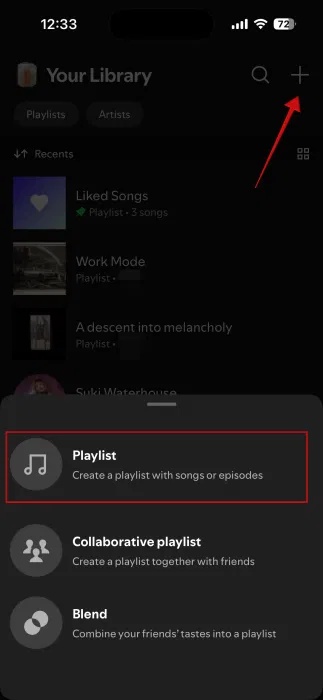
Step 2: If you need a suitable playlist, tap the plus button, create one, and add several normal-length songs. A playlist with varied cover art makes the game easier to recognize and more visually interesting.
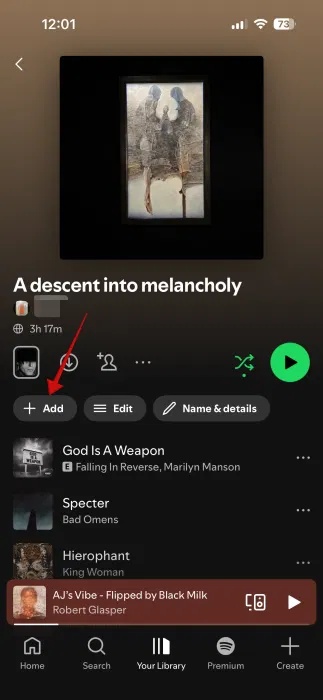
Step 3: Add more tracks if the playlist is very short. Spotify does not publish a universal minimum in its main support documentation, so there is no need to pad a playlist excessively; try another established playlist if the menu option is absent.
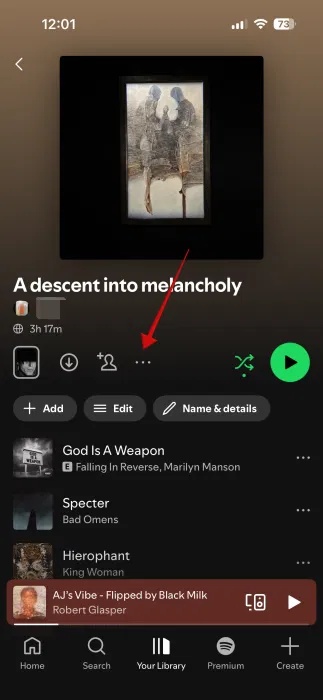
Step 4: On the playlist page, tap the three dots below or beside the playlist artwork.
Step 5: Scroll to the bottom of the menu and tap Eat This Playlist. Spotify has described the feature as an internal hack project that became a user favorite in its design-history article.
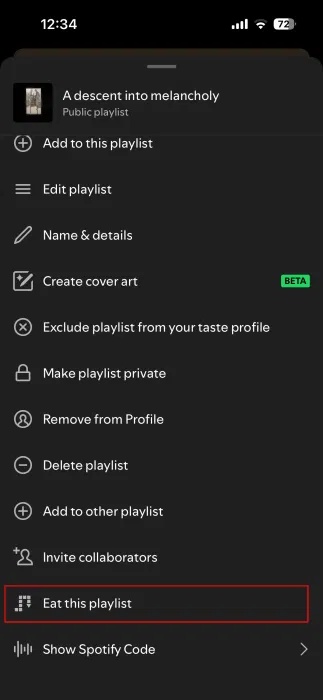
How to play
Swipe up, down, left, or right to change the snake’s direction. Guide its head into the album-cover tile without hitting the edge of the board or the growing trail. Each collected tile adds another cover to the snake and advances the music.
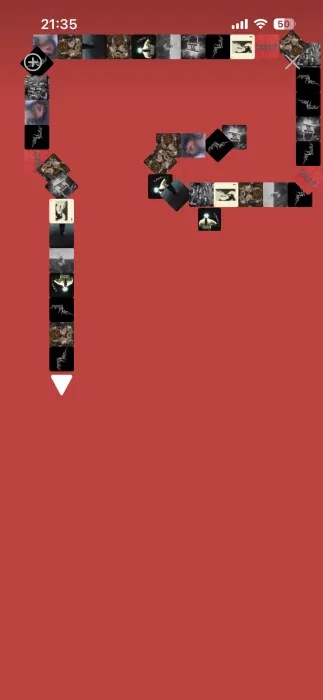
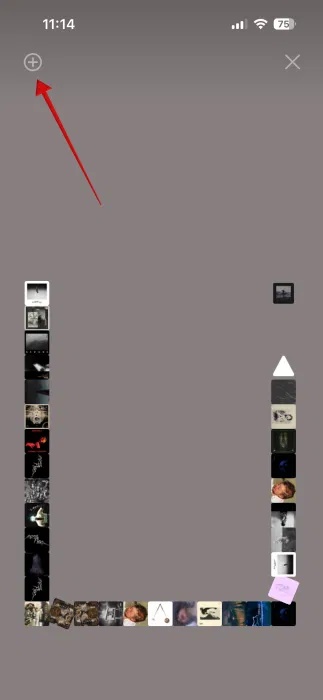
The next target uses artwork from another track, and the background can change to match it. If a plus or save control is displayed, you can use it to add the current song to your library without leaving the game.
If “Eat This Playlist” is missing
- Check the device: try the current Spotify app on an iPhone or iPad. The option may not be offered on Android, desktop, or the web player.
- Try another playlist: open a standard music playlist with several different tracks. Some generated, collaborative, album, podcast, or special-content pages may not qualify.
- Update and restart: install the latest app version, close Spotify completely, and reopen it.
- Check a different account only if appropriate: staged rollouts can make the option appear for one account and not another. Premium status alone does not guarantee access.
- Do not install a third-party “unlocker”: the game is a built-in Spotify feature; an outside app or extension should not need your credentials to enable it.
If the option still does not appear, the feature is probably unavailable for that device, playlist, account, or region. You can continue using the playlist normally and check again after a future Spotify update.
Related Articles
 Subpixel Snake: This Is a Game That Requires a Microscope to Play3 minutes read
 How to Play Snakes on Excel: Play Snake Hunting Game4 minutes read
 How to Play Snake Game on Facebook Messenger: Messenger Game5 minutes read
 Snake Hunting: How to Play Online Hunting Game Right on Google2 minutes read
 Play Hidden Games on Google Search14 minutes read
 Learn About the Game Snake Hunting That Is Causing a Fever Update10 minutes read
Reader Comments 0
Sign in with email or Google to join the discussion.