Table of Contents
Right in the TikTok application, there serves as a feature to control the time spent using TikTok. You can set your own time spent using TikTok so you don't use it too long.
Limiting your use of TikTok helps you avoid getting too addicted to this social network. The TikTok app also has a feature to control the time you use TikTok, you can set your own time to use TikTok so you don't use it too much. Below are instructions on how to limit your time using TikTok.
Instructions for limiting time using TikTok
Step 1:
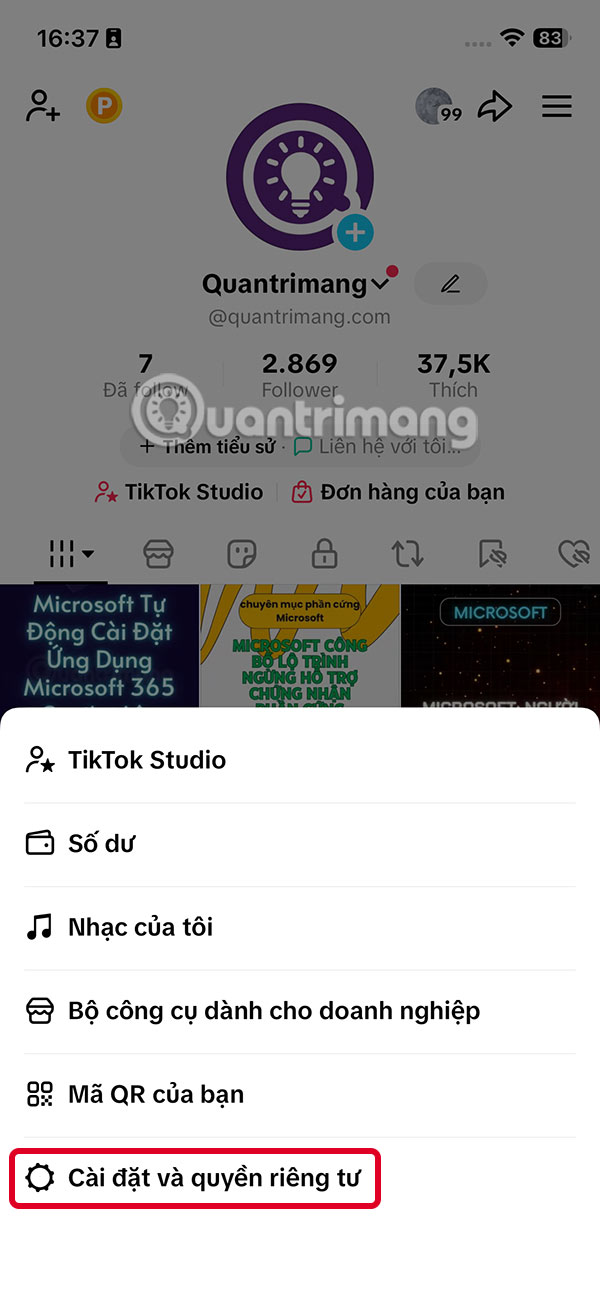
At the TikTok application interface, click on The 3-dash icon And select Settings and privacy .

Step 2:
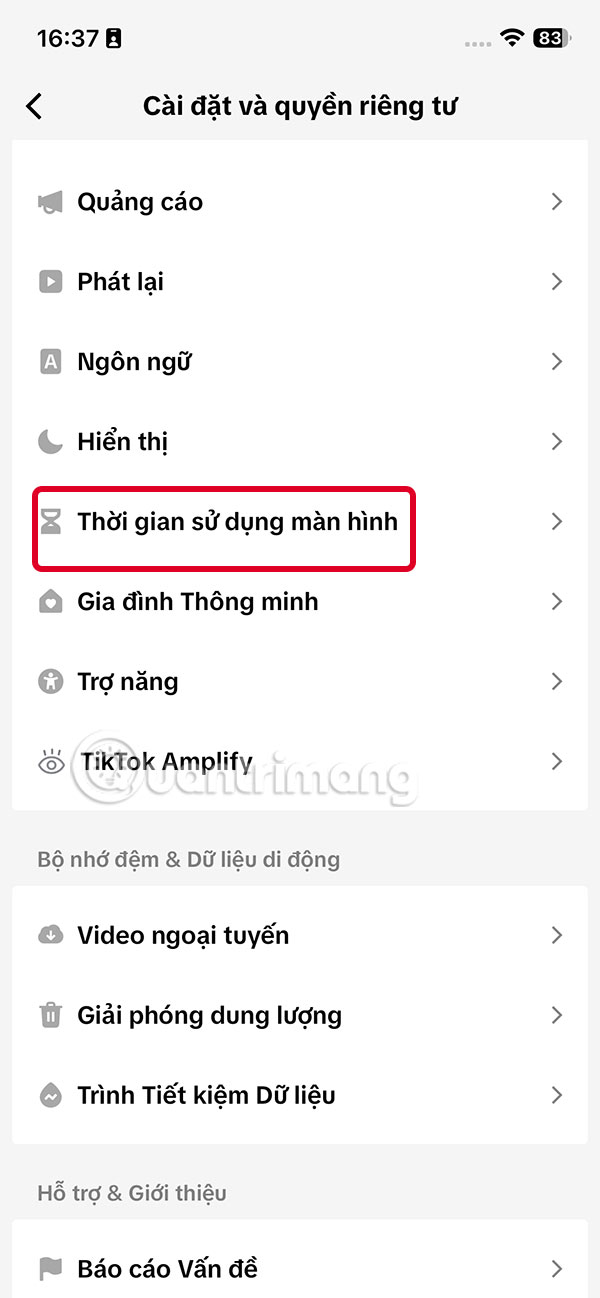
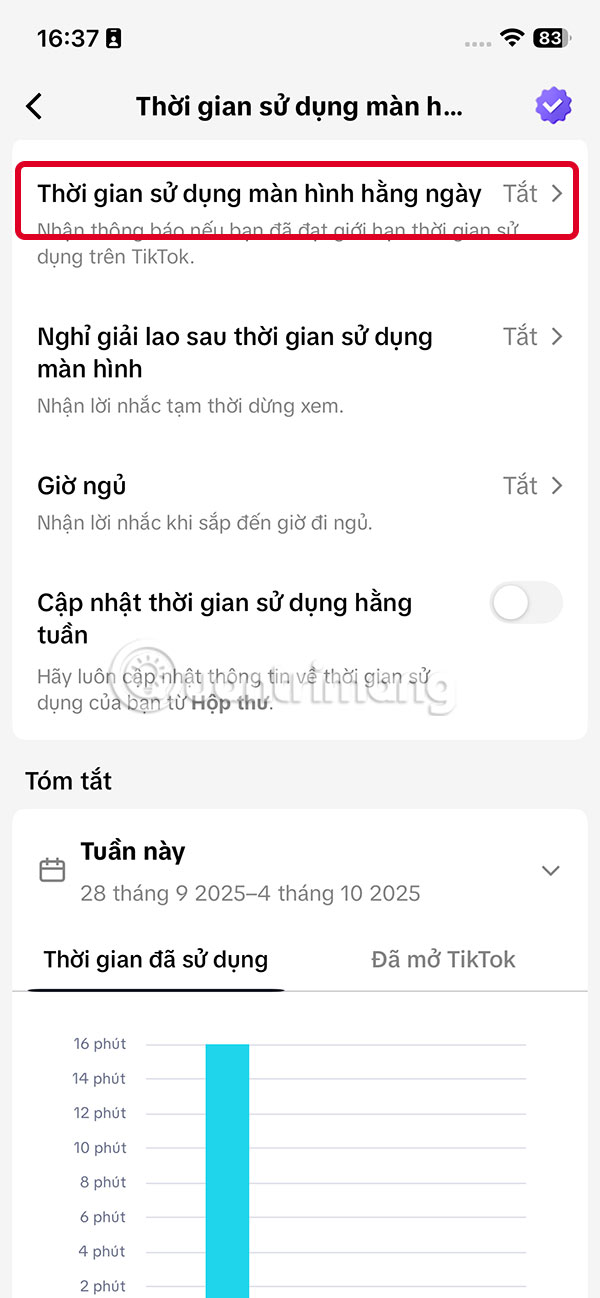
Go to the next interface, you Click on Screen time . Here we click on The Daily Screen time setting .
Step 3:
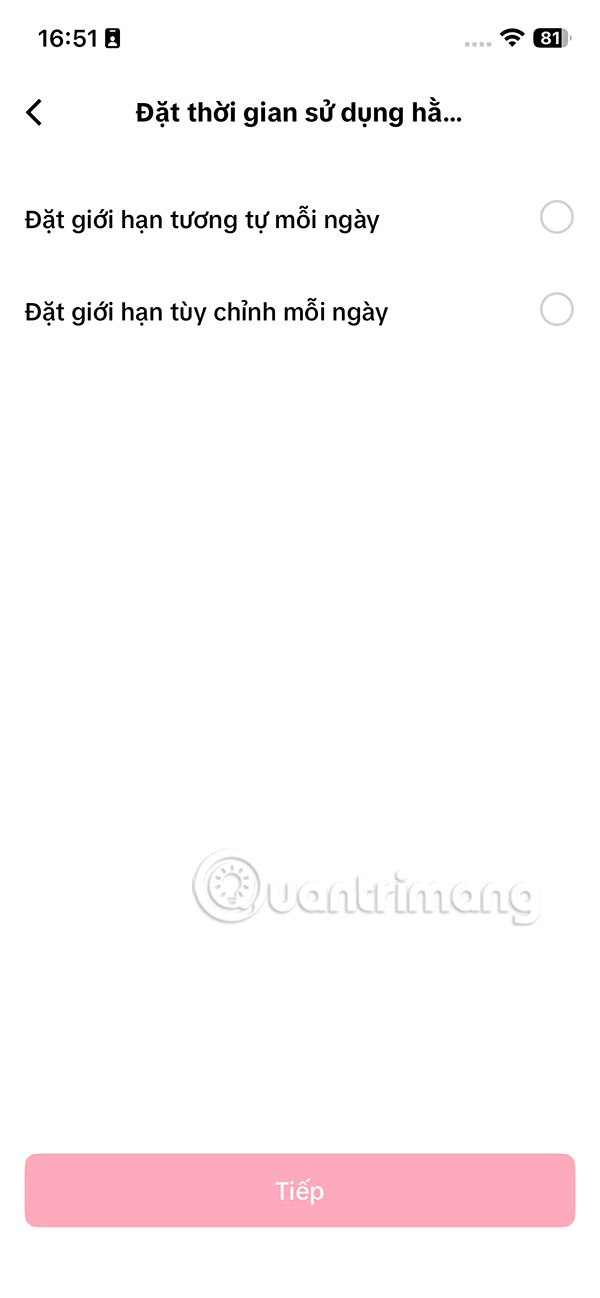
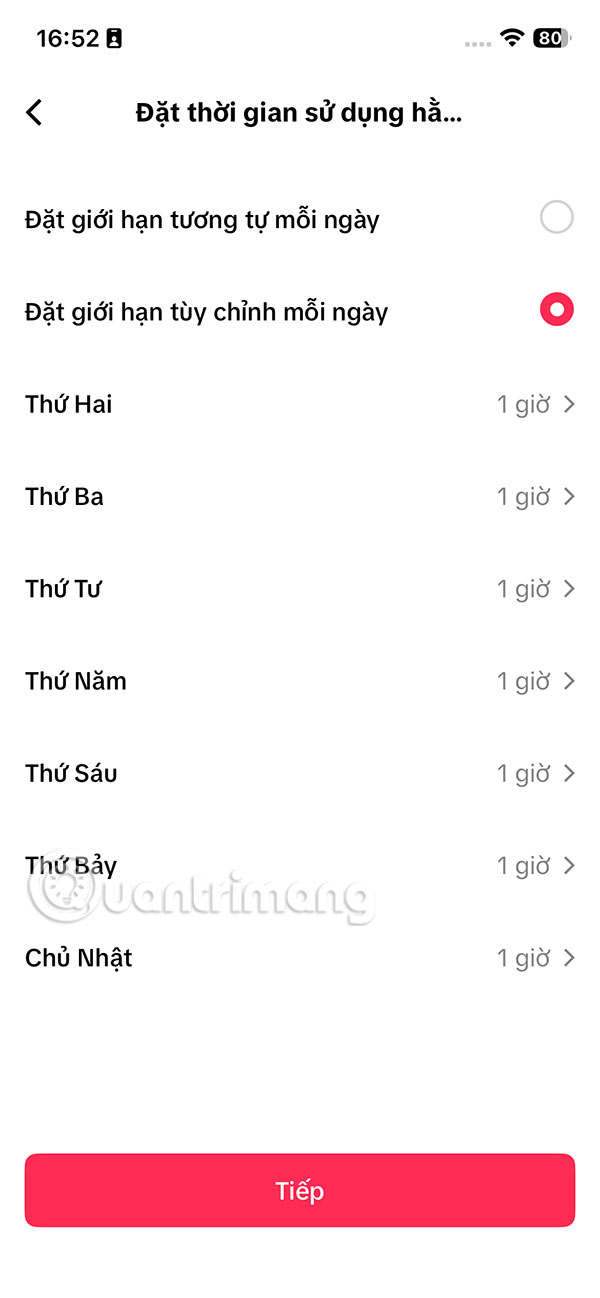
Tap Set daily screen time Next. Here you have The option to set the same limit for each day or customize each day And then tap Next below.

Step 4:
If you choose To customize each day, The usage time frame for each day of the week will be displayed Below and you will have to set it for each day. If You set it the same way , click on The usage time you want to set .
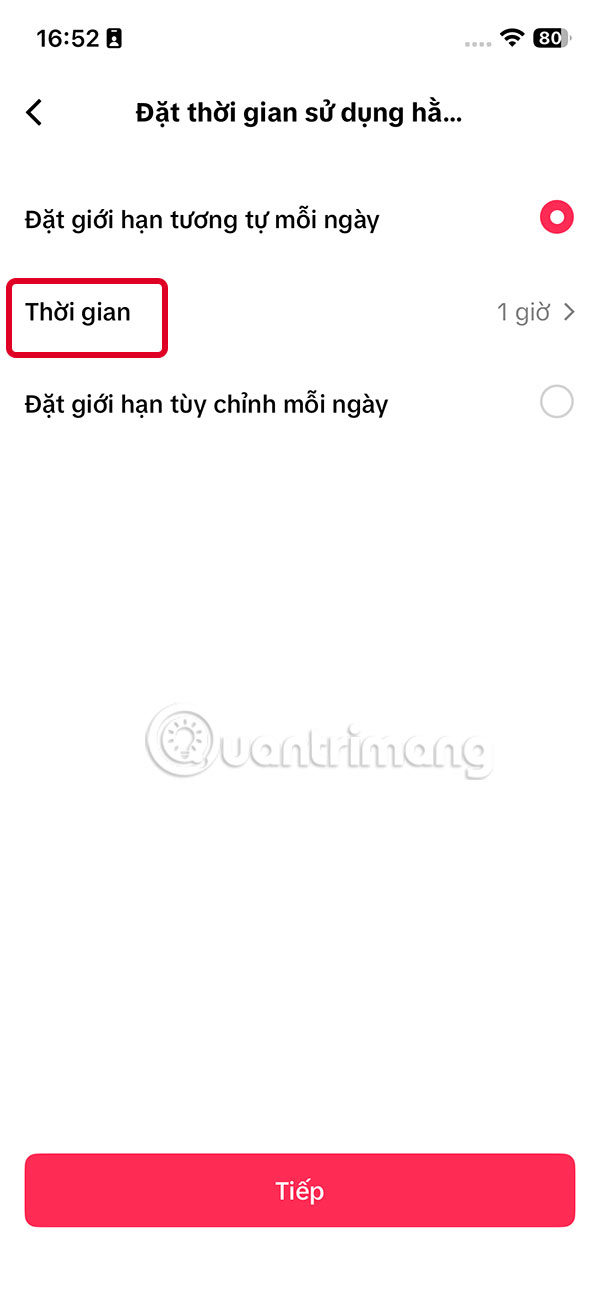
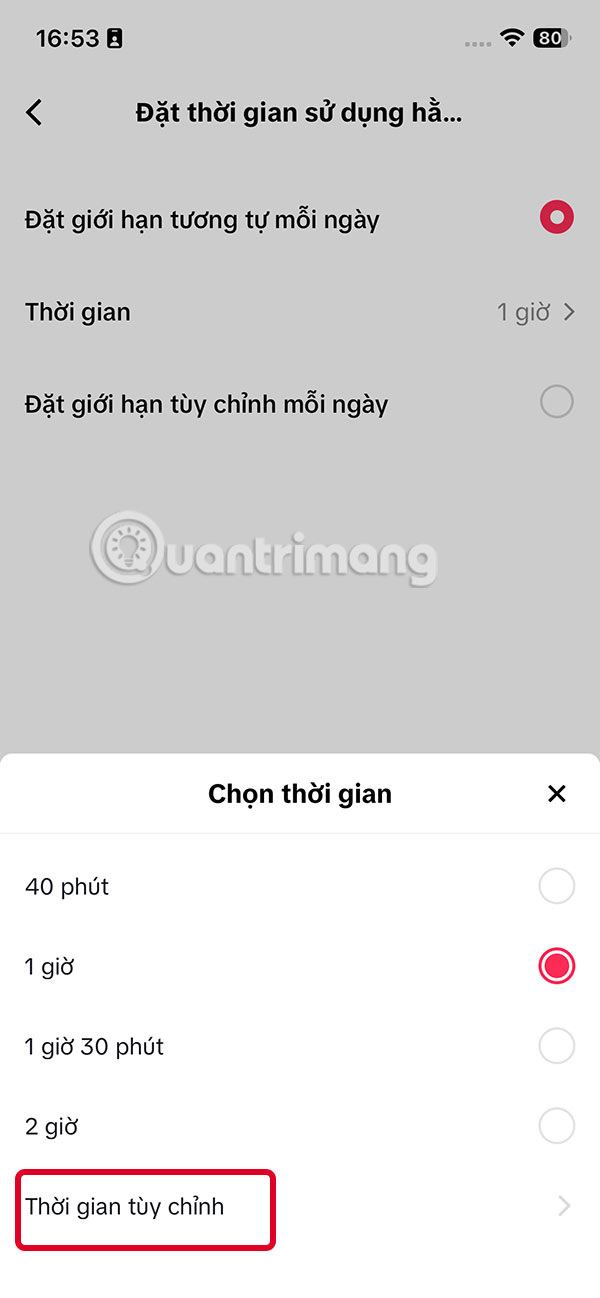
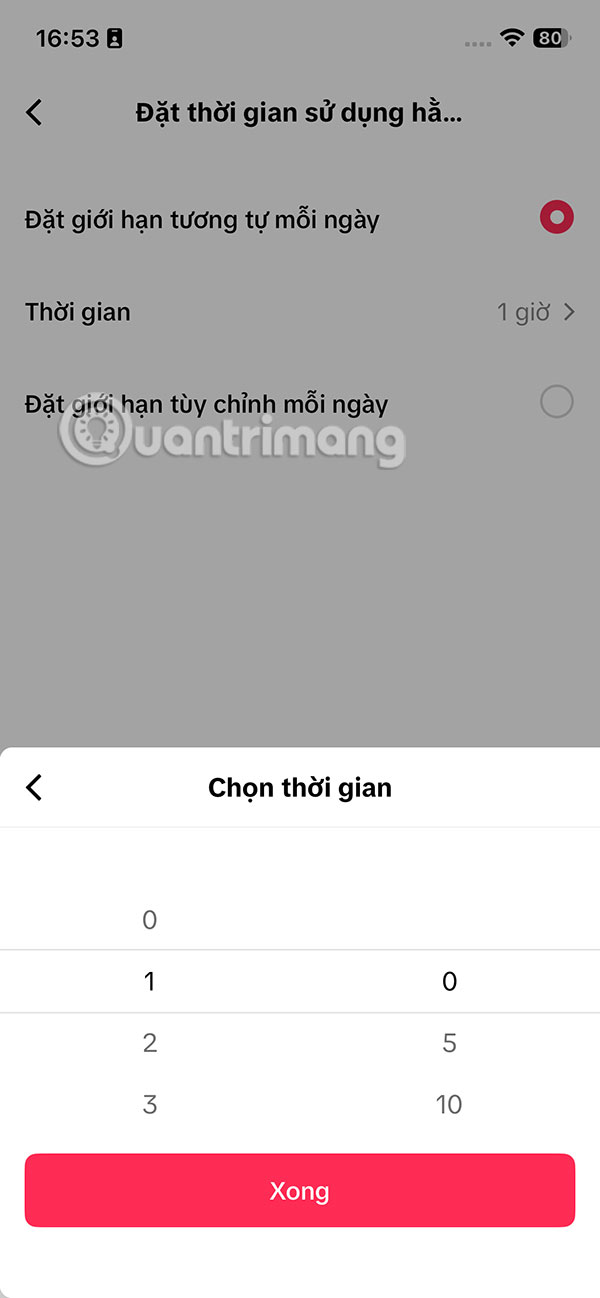
We choose the available TikTok usage time, or Click Custom time to set up . After selecting the TikTok usage time, click Done to save and click Next.
Step 5:
Now you will see the TikTok screen time interface set up. You can click Edit Screen Time below to change it if needed. If you want to disable it quickly, just turn off the set time.

When your TikTok usage time is up, you will receive a notification as shown below.

Video guide to quitting TikTok addiction
FAQ
How do you limit time spent on TikTok: step-by-step guide?
In practical terms, right in the TikTok application, there is a feature to control the time spent using TikTok. You can set your own time spent using TikTok so you don't use it too long.
What should you check before getting started?
Review the requirements, compatible device or software version, and any warnings described in the guide before making changes.
What should you do if the steps do not work?
Repeat the steps in order, confirm that your app or system is up to date, and review the troubleshooting details provided above.
Related Articles
 How to Enable Tiktok 'Detox'4 minutes read
 5 Ways to Block Websites and Limit the Time Spent on Linux9 minutes read
 How to Watch Highly Interactive Hours on Tiktok3 minutes read
 Prime Time to Post TikTok to Trend Quickly3 minutes read
 What Is Zefoy TikTok? How to Use It3 minutes read
 What Is Tiktok and How Does It Work?9 minutes read
Reader Comments 0
Sign in with email or Google to join the discussion.