Table of Contents
This practical guide explains how to know If Someone Has Blocked You on TikTok?: Step-by-Step in a clear sequence, including preparation, key settings, common mistakes, and troubleshooting steps.
What This Guide Covers
- How to know if someone blocked you on TikTok
- 1. Try searching for the username
- 2. Check your follower and following list
There are many reasons why someone might block you. Until you know why this is happening, you can use these steps to find out if you've been blocked.
How to know if someone blocked you on TikTok
There are a few ways to tell if you're blocked on TikTok: Search for your username, check your follower list, or check your DMs (direct messages).
Below are details about each method.
1. Try searching for the username
Go to the search bar on the TikTok app and type in the username you want to check. If their account doesn't appear in the results, you may be blocked, although they may also have deactivated or deleted their account entirely. To test, ask a friend who is sure not to be blocked to do a search for a similar username. If that person can find the account, but you can't, you've been blocked.
However, make sure the person you want to test hasn't changed his or her TikTok username. Try searching for their full name to be sure.
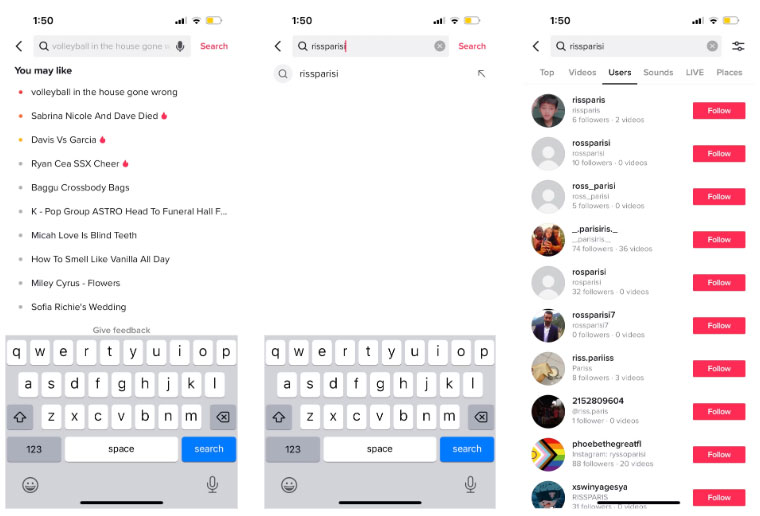
2. Check your follower and following list
If this user is following you and you notice a decrease in your follower count, this may be because they have blocked you. Scroll through your follower list (if it's not too long) and see if you can find them. If they disappear from both your followers and following lists, you may have been blocked.
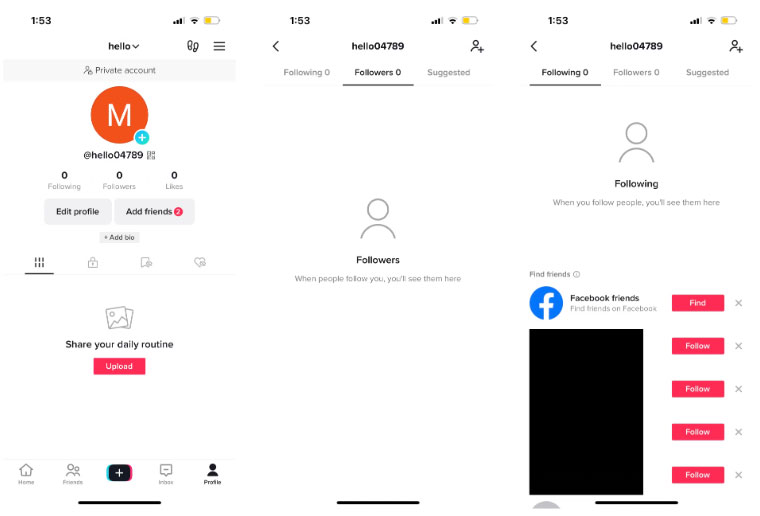
3. If you messaged the person, check your direct messages
If you've ever sent that person messages on the TikTok app, also known as direct messages or DMs, you'll see them in your Inbox tab in the bottom row menu. When that user blocks you, your conversation in the Inbox tab will change so you can't message them anymore.
Instead of that user's name, Account not found will appear and their profile picture will disappear. You can still tap that conversation to see your previous messages, but you can't send new messages.
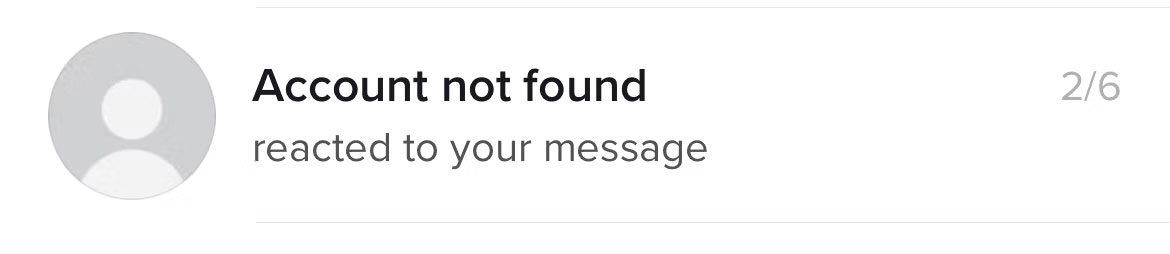
This is different from old chats with deleted accounts. They appear as blank in your Inbox tab. This is a great way to know if you're blocked or if someone just deleted their account.
By following these steps, you can find out if you've been blocked by another user. This may make you upset or disappointed, but try not to think too negatively.
People use blocking for many reasons, and you can't know for sure why they blocked you. Besides, there are many other users and content on TikTok to explore.
Final Thoughts
Use the instructions and checks above in order, verify the result after each major step, and keep a backup whenever the process changes important files or system settings.
FAQ
What should I check before starting?
Confirm that your device or software version matches the instructions, save important data, and note the original settings before making changes.
What should I do if the steps do not work?
Restart the app or device, install available updates, review any error message, and repeat the steps carefully in the same order.
Can I undo the changes?
Many changes can be reversed, but the exact method depends on the feature. A backup or restore point gives you the safest way to recover.






Reader Comments 0
Sign in with email or Google to join the discussion.