Table of Contents
Basically, Instagram reveals all your activities to your friends, such as likes or comments on Reels videos, through the Friends tab. Instead of letting your friends know which Instagram Reels videos you have liked, you can also hide your activities from your friends on Instagram, according to the article below.
How to Hide Instagram Reels Activity from Friends
Step 1:
First, access your personal Instagram account and select the 3-dash icon in the top right corner of the interface.
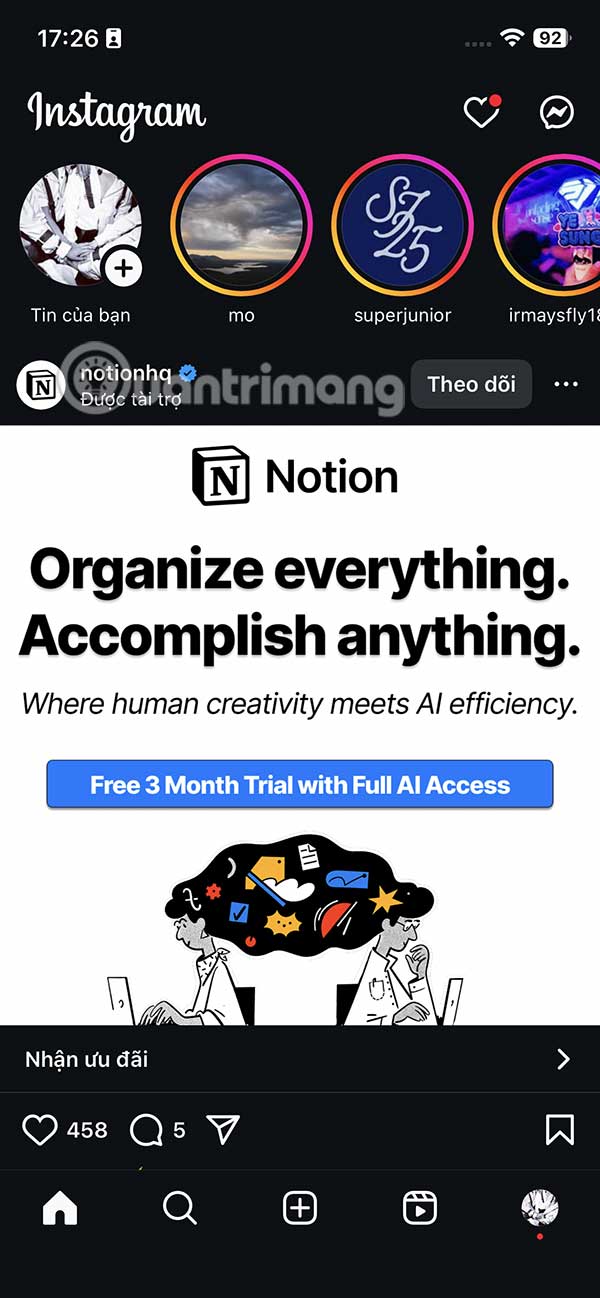
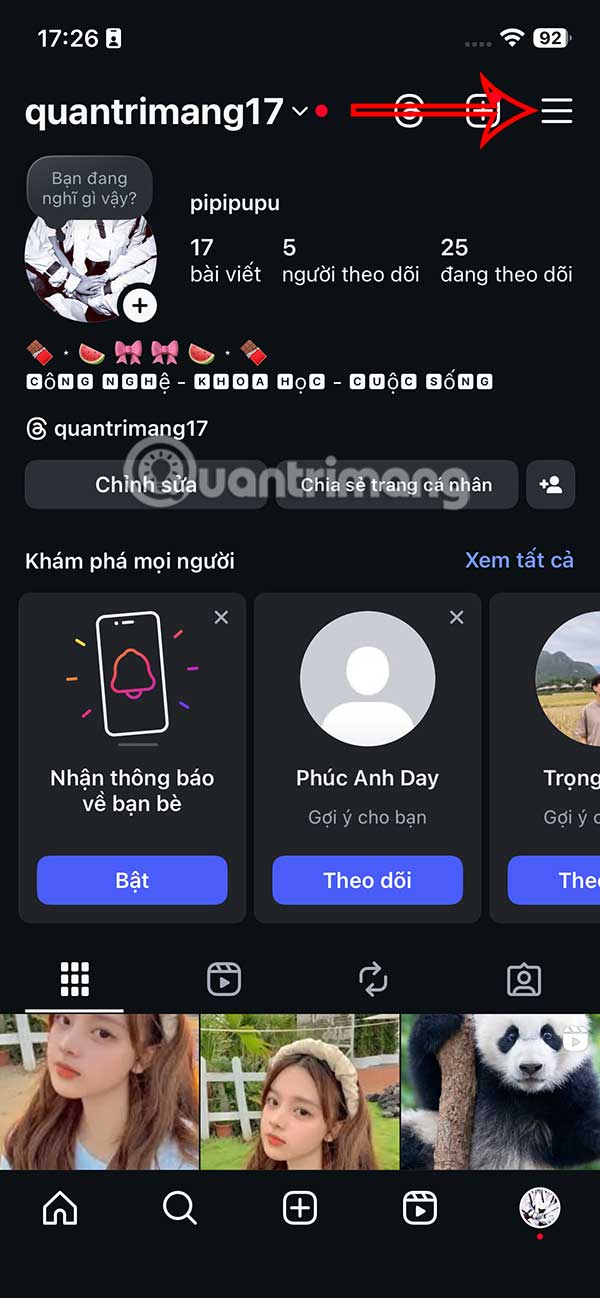
Step 2:
Go to the Instagram app settings interface, users select the Activity item in the Friends tab .
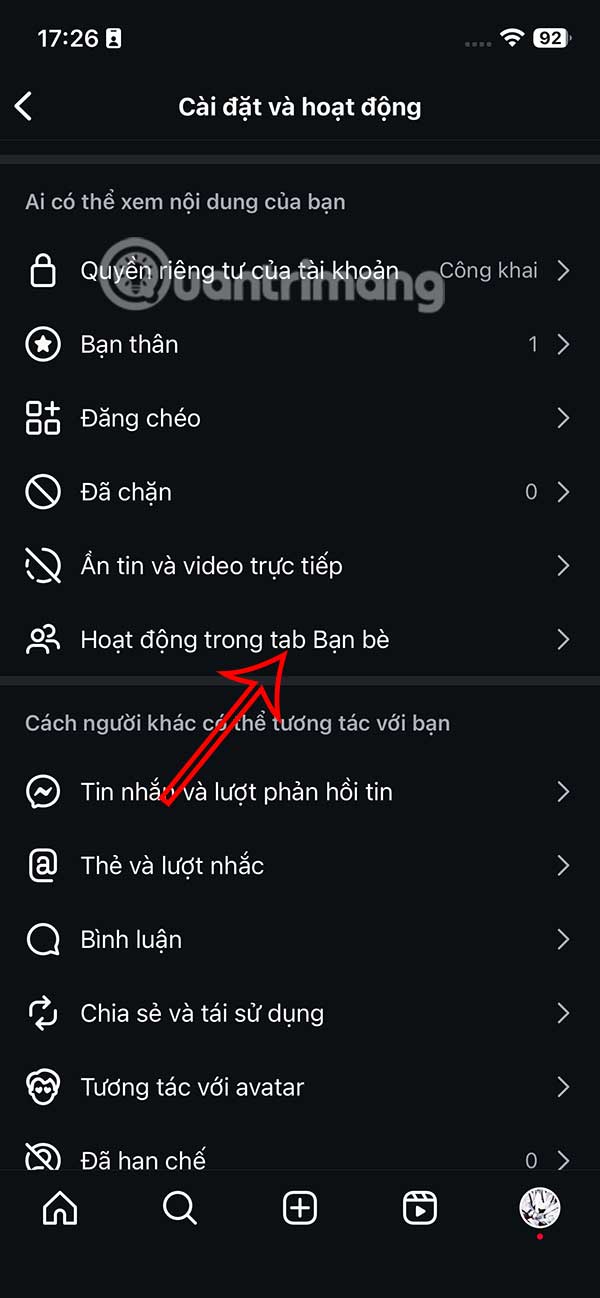
Step 3:
Now you see the default setting to show your Instagram Reels video likes and comments to others in the Friends tab. We tap on Nobody to hide Instagram Reels video actions from friends.
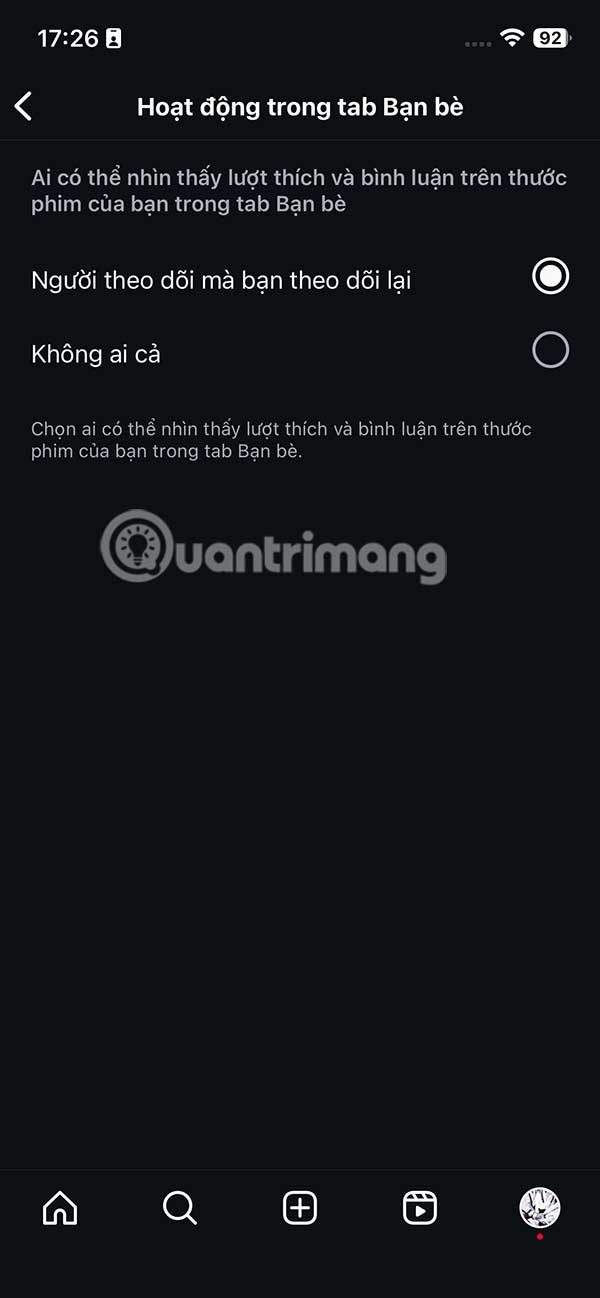
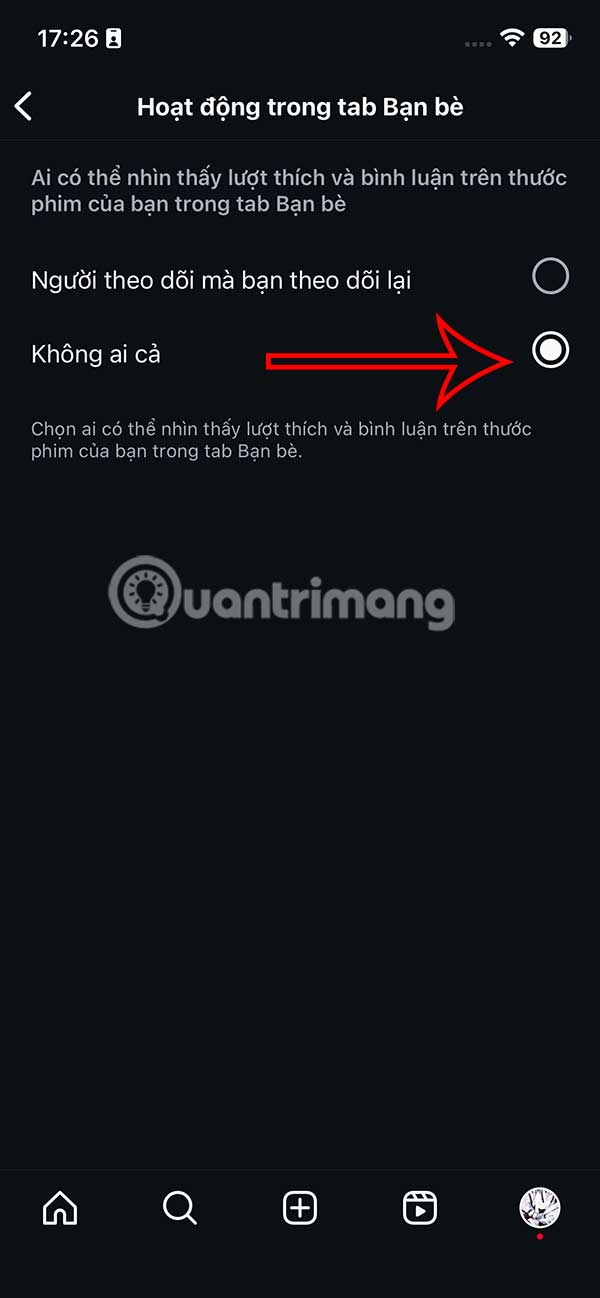
Go back to the Instagram Reels interface and you'll see that the Friends tab no longer shows your video interactions with others.
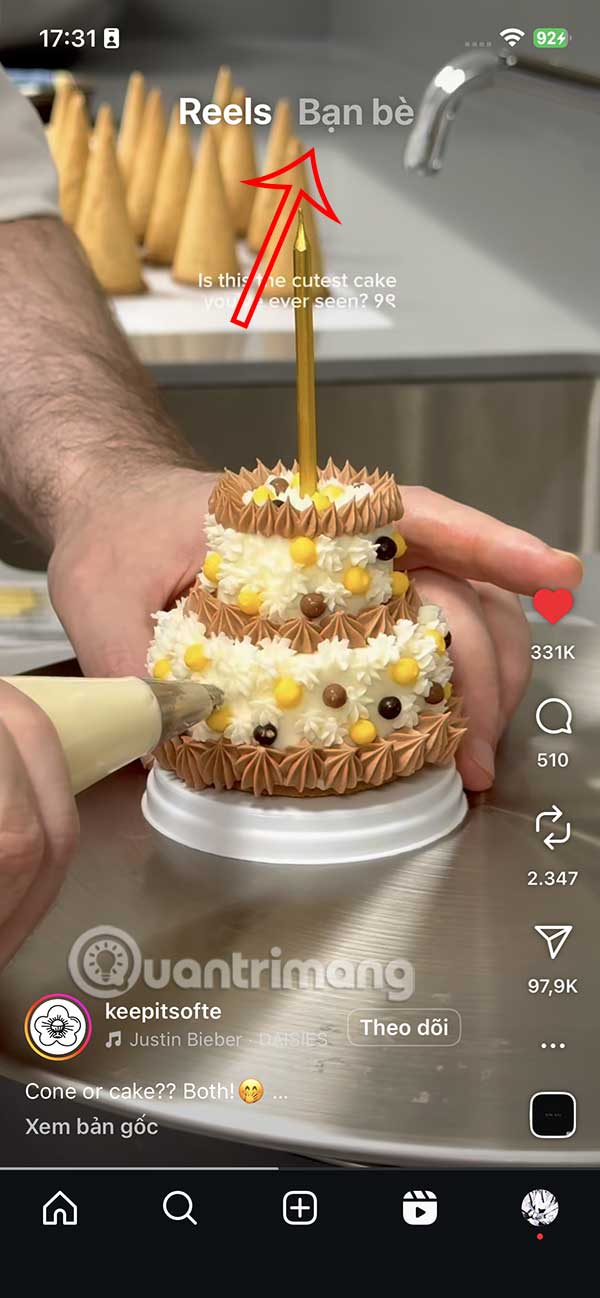
The Friends tab only shows Reels that your mutual followers have interacted with. This feed includes Reels that your mutual friends have liked, commented on, reposted, and created.
When you hide your activity in your Instagram friends feed, all your likes, comments, and reposts will be hidden from your friends, and those videos won't show up in the activity tabs of mutual friends.
Final Thoughts
Following the steps in order and checking version-specific settings should make it easier to Hide Your Reels Activity from Your Friends on Instagram. If an option looks different, verify the device, app, or operating-system version before changing additional settings.
FAQ
What is the best way to Hide Your Reels Activity from Your Friends on Instagram?
Start with the requirements described in the article and follow the steps in order. Basically, Instagram reveals all your activities to your friends, such as likes or comments on Reels videos, through the Friends tab.
What should you know about How to Hide Instagram Reels Activity from Friends?
First, access your personal Instagram account and select the 3-dash icon in the top right corner of the interface.
What should you do if the instructions do not match your screen?
Check the device, software version, account permissions, and regional settings. Interfaces can change after updates, so use the closest matching option and consult the official support documentation when necessary.
Related Articles
 How to Hide Reels Instagram Suggested Videos3 minutes read
 Best Time to Post Instagram Reels7 minutes read
 How to Download Instagram Reels: Clear Instructions5 minutes read
 How to Hide Other People's Posts on Instagram3 minutes read
 How to Use Instagram's New Trial Reels Feature4 minutes read
 Instagram Will Allow Reels Up to 3 Minutes Long4 minutes read
Reader Comments 0
Sign in with email or Google to join the discussion.