Table of Contents
You may have upgraded to iCloud+ because the free 5GB was too limited, but don't think that paid iCloud plans only offer more storage. There are plenty of other benefits you're missing out on.
6. Share capacity with relatives
iCloud+ plans range from 50GB to 12TB. And while you can use 50GB or even 200GB on your own, you can still make the most of your unused space by inviting friends and family.
Once you set up an Apple Family Sharing group, up to six people can use your iCloud storage. Plus, they all get access to the benefits below for their own accounts, so you don't have to pay to upgrade each account individually.
Tip : If you use other Apple services like Apple Arcade or Apple Music, consider subscribing to Apple One to bundle those services and save money.
5. iCloud Private Relay
Private Relay is a feature that hides your browser in Safari to make it harder for online entities to track you. It scrambles your IP address when you connect to a website, making it harder for websites and ISPs to associate activity with your name.
This feature isn't as powerful as a VPN, since you can't choose the remote server location, and it only works in Safari. It's not a one-click security solution, since there are other ways you can be tracked online. But if you're already paying for iCloud+, it's worth turning on.
Apple also says the feature will 'protect your unencrypted internet traffic,' but since the vast majority of websites today use encrypted connections, this isn't a huge issue.
4. Hide My Email
We've all received a bunch of spam emails after signing up for a service. The next time you need to sign up for a service but don't want to give out your real email address, iCloud+ has an easy solution. Hide My Email can generate as many random email addresses for different services as you want.
If you want to create a new email address for later use, go to Settings > [Your Name] > iCloud , then scroll down to the iCloud+ Features box and tap Hide My Email . Tap Create New Address and you'll get a random address. If for some reason you don't like it, tap Use Different Address to try again.
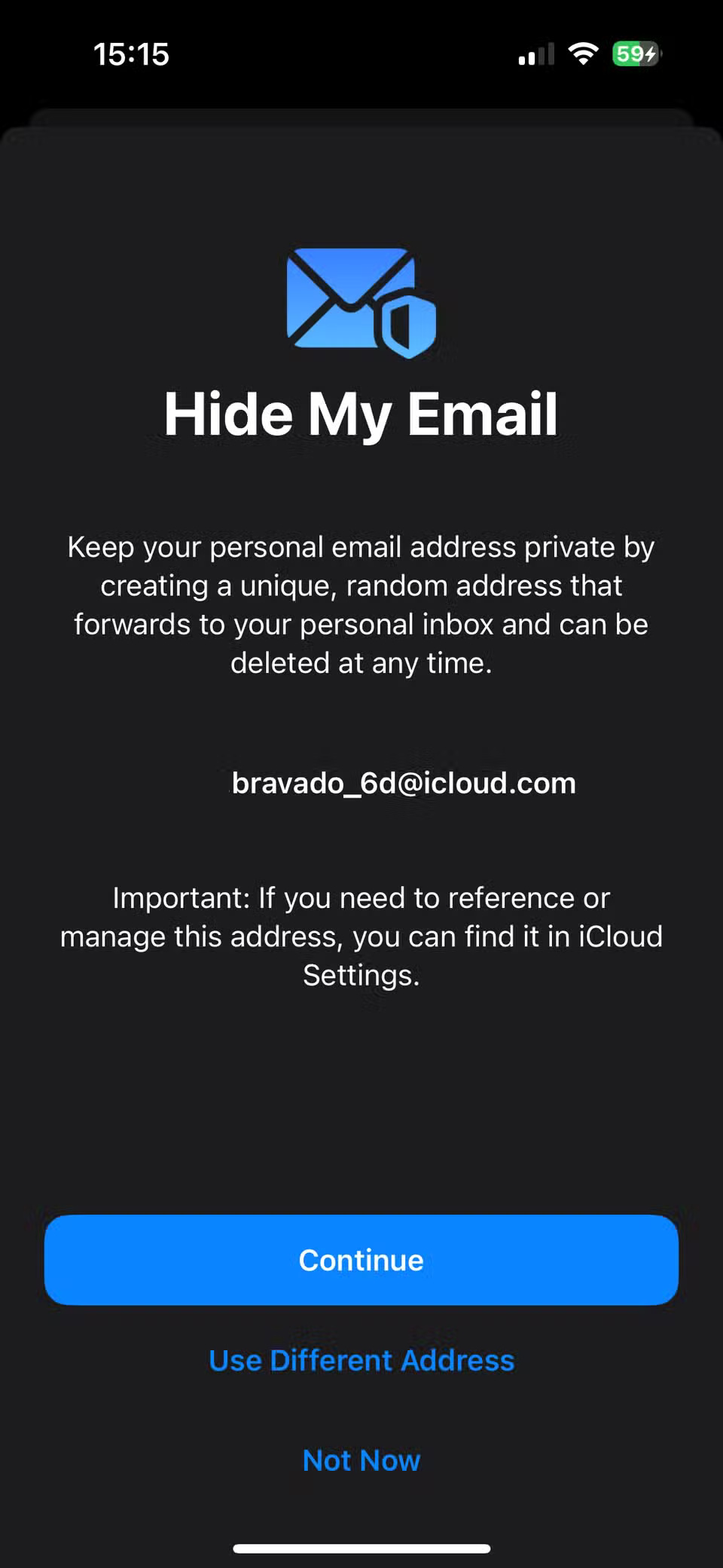

After pressing Continue , you'll see a prompt to label the address and add an optional note. This is a good place to note the service you're using, the expected time of use, etc.
3. Custom domain email
Many people haven't heard about this awesome perk of iCloud+ until now. If you own a web domain or are thinking about buying one, you can create a custom email address at that domain using iCloud+. It's cheaper and easier than paying for email hosting from a dedicated host, so it's worth setting up if you want a more professional email domain on your website, resume, social media pages, or the like.
Go to the iCloud+ Features box mentioned above, then tap Custom Email . You'll see an overview page; tap Continue to go through the steps. Since this requires you to own a web domain, you'll need to provide your domain credentials, or the wizard will guide you through purchasing a domain from Cloudflare.
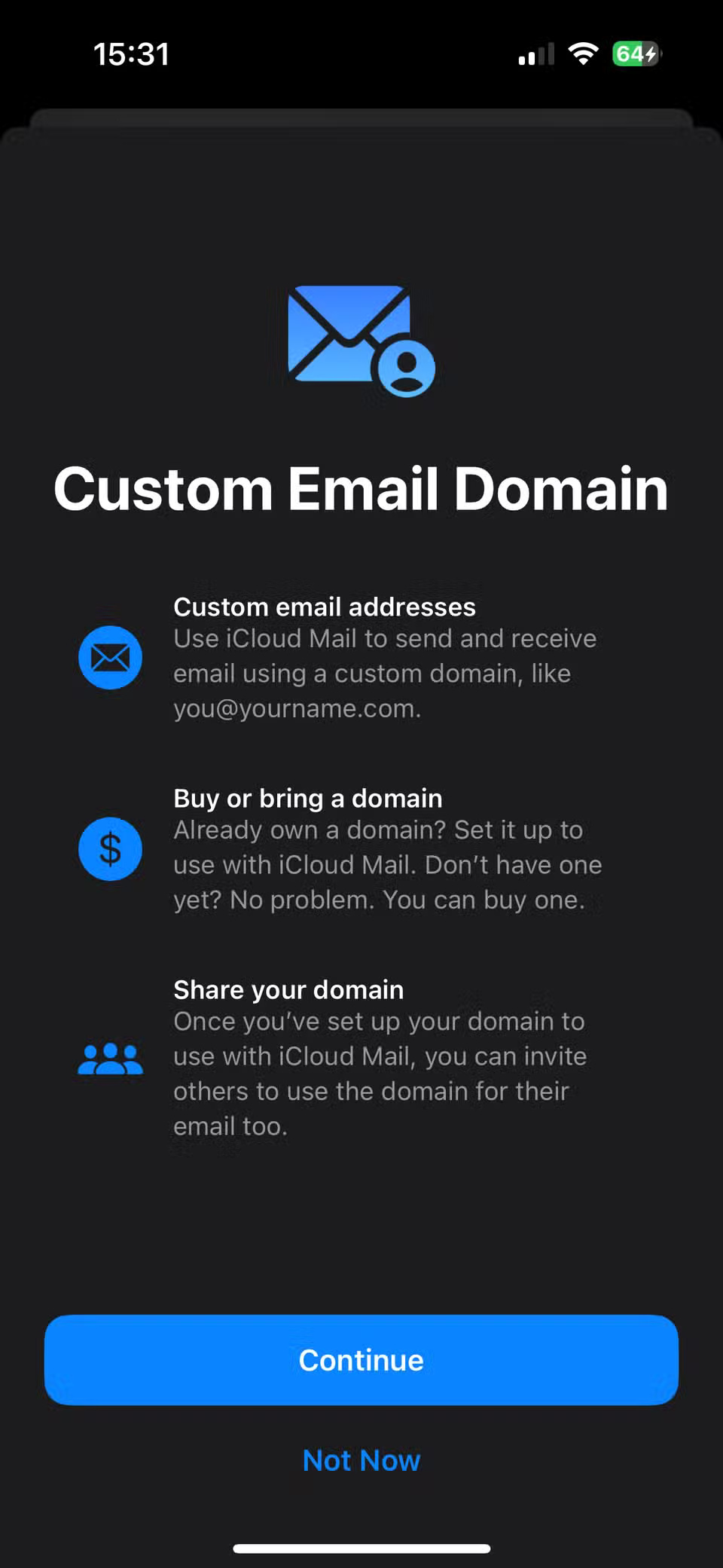
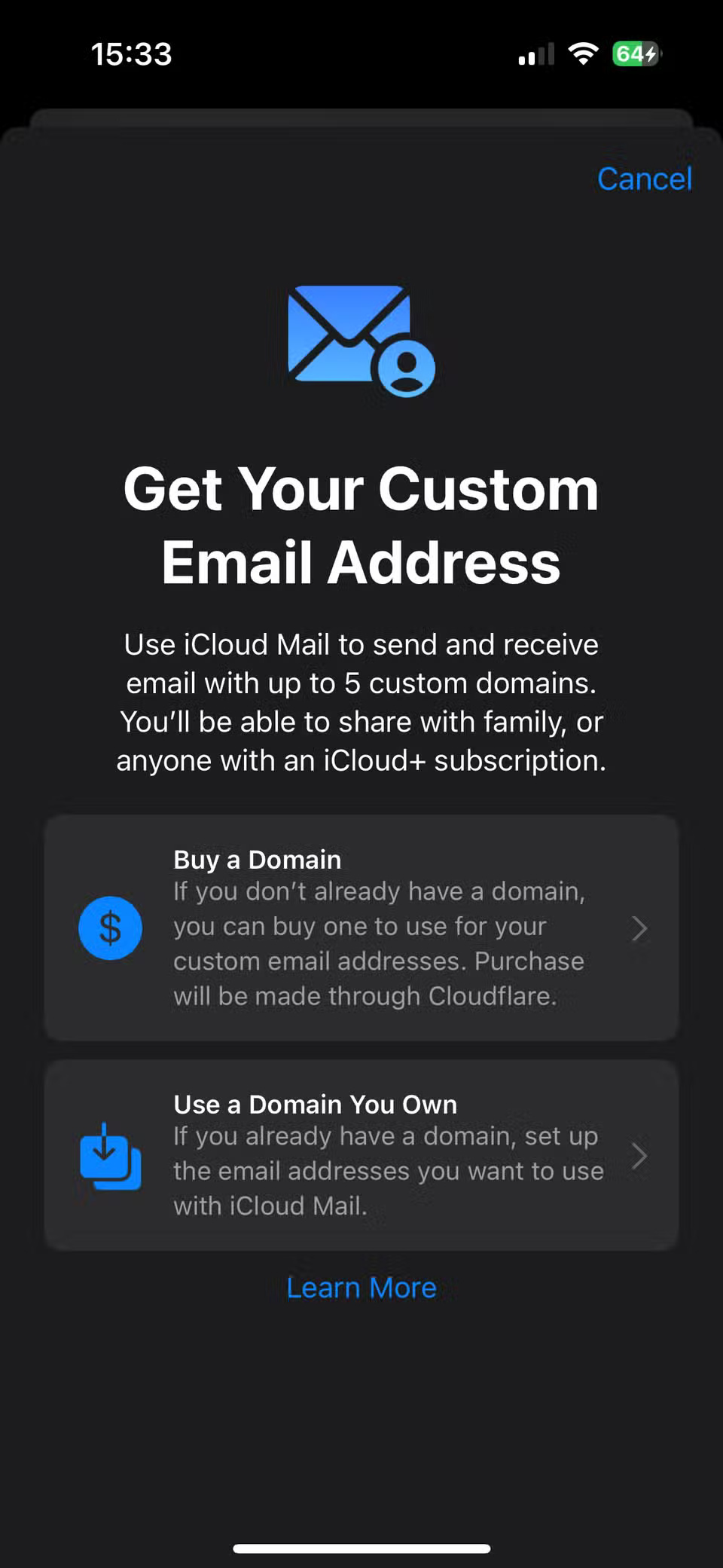
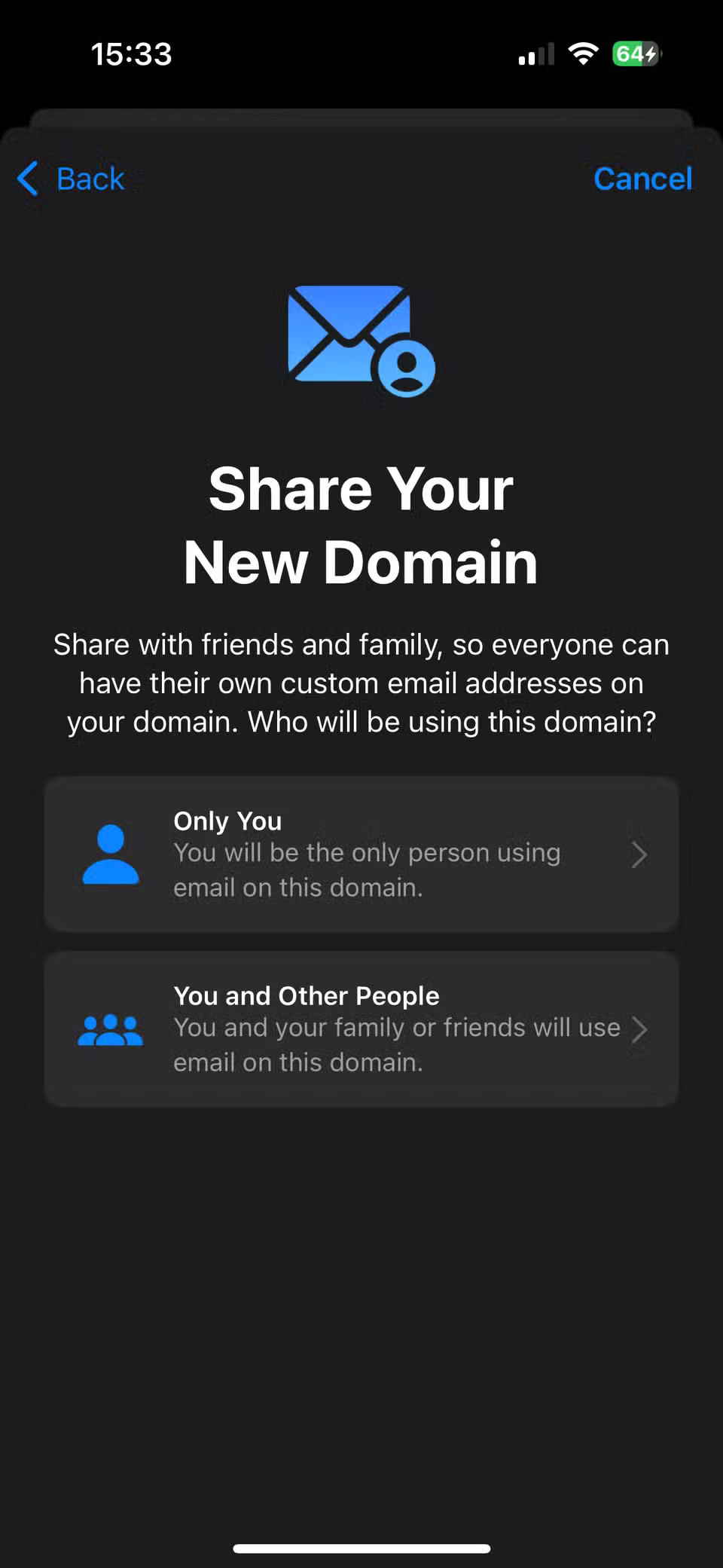
Warning : Note that the storage of any email accounts you use this way will count against your iCloud+ storage limit. You may need to free up space in your iCloud account.
2. HomeKit video storage
If you have HomeKit -compatible security cameras in your home, iCloud+ includes access and storage for their video feeds. This feature is available in the Home app and, like other features, lets you share access with others.
By default, people you add can view your camera feed when they're home, but will need your permission to access it when they're out. Footage also doesn't count against your iCloud storage, which is nice.
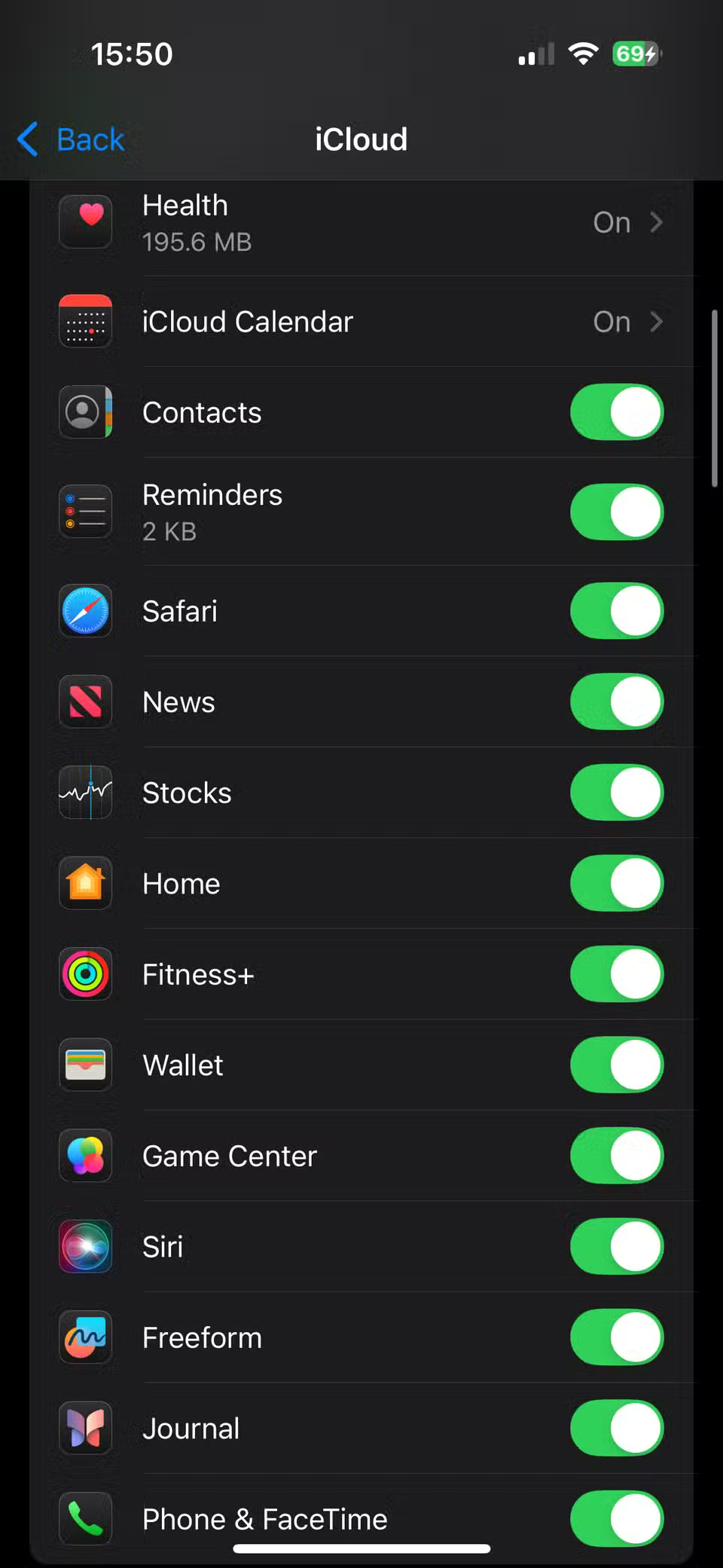
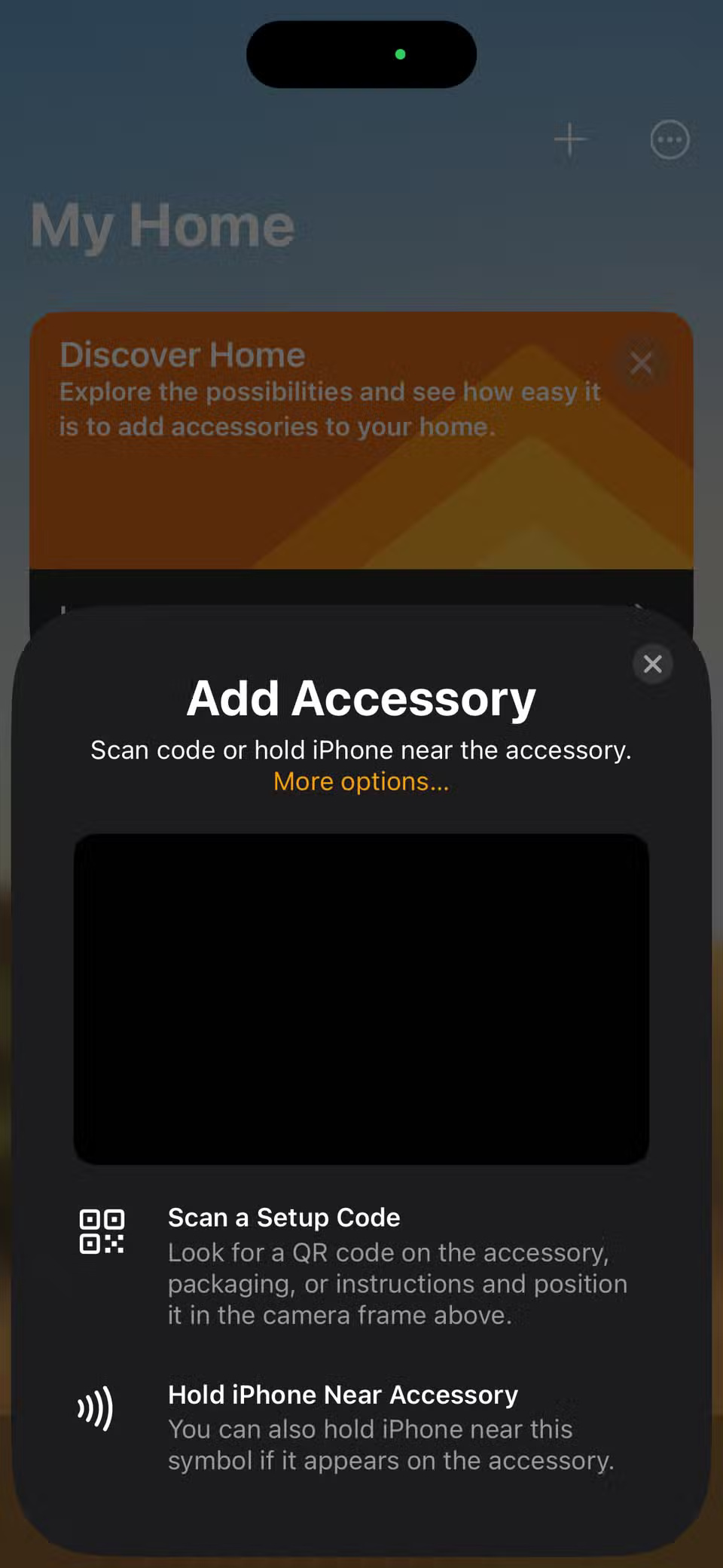
If you haven't added your camera to the Home app, open the app on your phone, then tap the plus icon to set up your camera. To make sure you've saved your Home data to iCloud, go back to the Settings menu > [Your Name] > iCloud . Tap See All in the Saved to iCloud box, then make sure Home is turned on.
1. Apple Invites
Apple Invites is a strange app. It lets you create dynamic digital invitations for in-person (or online) events. Anyone can RSVP to an invite sent using the app, but you need iCloud+ to create the invite.
There are some interesting ideas with Apple Invites, like automatically sharing weather and address information so everyone has the full details. You can also post messages for last-minute updates, create collaborative Apple Music playlists to showcase at events, and create shared photo albums to capture memories.
Final Thoughts
Overall, 6 iCloud+ Features You Should Be Using is best understood by considering the main facts, practical context, and limitations together. Use the details above as a clear starting point and confirm time-sensitive information when necessary.
FAQ
What does this article explain about 6 iCloud+ Features You Should Be Using?
You may have upgraded to iCloud+ because the free 5GB was too limited, but don't think that paid iCloud plans only offer more storage. There are plenty of other benefits you're missing out on.
What should you know about 6. Share capacity with relatives?
iCloud+ plans range from 50GB to 12TB. And while you can use 50GB or even 200GB on your own, you can still make the most of your unused space by inviting friends and family.
Should time-sensitive details be verified?
Yes. Software features, game codes, product specifications, prices, and research findings can change. Confirm important details with an official or primary source when accuracy affects your decision.
Related Articles
 Differentiate Apple ID and iCloud7 minutes read
 Cheap Backup Tips to Replace When You Run Out of iCloud Storage9 minutes read
 How to Turn Off ICloud on iPhone: Step-by-Step Guide4 minutes read
 Forgot Your Icloud Password and the Fastest Way to Recover6 minutes read
 How to Recover Icloud Data When Mistakenly Deleted4 minutes read
 How to Solve Icloud Sync Problem7 minutes read
Reader Comments 0
Sign in with email or Google to join the discussion.