Table of Contents
Learn how to fix the error of not being able to change imessage wallpaper with clear steps.
Update to the latest iOS 26
iMessage chat wallpapers are only available with iOS 26, so make sure you and the person you're chatting with are both updated to iOS 26. The wallpapers won't show up if you're both still on iOS 18.
Wallpaper only applies to iMessage
You can only add iMessage message wallpapers, not apply additional wallpapers to SMS or RCS conversations.
Exit and reopen the iMessage app
Try exiting the iMessage app completely and then restarting it to fix the iMessage wallpaper change error.
Enable iMessage wallpaper mode
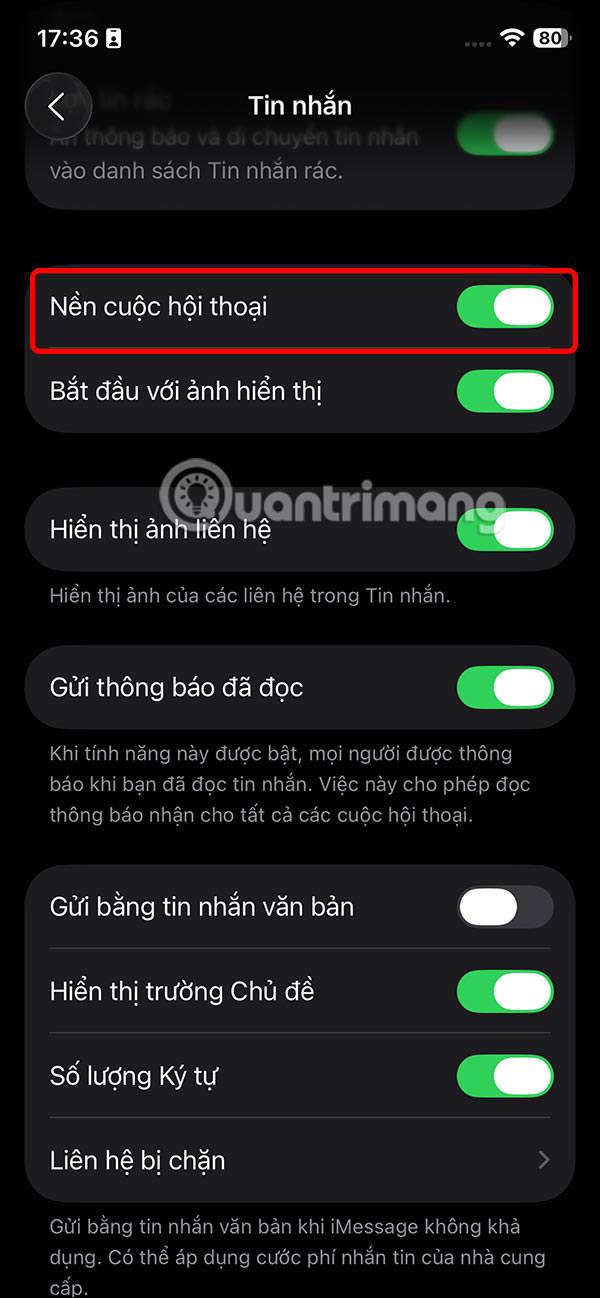
First you need to enable wallpaper mode for iMessage to be able to set wallpaper for conversations.
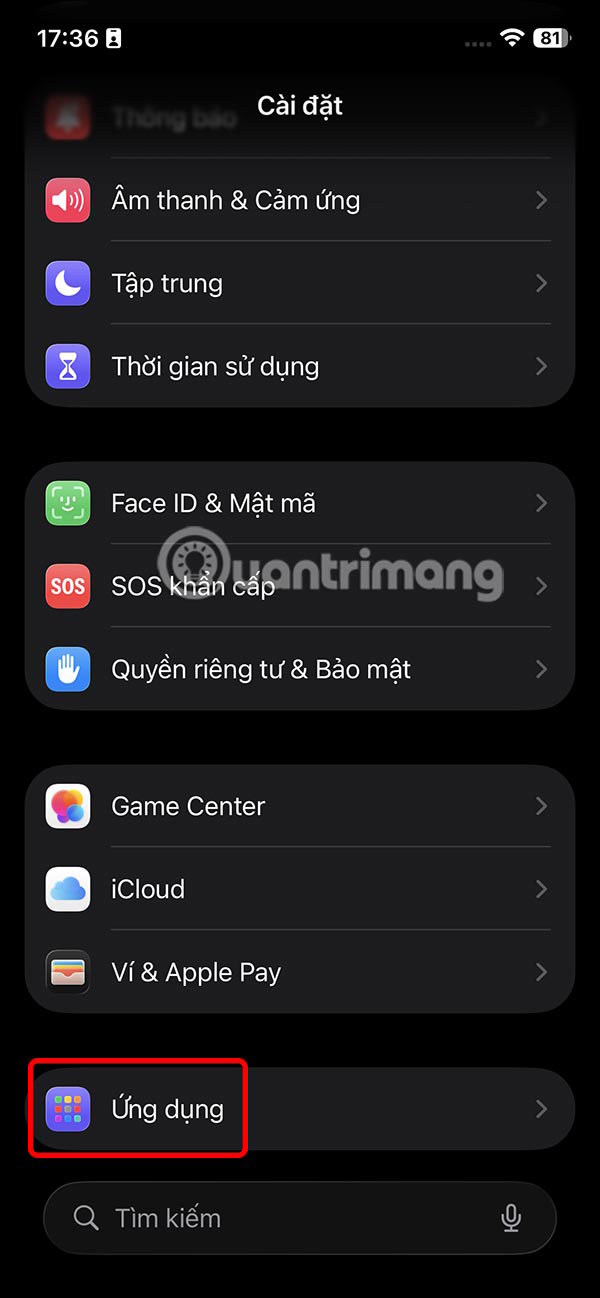
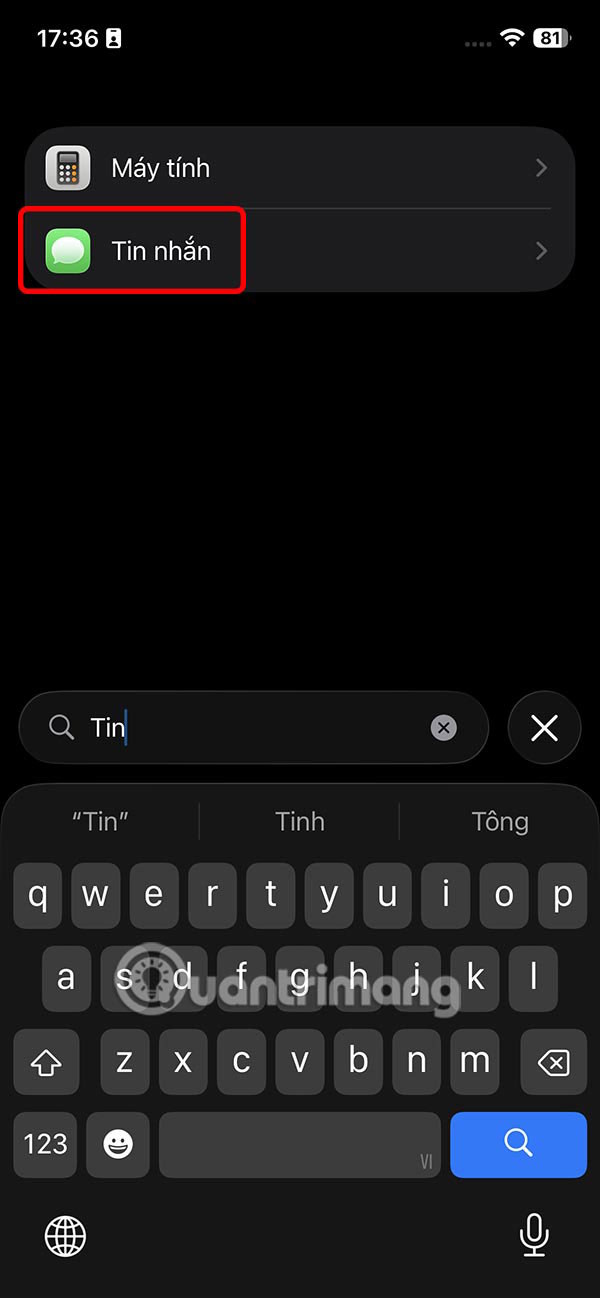
You access Settings then click on Applications. Switch to the new interface, click on the Messages application. Now you need to activate Conversation Background mode to use the message background on iPhone.
In case you have enabled this feature before and the wallpaper is not showing, please disable it and enable it again.
Restart iPhone
After following the above steps, if the problem persists, turn off your iPhone and turn it back on. Now, go back to the Messages app and you will see the option to add a wallpaper or you can see the chat wallpapers set by your friends.
Check iMessage server status
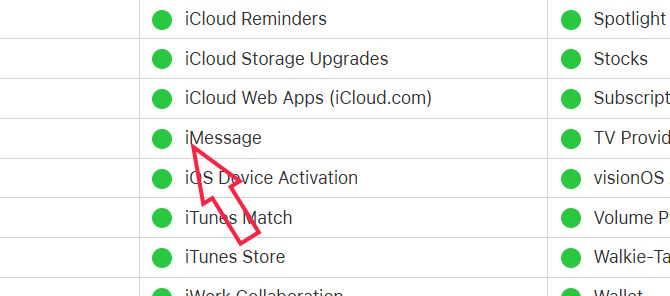
There may be a server-level issue with iMessage that prevents both you and the person you're chatting with from seeing the conversation background. Visit Apple's system status page below and make sure iMessage, iCloud Account & Sign In, and Apple Account are working properly.
- Check Apple service
Reset all iPhone network settings
If none of that works, reset all network settings and try adding the wallpaper again. You can also wait for a new software update to fix the problem.
Final Thoughts
Use this guide as a practical checklist for how to fix the error of not being able to change imessage wallpaper. Work through the steps in order, verify each result, and adjust the options to match your needs.
FAQ
What do you need before following this How to Fix the Error of Not Being Able to Change IMessage Wallpaper guide?
Review the required tools, accounts, settings, or materials mentioned in the article. Learn how to fix the error of not being able to change imessage wallpaper with clear steps.
What are the main steps for how to fix the error of not being able to change imessage wallpaper?
Follow the sections in order, especially Update to the latest iOS 26, Wallpaper only applies to iMessage, Exit and reopen the iMessage app. Complete each step before continuing and verify the result as you go.
What should you do if the process does not work as expected?
Recheck the prerequisites, update the relevant app or service, review the settings, and repeat the step that caused the issue. Use any troubleshooting notes included in the guide.
Related Articles
 How to Set IMessage Group Wallpaper on iPhone2 minutes read
 How to Fix the Error Cannot Be Used on Imessage iOS 105 minutes read
 How to Fix Cannot Log in to IMessage on Mac5 minutes read
 Common Imessage Errors and How to Fix It8 minutes read
 Change Wallpaper, Set Wallpaper Wallpaper for Computer3 minutes read
 How to Change the Imessage Bubble Color in iOS4 minutes read
Reader Comments 0
Sign in with email or Google to join the discussion.