Table of Contents
If YouTube links are not opening in the app on Android or iPhone, you can refer to some fixes in this article.
YouTube links not opening in the app can be a problem because the web version is primarily designed for desktops. So if YouTube links are not opening in the app on Android or iPhone, you can refer to some of the fixes In this guide.
Adjust the application to open links with YouTube
Step 1:
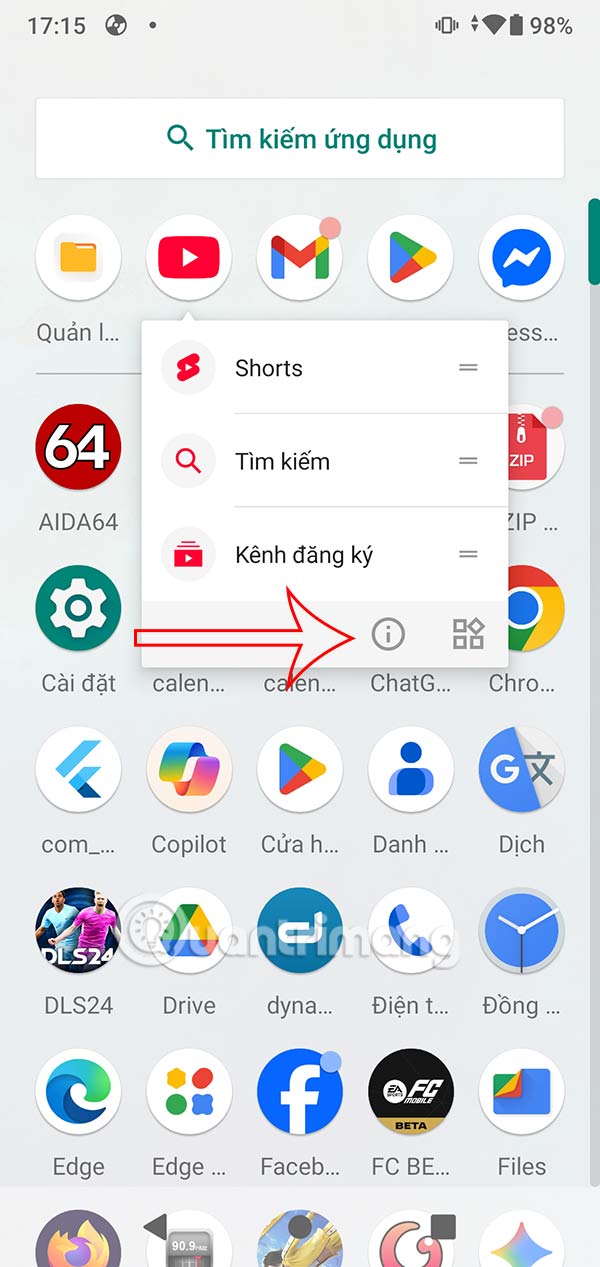
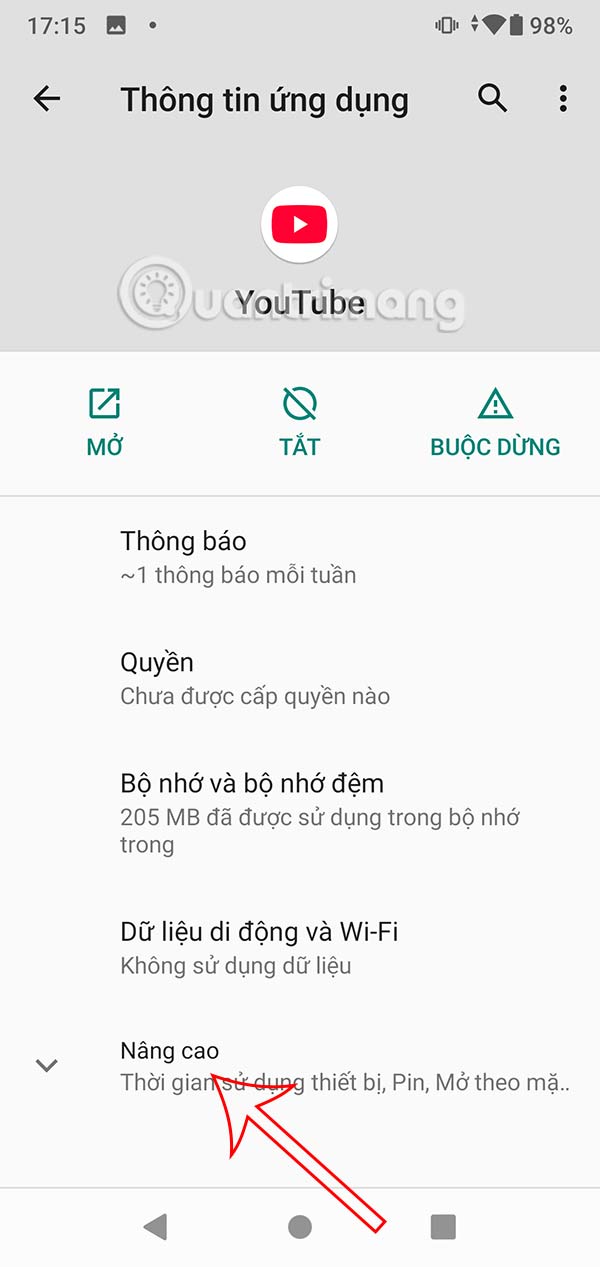
Hold down on the YouTube app then Tap the i icon To access the information interface. Next, select Advanced At the bottom of the interface to expand the settings.
Step 2:
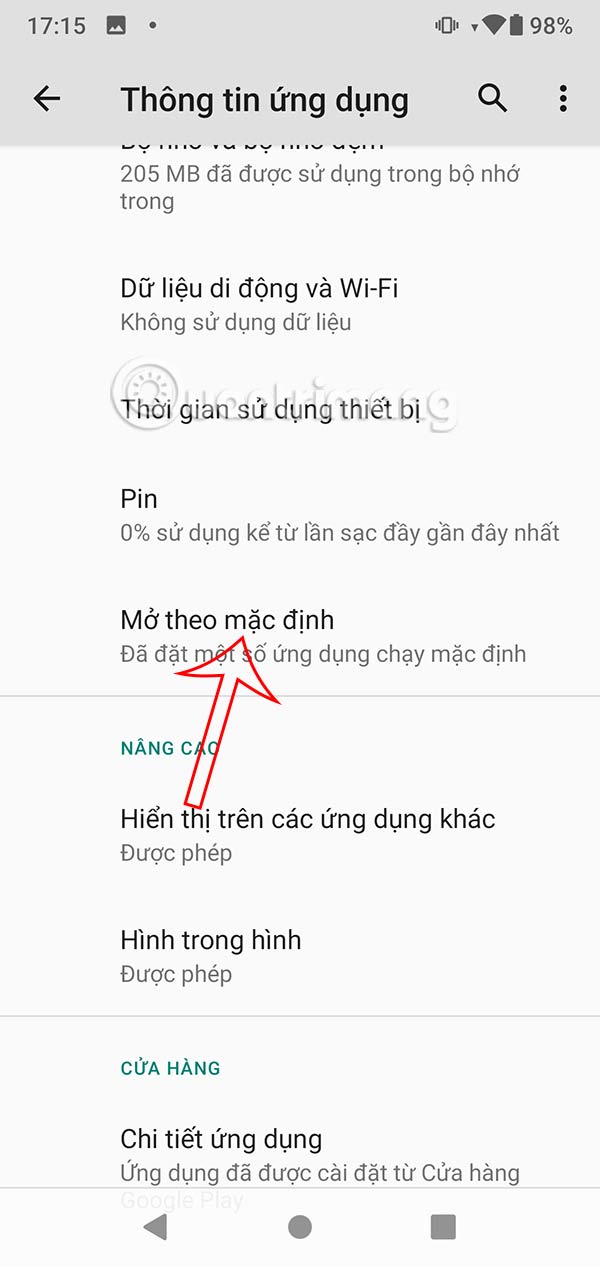
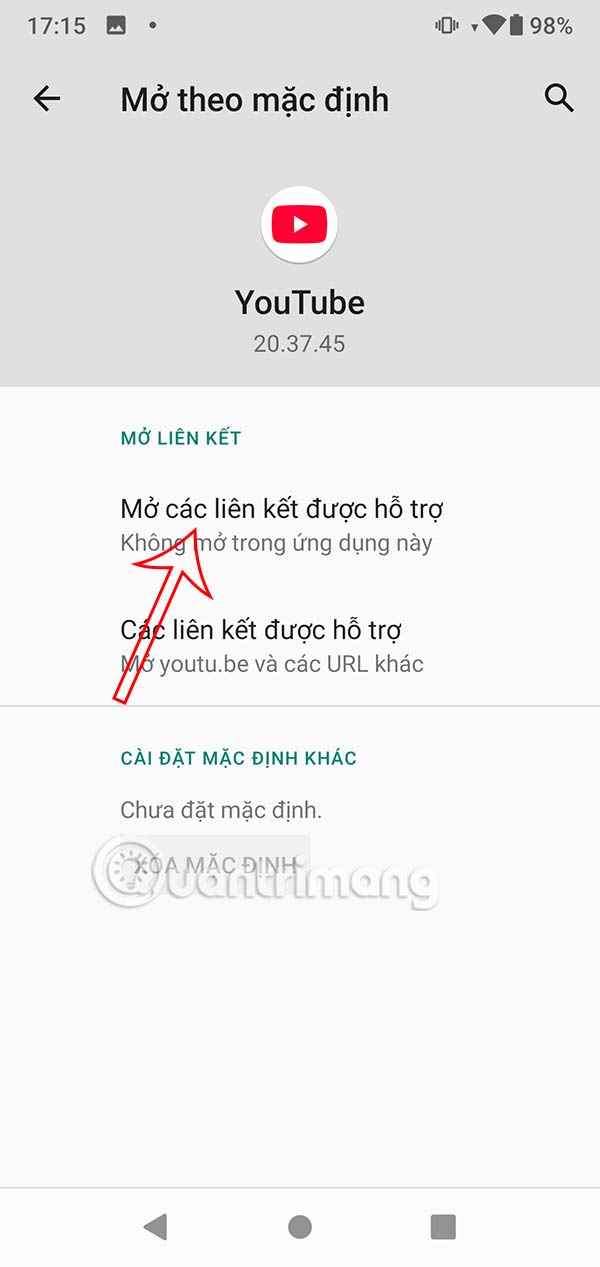
Show the settings below, you Tap Open by default To adjust. Now you will adjust the Open supported links Section to Open In this app To open the link with YouTube.
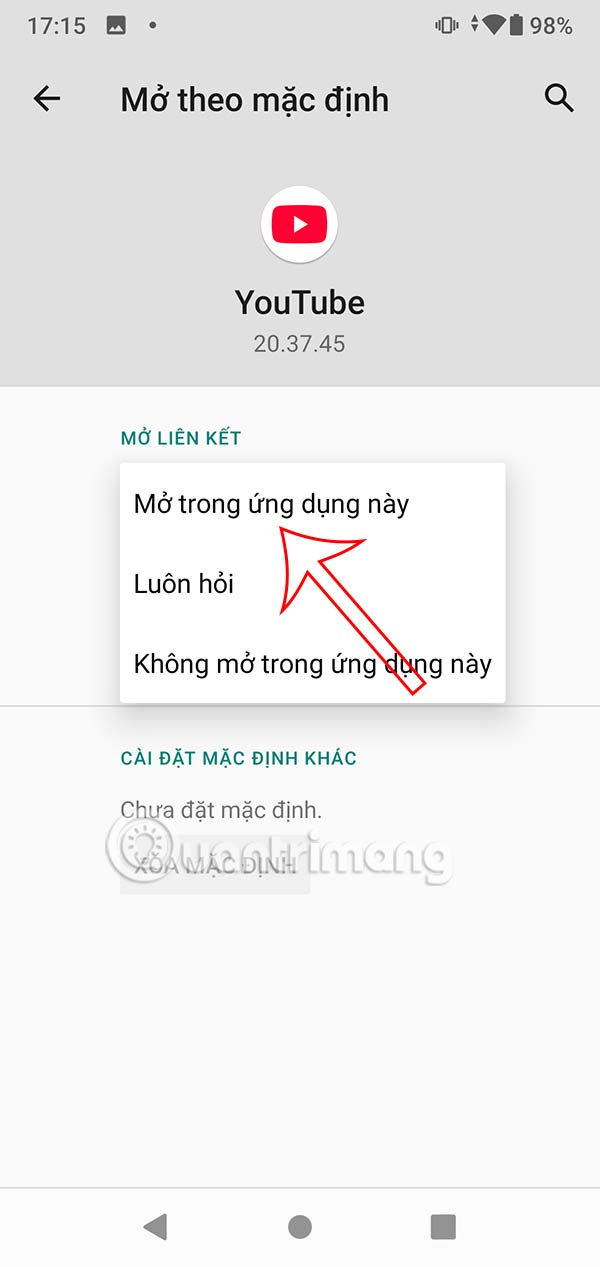
Default open links with YouTube in Settings
Step 1:
You access Settings on the phone then click on Apps and notifications To adjust. Go to the next interface we click on Advanced To adjust.
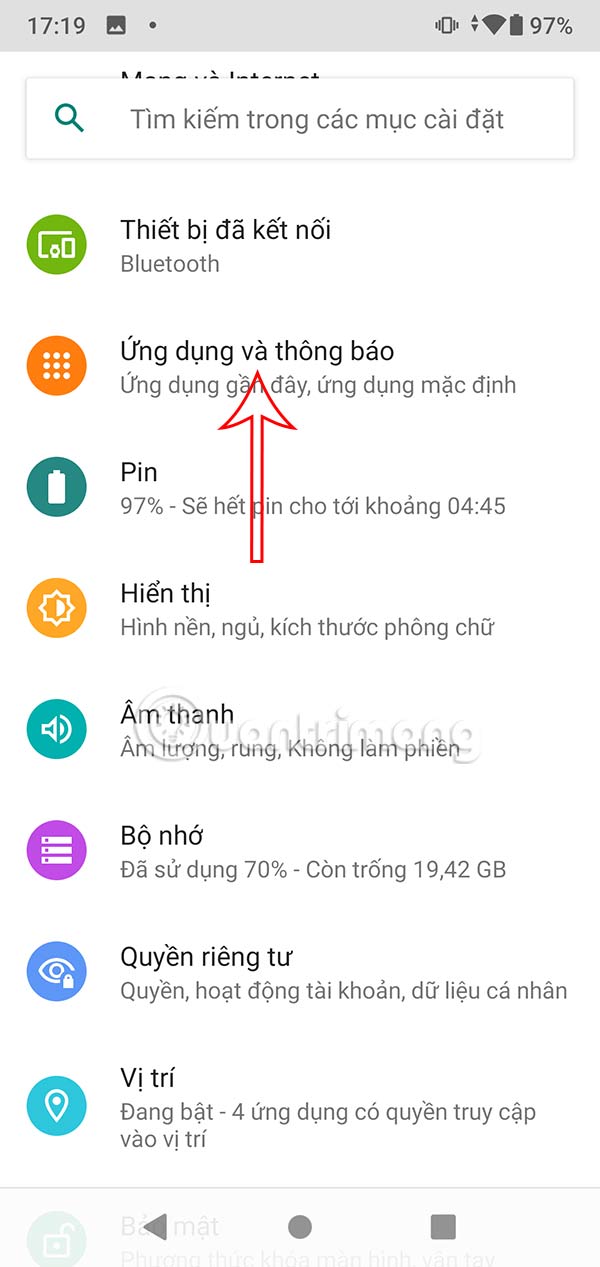
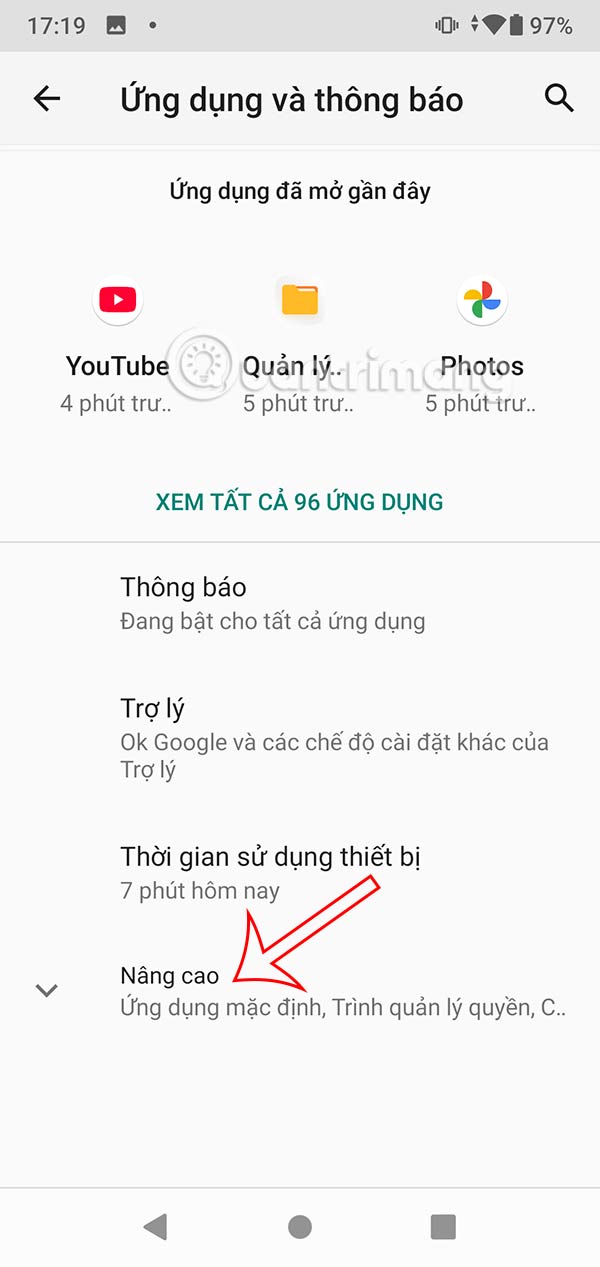
Step 2:
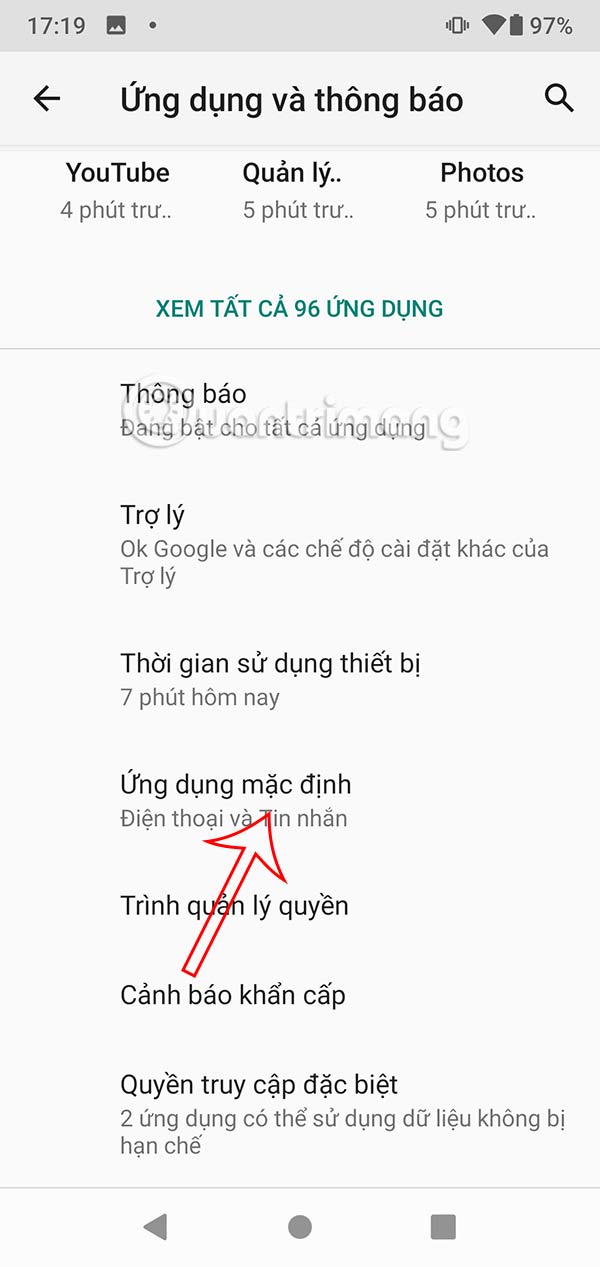
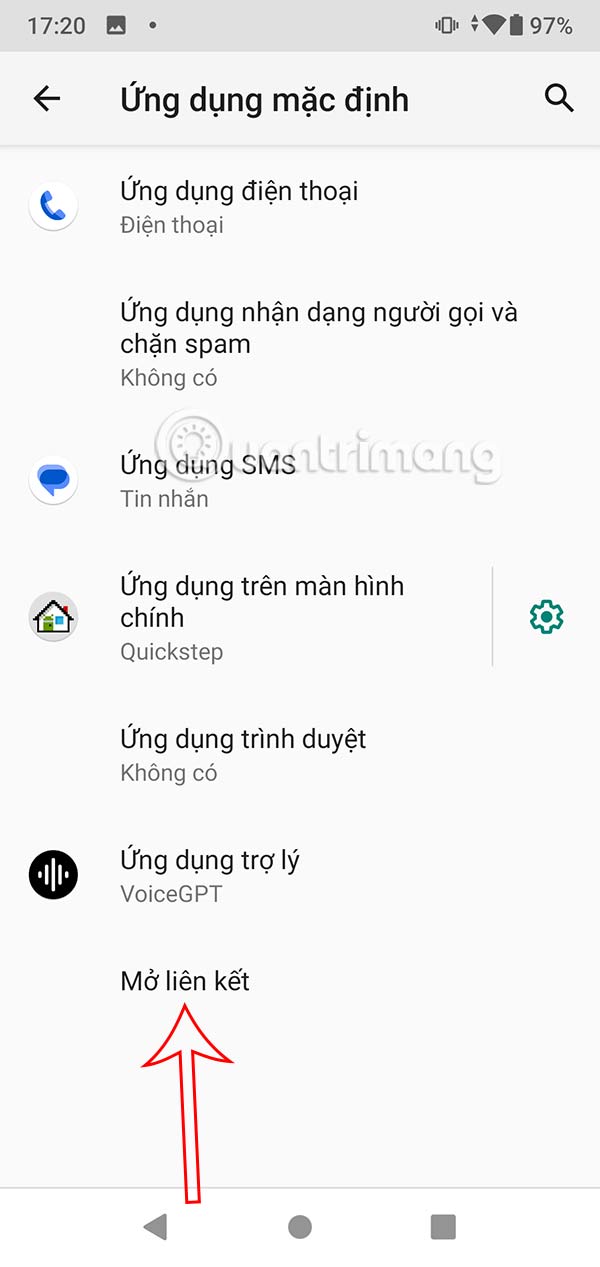
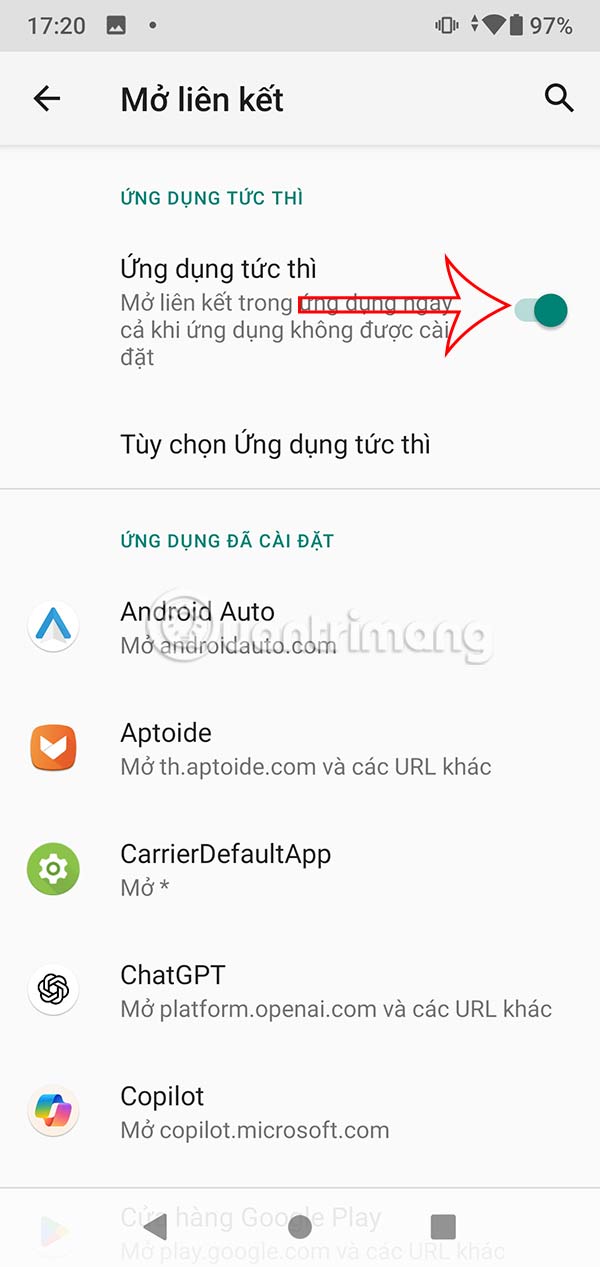
In this new interface, we click on The Default Applications section . Then at the bottom of the interface there will be an Open link option for Us to make changes.
Now you need To enable Instant Apps setup To open YouTube links using the app.
FAQ
How do you fix the error of not being able to open YouTube links using the?
In practical terms, if YouTube links are not opening in the app on Android or iPhone, you can refer to some fixes in this article.
What should you check before getting started?
Review the requirements, compatible device or software version, and any warnings described in the guide before making changes.
What should you do if the steps do not work?
Repeat the steps in order, confirm that your app or system is up to date, and review the troubleshooting details provided above.
Related Articles
 How to Effectively Fix the IDM Error of Not Capturing YouTube Links on Chrome5 minutes read
 Warning: the YouTube URL Shared on Facebook May Be Deceptive5 minutes read
 Fix IDM Error Without Downloading Download Link4 minutes read
 How to Fix Application Errors That Cannot Be Opened on iOS 115 minutes read
 All the Errors on YouTube and How to Fix It: YouTube Error14 minutes read
 7 Ways to Fix IDM Not Capturing YouTube Links on Chrome, Firefox?6 minutes read
Reader Comments 0
Sign in with email or Google to join the discussion.