Table of Contents
This updated guide explains how to find the best podcasts on spotify in seconds with clear steps, practical tips, and useful context. If you needed another reason to make Spotify your primary podcast app, this is it. With its latest update, the app now includes a dedicated podcast feed designed to make discovery easier. Here's how you can start making the most of Spotify's newest podcast features.
Unlock Spotify's New Podcast Features
Spotify is upgrading its podcasting offering with new features designed to help users discover great podcasts. These features are rolling out now in its mobile apps for both paid and free users.
You'll need to update your Spotify app before you can see these new options. Navigate to the Google Play Store or App Store. Search for Spotify and see if there's an Update button underneath. If there is, tap it to update the app to the latest version.
Now, open the Spotify app on your device and switch to Podcasts at the top.
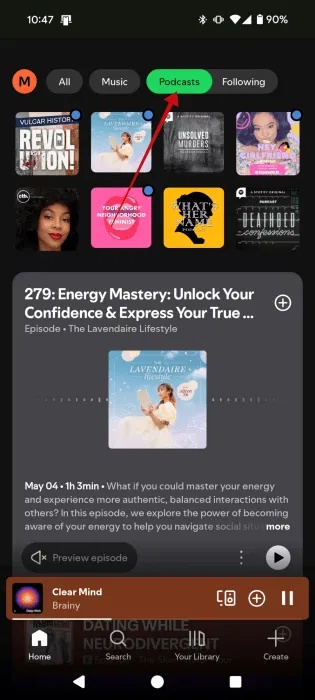
You'll notice that doing so will bring up a new Following option. tap it to see updates from the podcasts you follow. Here, you can browse through the latest episodes of your favorite podcasts, ensuring you never miss a new addition. This feature is incredibly useful.
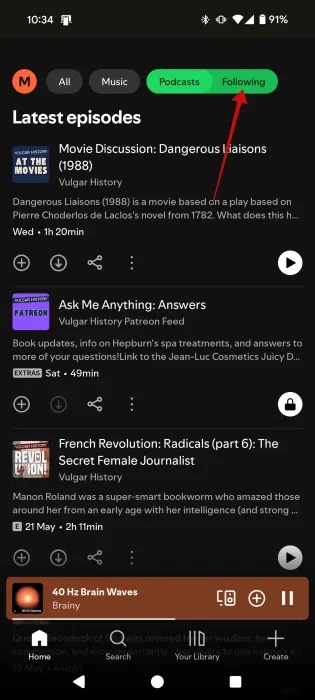
Note : If you do not see the Following tab yet, it means the update hasn't reached your device yet. In that case, you'll have to wait a while. ensure you check the app store regularly for any new updates on Spotify. It will not be long before you can use the new Podcast features.
Discover New Podcasts on Spotify
Previously, people relied on keyword searches to find new podcasts on topics they were interested in. But with the new update, you can discover new podcasts just by browsing the Podcasts tab.
At the top, you'll see all the podcasts you've listened to recently. But if you need something new to listen to, start browsing below.
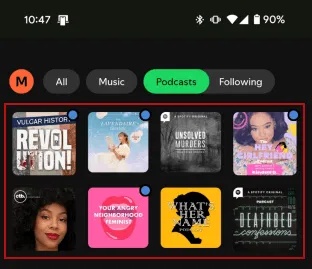
Check out the Explore episodes for you section, which shows podcasts similar to your show or based on recent listening.

If you tap one of the options, you'll get a TikTok- like feed with podcast previews. Swipe up to move to the next option.

select the podcast name below to open the podcast page.
If you're a loyal fan of a particular podcast and want to discover similar podcasts, you're in luck, as Spotify shows you specific recommendations for each of your favorite podcasts.
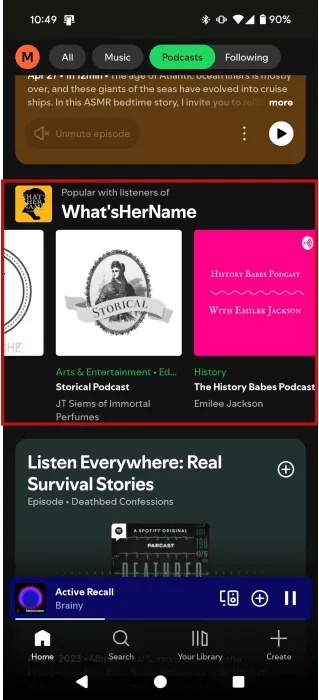
Spotify also highlights episodes it thinks you might like in the main Podcasts feed. With the new update, there's a Preview option that lets you get a sense of what a podcast is about without actually having to start listening. Even better, the preview includes subtitles, allowing you to get a feel for the podcast even if you cannot listen right away.
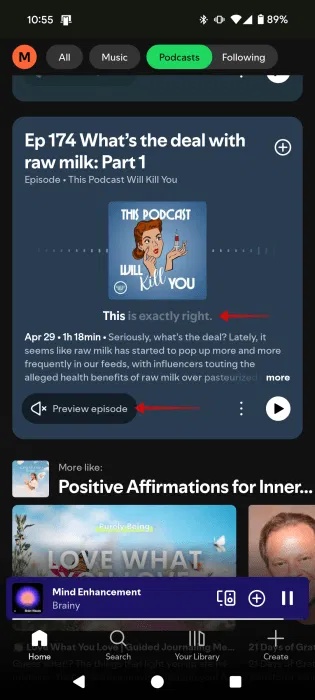
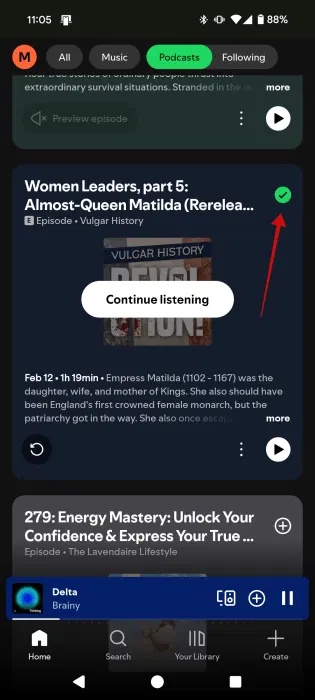
If you happen to find something interesting, just tap the + button on the episode card to add it to Your Episodes .

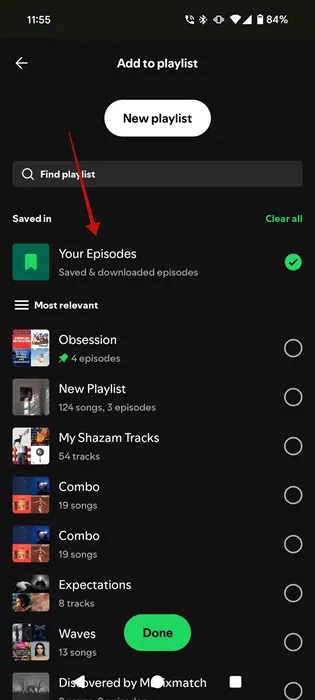
The + will turn into a check mark icon. Tap again.
This will add the episode to another playlist. Tap Done .
To find Your Episodes in Spotify, open Your Library at the bottom.
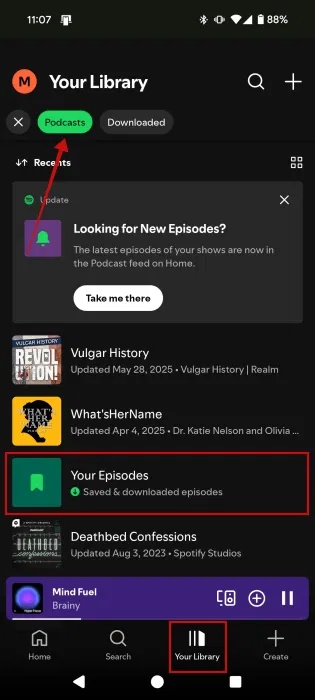
Tap Podcasts at the top and select Your Episodes .
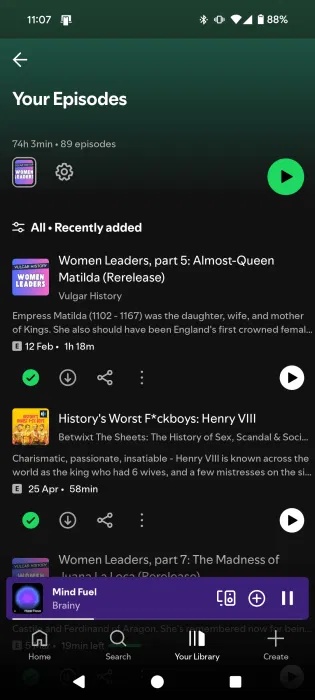
Recently added episodes will appear at the top of Your Episodes on Spotify.
Access Podcast Transcripts and More
cannot listen to the podcast right now, but curious about what they're talking about? Spotify lets you access the transcript.
Open the episode you're targeting and swipe to the bottom. Select Episode transcript .
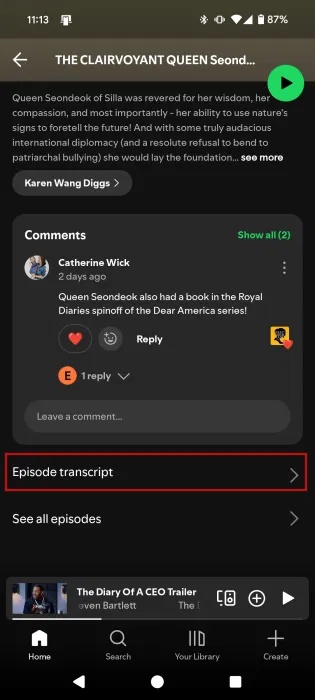
Now you can read what the speaker is saying.

With the new update, Spotify is making it easier to access songs or books that have been mentioned or used in a particular podcast episode. You'll find this information on the podcast episode page just below Comments.
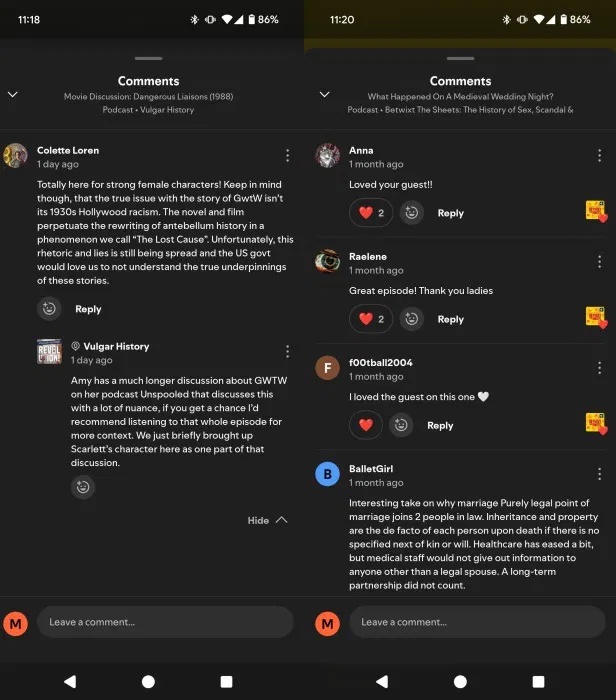
In a move to encourage more meaningful interactions, Spotify has rolled out topic-based discussions and emoji reactions in the app.
Spotify has been very active lately, adding all sorts of new features. for instance, learn how to interact with AI DJs and get access to better music. The music streaming app has also updated its music control features.
FAQ
What should I prepare before I find the best podcasts on spotify in seconds?
Review the requirements and options in the guide first. Having the correct device, app version, account access, or materials ready helps prevent avoidable errors.
How long does it take to find the best podcasts on spotify in seconds?
The time depends on the task and your setup. Most basic steps can be completed quickly, while downloads, updates, scans, or troubleshooting may take longer.
What should I do if the steps do not work?
Repeat the instructions in order, confirm that your software or device is supported, and check permissions, connectivity, and available updates before trying again.
Related Articles
 Instructions for Sharing Spotify Podcasts by Playtime: What to Know4 minutes read
 What Is a Podcast: Learn About Podcasts9 minutes read
 Steps to Create a Podcast on Spotify for Free, Simple and11 minutes read
 How to Improving Spotify Podcast Recommendations5 minutes read
 3 Features Users Want Spotify to Add to Podcasts: What You Need to Know6 minutes read
 How to Connect and Control Spotify with Alexa: Clear Instructions4 minutes read
Reader Comments 0
Sign in with email or Google to join the discussion.