Table of Contents
This updated guide answers the question 'What Is Adobe Express' AI Presentation Tool? Can It Beat PowerPoint' with clear explanations and practical context. Building a stylish slide deck often means staring at a blank slide and struggling with layouts, fonts, and images. Adobe Express ' AI Presentation tool promises to create a full slide deck in minutes.
What Is Adobe Express AI Presentation Tool?
Adobe Express, formerly known as Spark, now offers an AI-powered presentation tool designed to speed up slide creation. Unlike some tools that create presentations from a single prompt, Express gives you more control over every step of the process. Then there's the AI-powered creation.
Start by choosing from a variety of ready-made templates. If this is a corporate or professional presentation, you can apply your brand colors, logo, and fonts with just one choose. While there are plenty of Adobe Stock templates, you can use the AI Image Generator tool to create your own images wherever you need them to be illustrated on your slides.
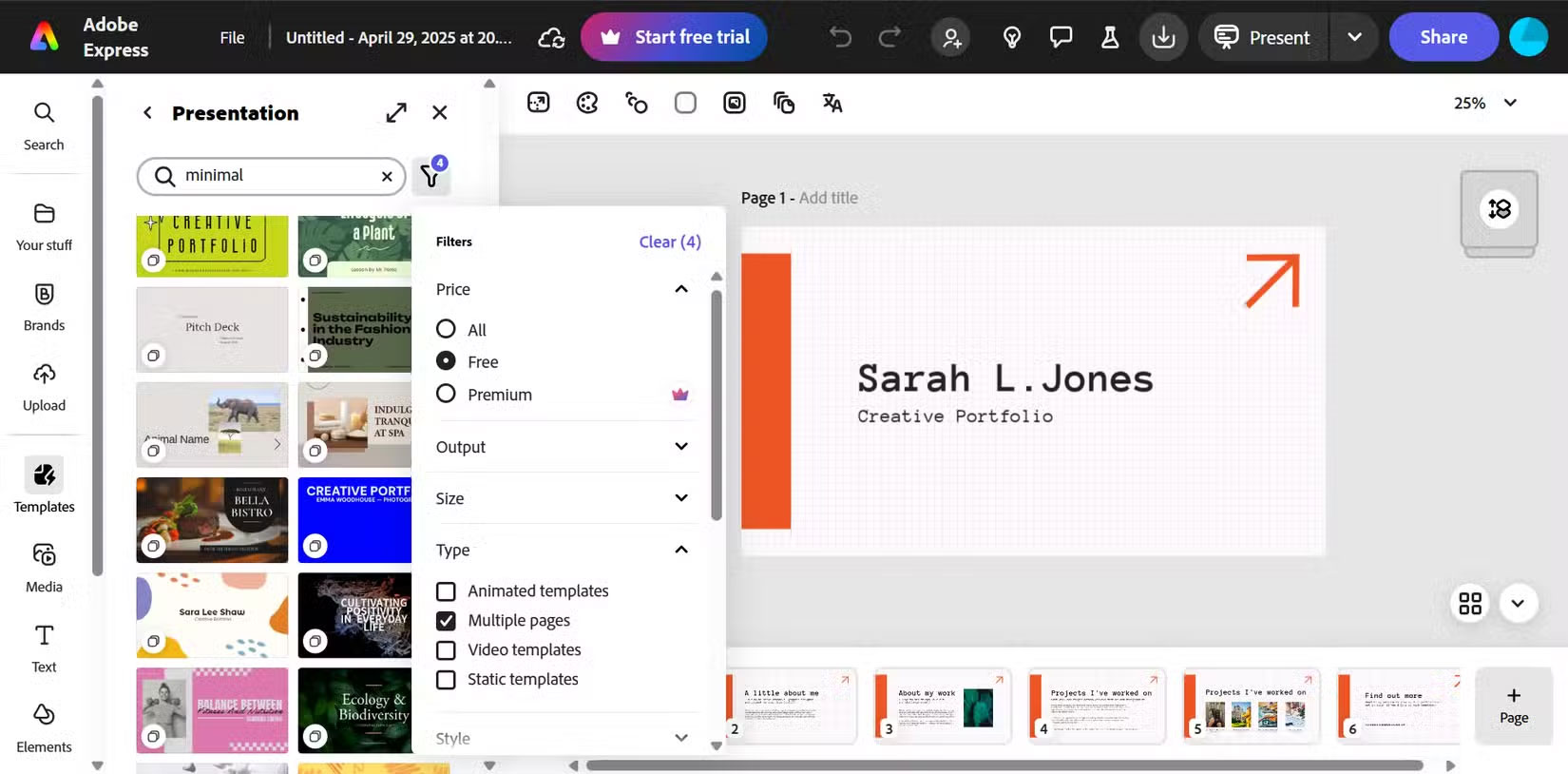
With thousands of templates (even in the free account), use filters to find the right one. Choose a multi-page template to save time creating your slides. The templates may not be exactly right for your purposes. Still, they are fully customizable from this point on.
As you can see in the screenshot, the left sidebar contains all the objects you need to design your presentation. for instance, use Charts and grids to visualize complex data or use images as metaphors to help your audience understand that data. it is not too difficult to create neat infographics around your topic.
You need to provide an outline or key points. Then you can use its Generative AI capabilities to rewrite or design slides or text. So start by typing in your main topic, then add slide titles and bullet points for each section.
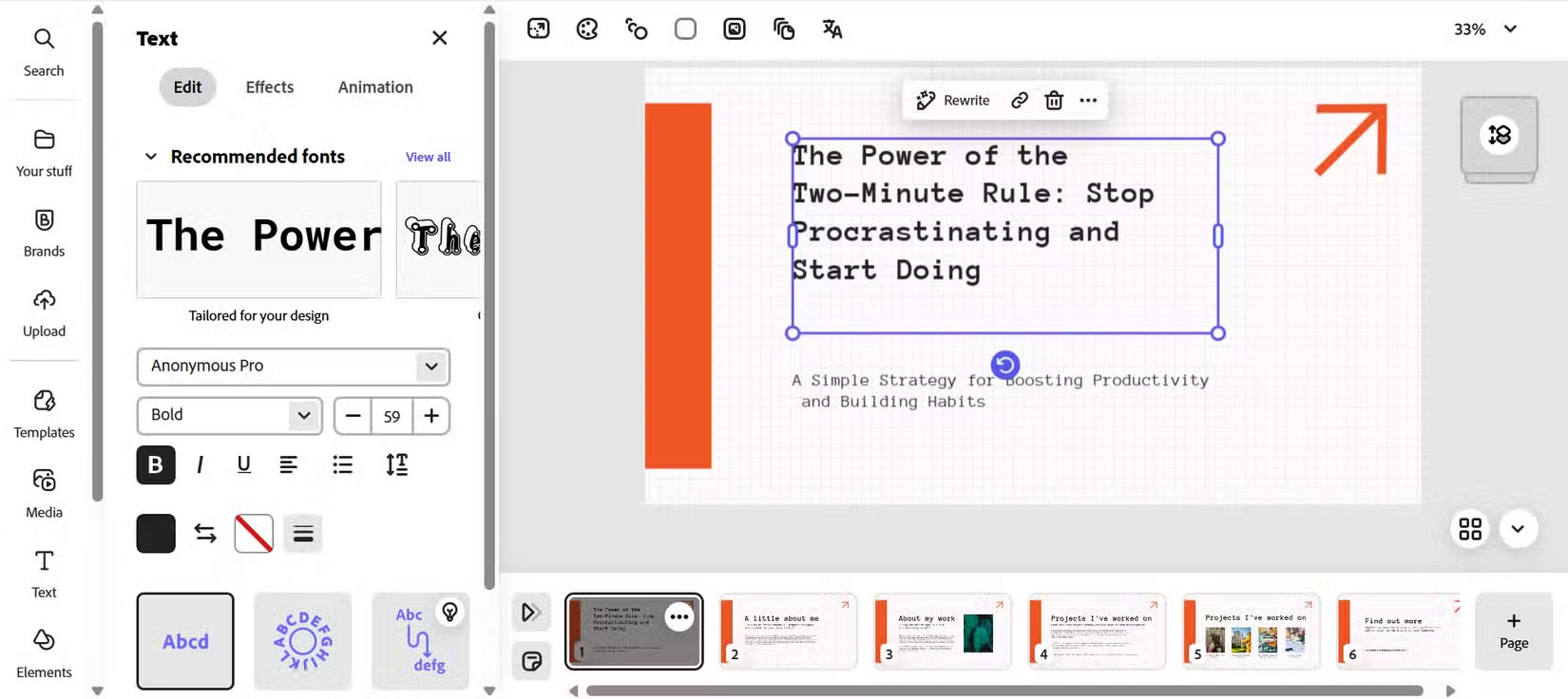
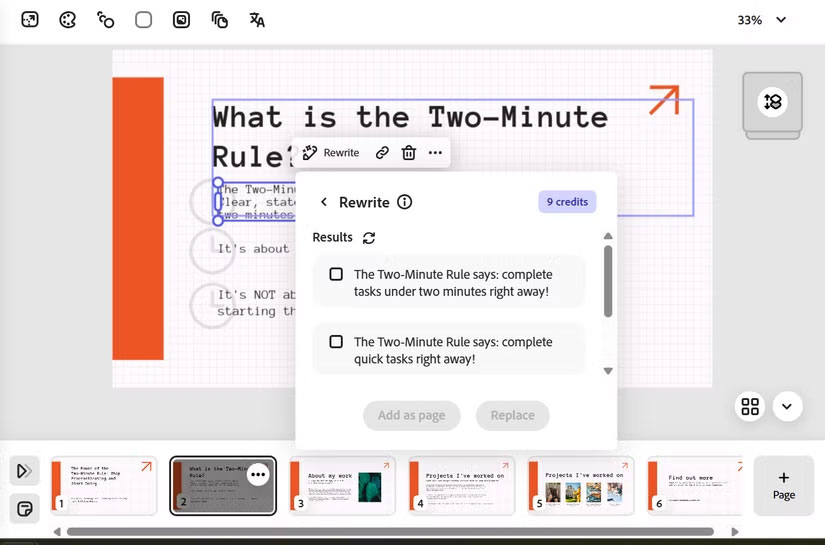
Once you've entered your text, Adobe Firefly AI in Express can take over some customization. for instance, during the text entry stage, you can use Generative AI to rewrite some of your content. Firefly AI can create text effects, but they're a bit too flashy for professional presentations. The AI can suggest styles for your text.
Warning : Note that using AI will consume your limited credits in the free account.
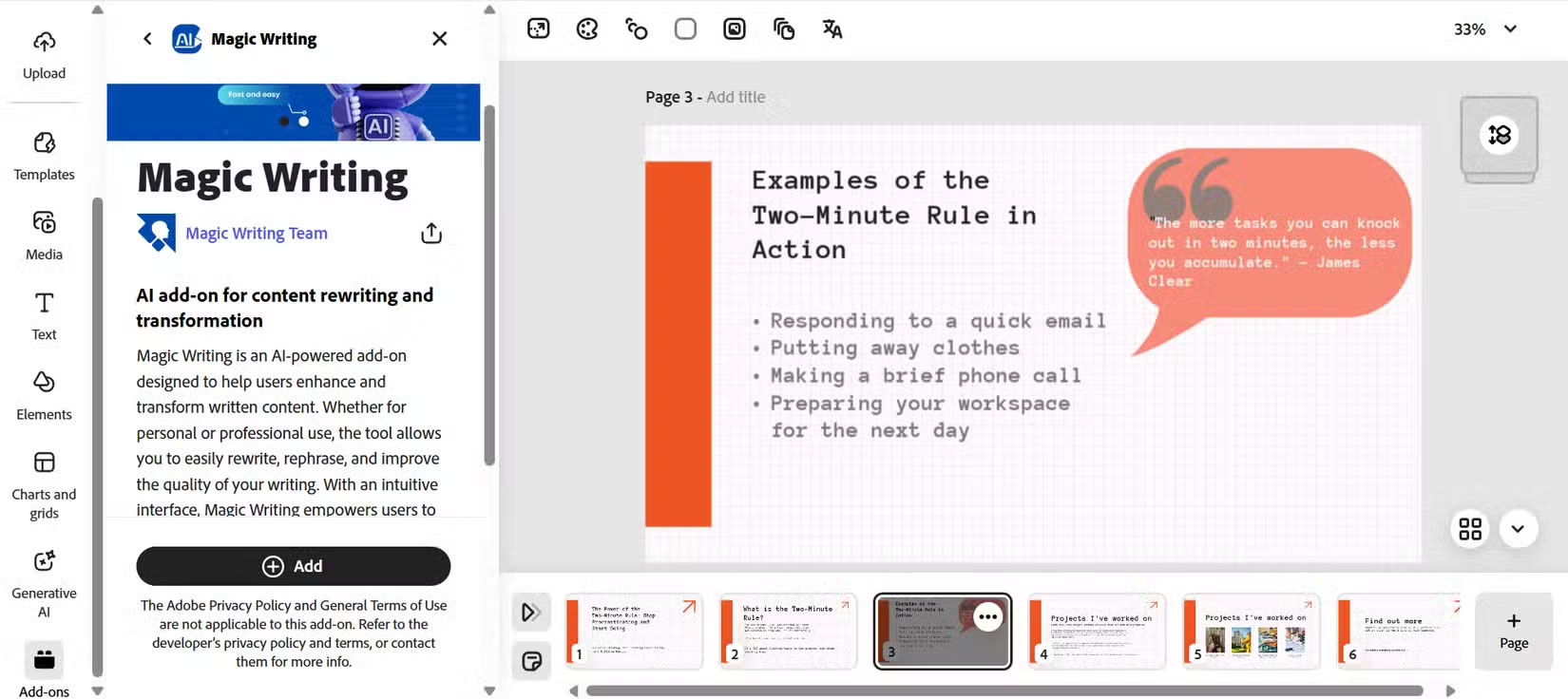
Explore Add-ons while creating your presentation. Adobe Express Add-ons are like third-party plugins that can make your slides more interactive and informative. for instance, Magic Writing can help reword your presentation content using AI. naturally, many add-ons are not included in any Adobe subscription and require separate payments.
When you're done customizing your slides, you can export your slides as a PDF, present directly from your browser, or share a link to collaborate.
This manual, AI-driven approach gives you more control over your content while still allowing AI to handle the design and visual elements. The result is a streamlined workflow that combines your expertise with Firefly's design and visual creation capabilities.
Create a Presentation in Just 5 Minutes
Try Adobe Express by timing yourself to create a presentation on 'The Power of the 2-Minute Rule.' Start by typing in your topic and sketching out a few key slides, each with a title and 2 or 3 bullet points.
After you've entered your outline, pick a simple theme. While Express does not automatically generate layouts and suggest images for each slide, it does provide enough templates, fonts, and other visual elements to make it much easier to get started on your project. This takes a little time, as there are 1,650 presentation templates to choose from.
When creating corporate presentations, the Brands option can save you time and effort. With just one choose, Adobe Express updates fonts, colors, and logos across all presentation slides and lets you reuse these assets. This is a subscriber-only feature.
The entire process of creating a 6-slide presentation took me about 5 minutes (and it was a small, simple presentation, naturally). In contrast, completing the same presentation slide in PowerPoint—creating text boxes, finding stock images, the right fonts, and aligning elements—took me about 20 minutes, even with Designer. Express's AI speeds up the design and image selection process, allowing me to focus on my message.
Tip : Before clicking Generate on any AI prompt field, plan and list out the core points in simple bullet points. Clear inputs will result in more accurate AI slides. Also, Generative Credit usage for AI features may be limited if you are a free user.
Some Key Advantages Over PowerPoint
- Speed and ease : No more worrying about blank pages. A prompt instantly generates slides that are consistent on a topic, so you can go from idea to draft in seconds.
- Consistent Design : Thousands of pre-made design assets ensure consistent spacing, font pairings, and color usage. You avoid manual alignment and theme tweaking that slows you down. This is a godsend for non-designers or anyone who does not enjoy creating presentations.
- Built-in Image Creation : Firefly's text-to-image conversion is built into Express. You create images on the spot instead of having to search through stock libraries or use multiple separate AI tools.
- Brand integration : Upload your logo and color palette once; AI applies them everywhere. In PowerPoint, you have to edit the slide template or update each slide manually.
- Seamless collaboration : Share a live link for commenting. Teammates review and annotate in real time.
Some Design Limitations for Professional Slide Designers
While AI Presentation excels in speed, it does not replace every feature of PowerPoint:
- Limited animations : You will not find timeline-based transitions or custom motion paths. For complex animations, PowerPoint is still the better choice.
- Internet Requirements : Adobe Express AI runs in a browser. You need an active connection to create or edit slides.
- No Slide-Master or VBA : You cannot manage a deck with master slides or program with VBA macros. Deep template customization still exists in desktop applications.
If you need an engaging, branded or unbranded deck in minutes and do not need complex animations, Adobe Express AI Presentation is a professional tool. It can save you hours on traditional decks.
FAQ
What is Adobe Express' AI Presentation Tool? Can It Beat PowerPoint?
Adobe Express' AI Presentation Tool? Can It Beat PowerPoint refers to the concept, feature, product, or process explained in this guide. The main sections cover how it works and where it is useful.
Why is Adobe Express' AI Presentation Tool? Can It Beat PowerPoint important?
Its value depends on the problem you are trying to solve. Understanding the benefits and limitations makes it easier to decide whether it fits your needs.
Is Adobe Express' AI Presentation Tool? Can It Beat PowerPoint suitable for beginners?
Yes, beginners can start with the basic explanation and examples in this guide, then move to more advanced settings or techniques as their confidence grows.
Related Articles
 What Would Users Like to Change on Adobe Express Mobile?4 minutes read
 Link Download Adobe Photoshop Express for Windows 109 minutes read
 Adobe Express Removes Objects Better Than Apple Clean Up5 minutes read
 Adobe Presenter - Adobe Presenter Download and Installation3 minutes read
 PowerPoint 2019 (Part 25): Evaluating Your Presentation: Explained5 minutes read
 PowerPoint 2019 (Part 3): Saving Your Presentation: Explained10 minutes read
Reader Comments 0
Sign in with email or Google to join the discussion.