Table of Contents
This guide organizes the entries in "4 Ways to Listen to Podcasts on Smart TV" and explains what each option, idea, or example offers. It also highlights practical details that matter when comparing the choices.
4. Install a dedicated podcast app
One way to listen to podcasts on your Smart TV is to use dedicated podcast apps. I have a TCL TV, which runs on Google TV, so there are a lot of apps available, including podcast-specific ones like Honey Podcasts and Capsule Podcasts. You can find these apps by searching directly in the Google Play Store from your TV.
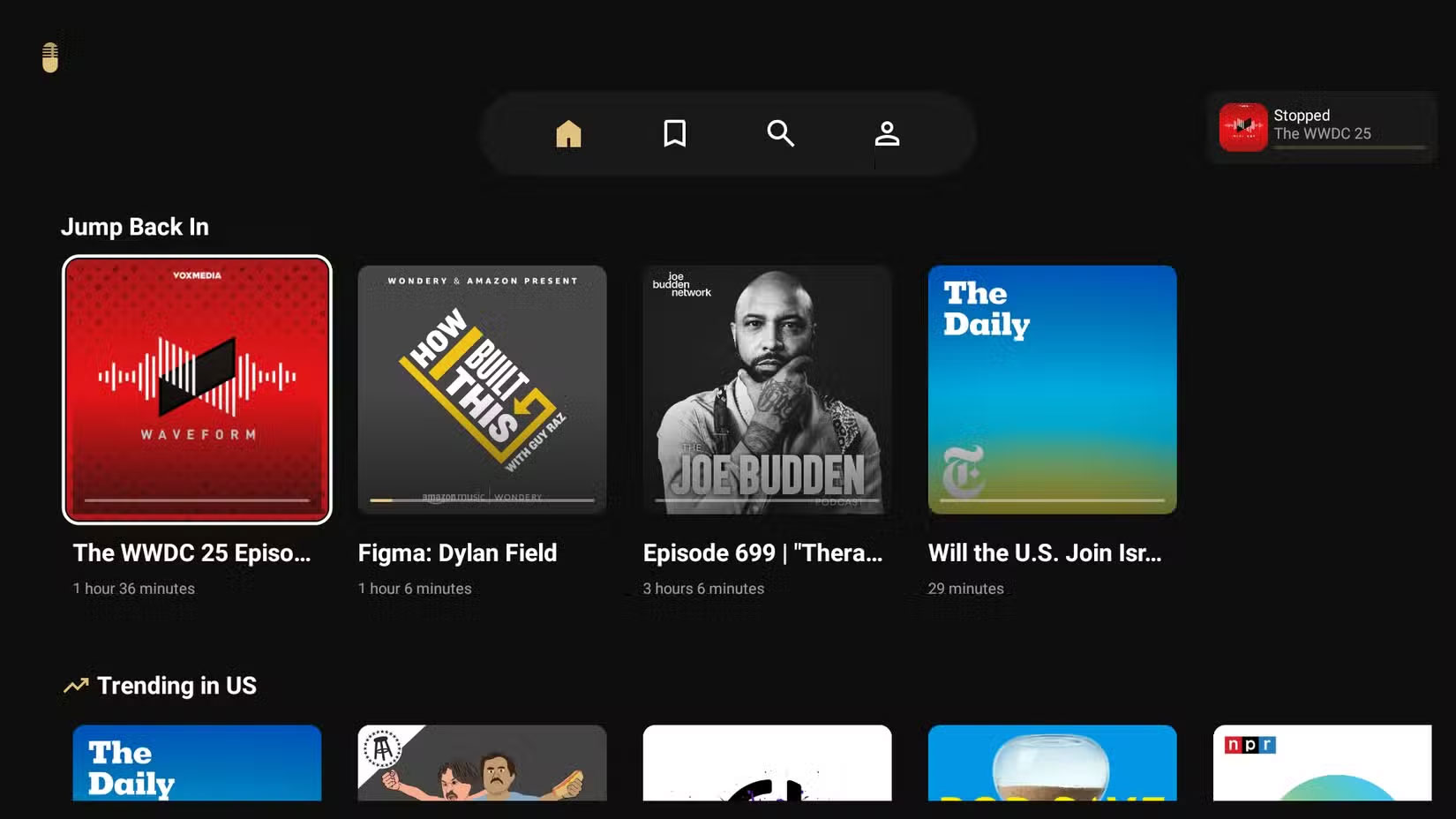
Unfortunately, many popular podcast apps don't have dedicated apps for Smart TVs. However, a simple search in the Play Store will suffice. If you have a TV with a different operating system, such as an LG or Samsung, you can also visit their app stores and search for podcast apps. You'll find plenty of options to choose from.
3. Use YouTube to watch podcast episodes
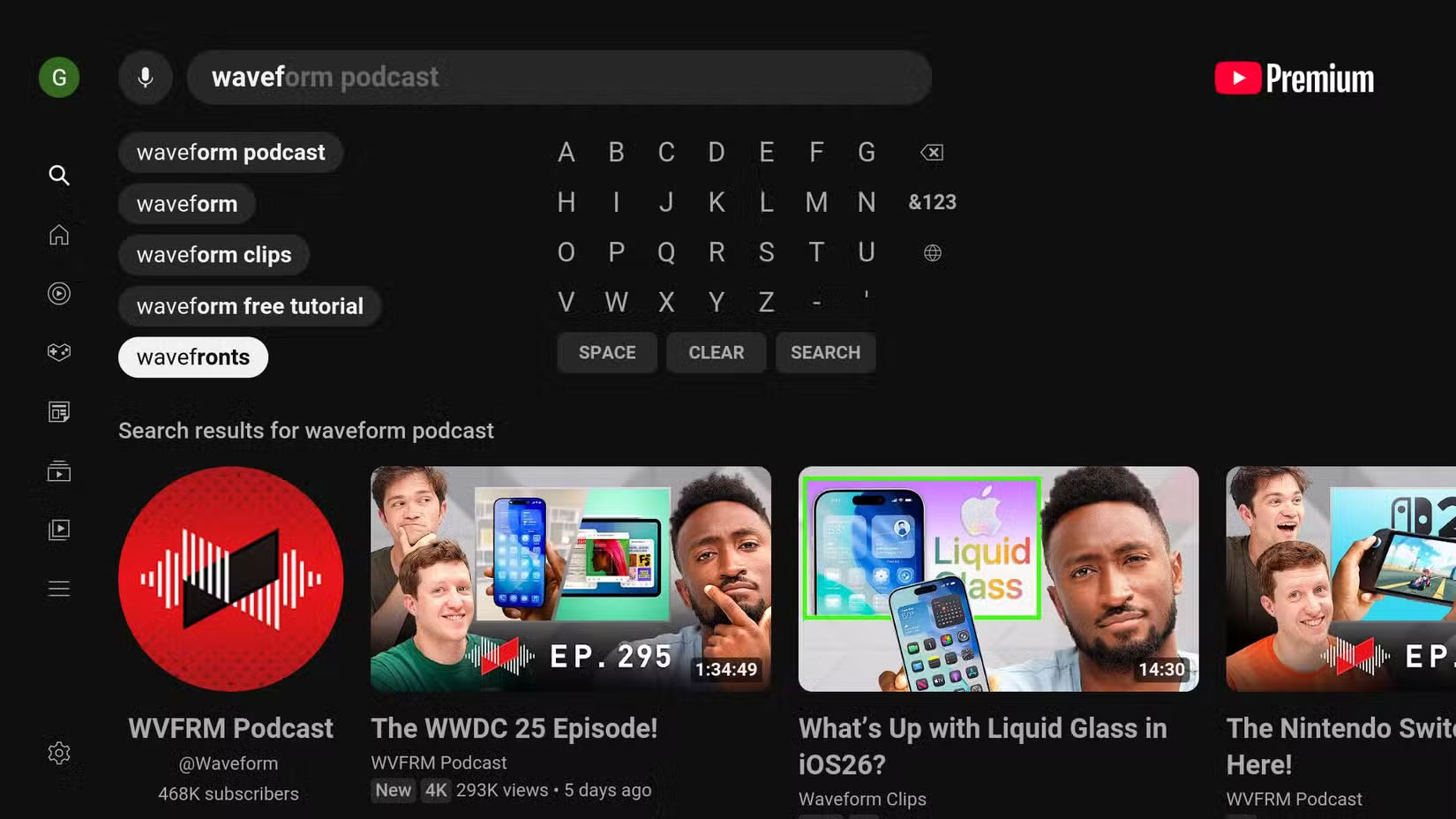
Another way to listen to podcasts on your Smart TV is through the YouTube app. YouTube is, of course, a video site, but many podcasters have adopted the platform as well, regularly uploading full video or audio versions of their episodes. Video works really well, especially for shows that lean toward visual storytelling, like interviews, and that has made YouTube a sort of general hub for the format.
As such, YouTube is filled with podcasts in many different categories. You can use the search option to find out if your favorite podcast is available on YouTube. There is also a dedicated podcast section that you can view by opening the sidebar menu and navigating to More > Podcasts .
2. Use a streaming app with a podcast library
In recent years, many music streaming apps have expanded their catalogs to include podcasts. For example, Amazon Music, Spotify, and Deezer are all apps traditionally known for music but now also serve as podcast platforms.
Another example is TuneIn, a live radio streaming app that also offers podcasts in addition to music and radio. If you have access to one of these apps, you may not even need to install anything new or go through the hassle of playing from your phone.
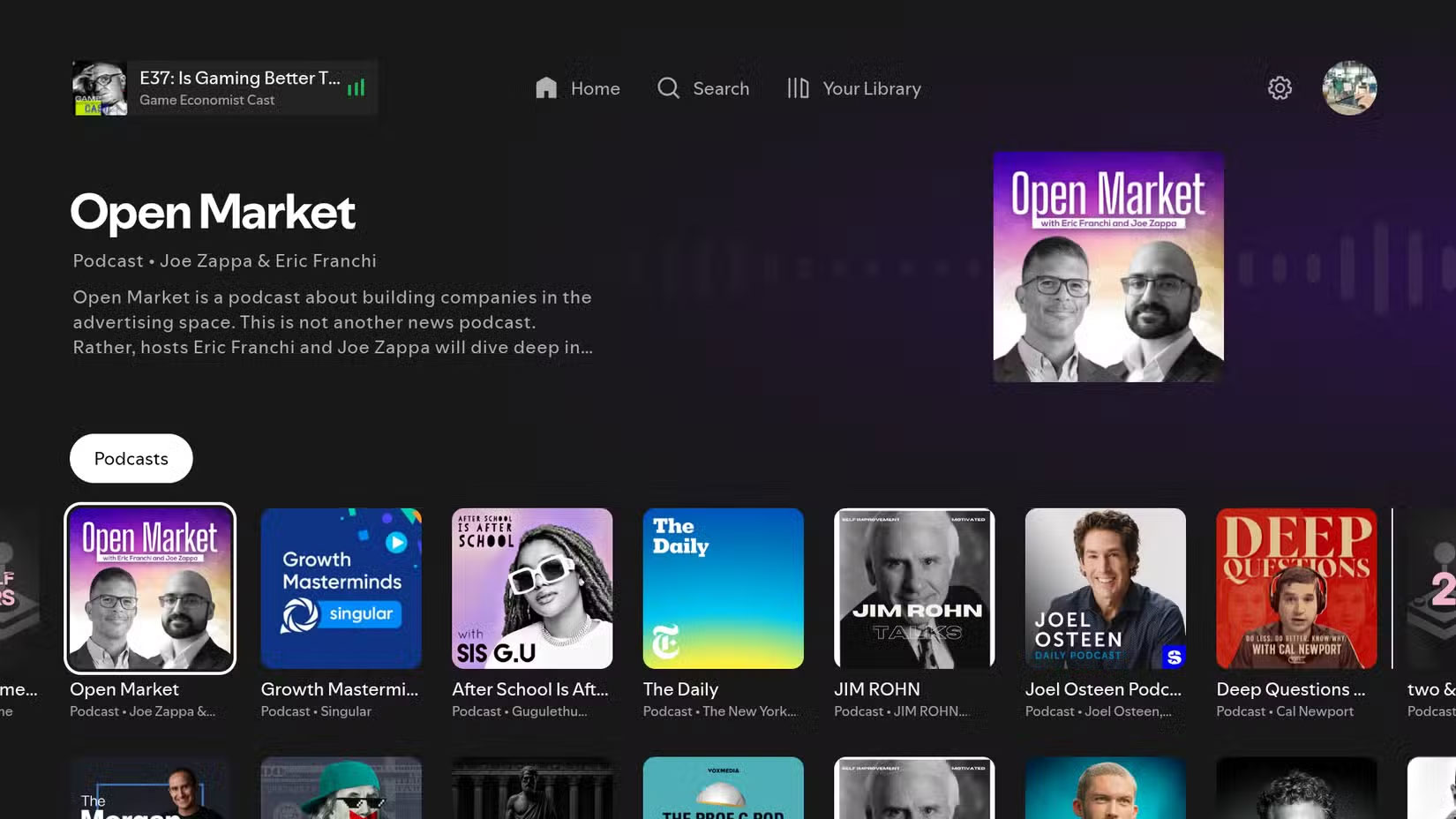
Many people also use Spotify as a music streaming app and often use it to listen to podcasts. Spotify has a dedicated podcast section, making it easy to keep up with your favorites and discover new ones that might suit your tastes, even when using a Smart TV.
1. Play from phone
Sometimes, the podcast you want to listen to isn't available on YouTube or any dedicated app. In those cases, cast it from your phone to your Smart TV. If you have both an Android and an iOS device, but your TV doesn't support AirPlay, you can use Chromecast to play podcasts from your phone. For example, in Pocket Casts, you can cast to a Chromecast-compatible TV by following these steps:
- Tap the three-dot menu in the lower right corner of the player view.
- Select Chromecast from the display sheet.
- Finally, select your TV name in the pop-up window and you're done.
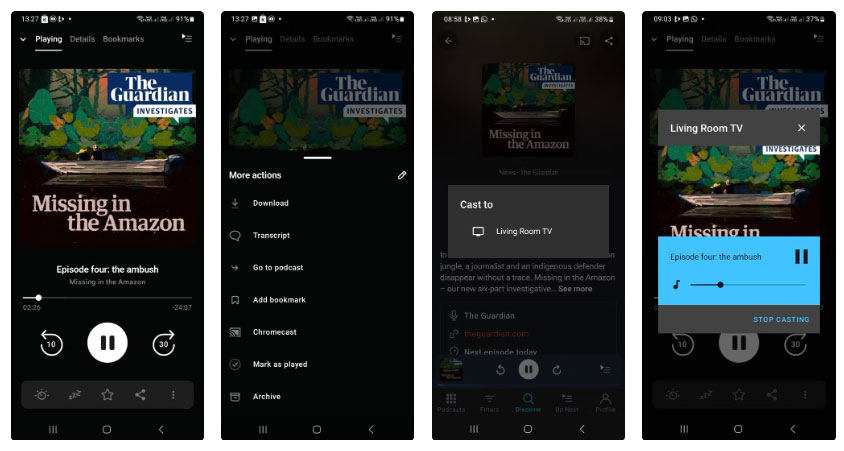
Alternatively, you can go to the episode details page and tap the Chromecast icon in the upper right corner. Pocket Casts even supports Chromecast streaming in the iOS app. If Chromecast isn't an option, check out our guide on how to connect your iPhone to your TV wirelessly.
FAQ
What should you know about 4. Install a dedicated podcast app?
One way to listen to podcasts on your Smart TV is to use dedicated podcast apps. I have a TCL TV, which runs on Google TV, so there are a lot of apps available, including podcast-specific ones like Honey Podcasts and Capsule Podcasts. You can find these apps by searching directly in the Google Play Store from your TV.
What should you know about 3. Use YouTube to watch podcast episodes?
Another way to listen to podcasts on your Smart TV is through the YouTube app. YouTube is, of course, a video site, but many podcasters have adopted the platform as well, regularly uploading full video or audio versions of their episodes. Video works really well, especially for shows that lean toward visual storytelling, like.
What should you know about 2. Use a streaming app with a podcast library?
In recent years, many music streaming apps have expanded their catalogs to include podcasts. For example, Amazon Music, Spotify, and Deezer are all apps traditionally known for music but now also serve as podcast platforms.
What should you know about 1. Play from phone?
Sometimes, the podcast you want to listen to isn't available on YouTube or any dedicated app. In those cases, cast it from your phone to your Smart TV. If you have both an Android and an iOS device, but your TV doesn't support AirPlay, you can use Chromecast to play podcasts from your phone. For example, in Pocket Casts, you.
Related Articles
 Listen to Apple Podcasts in the Browser: Step-by-Step Guide4 minutes read
 How to Search for Podcasts Using Listen Notes4 minutes read
 What Is a Podcast: Learn About Podcasts9 minutes read
 Why Not Listen to Podcasts at 2x Speed: What You Need to Know6 minutes read
 Everything You Need to Know to Enjoy Podcasts on Apple TV12 minutes read
 5 Free Apps to Listen to Your Favorite Podcasts: Top Picks and Buying Guide6 minutes read
Reader Comments 0
Sign in with email or Google to join the discussion.