Table of Contents
This practical guide explains how to enable translated lyrics and pronunciation in Apple music. Follow the steps in order, review the requirements first, and use the troubleshooting notes when a setting or option does not work as expected.
How to enable translation of lyrics and pronunciation in Apple Music
Open the song on Apple Music and tap the lyrics icon in the lower left corner. If the lyrics translation and pronunciation don't automatically appear, tap the Translate icon in the upper left corner above the slider and select Show Translation and Show Pronunciation from the menu.
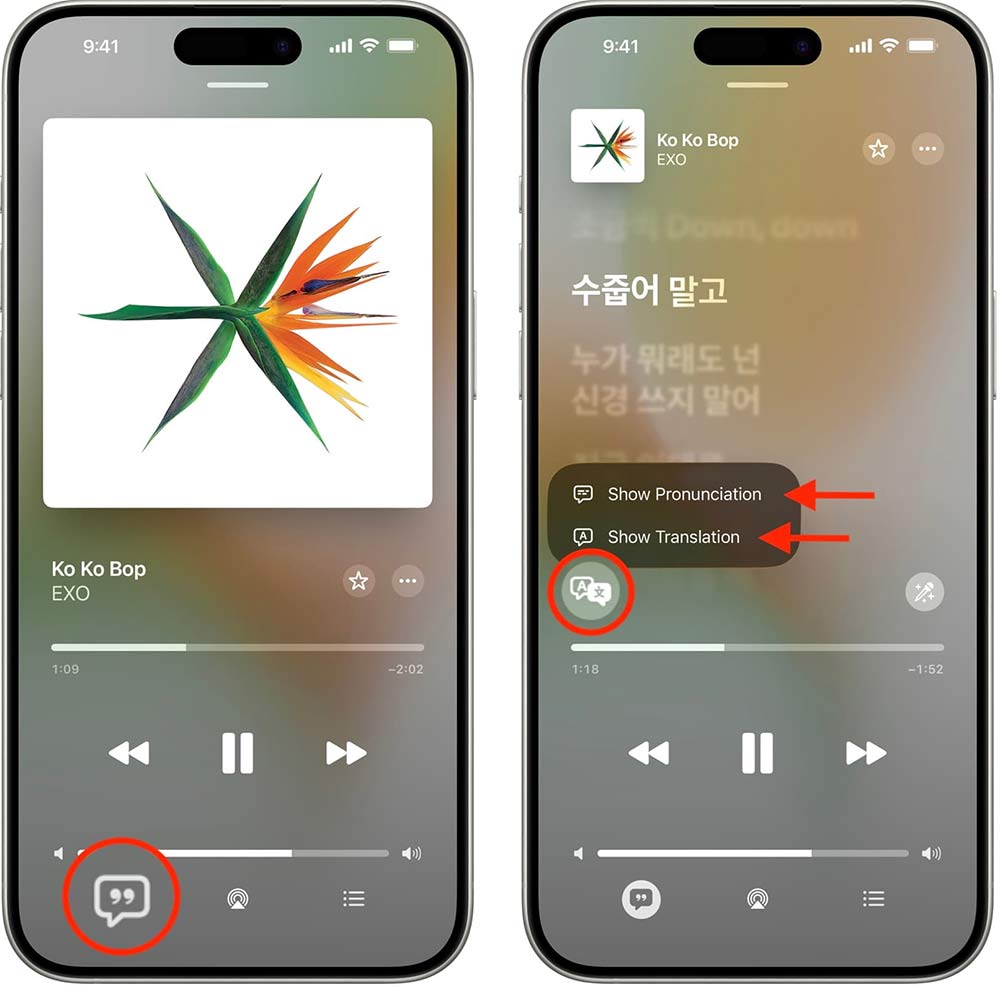
Now the song on Apple Music will display lyrics and pronunciation for you to follow.
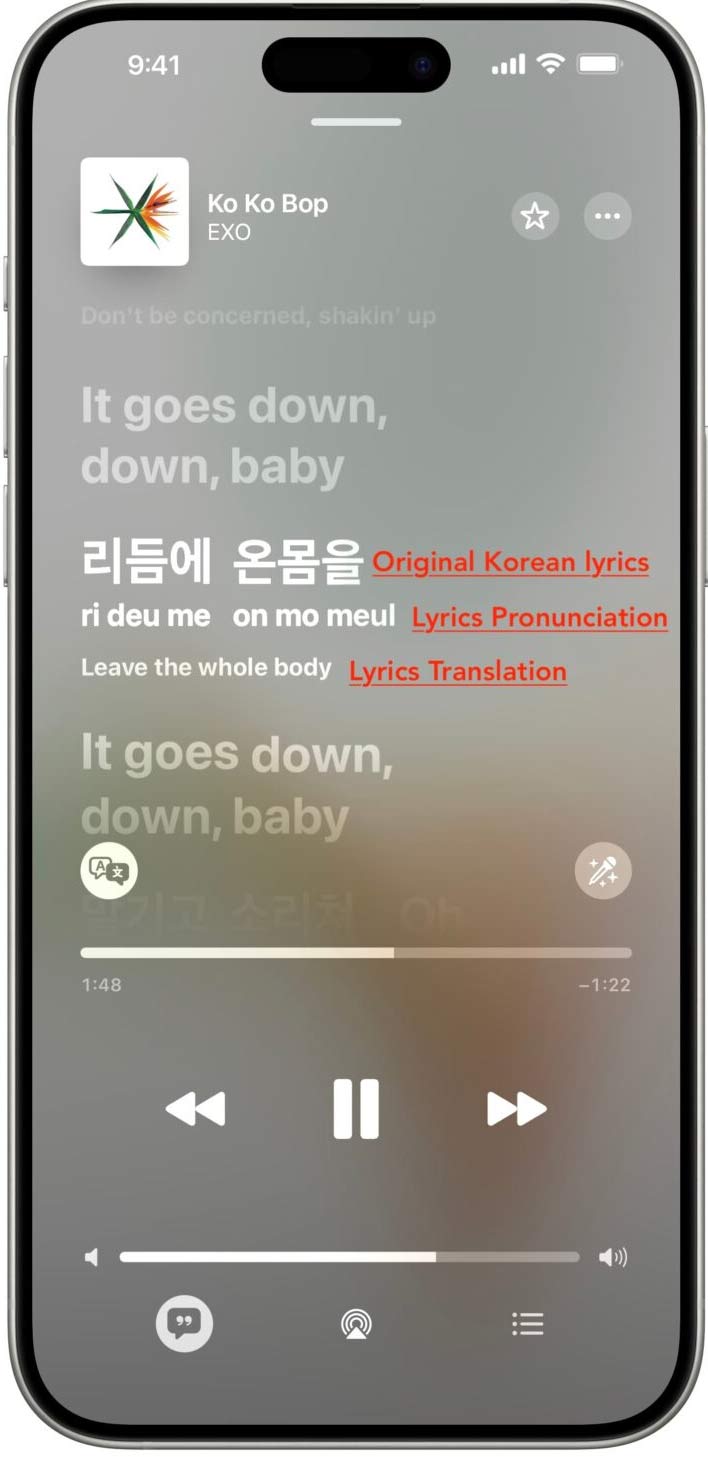
The lyrics translation feature supports the following languages: English to Chinese, English to Japanese, Korean to Chinese, Korean to English, Korean to Japanese, and Spanish to English.
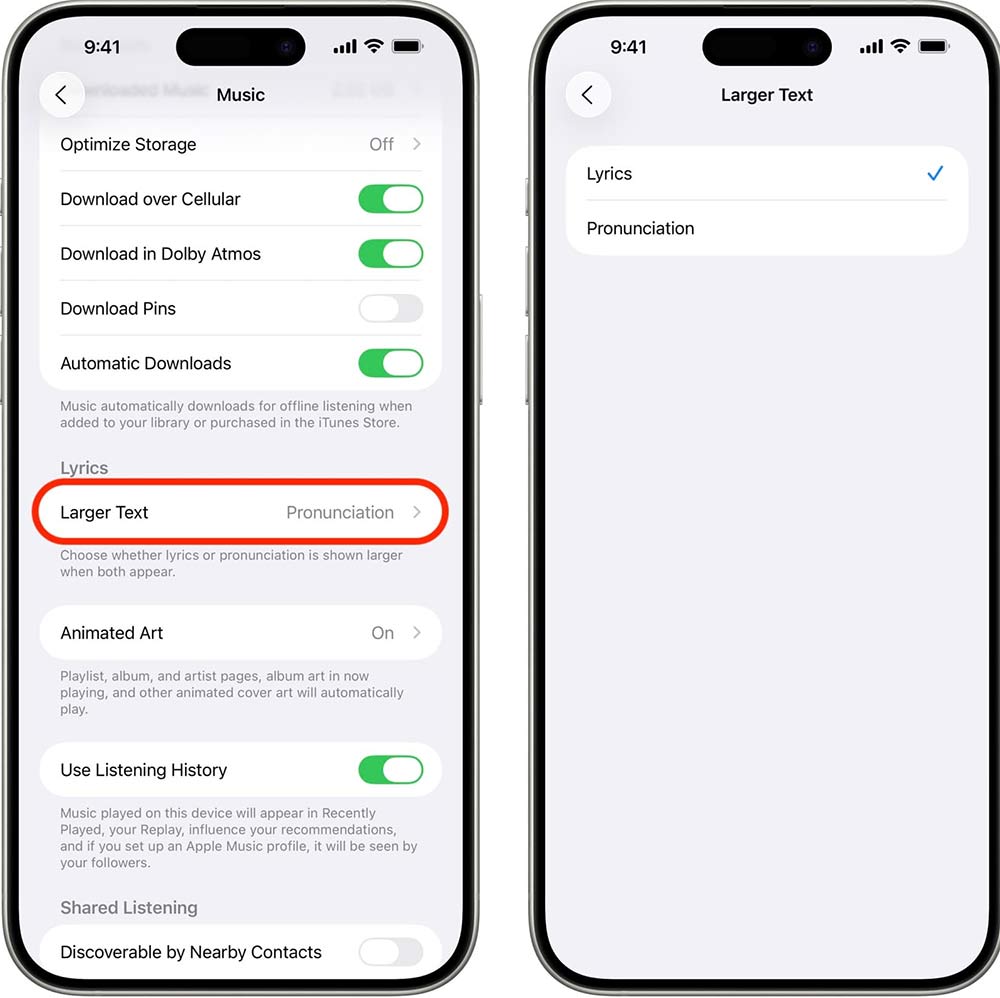
If the lyrics translation and pronunciation feature is not working, go to Settings > Apps > Music > Larger Text and select Lyrics then go back to the lyrics screen in the Music app and you will see the Show Pronunciation button.
FAQ
How to enable translation of lyrics and pronunciation in Apple Music?
Open the song on Apple Music and tap the lyrics icon in the lower left corner. If the lyrics translation and pronunciation don't automatically appear, tap the Translate icon in the upper left corner above the slider and select Show Translation and Show Pronunciation from the menu.
What does this guide cover?
This guide explains enable translated lyrics and pronunciation in Apple music, including the main steps, important details, and practical considerations.
Who is this guide for?
It is designed for readers who want a clear, practical overview and a reliable process they can follow without unnecessary complexity.
Related Articles
 How to Display the Lyrics on the Apple Music iOS 10 Application5 minutes read
 How to Add Lyrics to Apple Music Windows: Clear Instructions4 minutes read
 Instructions for Separating Music and Lyrics on Moseca: Key Facts6 minutes read
 How to Create Lyrics of Karaoke Songs on Windows8 minutes read
 How to Enable Crossfade Apple Music Feature on iPhone3 minutes read
 4 Apps to See the Best Lyrics for Android6 minutes read
Reader Comments 0
Sign in with email or Google to join the discussion.