Table of Contents
WhatsApp introduces Advanced Chat Privacy, which helps you control how your messages are shared and used by others.
WhatsApp messages, whether group messages or chats, can export chat content or download photos and videos. That's why WhatsApp has introduced Advanced Chat Privacy, a feature built on end-to-end encryption that helps control how messages are shared and used by others. Here's how to enable WhatsApp Advanced Privacy.
How to enable WhatsApp enhanced chat privacy
Step 1:
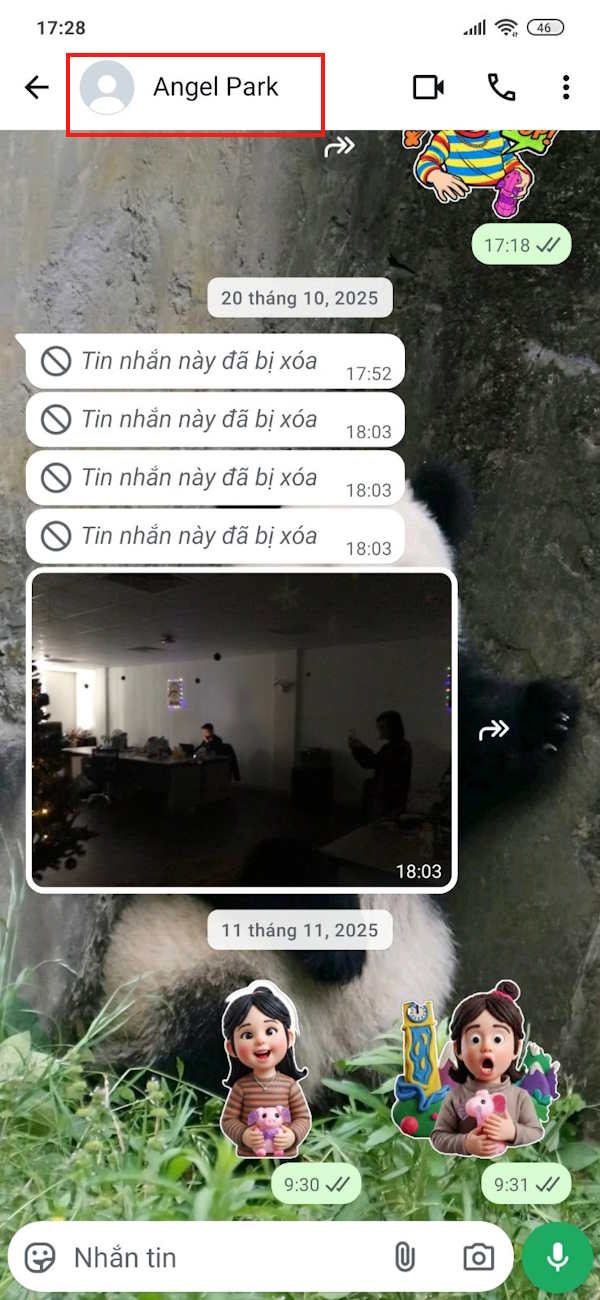
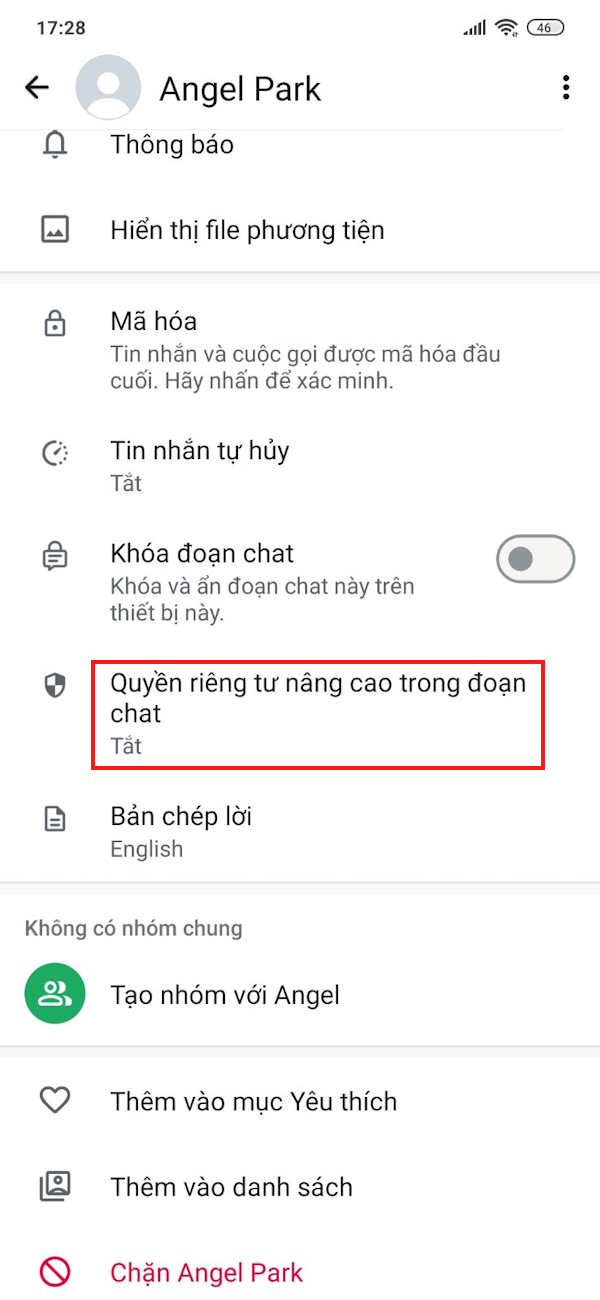
You access the WhatsApp message you want to enable advanced permissions and then Click on the person's name above . Go to the next interface, you Click on Advanced Privacy in the chat .
Step 2:
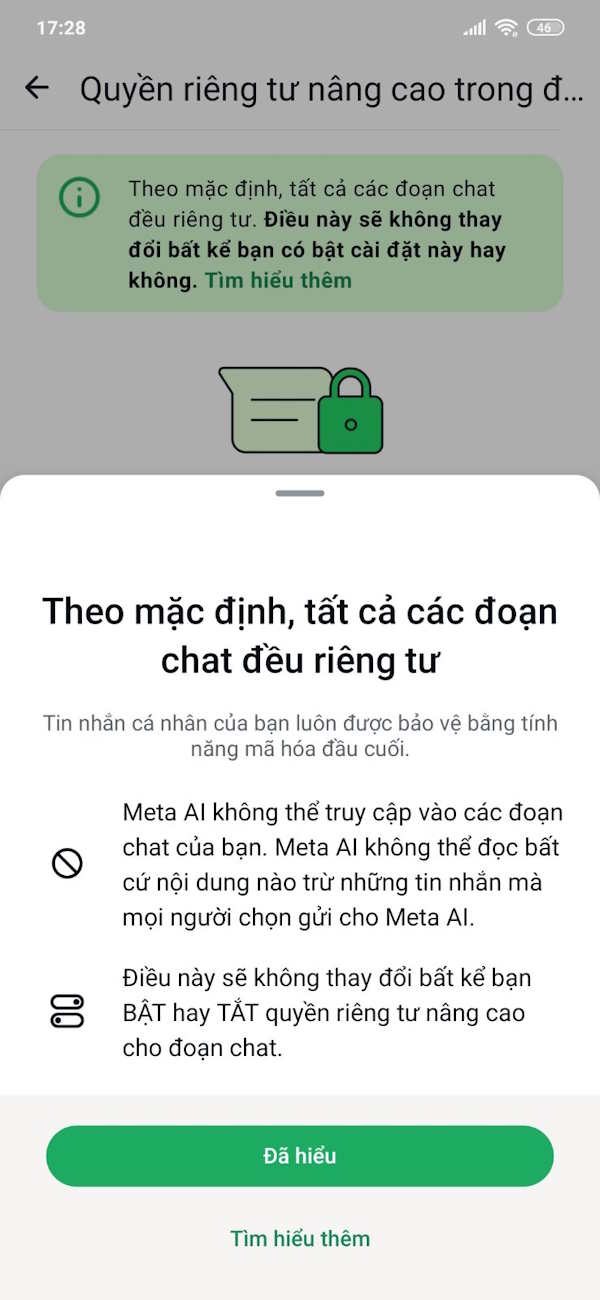
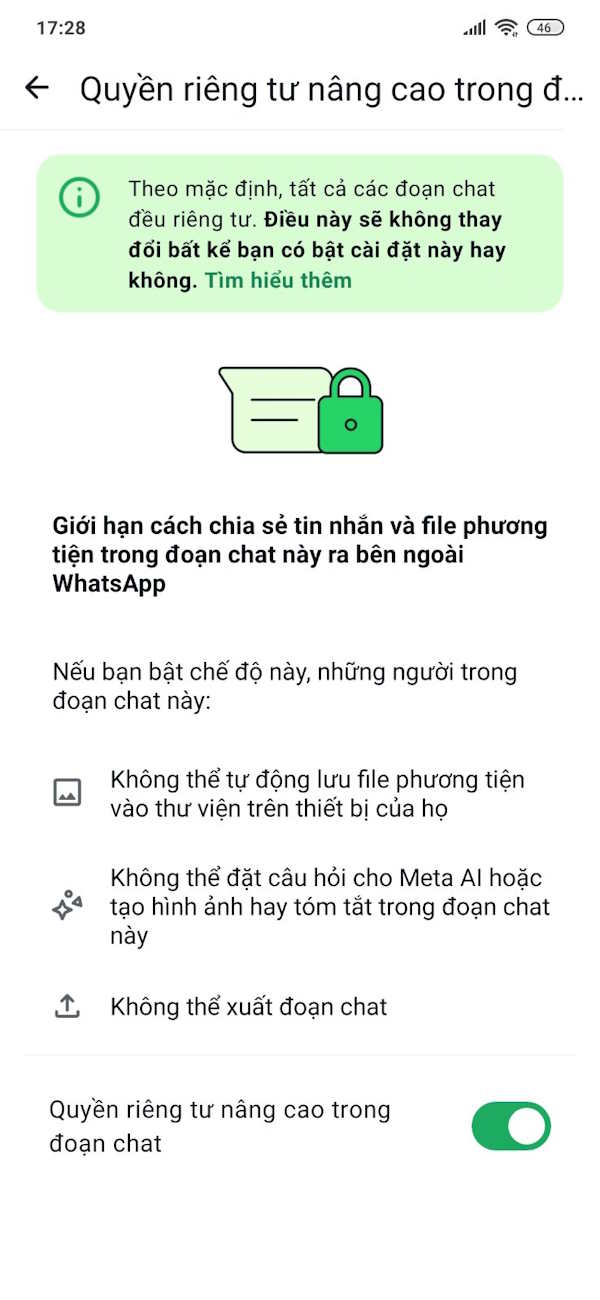
Now you will see A notification about the privacy of WhatsApp chats , tap Got it to turn it off.
Step 3:
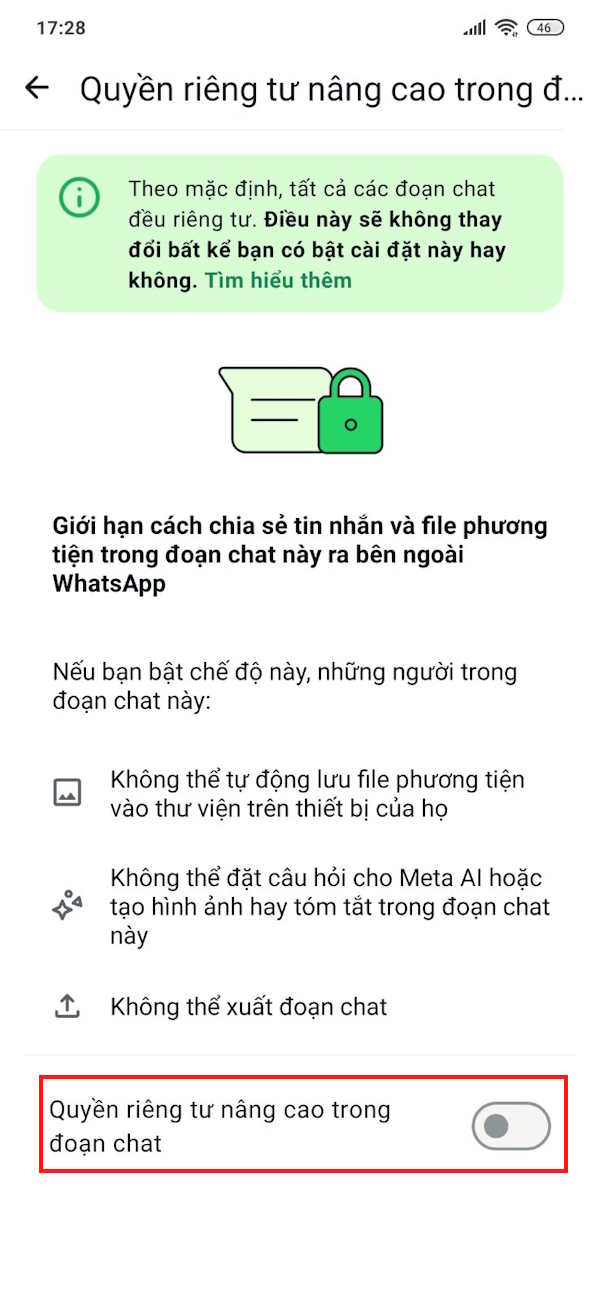
Now you will just need To enable Enhanced Privacy in the chat To increase the security of your messages, with security features like blocking WhatsApp chat export.
How to enable enhanced privacy for WhatsApp group chats
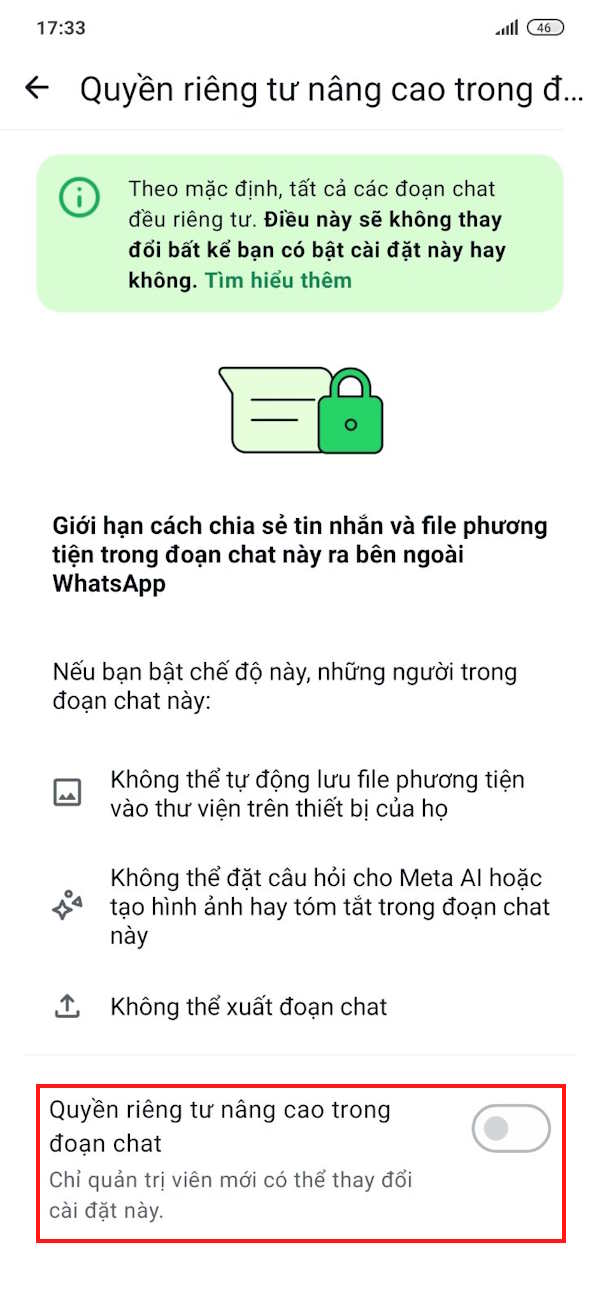
For WhatsApp group chats, this feature also applies to group admins. This setting applies to all members of the group. Anyone can update this setting, however, admins can limit this setting to admins only.
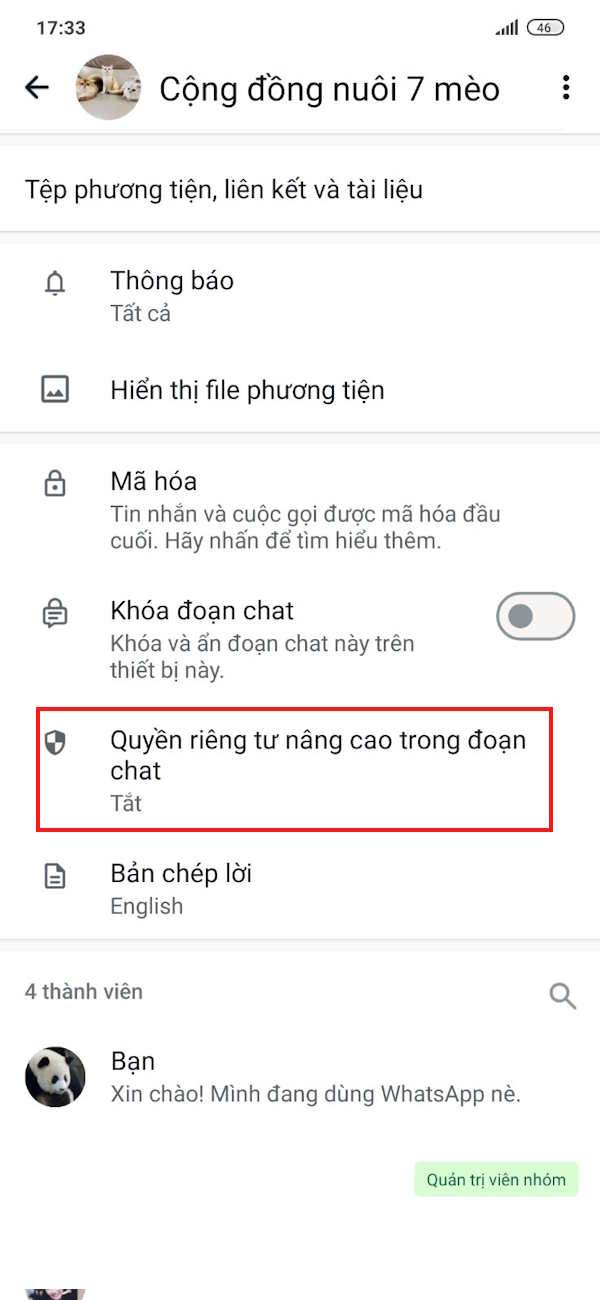
We also click on the WhatsApp group name above. Then you also click on Enhanced Privacy in the chat and activate it.
FAQ
How do you enable WhatsApp enhanced chat privacy: step-by-step guide?
In practical terms, WhatsApp introduces Advanced Chat Privacy, which helps you control how your messages are shared and used by others.
What should you check before getting started?
Review the requirements, compatible device or software version, and any warnings described in the guide before making changes.
What should you do if the steps do not work?
Repeat the steps in order, confirm that your app or system is up to date, and review the troubleshooting details provided above.
Related Articles
 Shock: Many Whatsapp Private Group Chat Links Are Searchable on3 minutes read
 WhatsApp Adds Protection Against Conversation Sharing5 minutes read
 9 Apps That Replace Whatsapp Really Guarantee Your Privacy7 minutes read
 3 Ways to Block Exporting Your WhatsApp Messages3 minutes read
 How to Search WhatsApp Chat History on Your Phone4 minutes read
 Instructions to Check Privacy on Whatsapp3 minutes read
Reader Comments 0
Sign in with email or Google to join the discussion.