Table of Contents
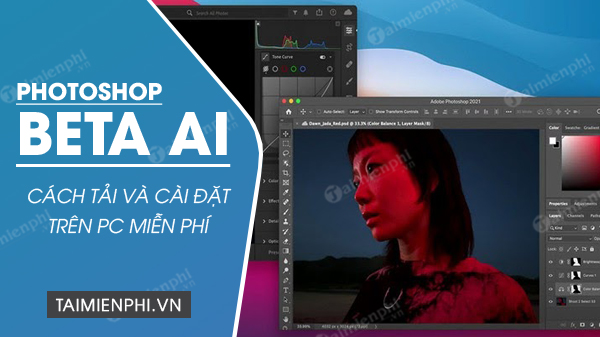
Photoshop's generative AI tools are now part of the current Photoshop desktop application; most users no longer need the old 2023 Photoshop (Beta) build described in the original guide. Install Photoshop through Adobe Creative Cloud with an eligible Adobe plan or trial, then update it from the Creative Cloud desktop app. Avoid cracked installers and “free activation” files: they are unauthorized, may be modified, and do not provide a dependable route to current online AI services.
Before installing Photoshop
Check Adobe's current Photoshop technical requirements for your operating system and hardware. Requirements change between releases, and the installer may block unsupported systems.
| Component | Current minimum guidance | Why it matters |
|---|---|---|
| Operating system | A supported 64-bit version of Windows or macOS listed by Adobe | Older releases may not receive the latest Photoshop build |
| Memory | 8 GB RAM minimum; more is preferable for large files | Layers, smart objects and AI operations use substantial memory |
| Storage | At least 10 GB available for installation; allow additional working space | Photoshop also uses scratch-disk space while editing |
| Graphics | A supported GPU with current drivers; Adobe lists DirectX 12 and at least 1.5 GB GPU memory for Windows | Some filters, display functions and AI-assisted workflows depend on GPU support |
| Internet | Required for installation, activation and online generative services | Generative features communicate with Adobe services |
For demanding work, Adobe recommends more storage, RAM and GPU memory than the minimum. Confirm the exact table for your platform rather than relying on the older 2023 specifications in screenshots.
How to install the current Photoshop release
1. Download Creative Cloud from Adobe
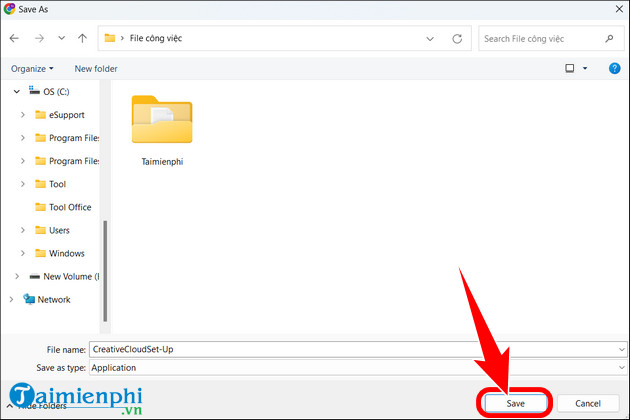
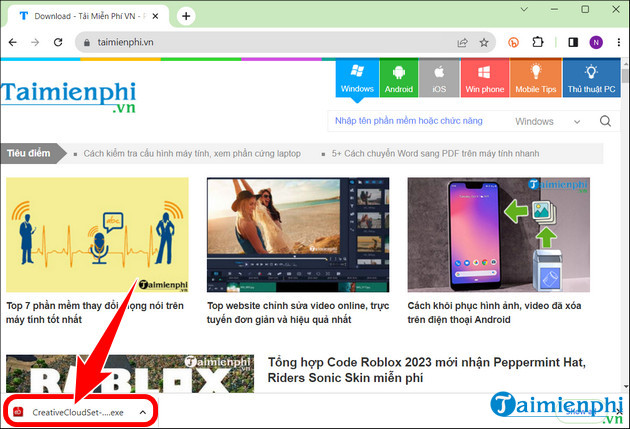
Open Adobe's official Creative Cloud desktop installation page. Download the installer for your operating system, then open the downloaded file. Do not use an unofficial mirror, repack or torrent.
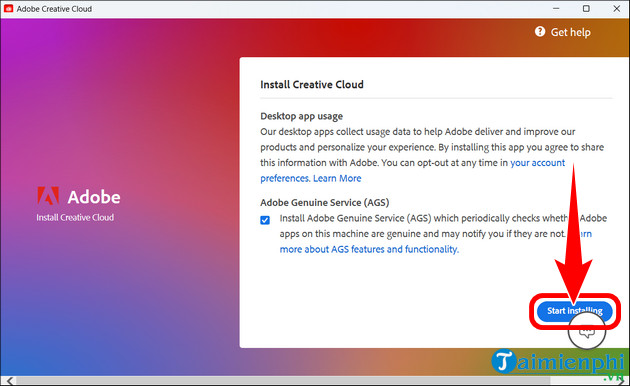
2. Sign in and install Creative Cloud
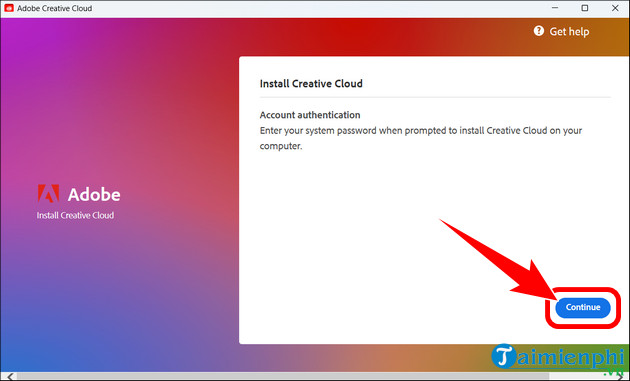
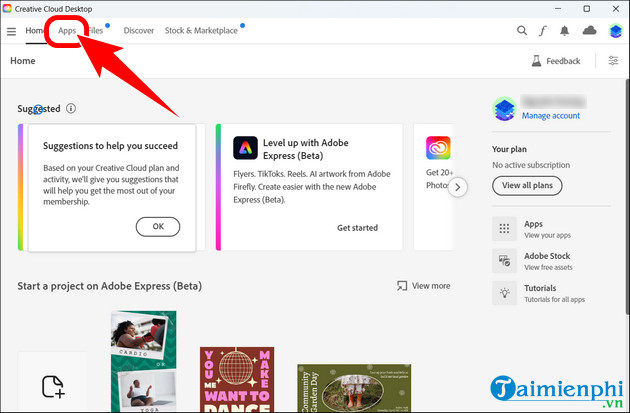
Follow the installer prompts and sign in with your Adobe account. If you do not have an account, create one using an address you control and enable appropriate account security. The screen layout may differ from the older beta-era images below, but the basic sign-in process is the same.
3. Install Photoshop from the Apps tab
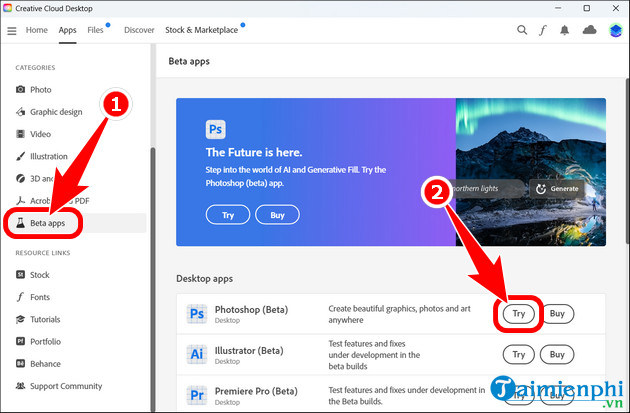
Open Creative Cloud, select Apps, find Photoshop, and choose Install. Adobe's current app-installation instructions also allow a first installation from the Apps section of Adobe Home.
If you are specifically testing a feature that Adobe still labels beta, open the Beta apps area and install Photoshop (Beta) alongside the stable release. Do not select the beta merely because an old tutorial mentions it; features such as Generative Fill are already available in the standard application.
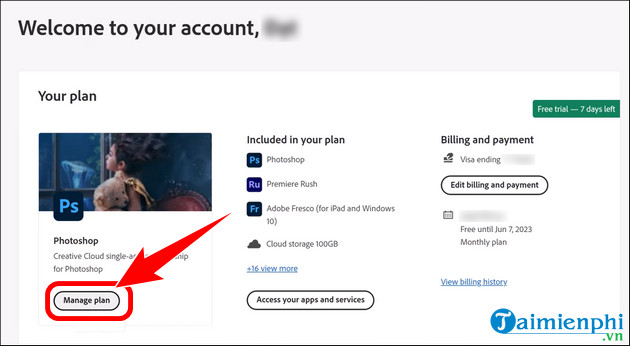
4. Choose a valid plan or trial
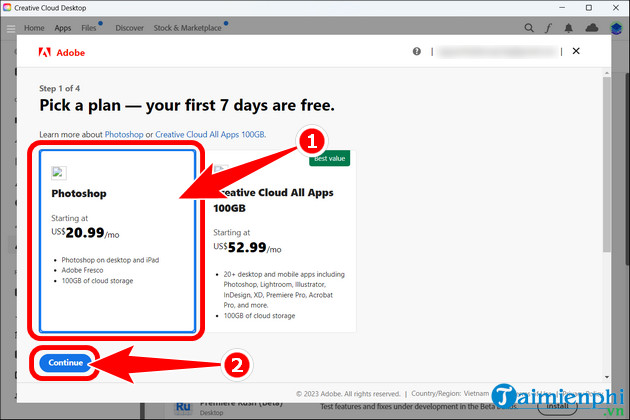
Photoshop is commercial software. Adobe may offer a trial, but the duration, eligibility, payment requirement and renewal terms depend on the current offer and region. Read the checkout page carefully. If a trial converts to a paid plan, note the renewal date and the cancellation terms before starting it.
There is no legitimate “full crack” or permanent free activation for the current desktop Photoshop. Product keys, patched DLL files and pre-activated installers from third-party sites can violate the license and expose the computer to credential theft or malware. Students and teachers should check Adobe's current eligibility requirements rather than using an unofficial copy.
How to use Generative Fill
- Open an image and duplicate the original layer so you can compare or revert.
- Use a selection tool to select the area you want to add, replace or remove.
- Choose Generative Fill from the contextual task bar. If the bar is hidden, enable it from Window > Contextual Task Bar.
- Enter a concise prompt for new content, or leave the prompt blank when removing a selected distraction.
- Select Generate, review the variations, and inspect edges, shadows, reflections, text and repeated patterns at 100% zoom.
- Keep the generated result on its own layer and refine the mask instead of permanently overwriting the original pixels.
Generative Fill can add or replace objects, extend a composition and remove distractions. Newer releases also add related capabilities, but availability can vary by Photoshop version, region, account type and selected AI model. Update Photoshop if a documented feature is missing, and check the generative-credit allowance attached to your plan.
For practical examples, see AI tools for Photoshop beginners and this comparison of AI photo editors. You can also learn conventional editing alongside AI with the Photoshop Gradient tool guide.
Troubleshooting
- Photoshop does not appear in Creative Cloud: update the Creative Cloud desktop app, sign out and back in, and confirm that the operating system is supported.
- Generative Fill is unavailable: update Photoshop, verify the internet connection and account sign-in, and check whether the document mode and selected feature are supported.
- Installation stops: make room on both the installation drive and the configured scratch disk, restart the computer, and use Adobe's installer repair guidance.
- Performance is poor: close large applications, update the GPU driver from its manufacturer, reduce oversized document dimensions, and review Photoshop's Performance preferences.
Cancel or change a plan
Plan management is handled through the Adobe account page, not by uninstalling Photoshop. Sign in, open the plan-management area, review any stated fee or refund information, and follow the cancellation prompts. Keep the confirmation message. Because contract terms vary, do not rely on the old cancellation screenshots or assume that every plan can be canceled without a charge.
Installing the supported release through Adobe is the safest route to Photoshop's current AI tools, updates and account services. The old beta instructions are useful only as historical context; they should not be followed as a current download or activation method.
Related Articles
 What Is Photoshop Beta? What Can Photoshop Beta Do?6 minutes read
 How to Download Photoshop for Free6 minutes read
 Photoshop CS2 Download and Installation Guide4 minutes read
 Very Nice Brushes for Photoshop - Download Now for Free11 minutes read
 Photoshop Beta 25.0 Supports Creating AI Images in Vietnamese Explained9 minutes read
 19 Free Photoshop Action Download Sites8 minutes read
Reader Comments 0
Sign in with email or Google to join the discussion.