Table of Contents
Twee can create a text, dialogue, or exercise around vocabulary selected by a language teacher. A useful lesson does more than insert words into a passage: it matches the learners' level, uses the intended meaning of each word, and gives students repeated opportunities to understand and produce the language.
1. Open the custom-vocabulary text tool
Sign in at Twee. From Tools, search for Create a Text on Any Topic with Your Vocabulary. The tool is also available on Twee's public tools page.
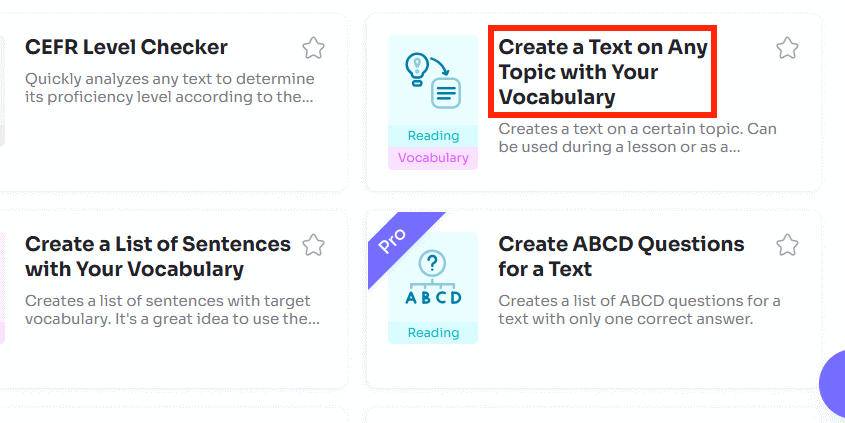
Free and paid accounts may offer different limits and export options. Use the settings visible in your account rather than relying on an older plan description.
2. Define the learning target
Enter a specific topic, select the learners' language and level, and add the target vocabulary. Press Enter or use a comma after each word or phrase. If a word has several meanings, make the intended form clearer—for example, to book for the verb or a booking for the noun.
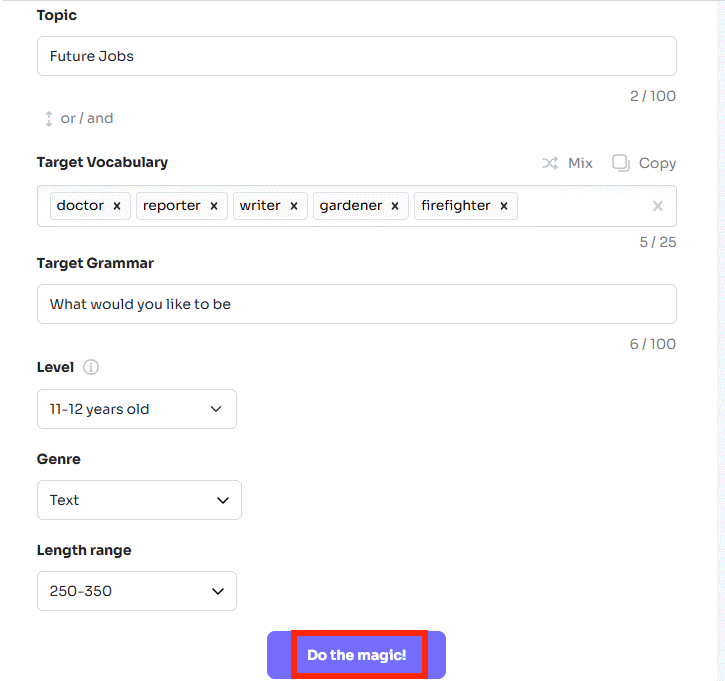
Some tools also offer grammar, genre, and length controls. Keep the word list realistic for one lesson. Ten well-practiced items are usually more teachable than a long list that appears only once, but adapt the number to the students and objective.
Example setup:
- Topic: Planning a weekend trip
- Level: B1
- Target vocabulary: accommodation, book, available, itinerary, recommend, cancel
- Grammar: polite requests with could and would
- Genre: dialogue or short travel article
Teachers comparing platforms can also review these free educational apps for classroom use.
3. Generate and review the first text
Select Do the Magic to create the material. Check every target item in context:
- Does the passage use the intended meaning and part of speech?
- Is the grammar natural and appropriate for the selected level?
- Are examples culturally suitable and factually safe?
- Is the text coherent, or were words forced into unrelated sentences?
- Does the passage contain enough context for students to infer meaning?
Edit weak lines or regenerate with clearer instructions. CEFR alignment is a useful starting point, not a formal assessment of the finished material.
4. Add practice activities
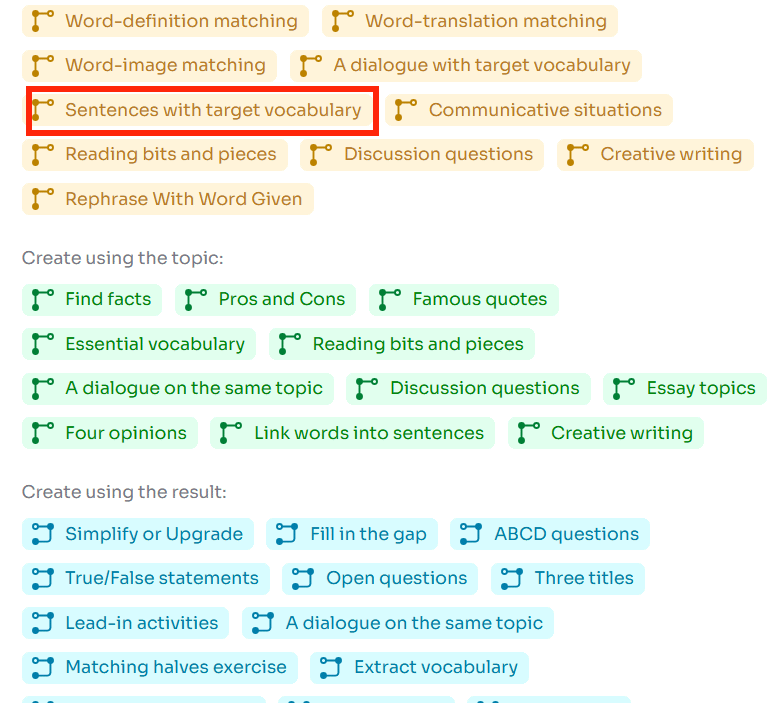
After generating the text, use the suggested Don't Stop tools or browse all tools. The original topic, vocabulary, or generated text can carry into a follow-up activity.
A balanced sequence might include:
- Match the target words to learner-friendly definitions.
- Read the text and answer two or three comprehension questions.
- Complete a gap-fill using the same words in context.
- Discuss a related scenario in pairs.
- Write or perform a short response using several target items.
Do not let an automatic answer key go unchecked. Verify that each gap has one defensible answer and that alternative wording is handled fairly.
5. Arrange and preview the lesson
Open the lesson editor, remove activities that repeat the same skill, and reorder the remaining tasks. Use Interactive to preview what a student will see before assigning it.
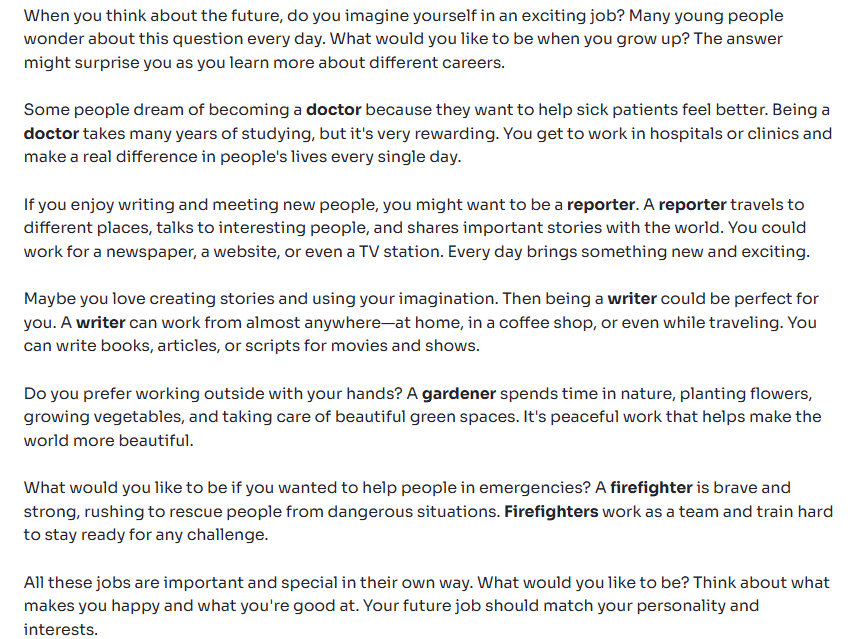
Instructions should tell students exactly what to submit, whether they may use a dictionary, and how the target vocabulary will be assessed. If the lesson collects names or results, follow your school's privacy rules.
6. Assign by link or QR code
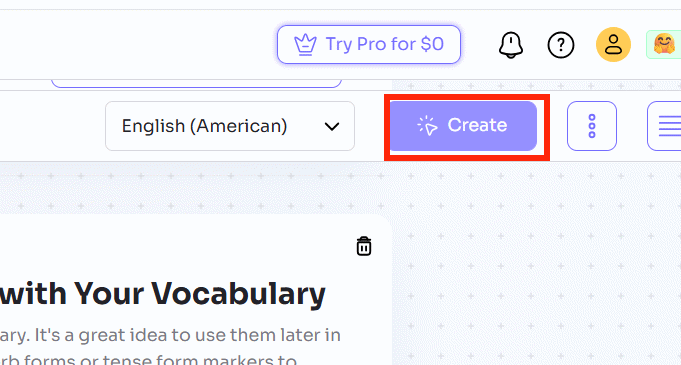
Select Assign, then copy the link or show the QR code. Twee's current help documentation says students can complete a link assignment without creating an account, although assignment options may also include classes, Google Classroom, or Microsoft Teams.
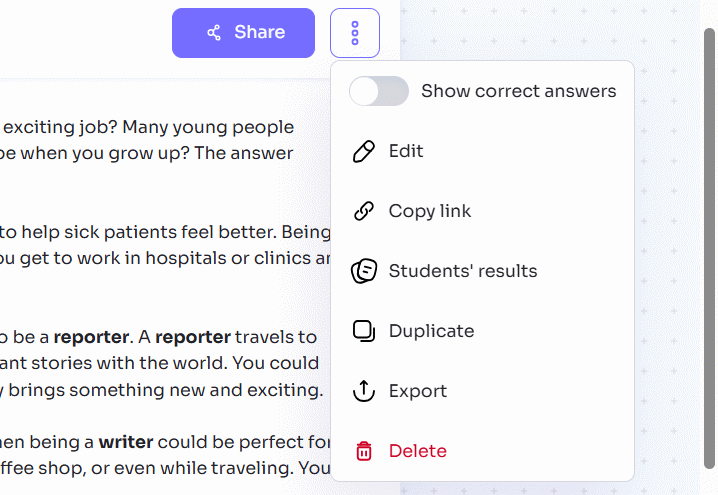
Test the link in a private browser window so you can confirm the student view, instructions, and submission flow. Twee notes that link-based tasks should be completed in one session, so tell students before they begin.
Check the lesson before sharing
- Every target word appears with the intended meaning.
- The text and instructions fit the learners' level.
- Questions have clear answers supported by the text.
- Generated facts, names, and cultural references have been checked.
- The lesson moves from recognition to meaningful use.
- The answer key and scoring have been reviewed.
- The sharing method complies with school policy.
Twee is a drafting and lesson-building tool, not a substitute for teacher judgment. For more classroom options, see TipsMake's guide to AI tools for students, then choose the tool that matches the learning objective rather than the longest feature list.
Related Articles
 How to Create a Vocabulary List for a Topic Using Twee3 minutes read
 How to Designing Learning Activities on Twitter3 minutes read
 How to Create Fill-in-the-Blank Exercises on Twee3 minutes read
 How to Create Open-Ended Questions for a Paragraph on Twitter3 minutes read
 How to Create Discussion Questions for English Lessons on Twitter4 minutes read
 Create Vocabulary Learning Tools in Excel: Sub5 minutes read
Reader Comments 0
Sign in with email or Google to join the discussion.