Table of Contents
Apple Music uses your listening history to make personalized recommendations or create personalized playlists. If other people play music on your account on multiple devices, these recommendations may be mixed with music you don't like. Here's how to stop others from changing your Apple Music recommendations.
Turn off other people's music listening history
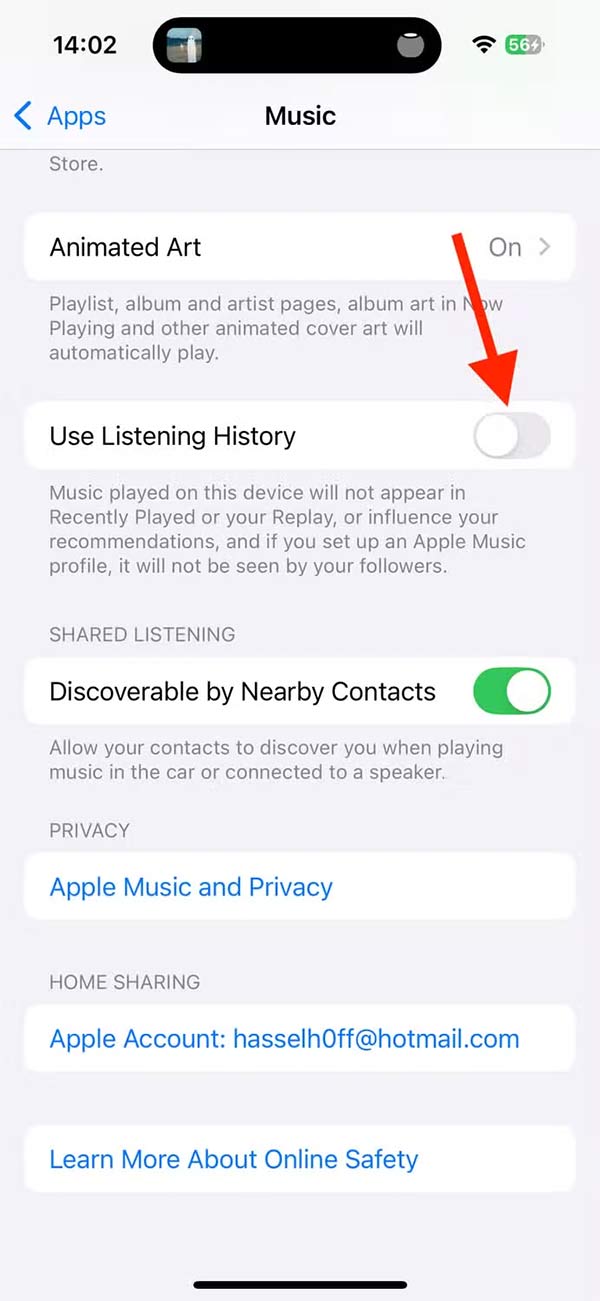
By default, any songs your partner listens to from your account are saved to your listening history, messing up your Apple Music recommendations. In this case, you should turn off your partner's listening history.
Open Settings , select Apps , then tap Music , then turn off the Use Listening History option .
Create focus mode while listening to music
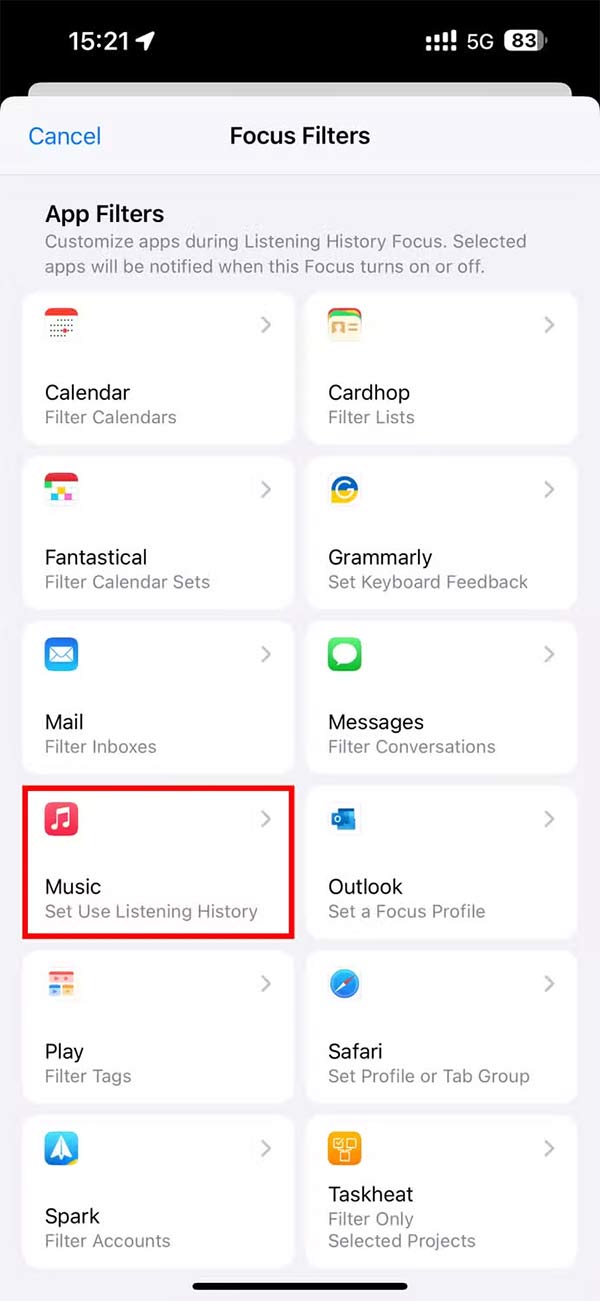
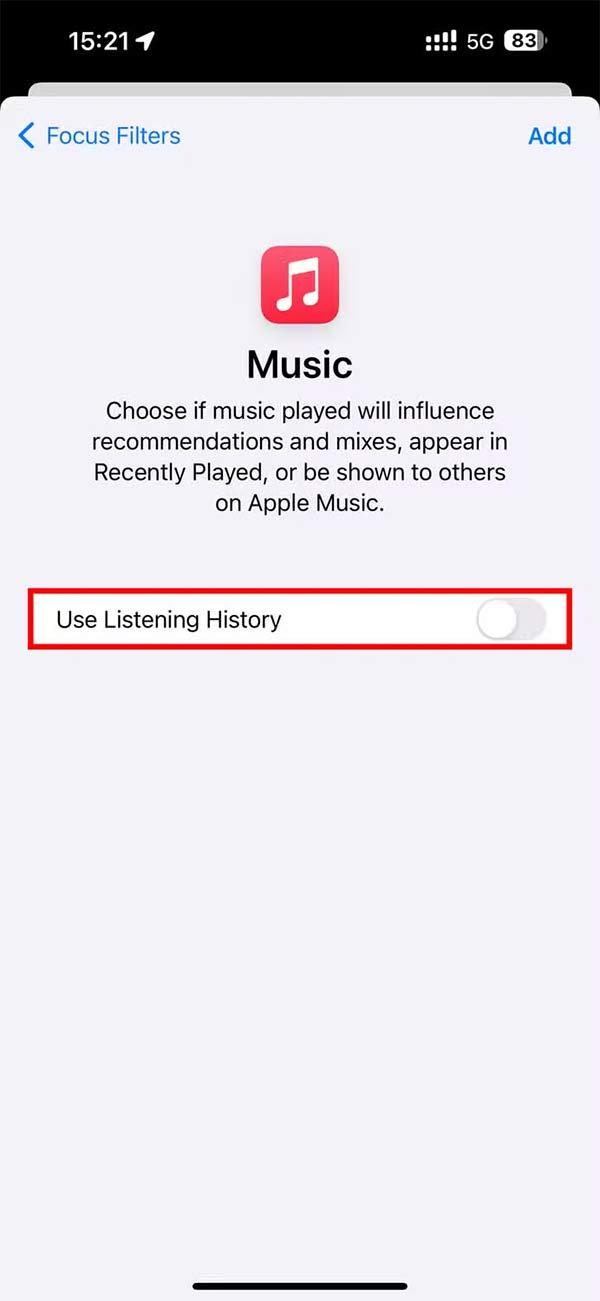
A custom Focus Mode on your iPhone or iPad will automatically turn off your music listening history when it's enabled. Once you've created this Focus Mode, you can simply turn it on when you let someone borrow your device, and the music they listen to won't affect your music recommendations.
You select Settings > Focus then select the plus icon to create a new Focus mode and name it . Then you scroll down to Focus Filters, select the plus sign, select Music and turn off Listening History .
Use another Apple account
If your child uses an iPad, you can set up their own Apple account and Apple Music subscription. Then your child can use their own account to play music and your listening history won't be affected.
Set up user profiles on Apple TV
If you play music through Apple TV, you can set up multiple user profiles. This requires each person to have their own Apple account and access to an Apple Music subscription.
Final Thoughts
Following the steps in order and checking version-specific settings should make it easier to Block Someone from Changing Your Apple Music Recommendations. If an option looks different, verify the device, app, or operating-system version before changing additional settings.
FAQ
What is the best way to Block Someone from Changing Your Apple Music Recommendations?
Start with the requirements described in the article and follow the steps in order. Apple Music uses your listening history to make personalized recommendations or create personalized playlists. If other people play music on your account on multiple devices, these recommendations may be mixed with music you don't like.
What should you know about Turn off other people's music listening history?
By default, any songs your partner listens to from your account are saved to your listening history, messing up your Apple Music recommendations. In this case, you should turn off your partner's listening history.
What should you do if the instructions do not match your screen?
Check the device, software version, account permissions, and regional settings. Interfaces can change after updates, so use the closest matching option and consult the official support documentation when necessary.
Related Articles
 How to Pin Music in Apple Music2 minutes read
 How to Create a Collaborative Playlist on Apple Music3 minutes read
 Instructions for Installing and Using Apple Music on Android7 minutes read
 Instructions to Block Others from Changing iPhone Password3 minutes read
 How to Improving Spotify Podcast Recommendations5 minutes read
 6 Small Tricks with Apple Music11 minutes read
Reader Comments 0
Sign in with email or Google to join the discussion.