Table of Contents
Gemini Canvas can generate and preview a self-contained HTML drawing game from a detailed prompt. The result should be treated as a prototype: test drawing, undo/redo, touch input, saving, and data handling before using it with students. The “AI score” in the offline version below is explicitly simulated and should not be presented as a real assessment.
What the mini-app will do
The activity gives a student a simple starter shape—such as a circle, triangle, star, line, or plus sign—and asks them to transform it into an original drawing. The app includes pen color and width controls, undo and redo, a new-shape button, image download, a session-only gallery, and an encouraging result card.
Use a nickname or classroom code instead of a student's full name. The single-file version does not need an account, database, analytics script, or external API.
1. Start an app in Gemini Canvas
- Open Gemini and sign in.
- Below the prompt box, select Add files and then Canvas. The wording may vary slightly by device or account.
- Start a new Canvas and ask for an HTML app.
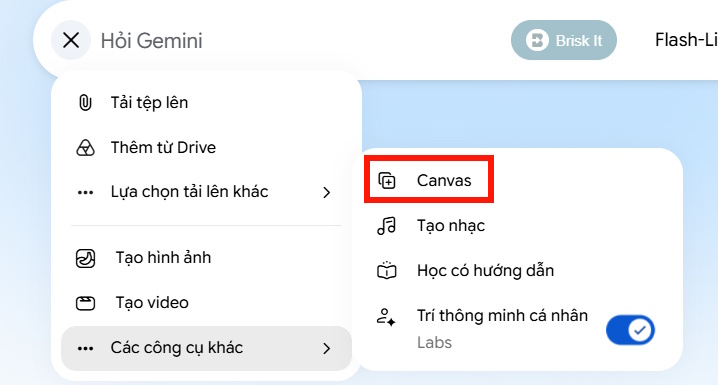
Open Canvas from the Gemini prompt area.
Google's Canvas help page confirms that Canvas can create and preview apps and code. Availability and interface details can change, so use the current controls shown in your account.
2. Paste a precise app prompt
Use the prompt below as a starting point. It removes ambiguous “AI evaluation” language, adds accessibility and privacy requirements, and defines which data may persist.
Create a responsive educational drawing mini-app called “Shape Shift Studio” for middle-school students.

Deliverable:
- Return one complete HTML file containing the HTML, CSS, and JavaScript.
- Do not use external libraries, fonts, trackers, network requests, APIs, or CDNs.
- The exported file must work offline when opened in a modern browser.

Activity:
- Show one random starter shape in the center of a drawing canvas.
- Starter shapes: circle, square, rectangle, triangle, ellipse, star, plus sign, X, straight line, and semicircle.
- The student draws on or around the starter shape to transform it into an object, animal, character, or other idea.
- Add a “New shape” button that asks for confirmation before discarding unsaved work.

Drawing controls:
- Support mouse, stylus, and touch with Pointer Events.
- Include pen color, stroke width, eraser, undo, redo, clear drawing, and download PNG.
- Undo and redo must restore drawing states correctly.
- Scale pointer coordinates correctly when the canvas is resized.
- Preserve the starter shape while clearing only student strokes when “Clear drawing” is selected.

Submission:
- Ask for a nickname or classroom code, not a full legal name.
- Ask the student to complete: “This is not a ___; it is a ___.”
- Generate a result card with the nickname, artwork title, starter shape, and encouraging feedback.
- Label all scores as “simulated game scores.” Make them deterministic from the current drawing data, not a claim of AI analysis.
- Do not rank students or make claims about intelligence, talent, or ability.

Gallery and privacy:
- Keep submitted artwork only in memory for the current page session.
- Show a thumbnail, nickname, and artwork title.
- Add a visible “Delete all session artwork” button.
- Do not use localStorage, cookies, databases, analytics, or network transmission.

Accessibility and design:
- Use a colorful but readable layout with strong contrast.
- Provide visible labels, keyboard-accessible controls, focus styles, and ARIA status messages.
- Include a sound toggle; sound must be off by default.
- Respect prefers-reduced-motion.
- Make the layout usable on phones and computers.

Quality checks:
- Include concise comments in the code.
- Prevent drawing when a modal is open.
- Confirm before clearing or replacing unsaved work.
- Show a friendly error if PNG download is unavailable.
- After the code, provide a short manual test checklist.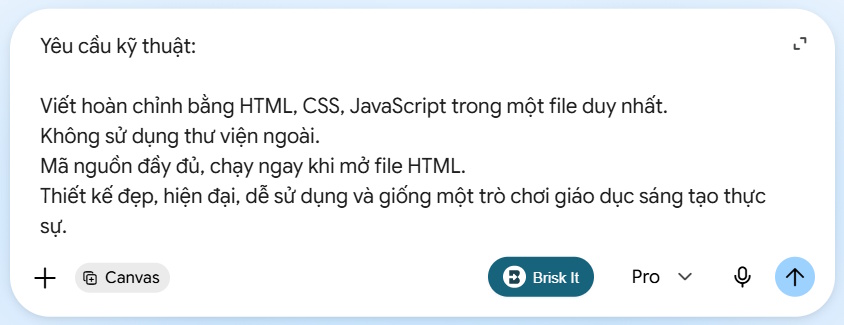
Enter the specification in Canvas and ask for a single self-contained HTML file.
3. Preview and test the generated app
Wait for Canvas to generate the code and preview. Do not assume the first version is complete. Try each of these actions:
- Draw with a mouse and, if available, on a touch screen.
- Resize the browser and verify that the pointer remains aligned with the stroke.
- Use undo, redo, eraser, clear, and new shape in different orders.
- Submit an artwork, reopen it from the gallery, then delete the session data.
- Download a PNG and open the file.
- Navigate every control with Tab and activate it from the keyboard.
- Reload the page and confirm that session-only student data is gone.
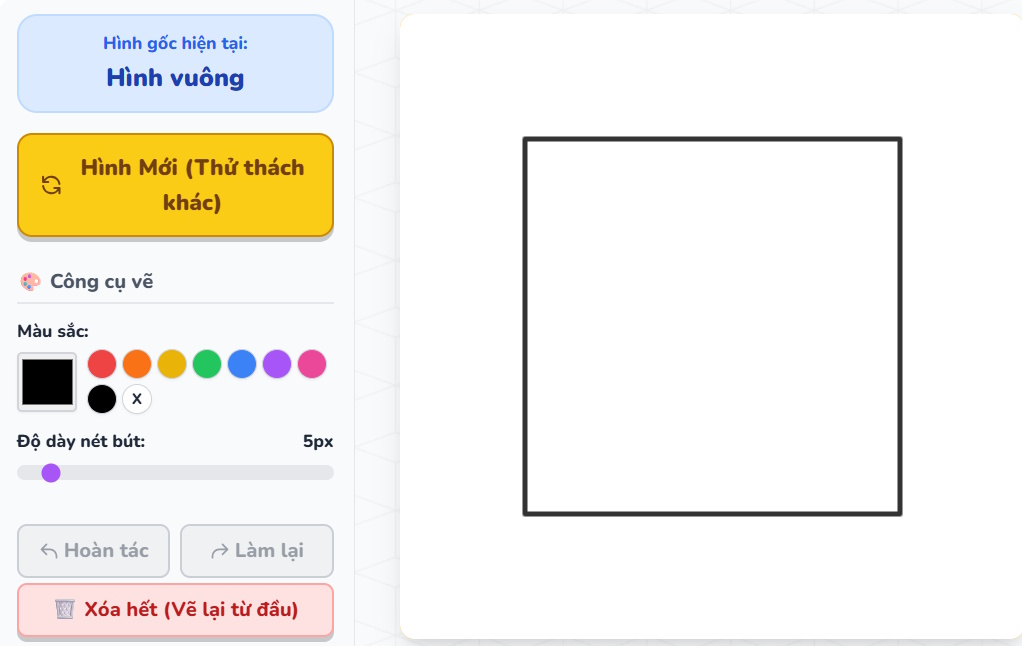
Use the preview to test the starter shape and drawing controls.
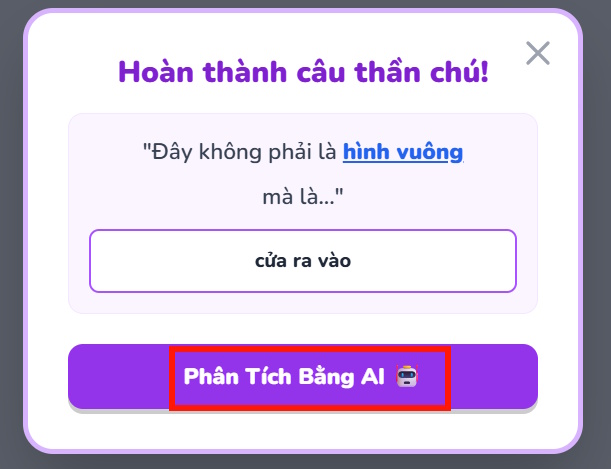
Check the submission text and simulated feedback labels.
If a feature fails, describe the observed behavior and the expected behavior in a follow-up prompt. Ask Gemini to change only the relevant part, then repeat the test. The Code view and console described in Google's Canvas documentation can help identify script errors.
4. Be clear about the simulated evaluation
A single offline HTML file has no AI model unless you deliberately add an API or other model runtime. Random or formula-based scores are game mechanics, not an AI judgment of creativity. Label them accordingly and avoid using them for grades, admissions, ability grouping, or student evaluation.
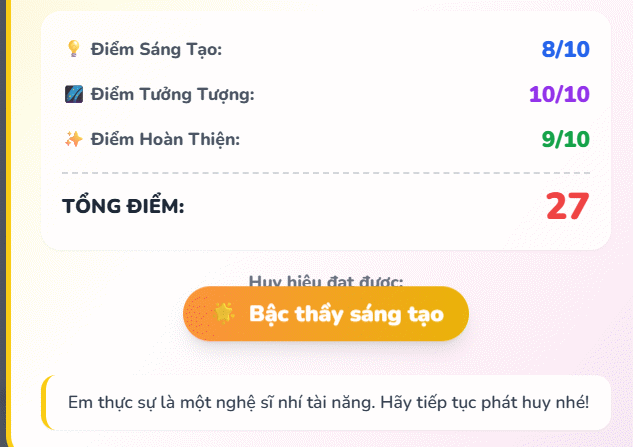
Feedback should be encouraging and clearly labeled as a game result.
For a classroom activity, a teacher-written reflection prompt or peer discussion is more meaningful than a fabricated numerical score. The image and sentence completion can support discussion without claiming that software measured imagination.
5. Save the app as an HTML file
- Open Code in the Canvas panel.
- Copy the complete HTML document, from
<!doctype html>through the closing</html>. - Paste it into a code editor or Notepad.
- Save the file with a name such as
shape-shift-studio.html. In Notepad, choose All files as the file type and UTF-8 encoding so it does not become.html.txt. - Open the saved file in a modern browser and repeat the test checklist while offline.
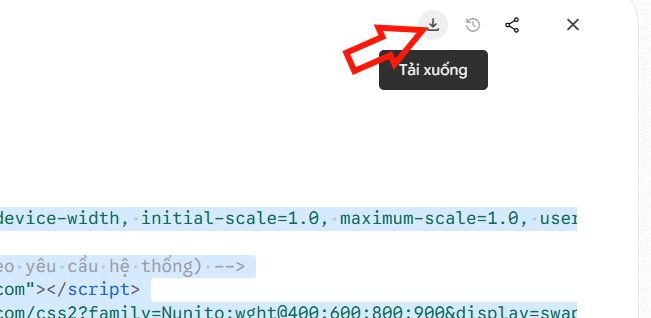
Copy the full code and save it with an .html extension.
For more detail on saving and opening simple browser programs, see how to make a program with Notepad. A dedicated editor is easier for revisions; TipsMake also compares free code editors.
Before sharing the mini-app
- Read the generated code and search for unexpected network requests, external scripts, or persistent storage.
- Test it in the browsers and devices students will actually use.
- Provide a way to complete the activity without sound, animation, or precise pointer control.
- Do not collect real names or sensitive student information.
- Keep a known-good copy so later Canvas edits do not overwrite a working version.
Gemini Canvas can accelerate a prototype, but the person sharing the app remains responsible for its behavior, accessibility, privacy, and educational claims.
Related Articles
 How to Creating Transformation Drawing Videos on CapCut4 minutes read
 Google Gemini Launches Awesome Comic Drawing Feature: Just Enter3 minutes read
 How to Create Mind Maps for Lessons Using Gemini5 minutes read
 The Art of Creating Great Paintings from Letters3 minutes read
 Tips for Quickly Creating Automated Tests on Gemini4 minutes read
 A Guide to Creating Presentation Slides Quickly Using Gemini4 minutes read
Reader Comments 0
Sign in with email or Google to join the discussion.