Table of Contents
To center a heading across several Excel columns without merging them, select the range and set Horizontal: Center Across Selection in Format Cells. The cells remain separate, which avoids many sorting, filtering, copying, and formula problems caused by merged cells.
Place the heading in the leftmost cell of the selected range and leave the other cells empty. Center Across Selection visually spans the range but does not combine its cells.
Center text across a selection
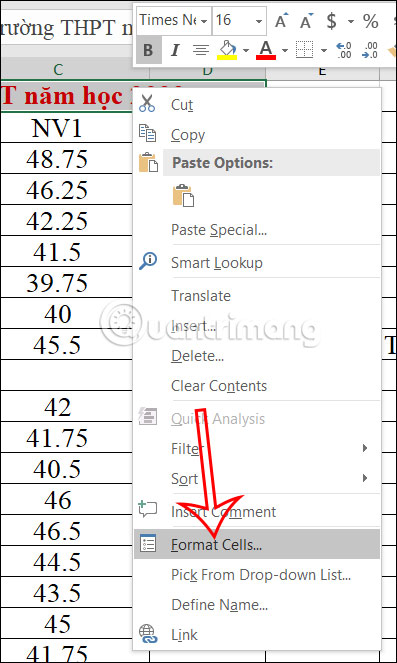
Step 1: Enter the heading in the first cell. Select that cell and all empty cells the heading should span. Right-click the selection and choose Format Cells, or press Ctrl+1.
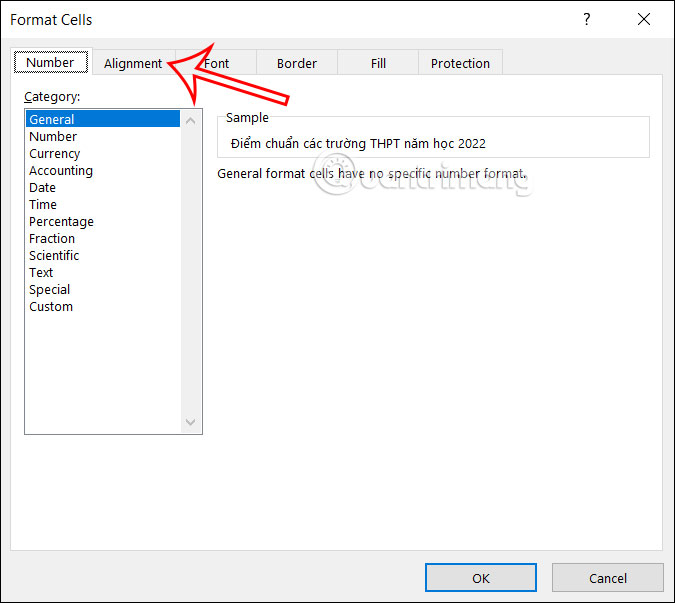
Step 2: Open the Alignment tab.
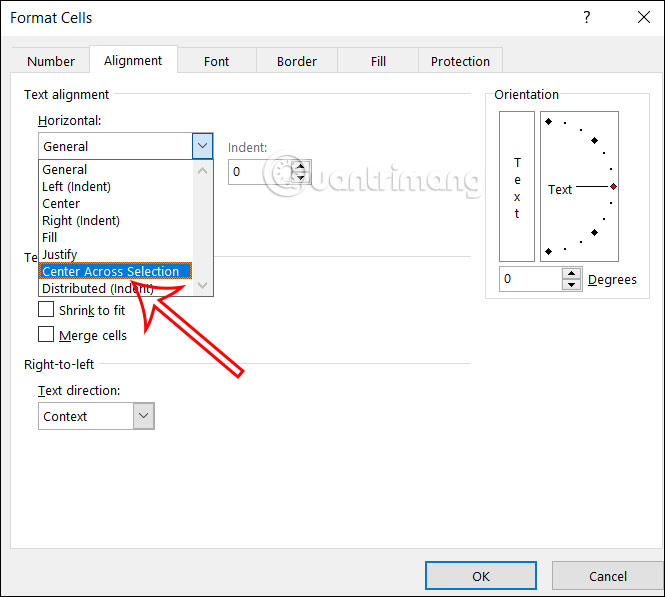
Step 3: Under Horizontal, choose Center Across Selection.
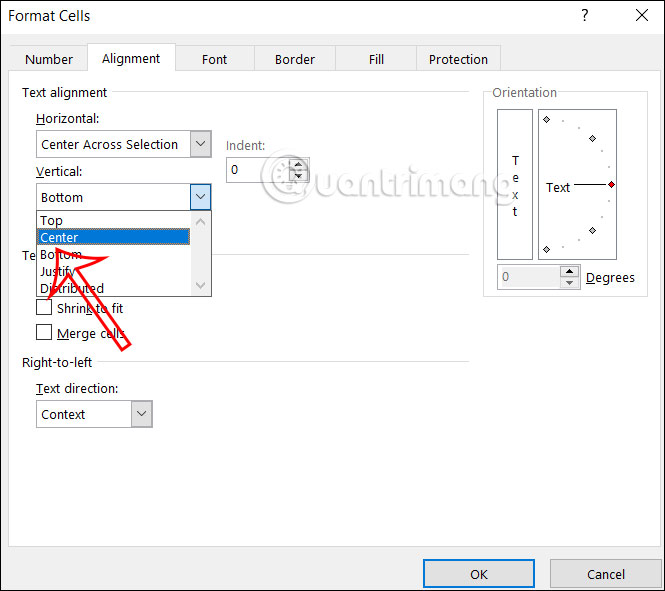
If the row is taller than the text, set Vertical to Center. Click OK.
The heading now appears centered across the selected columns, while clicking within the range still shows distinct cells.
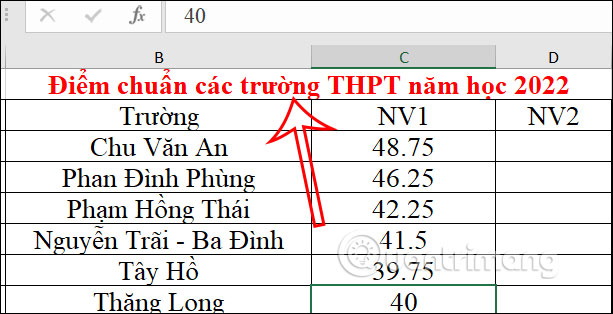
Center content inside individual cells
If each cell contains its own value, use the regular alignment controls instead. Select the cells and locate the Alignment group on the Home tab.
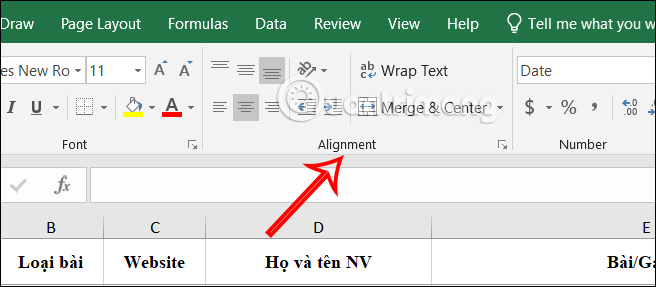
Choose Center for horizontal alignment and Middle Align for vertical alignment.
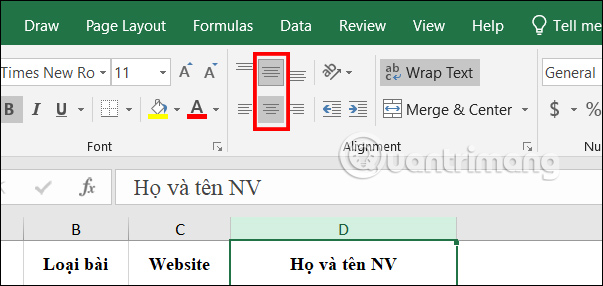
This centers each cell’s value within that cell. It does not center one heading across a multi-column range.
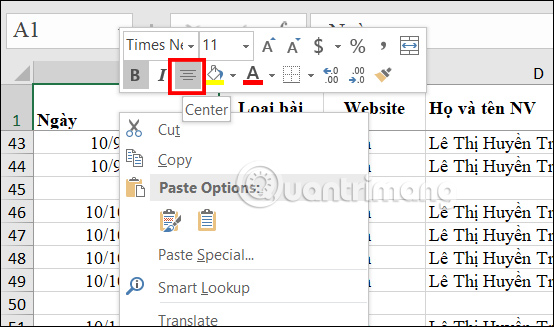
Keyboard commands
In desktop Excel for Windows, select the cells and press the ribbon sequence Alt, H, A, C to apply regular horizontal Center alignment. Press the keys in sequence, not at the same time.
There is no equally direct default shortcut for Center Across Selection. Press Ctrl+1, open the Alignment tab, and choose it from the Horizontal list. Ribbon access keys can differ by language and version, so follow the on-screen key tips if the sequence does not match.
Why Center Across Selection is not working
- Other cells contain data: clear the cells to the right of the heading within the range. Move needed values elsewhere rather than deleting them accidentally.
- The cells are still merged: choose Home > Merge & Center > Unmerge Cells, then select the full range and apply Center Across Selection.
- Only one cell was selected: the setting needs the complete range the heading should span.
- You applied regular Center: reopen Format Cells and check the exact Horizontal setting.
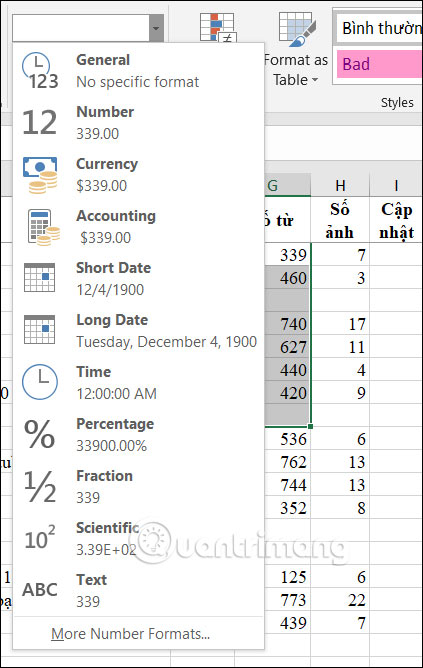
- Formatting is inconsistent: inspect the range for merged cells, indentation, text orientation, or copied styles. The Number format alone normally does not prevent alignment.
When merging is still appropriate
Merging can be acceptable in a static cover sheet or decorative form that will not be sorted or filtered. For data tables, Center Across Selection is safer because every column remains structurally intact. If you plan to export or edit the workbook in another spreadsheet app, verify the appearance there because support for this alignment option can vary.
Related Articles
 How to Combine 2 or More Cells in Excel Without Losing Data4 minutes read
 Excel 2019 (Part 5): Modifying Columns, Rows, and Cells13 minutes read
 Merge Cells in Excel: Complete Overview9 minutes read
 How to Merge Cells in Excel - Instructions to Merge Cells in Excel 20107 minutes read
 Instructions on How to Cross Cells in Excel7 minutes read
 Extremely Simple Instructions on How to Fill in Blank Cells with 0 in Excel3 minutes read
Reader Comments 0
Sign in with email or Google to join the discussion.