Table of Contents
This guide provides a clear, practical overview of Google photos is about to have a feature to lock sensitive, with useful context, important details, and straightforward takeaways for everyday readers.
The way Locked Folder works is relatively simple. You will create a locked folder, and put in it the pictures and videos that you want to keep private and restrict access from strangers. The images and videos in this folder will be completely hidden from the main Google Photos feed. So the next time you scroll through your image library in Google Photos, you won't see these photos either. Instead, you'll need to access the folder and unlock it To see the media files hidden inside. This folder can be protected with a password or biometric data. Locked Folder will provide a useful layer of security for your sensitive data on Google Photos.
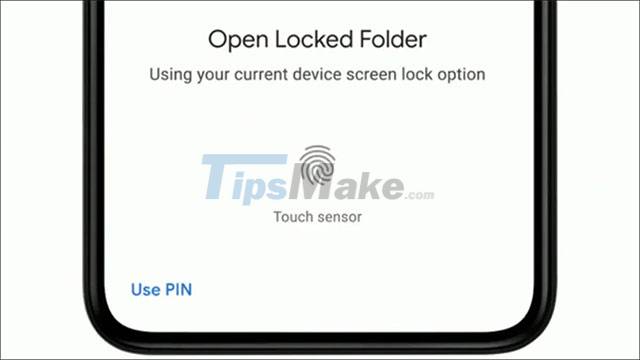
Google first introduced Locked Folder on Pixel phones in May 2021, and now the company is planning to expand this useful feature to even more devices. Mountain View Company has announced that Locked Folder will come to more Android smartphones in the near future. While the iPhone will also soon receive this feature in early 2022.
Key Takeaways
Use the information above as a practical reference for Google photos is about to have a feature to lock sensitive. Review each step carefully, confirm any requirements, and choose the option that best fits your situation.
FAQ
What does this guide explain about Google Photos Is About to Have a Feature to Lock Sensitive?
It explains the main concepts, practical considerations, and useful steps related to Google photos is about to have a feature to lock sensitive without requiring advanced knowledge.
Who can benefit from learning about Google Photos Is About to Have a Feature to Lock Sensitive?
This information is useful for readers who want a clear overview, practical guidance, and reliable steps related to Google photos is about to have a feature to lock sensitive.
What should I check before applying this information?
Review the requirements, confirm that your device, software, or situation matches the instructions, and back up important data before making major changes.
Related Articles
 What to Do to Make Sensitive Photos and Videos Not Exposed and5 minutes read
 How to Turn Sensitive Content Alerts on and Off on iPhone7 minutes read
 Google Photos Integrates Veo 3: Upgraded AI Photo-to-video Feature4 minutes read
 How to Lock the Photos App on iPhone: Step-by-Step Guide8 minutes read
 5 Best Software to Hide Photos, Videos on iPhone, Android Best5 minutes read
 Use Google Photos to Store Unlimited Photos6 minutes read
Reader Comments 0
Sign in with email or Google to join the discussion.