Table of Contents
This article provides a clear overview of Facebook Messenger Launches a Separate Application for, with the main facts, useful context, and practical details organized for easy reading.
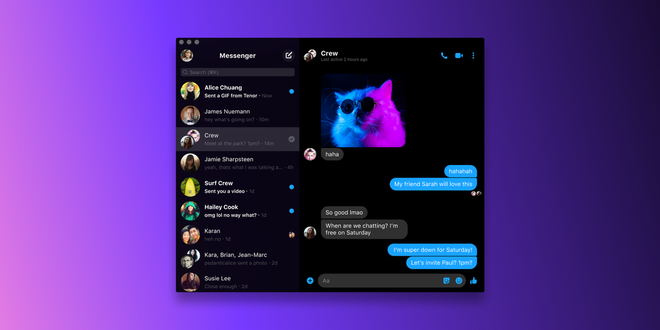
The application is currently available on the Microsoft Store and Mac App Store, you can download and install it now. Instead of the relatively small smartphone screen, you can now make video calls on the larger screen of a laptop or desktop. Messenger on computer also has dark mode.
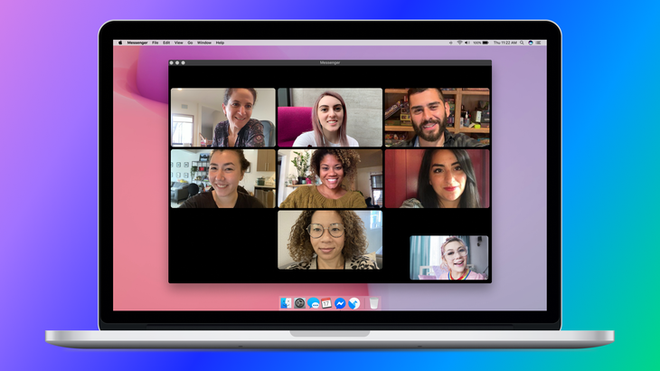
Messenger application for computers has a simple and intuitive interface, similar to Telegram. With one side is a list of conversations and the other is a conversation, instead of tabs like Messenger on the web. The features are also kept the same.
Facebook Messenger launches a separate application for Windows and Mac computers.
You can download the Facebook Messenger desktop application here:
Windows: https://www. microsoft. com/en-us/p/messenger/9wzdncrf0083
macOS: https://apps. apple. com/us/app/messenger/id1480068668
FAQ
What is the main focus of Facebook Messenger Launches a Separate Application for?
The article explains the most important facts, context, and practical details related to Facebook Messenger Launches a Separate Application for.
Who may find this information useful?
It is useful for readers who want a clear overview, practical context, and a better understanding of the subject.
What should readers verify before taking action?
Check current product versions, official requirements, regional availability, and any details that may have changed since the original publication.
Related Articles
 All About How to Use Facebook Messenger Lite4 minutes read
 Facebook Launched Its First Ad for Messenger3 minutes read
 Facebook Messenger Is Available for Windows and Mac3 minutes read
 Fixed a Bug with Facebook Messenger Being Escaped on iOS2 minutes read
 How to Hide Location and Block Tracking of Facebook Messenger4 minutes read
 Facebook Messenger for Windows Is About to Close3 minutes read
Reader Comments 0
Sign in with email or Google to join the discussion.