Table of Contents
This guide answers "What Is Safari Privacy Protection Ad Rating?" with a clear explanation, practical context, and the details that matter most.
Why use privacy-protecting ad ratings on Safari?
Privacy when browsing websites is something everyone cares about. Setting up privacy-protecting ad measurement in Safari strikes a balance so advertisers can still see how successful their campaigns are, but your personal information remains private.
When you interact with an ad while browsing the web, Safari will not identify anyone by name or personal information, but will only report that 'someone' interacted with the ad.
How privacy-protecting ad reviews work
Apple uses a Differential Privacy technique to protect your identity.
When you interact with an ad in Safari, your device generates an anonymous code associated with that ad. This code doesn't include your name, email, or any personal information.
The device will mix your interaction data with data from many other users, making it impossible to distinguish individual actions.
Only summary information, like 'X number of users clicked on this ad' is sent to advertisers so you can't be tracked.
How to enable Safari privacy ad review
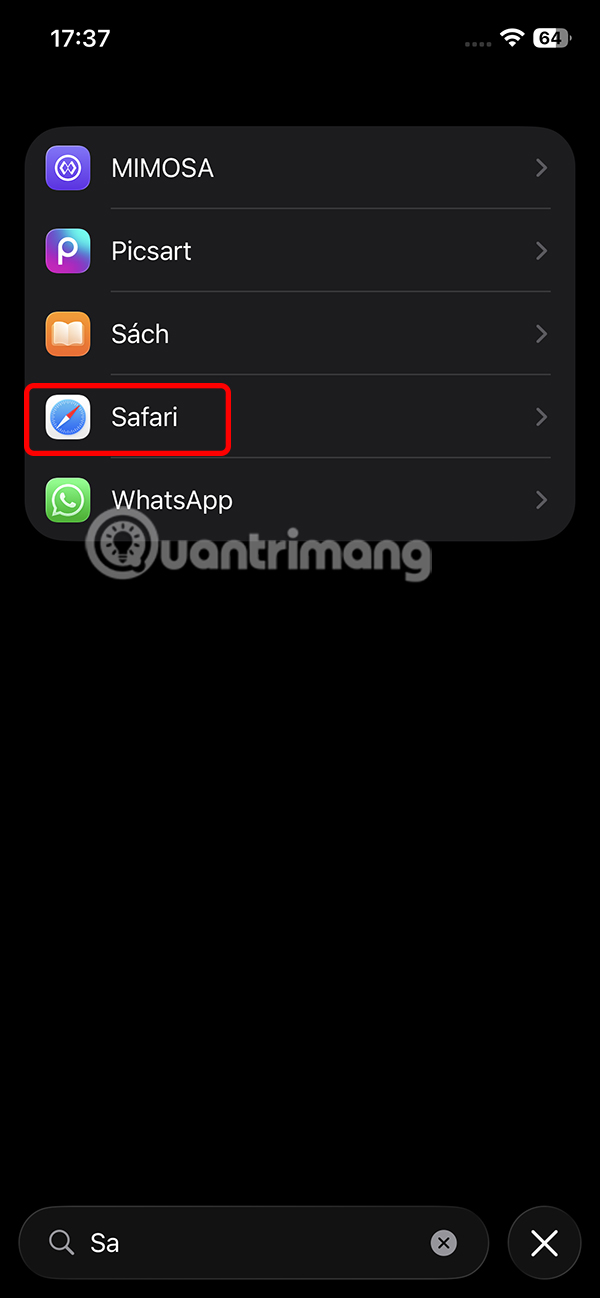
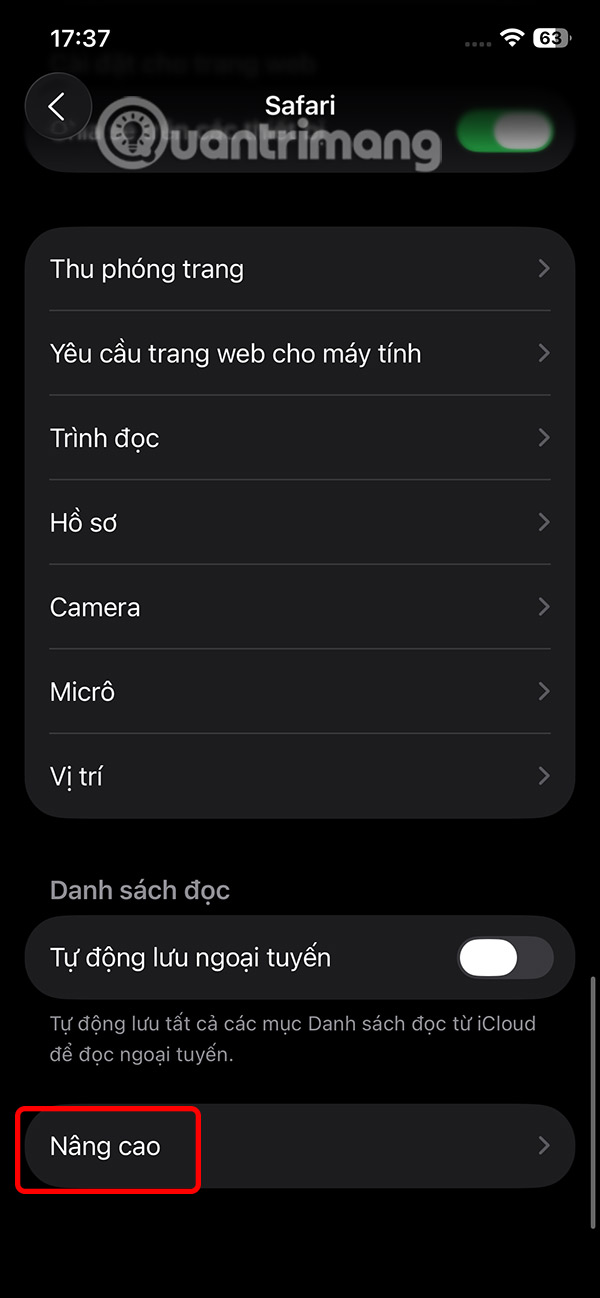
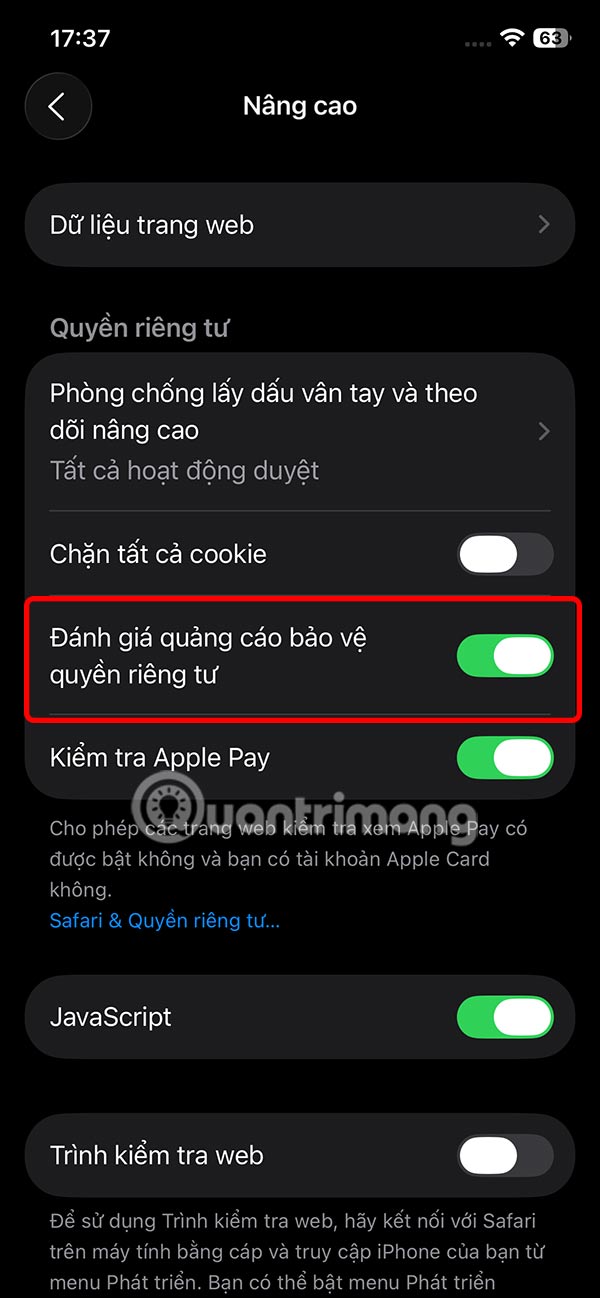
This setting is enabled by default on Safari, and if you want to check it again, it's simple. We access the Application and select Safari. Then scroll down and select Advanced and see if the Safari Privacy Protection Ad Rating setting is enabled.
FAQ
Why use privacy-protecting ad ratings on Safari?
Privacy when browsing websites is something everyone cares about. Setting up privacy-protecting ad measurement in Safari strikes a balance so advertisers can still see how successful their campaigns are, but your personal information remains private.
How privacy-protecting ad reviews work?
Apple uses a Differential Privacy technique to protect your identity.
How to enable Safari privacy ad review?
This setting is enabled by default on Safari, and if you want to check it again, it's simple. We access the Application and select Safari. Then scroll down and select Advanced and see if the Safari Privacy Protection Ad Rating setting is enabled.
Related Articles
 Change the Following 7 iOS Settings to Better Safari Security9 minutes read
 9 Reasons You Should Use Safari Instead of Chrome on Mac9 minutes read
 What Is Duckduckgo Privacy Essentials? Should I Install It?7 minutes read
 How to Fix 5 Safari Bugs on iPhone8 minutes read
 Microsoft Defender VPN Will Stop Rolling Out to Microsoft 3653 minutes read
 How to Fix Safari's Status Is Slow6 minutes read
Reader Comments 0
Sign in with email or Google to join the discussion.