Table of Contents
Claude is Anthropic's AI assistant for writing, analysis, coding, research, and working with uploaded material. It is available through web, desktop, and mobile experiences, although features and model access vary by account, platform, region, and plan.
Avoid choosing the app based on claims that one model is “the smartest” or “absolutely secure.” AI output can be wrong, and privacy depends on the product, account settings, connectors, and data you provide.
What you can do with Claude
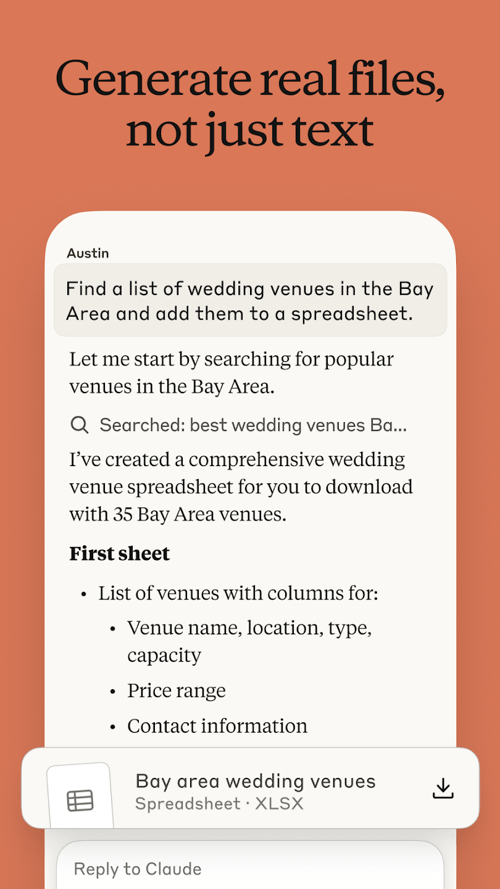
Draft and revise writing
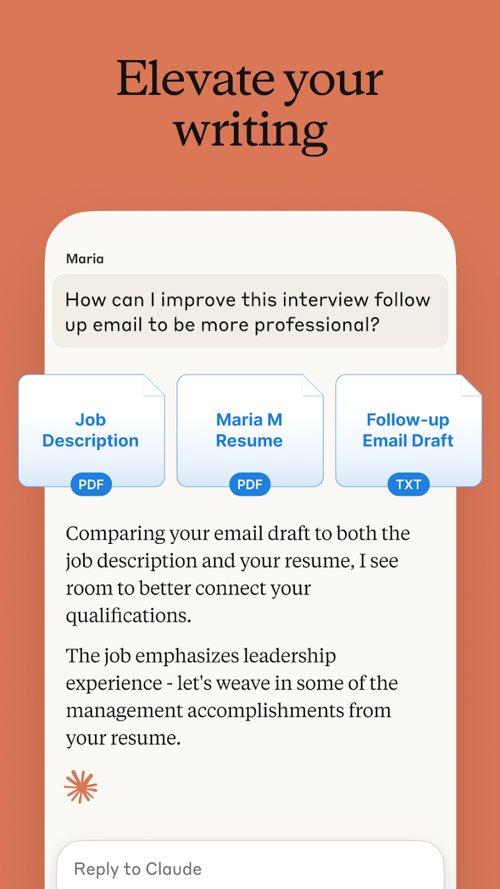
Claude can create outlines, rewrite paragraphs, change tone, identify gaps, and compare versions. Give it the audience, purpose, length, and facts that must remain unchanged. A good editing request also says what not to do, such as inventing statistics or adding a generic conclusion.
Analyze documents and images
You can upload supported documents or images and ask questions about their contents. Useful tasks include summarizing sections, extracting a table, explaining a diagram, and comparing two versions.
Check the source after every consequential answer. Scanned pages, small labels, complex layouts, handwriting, and charts can be misread. For long documents, ask Claude to cite page or section locations so you can verify the result.
Help with code
Claude can explain unfamiliar code, draft tests, suggest a refactor, and help debug an error. Provide the language, runtime, dependency versions, expected behavior, actual behavior, and relevant error output.
Generated code is not automatically safe or correct. Review it, run tests, scan dependencies, and never paste a production secret into the conversation. For large repositories, limit the task to the files and requirements that matter.
Create files and structured outputs
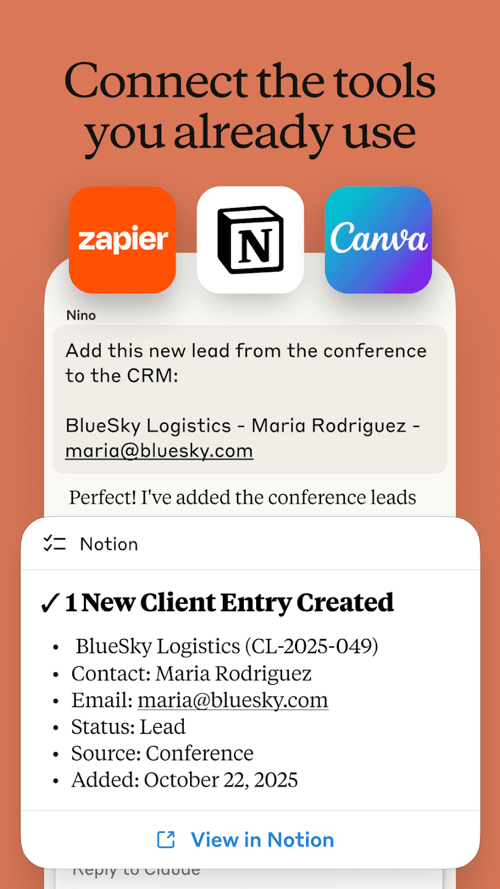
Depending on the active product and tools, Claude may create documents, tables, code, or other artifacts that you can review and download. Treat generated files as drafts. Open them, verify calculations and links, and check layout before sharing.
Work with connected services
Some accounts can connect services such as Google Workspace or other supported tools. A connector can reduce copying between applications, but it also expands what the assistant may access. Grant the narrowest permissions available and disconnect services you no longer use.
Writing better requests
Use a simple structure:
Task: [what you want]
Audience: [who will use it]
Source: [text, file, or approved facts]
Requirements: [format, length, tone, constraints]
Do not: [prohibited claims or changes]
Verification: [how to cite or flag uncertainty]
Example:
Task: Rewrite this support article for first-time users.
Audience: Nontechnical customers.
Requirements: Keep all steps, preserve code and image references, use short paragraphs.
Do not: Invent product features, prices, or menu labels.
Verification: Mark any statement that may have changed since the source was written.
Common limitations
- Factual errors: fluent wording can hide an incorrect claim.
- Outdated information: model knowledge and connected sources may not reflect the current product.
- Incomplete file reading: complex PDFs, images, or large projects may be interpreted incorrectly.
- Inconsistent output: the same request can produce different wording or code.
- Limited judgment: Claude cannot take responsibility for medical, legal, financial, hiring, or safety decisions.
- Plan limits: message quotas, model access, file sizes, and tool availability can change.
Privacy and security checks
Do not assume that every Claude product handles data in the same way. Consumer, Team, Enterprise, API, and connected-service settings can differ. Before using sensitive material:
- review the current privacy and retention controls for the exact account;
- follow employer or school policy;
- remove unnecessary personal data;
- do not share passwords, recovery codes, API keys, or private encryption keys;
- check connector permissions before granting access;
- use an approved business product for confidential work;
- delete or revoke access when the task is complete, where appropriate.
Plans and model availability
| Item | What to check in the current app |
|---|---|
| Free access | Message limits, available models, files, and tools |
| Paid individual plans | Higher limits, included products, and billing terms |
| Team or enterprise | Administration, data controls, connectors, and collaboration |
| Mobile app | Supported operating-system version and feature parity |
| Voice | Available languages, limits, and data settings |
Do not rely on a fixed app size, operating-system minimum, model version, price, or language count from an old article. Check the official app-store listing and Claude plan page at the time of installation.
How to recognize the official app
- Use a link from Anthropic's official website or search the platform's official store.
- Confirm the developer or publisher is Anthropic.
- Review the permissions before installation.
- Avoid modified APKs, “premium unlocked” downloads, and sites that ask for a Claude password.
- Enable automatic updates or install security updates promptly.
When Claude is a good fit
Claude is useful when the work benefits from discussion, revision, source analysis, or code assistance and a person can review the result. It is a poor fit for autonomous high-stakes decisions, storing secrets, or publishing unverified claims at scale.
The most productive workflow is collaborative: provide clear context, ask for a structured draft, verify the important parts, and revise. The app can reduce mechanical work, but accuracy, permissions, and final responsibility remain with the user.
Related Articles
 What Is Claude Fable 5?8 minutes read
 Anthropic Adds 'Memory' Feature to Claude AI4 minutes read
 How to Use Anthropic's New AI Claude 3 Prompt Library: Complete Guide8 minutes read
 A Guide to Using the Claude API to Build AI Applications11 minutes read
 Anthropic Launches Claude 2: New Competitor for Chatgpt and Bard5 minutes read
 Claude AI Can Use Computers Like Humans5 minutes read
Reader Comments 0
Sign in with email or Google to join the discussion.