Table of Contents
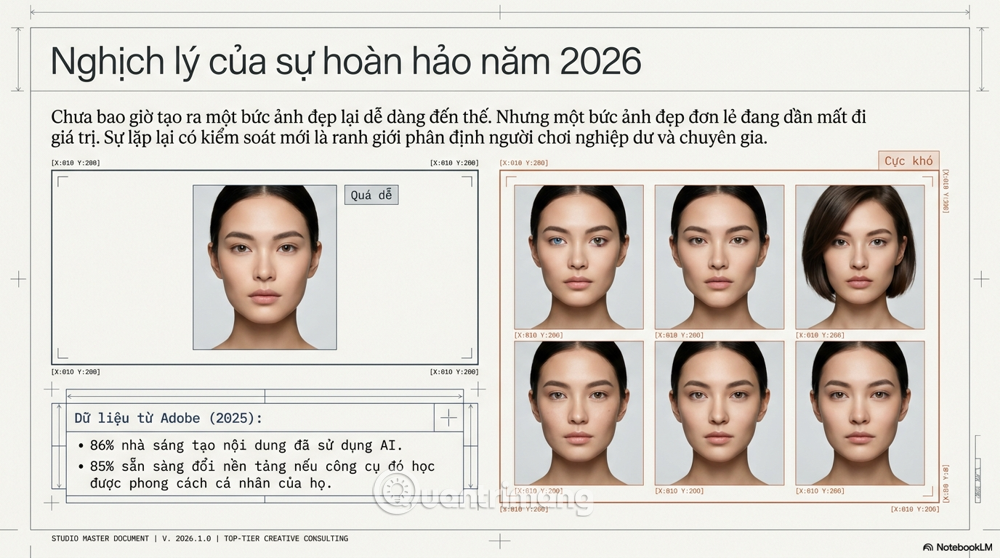
Consistent AI images come from controlling what is allowed to change. Start with approved reference images, keep a fixed description of the subject, change one variable at a time, and compare every output against a visual checklist. Seeds can help with small iterations, but reference conditioning, structural controls, and selective editing are more reliable when the scene changes substantially.
Decide what must remain consistent
“Consistency” can refer to several different requirements. Write these down before selecting a tool:
- Character identity: face shape, hair, skin details, body proportions, clothing, and accessories.
- Visual style: palette, contrast, line work, texture, lens treatment, lighting, and composition.
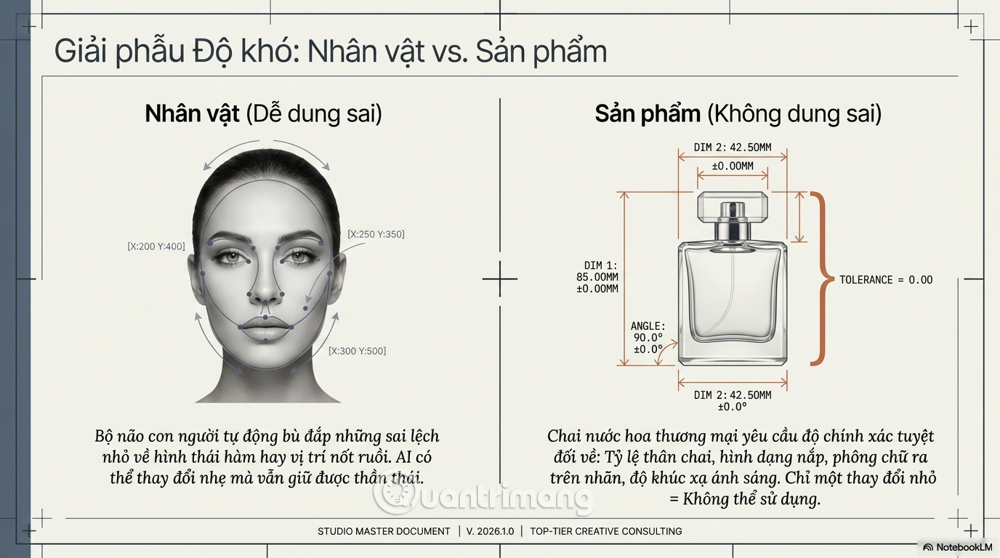
- Product identity: dimensions, materials, cap or button placement, label, logo, and color.
- Environment: architecture, props, weather, signs, time of day, and spatial relationships.
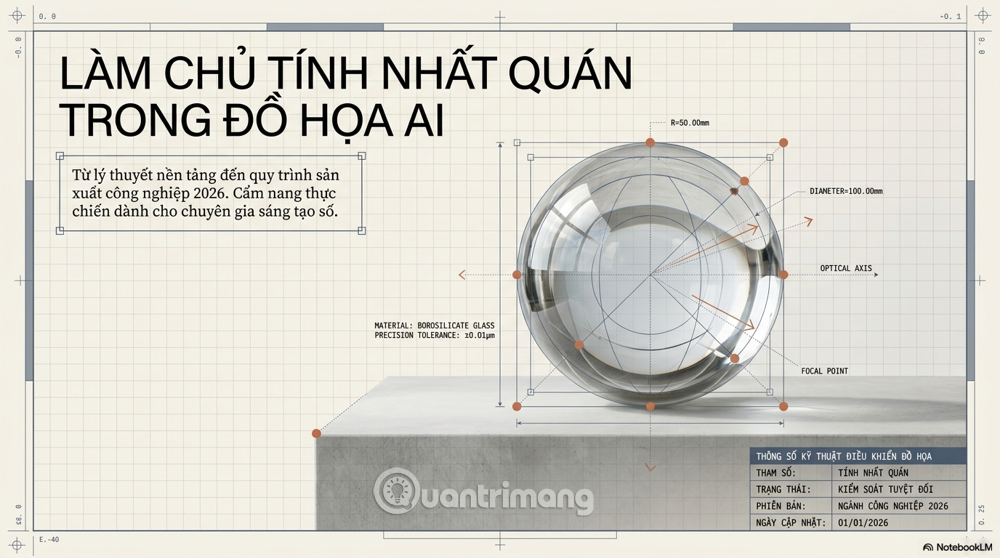
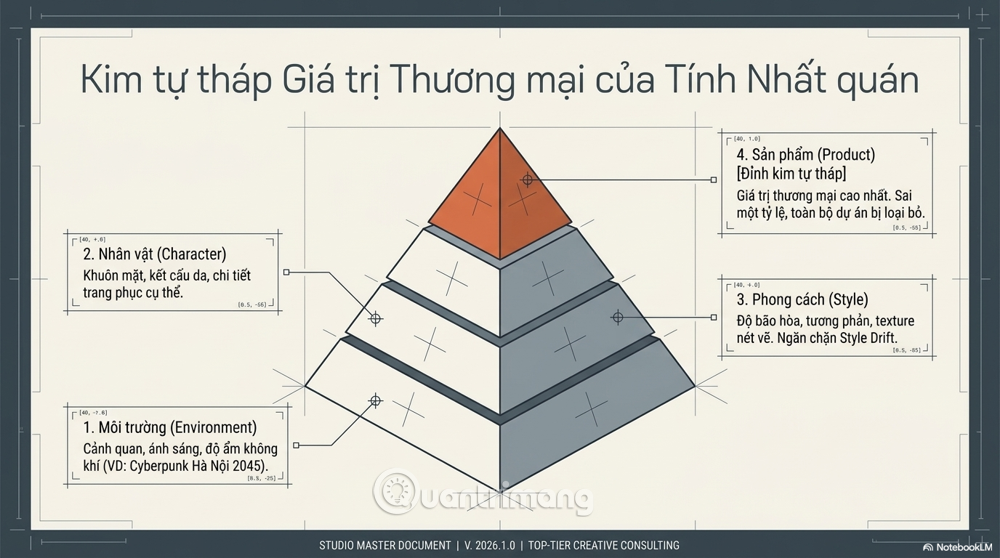
Separate hard requirements from preferences. A logo’s spelling may be non-negotiable, while a background plant can vary. This distinction determines which outputs can be repaired and which must be rejected.
Techniques for consistent AI images
1. Reuse the seed for nearby variations
A seed initializes the random generation process. With the same model, version, settings, prompt, and seed, a tool may reproduce or closely approximate a result. Reusing it can help when changing a minor detail, but it is not an identity lock. A new pose, aspect ratio, model version, or substantial prompt change can still alter the subject.
2. Use identity and style references
Reference images give the model visual information that a text description cannot capture precisely. Use a clean, approved reference for the character or product and a separate reference for style when the tool supports both.
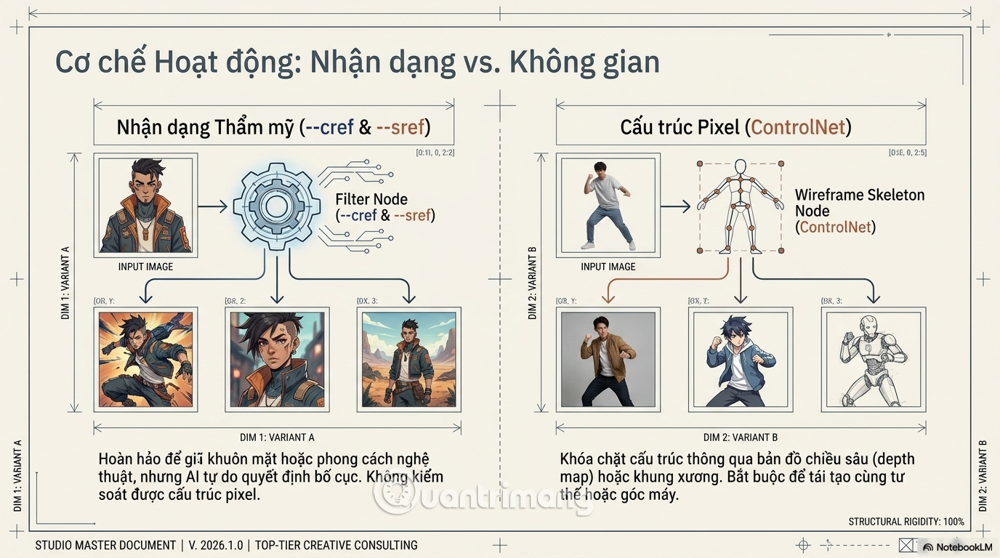
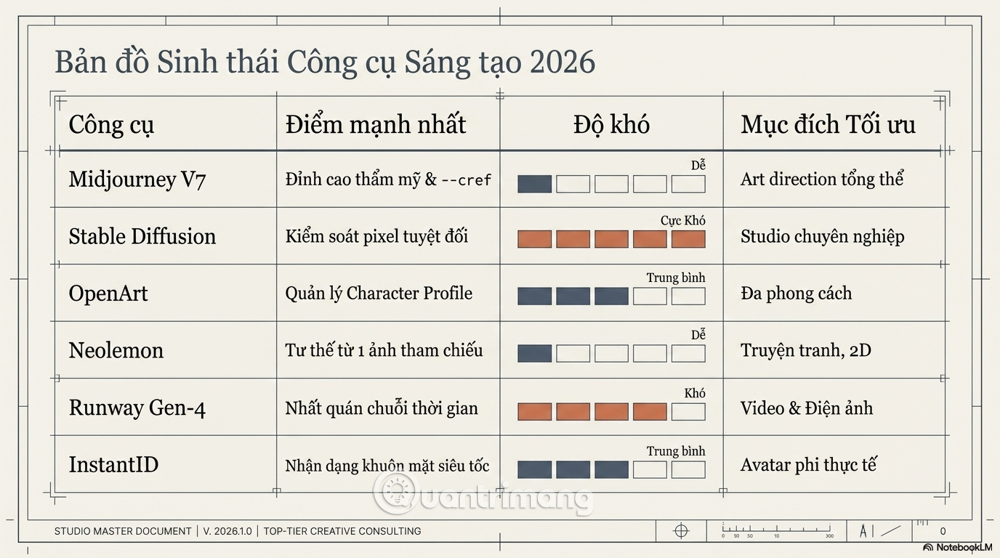
Current Midjourney V7 uses Omni Reference for a person or object and Style Reference for visual treatment. In Discord, Omni Reference uses --oref; --ow controls its influence. Older Character Reference instructions using --cref apply to earlier workflows and should not be copied blindly into a V7 prompt.
3. Combine image prompting with structural control
In diffusion workflows, IP-Adapter supplies image-based guidance. ControlNet can condition generation on a pose, edge map, depth map, or other structural image. Together, they can preserve the subject’s visual cues while controlling the composition. Their behavior depends on the base model, compatible weights, preprocessing, and strength settings.
See the official IP-Adapter and ControlNet documentation for compatible pipelines.
4. Train a LoRA when references are not enough
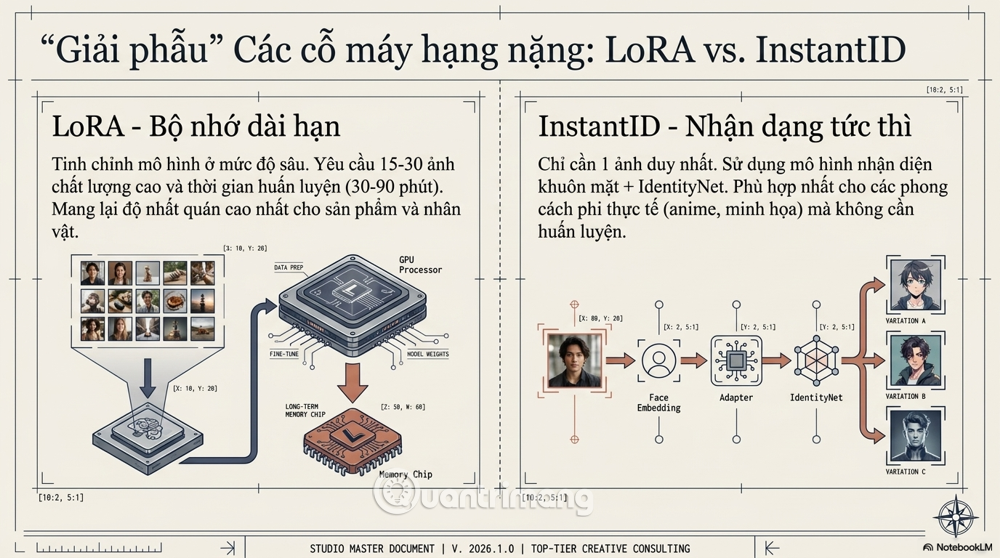
A LoRA adapts part of a compatible model with a comparatively small set of additional weights. A carefully prepared dataset can teach a recurring character, object, or style more reliably than text alone. Results depend heavily on image rights, caption quality, subject coverage, model compatibility, and training settings; there is no universal image count or training time.
Include varied angles, expressions, distances, and lighting while keeping the intended identity accurate. Remove duplicates, watermarks, and misleading examples. Use a distinctive trigger token and keep a record of the base model and LoRA version used for the project.
5. Edit locally instead of regenerating everything
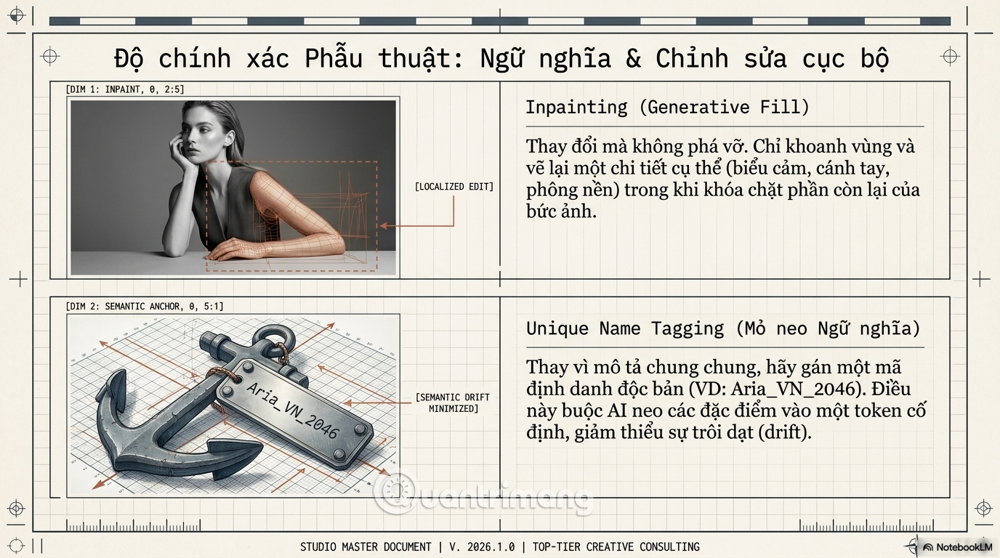
Inpainting changes a masked region while protecting most of the existing image. It is often the safest way to repair a hand, expression, accessory, or background detail without losing an approved product or character. Make the smallest useful mask and inspect its edges for lighting or texture seams.
A repeatable production workflow
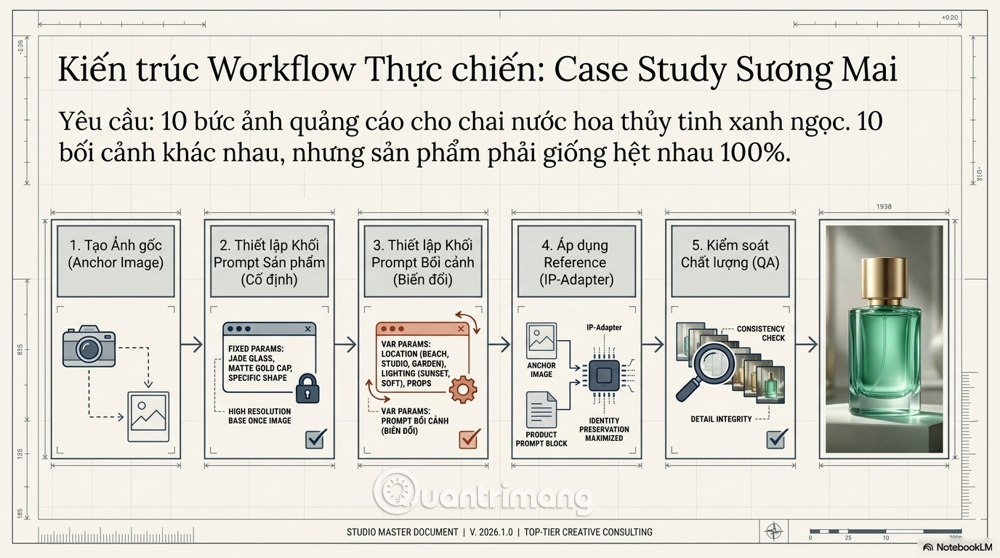
1. Create and approve an anchor image
Generate or photograph a neutral, clearly lit view of the subject. For a product, keep geometry, materials, label placement, and brand colors visible. For a character, create a small reference sheet with front, three-quarter, and profile views if the platform accepts multiple references.
2. Lock a subject description
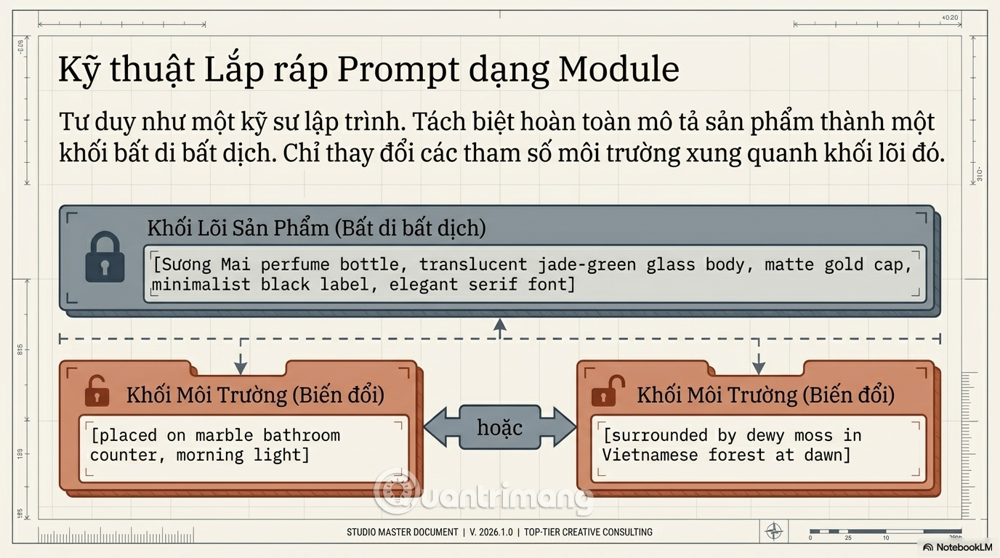
Store a fixed prompt block containing only durable features. For example:
Translucent jade-green rectangular perfume bottle, rounded shoulders, matte gold cylindrical cap, centered black rectangular label, luxury studio product photograph.
Do not rely on generated text for a production logo or legally required label. Composite the verified artwork during conventional image editing.
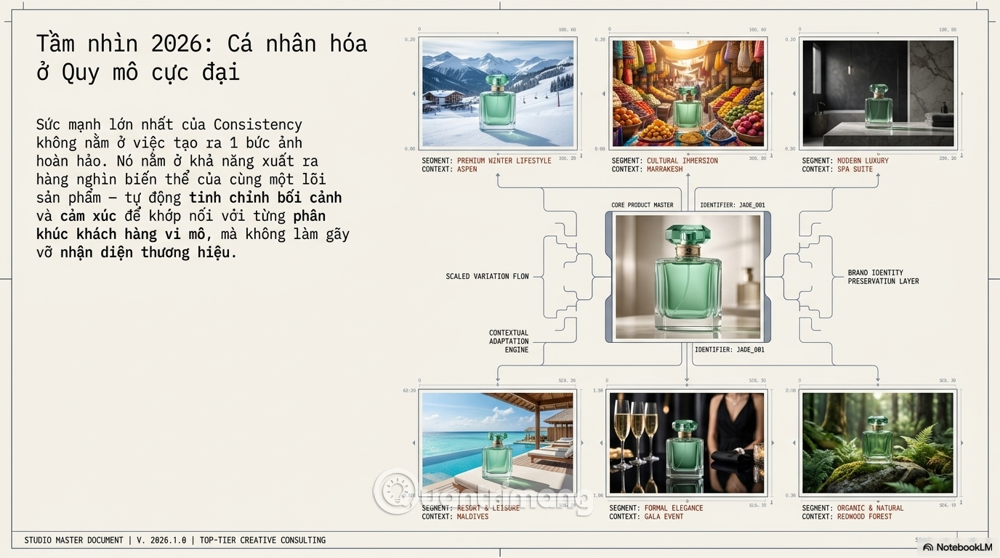
3. Change one scene variable at a time
Keep the subject block, model version, aspect ratio, reference, and core settings fixed. Change only the environment or shot request:
- on a pale stone counter, soft window light, close product shot;
- on moss at dawn, low mist, product centered;
- against a dark studio gradient, narrow rim light.
4. Apply reference and structure controls
Use the approved subject as the identity or object reference. Add a pose, depth, or edge control only when the composition requires it. Increase reference strength gradually: excessive strength can restrict the new scene or introduce artifacts, while weak conditioning allows identity drift.
Runway’s Gen-4 Image References can combine characteristics from one or more referenced characters, objects, or styles. Interface details and model capabilities change, so verify the current documentation before standardizing a team workflow.
5. Compare, repair, and record
Place each candidate next to the anchor at the same size. Check silhouette, proportions, colors, distinctive features, text, reflections, and continuity with neighboring frames. Reject a product image when the geometry or branding is wrong; do not assume viewers will overlook it.
Record the prompt, seed, model and version, reference files, strengths, aspect ratio, edits, and output identifier for every approved image. This manifest makes later revisions reproducible and prevents team members from guessing at settings.
Match the tool to the control you need
- Hosted reference-image generators: fastest for concept development and a modest number of variations.
- Diffusion pipelines with IP-Adapter and ControlNet: suitable when pose, depth, edges, or repeatable technical settings matter.
- LoRA workflows: useful for a recurring owned subject across a large set, with added setup and governance work.
- Inpainting and conventional editors: best for protecting approved regions and finishing exact details.
- Live product photography plus generated backgrounds: often the safest commercial workflow when dimensions, packaging, and label accuracy are critical.
For a broader comparison, see AI photo-editing tools and the Krita AI Diffusion workflow.
Rights, consent, and quality control
Use only training and reference material you have the right to use. Obtain consent before using a person’s likeness, document the source of licensed assets, and review each platform’s current commercial terms. Avoid imitating a living artist or reproducing protected characters merely because a model can approximate them.
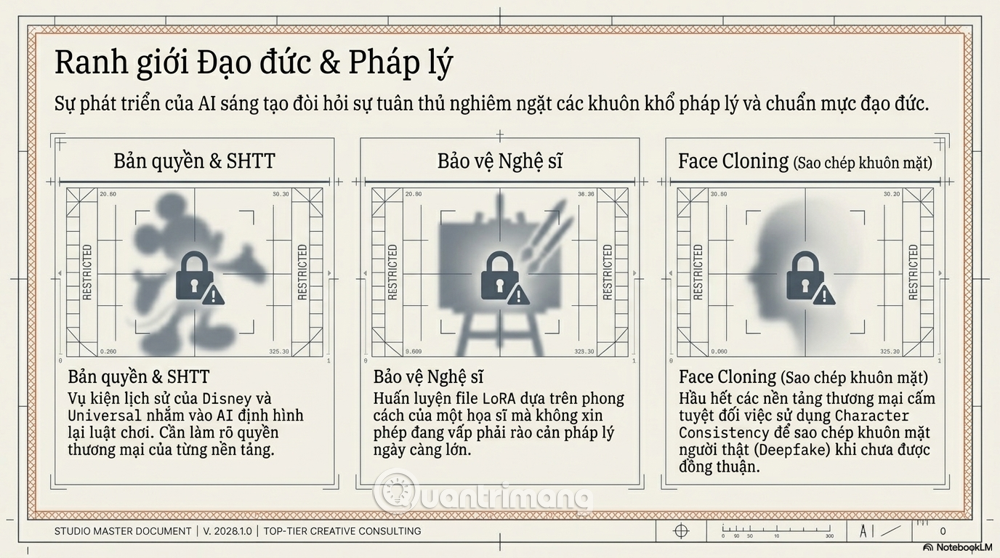
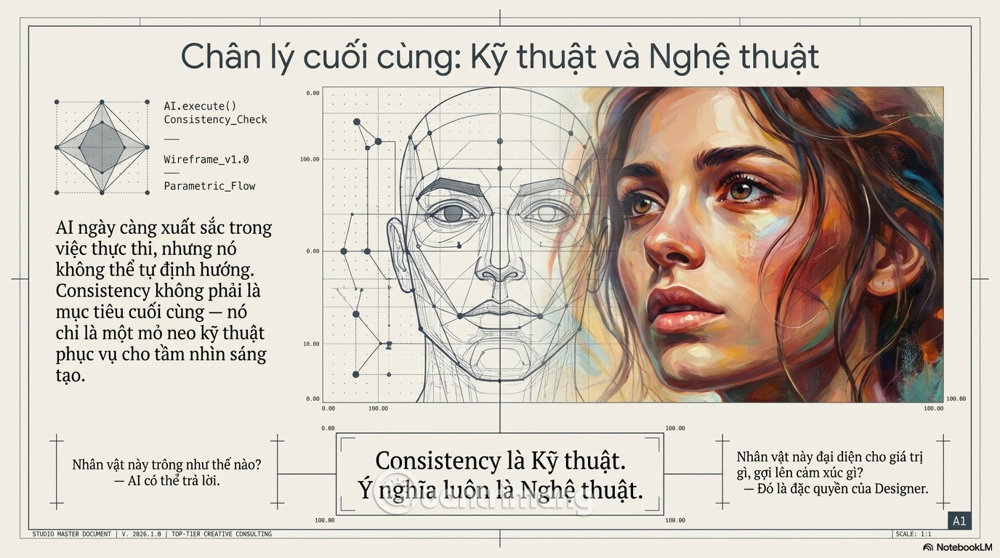
Consistency is a production constraint, not proof of truth or ownership. Keep human review for brand accuracy, misleading imagery, bias, accessibility, and legal risk before publishing the series.
Related Articles
 Apple Has a Secret Army of New Iphones to Prevent Production4 minutes read
 The Secret of Choosing Professional Clothes for the Public in Summer2 minutes read
 Plan a Complete Video Production with the Help of AI9 minutes read
 6 Ways to Apply AI in Music Production6 minutes read
 Foxconn Begins Production of iPhone 15 in India9 minutes read
 How to Turn Off Automatic Google Login on Chrome4 minutes read
Reader Comments 0
Sign in with email or Google to join the discussion.