Table of Contents
This updated guide compares iPhone apps that make widgets actually useful and highlights the details that matter most. Widgets are supposed to make the iPhone more useful, but most do not live up to their potential. But a few apps can finally make widgets worth your time.
- 8 iPhone Widgets to Boost Productivity
6. Widgy
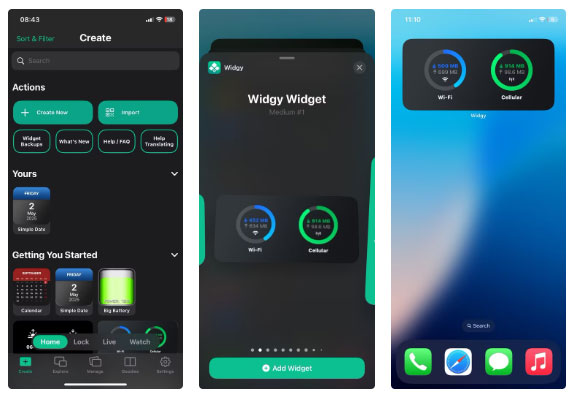
If you want complete control over the look and functionality of your widget, Widgy is the tool you've been waiting for. It opens up a new layer of flexibility, allowing users to design widgets from scratch or choose from a huge library of community-created templates.
What makes Widgy stand out is its balance of power and creativity. You can build a widget that shows your battery status, step count, weather, or calendar events, all formatted exactly how you want. Do you like a minimalist clock? No problem. Do you want a data-heavy block with charts and icons? that is possible, too.
5. Widgetsmith
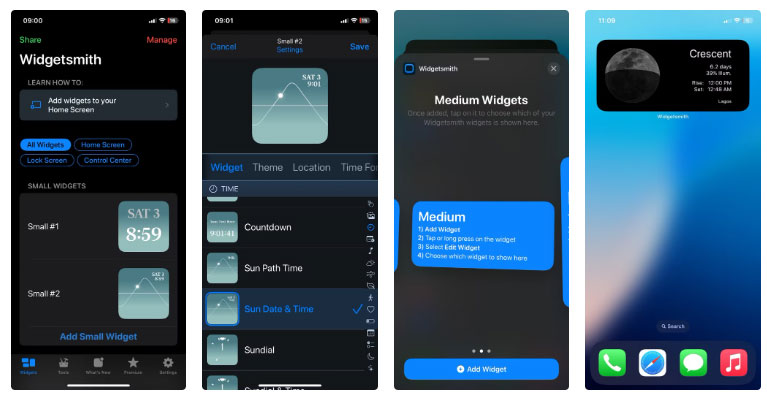
Widgetsmith was one of the first apps to pioneer the iOS widget wave—and it is still one of the best. Widgetsmith offers a more user-friendly, well-guided experience than Widgy, making it ideal for those who want control without complexity.
If you want your home screen to be beautiful and functional without spending hours designing it, Widgetsmith is the way to go.
4. ScreenKit
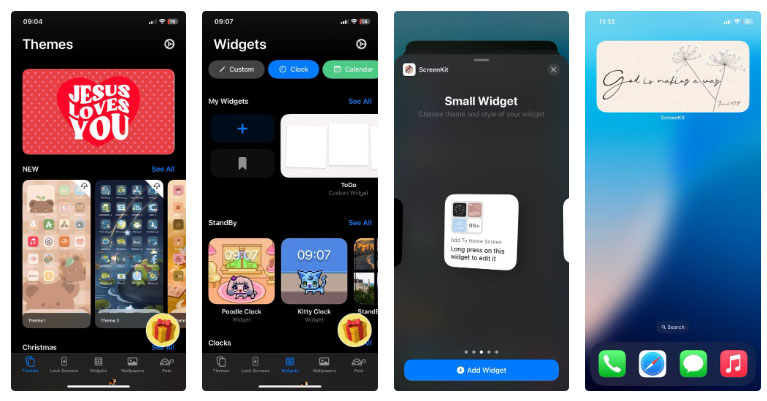
If you want your iPhone to look like a curated mood board, ScreenKit is the app for you. Best known for its aesthetic icon packs and themes, ScreenKit also offers a variety of stylish widgets without completely sacrificing functionality.
ScreenKit focuses less on deep customization and more on simplicity. Browse through pre-designed themes—like minimalist pastels or a tech-forward dark mode—and apply them all at once.
3. Fantastical
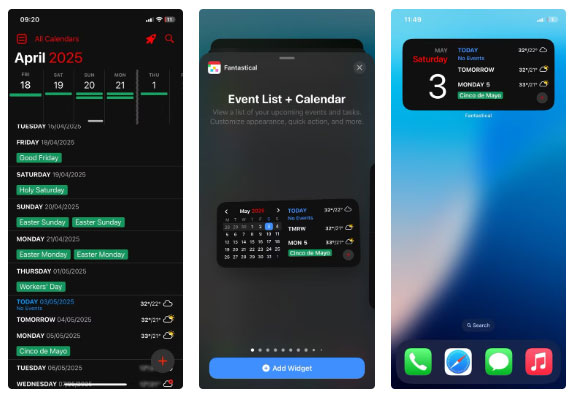
Fantastical has long been a favorite among productivity enthusiasts, and its widget support reinforces why. While Apple's default calendar widget is fine, Fantastical takes things a step further with smart, elegant widgets that help you manage your time more effectively.
The app shows multiple upcoming events, reminders, weather, and even meeting invitations at a glance. The layout is clean yet informative and uses space wisely.
2. Color Widgets
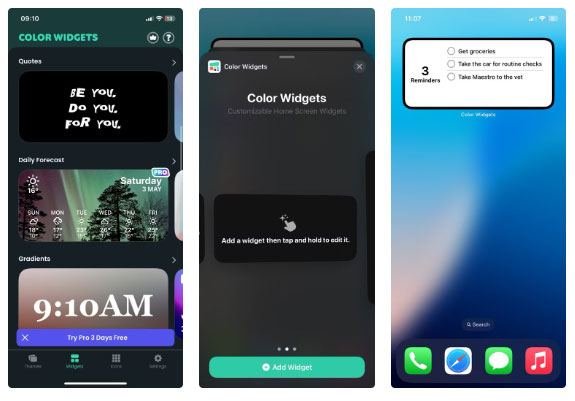
color Widgets strikes a great balance between style and widgets. Great for those who want a functional widget that still looks good and does not require complicated setup.
The app offers pre-built widgets for a clock, calendar, step counter, and battery monitor, all with a clean, modern aesthetic. Setup is quick: Select a widget, choose a theme, tweak a few colors or fonts if you want, and drop it onto your home screen. No layers or code required.
1. Sticky Widgets
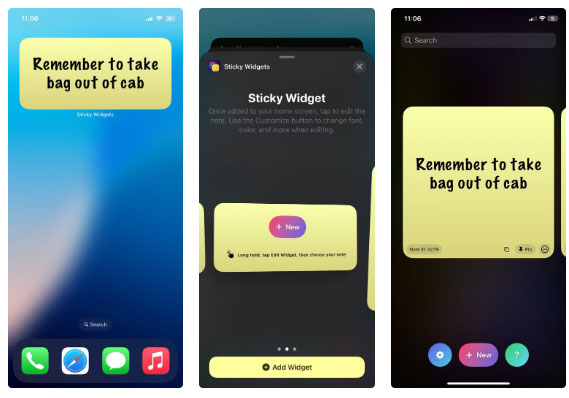
Sticky Widgets does one thing really well: put digital notes on your home screen. it is not flashy or feature-rich, but that is exactly why it works. Open the app, type your note, and it shows up in a widget that looks like a virtual Post-it note.
it is perfect for reminders that aren't in your calendar or to-do app. Think shopping lists, motivational quotes, or something you tend to forget. You can change the colors and fonts to give it a little personality, but the appeal is in its simplicity.
FAQ
How were the iphone apps that make widgets actually useful options evaluated?
The comparison focuses on practical features, ease of use, limitations, compatibility, and the type of user each option is most likely to help.
Which option is best for beginners?
Beginners should prioritize a clear interface, useful documentation, reliable support, and the core features needed for their first project.
Should I choose a free or paid option?
Start with a free option when it covers your needs. A paid plan may be worthwhile when you need advanced tools, commercial rights, collaboration, or professional support.
Related Articles
 9 Best Iphone Widgets5 minutes read
 This Little Trick Can Make Your Widget Invisible on iOS 143 minutes read
 How to Stack Widgets on iPhone to Compact the Screen4 minutes read
 8 iPhone Widgets to Boost Productivity: Complete Guide7 minutes read
 How to Move Widgets Below iPhone Lock Screen: Step-by-Step Guide3 minutes read
 9 Top iPhone Lock Screen Widgets: Recommended Choices9 minutes read
Reader Comments 0
Sign in with email or Google to join the discussion.