Table of Contents
IOS 26 and iPadOS 26 let you place lock screen widgets at the bottom of your iPhone or iPad screen for easy one-handed use or resize the iPhone clock to a larger size.
IOS 26 and iPadOS 26 let you place lock screen widgets at the bottom of your iPhone or iPad screen for easy one-handed use or to make your iPhone clock larger. The widget area has been moved down, just above the flashlight and camera controls. The clock is also easier to zoom in on if you want. Here's how to move widgets to the bottom of your iPhone lock screen.
Instructions for moving widgets below the iPhone lock screen
Step 1:
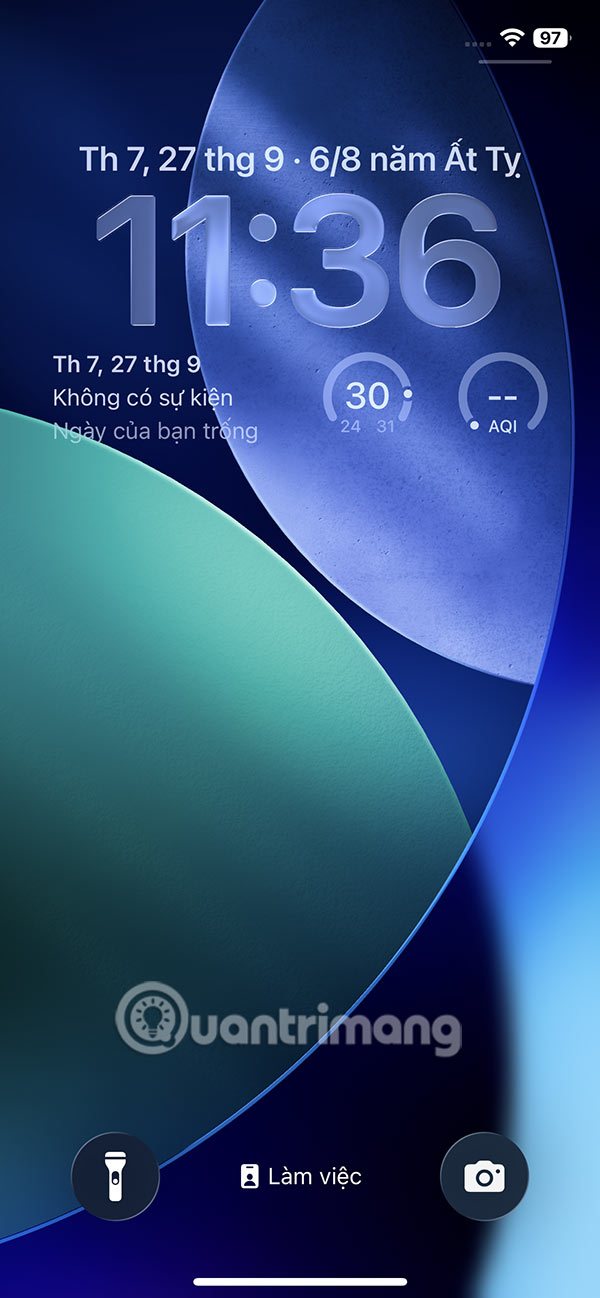
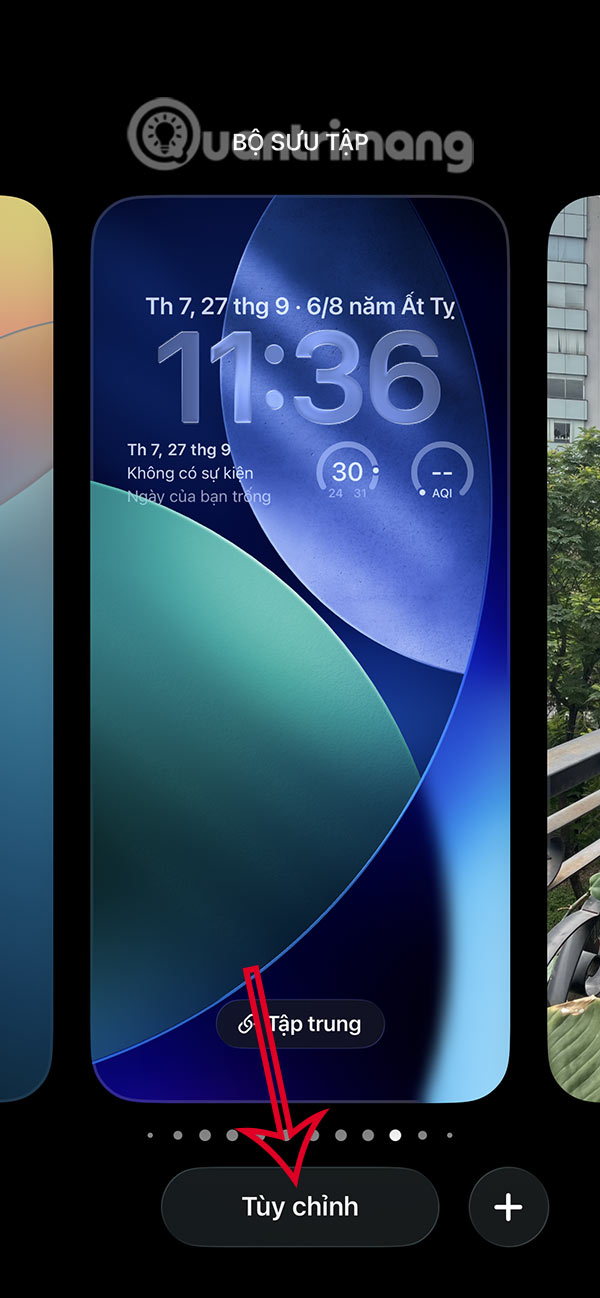
At the iPhone lock screen interface, Press and hold the screen To switch to lock screen editing mode.
Step 2:
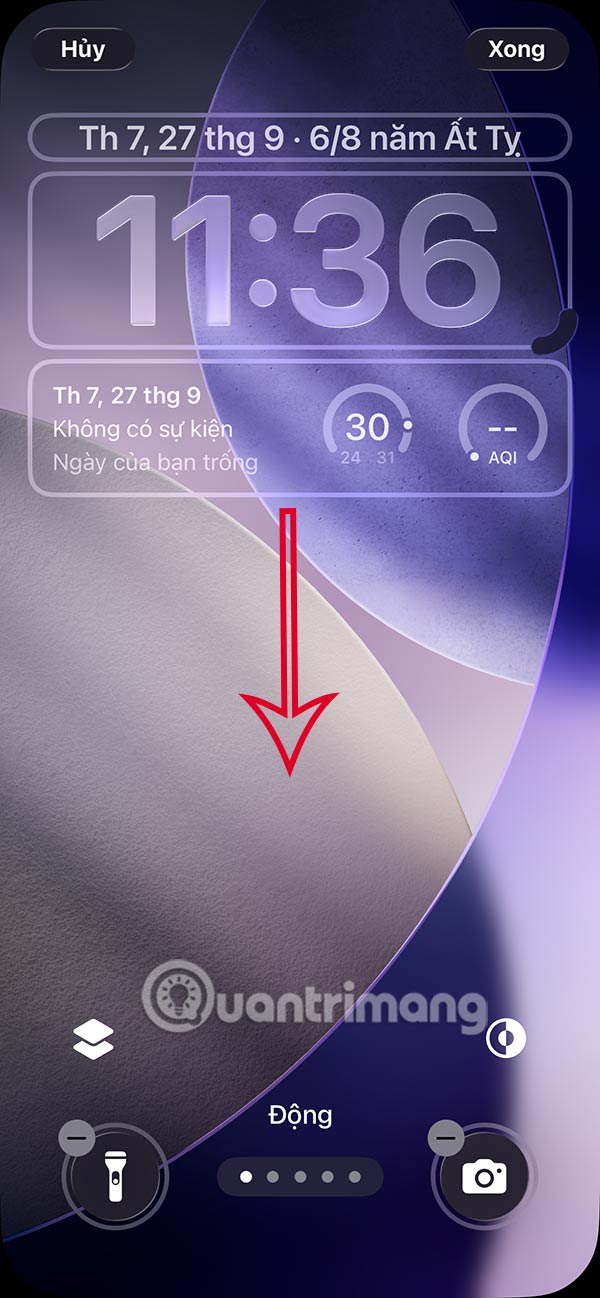
Displays the iPhone lock screen widget customization interface. Now you just need To press and hold the widget frame , then Drag it down below the lock screen And release your hand.
Step 3:
Finally, Tap Done In the right corner to save the new changes to your iPhone lock screen.
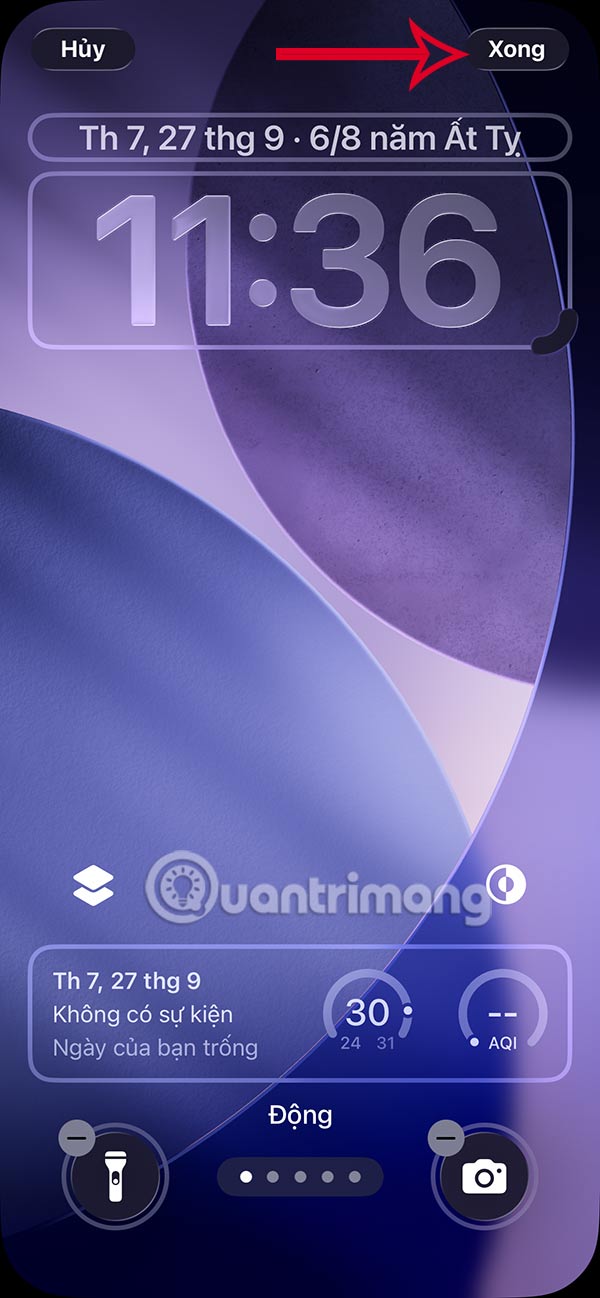
The resulting iPhone lock screen with widgets at the bottom of the screen will look like this. New notifications and live activity will appear above the widgets.
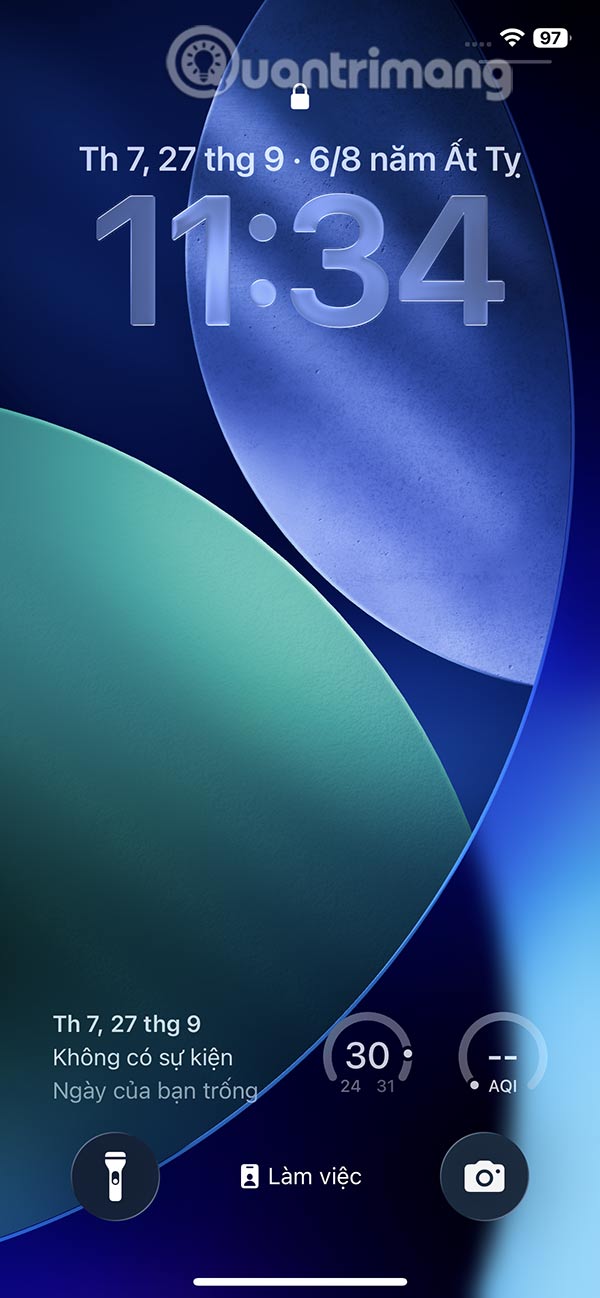
Additionally, when you increase the clock size on the iPhone lock screen, the widget also automatically moves the widgets to the bottom of the screen.
FAQ
How do you move widgets below iPhone lock screen: step-by-step guide?
In practical terms, iOS 26 and iPadOS 26 let you place lock screen widgets at the bottom of your iPhone or iPad screen for easy one-handed use or resize the iPhone clock to a larger size.
What should you check before getting started?
Review the requirements, compatible device or software version, and any warnings described in the guide before making changes.
What should you do if the steps do not work?
Repeat the steps in order, confirm that your app or system is up to date, and review the troubleshooting details provided above.
Related Articles
 9 Top iPhone Lock Screen Widgets: Recommended Choices9 minutes read
 How to Disable Widgets on iOS 10 Lock Screen?4 minutes read
 Is It Possible to Move the Clock Position on the iPhone Lock Screen? Options to8 minutes read
 9 Best Iphone Widgets5 minutes read
 How to Stack Widgets on iPhone to Compact the Screen4 minutes read
 8 Best Lock Screen Apps for Android: Lock Screen App for Android7 minutes read
Reader Comments 0
Sign in with email or Google to join the discussion.