Table of Contents
Explore 5 truly amazing Apple intelligence features, including the key concepts, practical examples, important considerations, and useful guidance.
However, Apple has added some truly useful features hidden beneath these shortcomings. There are some practical upgrades and great features that can make our Apple devices much smarter.
Writing Tools are everywhere
Performing better than some of the big names
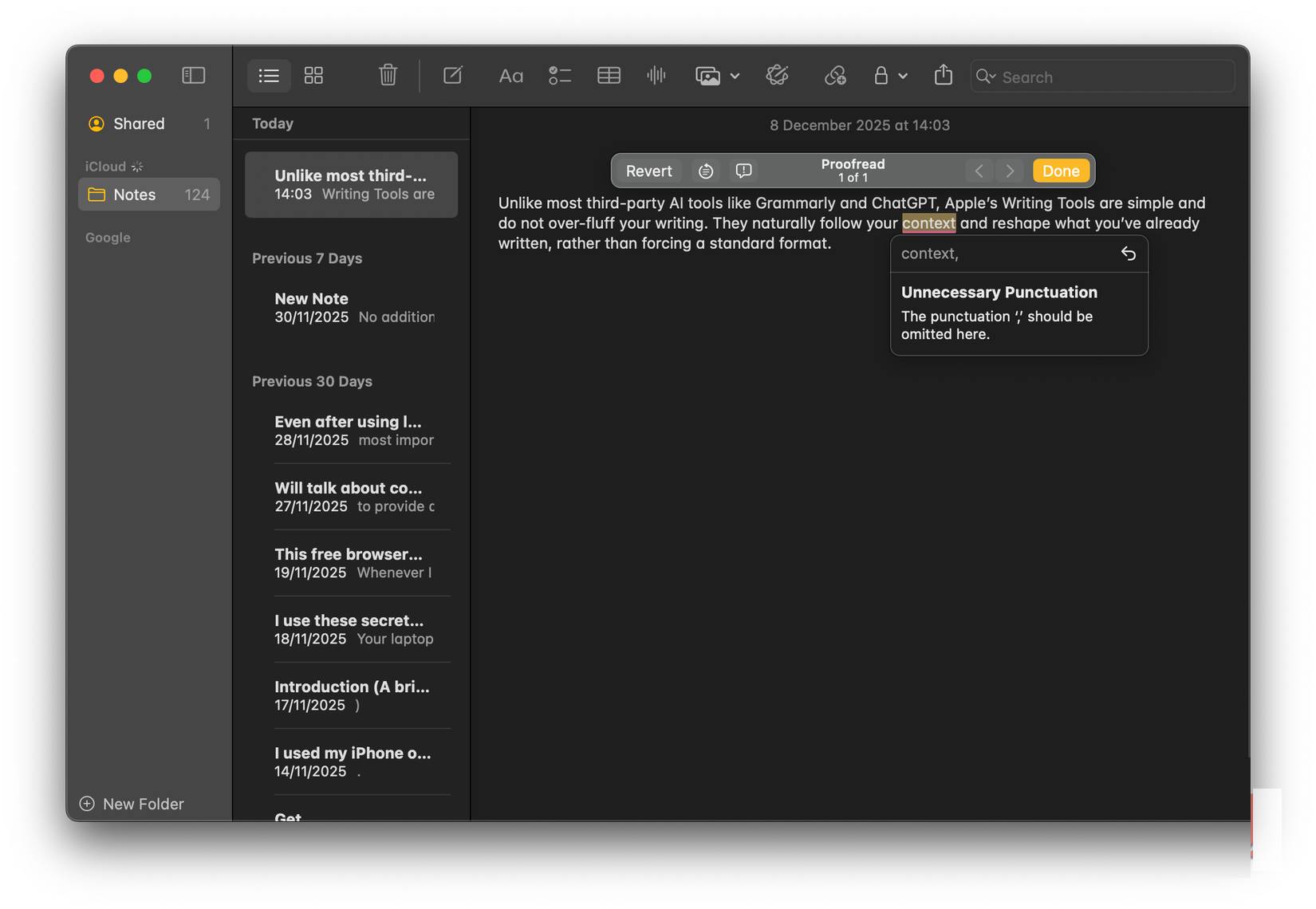
If there's one feature of Apple Intelligence that works perfectly, it's Writing Tools. The best thing about it is how deeply and seamlessly Apple integrates it into iOS, iPadOS, and macOS. These tools appear almost everywhere you write, including Notes, Pages, Mail, and even third-party websites and apps. This deep integration allows you to freely access Writing Tools without switching between apps. You can use them to proofread, rewrite, summarize, and organize your text.
Compared to third-party AI tools like Grammarly and ChatGPT, Apple's Writing Tools are simple, easy to use, and don't clutter your writing. People appreciate that they automatically adapt to context and reshape what they've written, without imposing a standard format.
Add to Calendar
The best Apple-like automation feature ever
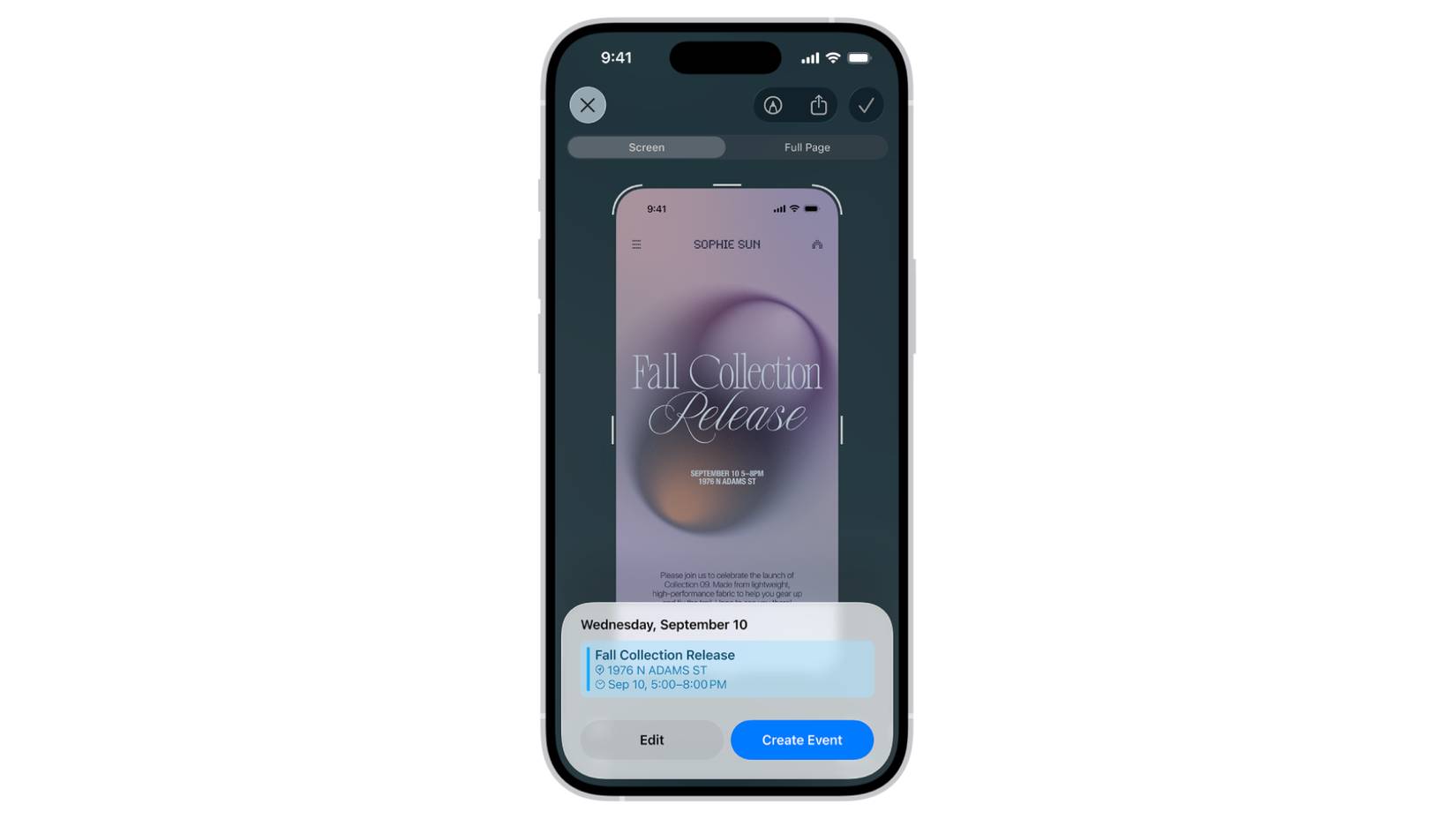
Apple Intelligence may seem less impressive than big names like Google Gemini or ChatGPT, but it can do some smart things for you. With iOS 26, Apple added a great AI feature that lets you create calendar events with just a screenshot. Undeniably, this is one of Apple Intelligence's best features to date.
If you maintain a calendar, this feature can save you a lot of time. Additionally, if you're someone who frequently schedules events on the wrong days, the Add to Calendar feature will be your savior. You don't need to copy and paste anything or manually enter information. Apple Intelligence can even detect the smallest details you might have missed.
Mud Translation
A smarter way to break down language barriers
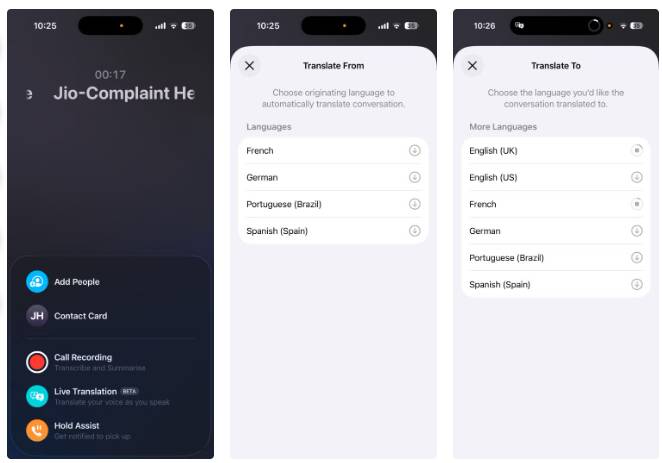
When Apple announced iOS 18 and its AI features, most users expected a major overhaul of Siri. More than the Apple Intelligence features, people were really excited about a full-fledged Siri 2.0, something Apple never actually introduced. And this is one of the main reasons why people have called Apple Intelligence a disappointment. However, there is one key feature of Siri and Apple Intelligence that has impressed many: Live Translation. This AI-powered addition can translate text messages, phone calls, FaceTime, and even live chats in real time. It's like carrying a personal translation in your pocket.
Of course, every device has a translation app, but Apple's Live Translation feels different. It's a smarter, privacy-focused option that breaks down language barriers.
Priority Notifications
Minimize notification overload
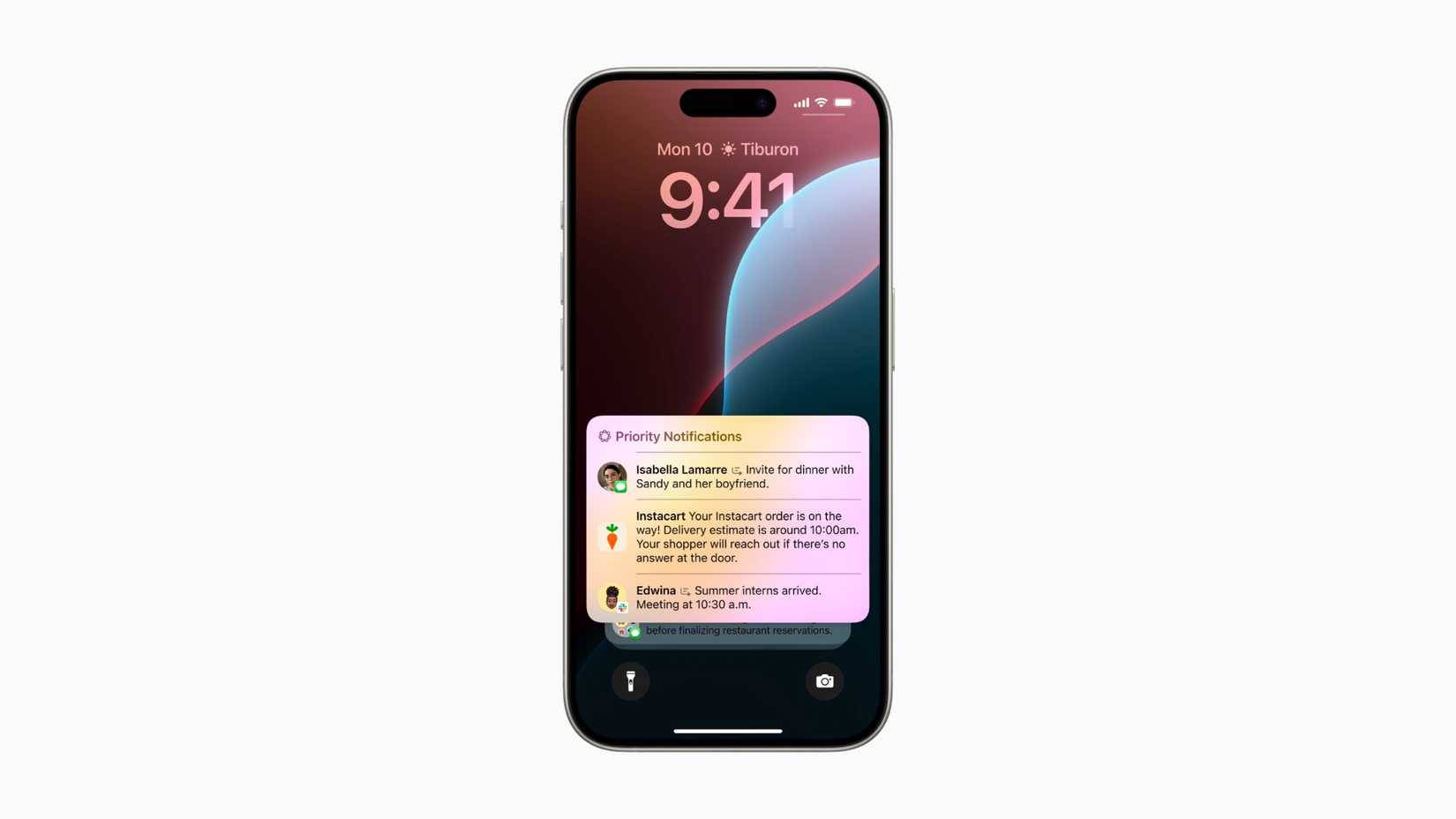
If you're constantly monitoring everything just to make sure you don't miss important notifications, you should try this Apple Intelligence feature: Priority Notifications. This is definitely one of the most useful yet often overlooked features of Apple Intelligence, and it's worth your attention. This feature uses on-device artificial intelligence to identify incoming notifications and display timed alerts at the top of the Notification Center.
When you enable this feature, your iPhone's lock screen will look cleaner and more organized. Random discount notifications or game updates that you haven't even checked will have lower priority. Instead, you'll find all the important messages, such as meeting reminders or urgent messages from siblings, right at the top. This makes it easier for you to focus on what really matters.
Reduce Interruptions in Focus Mode
A small feature that has a big impact
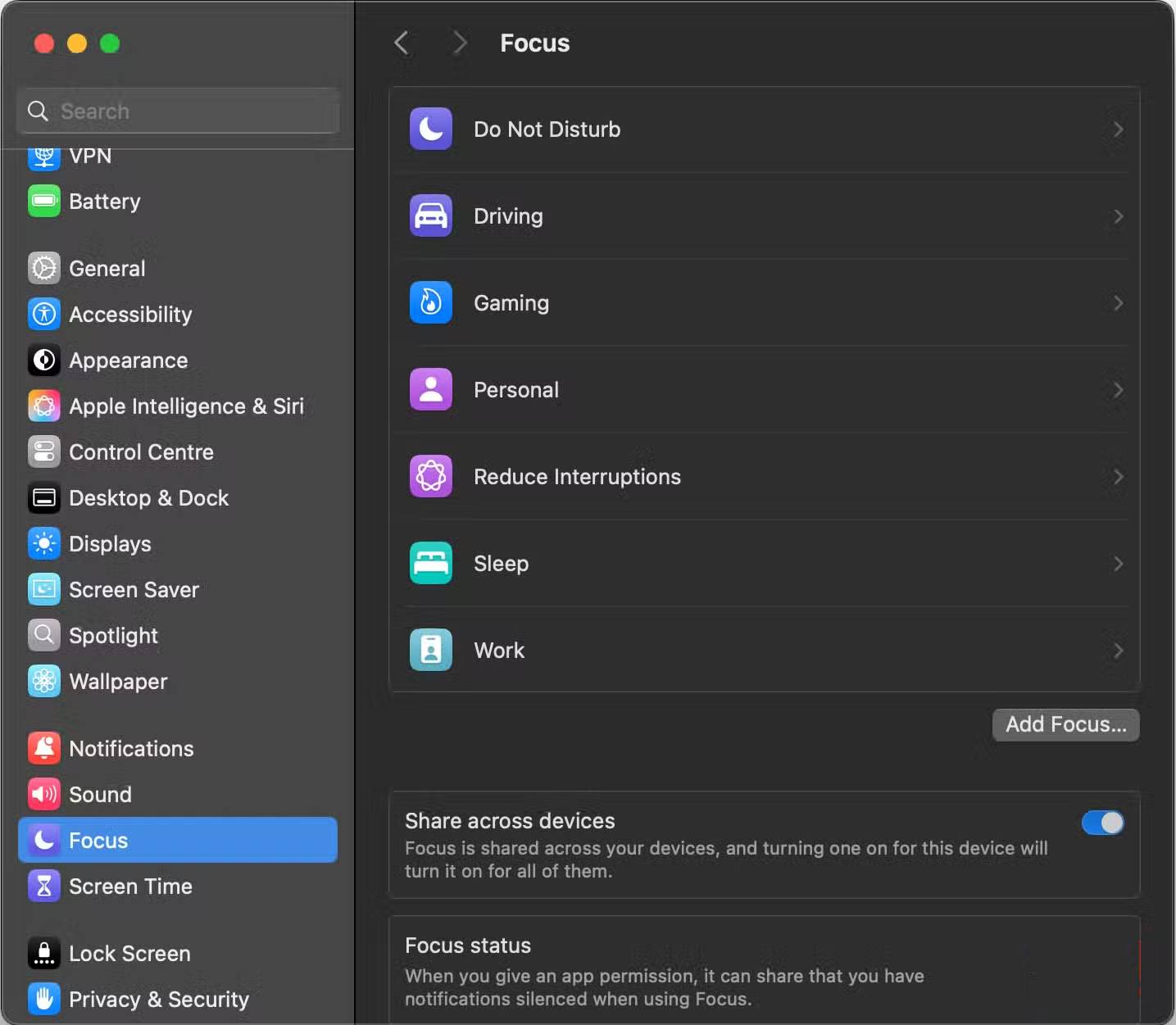
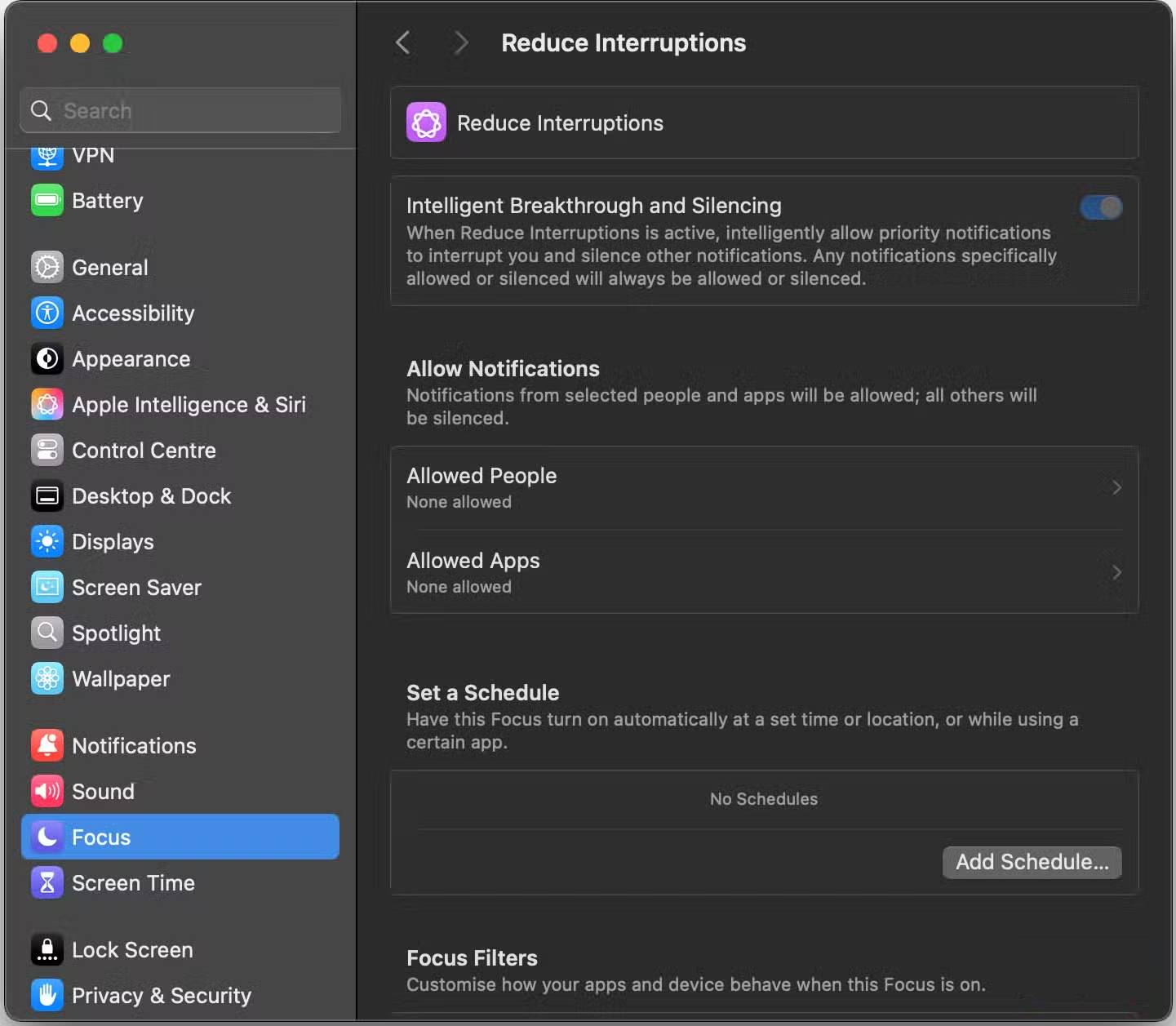
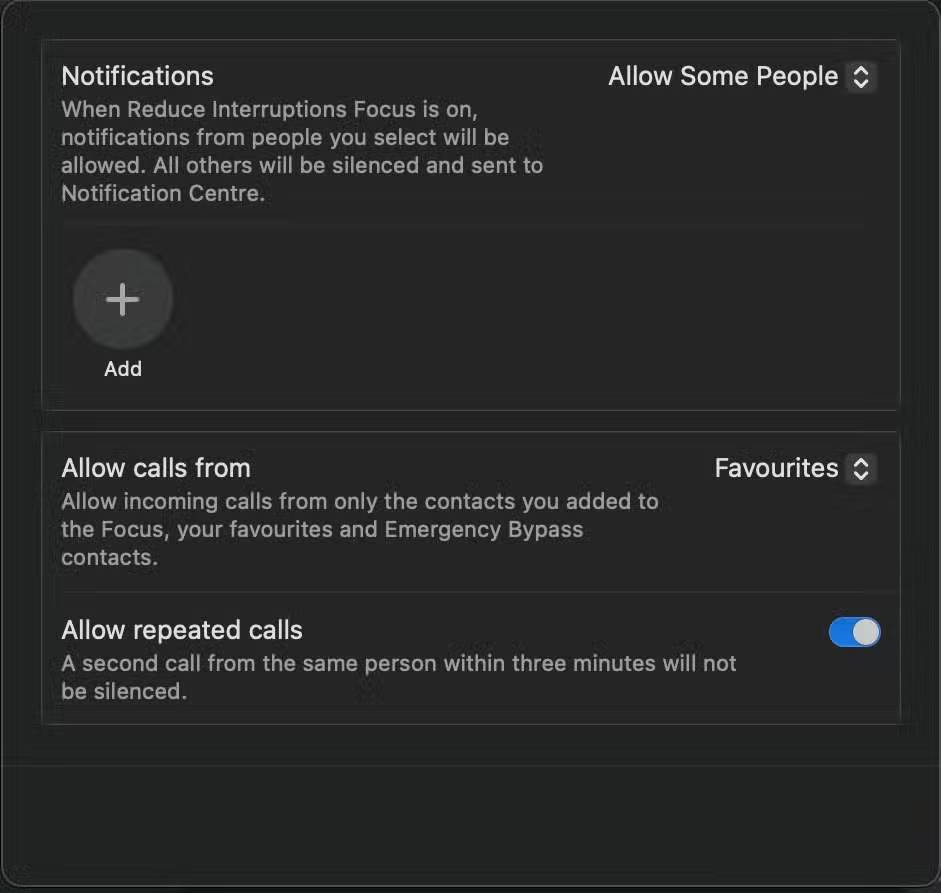
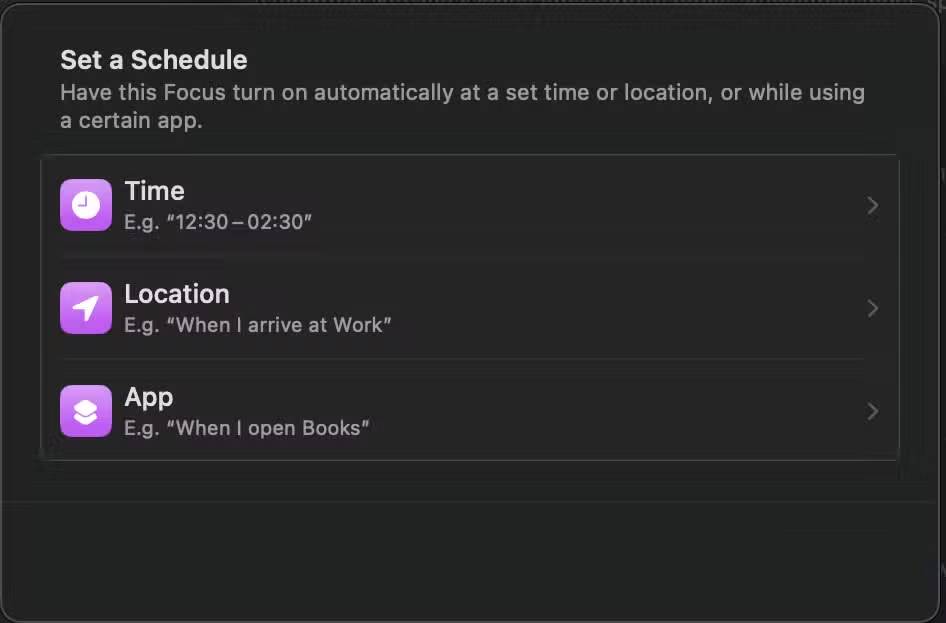

Apple has integrated many large and prominent AI tools like Image Playground and Genmoji, but there's a smaller, additional feature that offers everyday value. The new Reduce Interruptions in Focus Mode intelligently filters incoming notifications. Instead of overwhelming you with countless alerts, Reduce Interruptions understands context and only displays notifications that are truly worth your attention.
This feature will give you more space, better notification control, and fewer distractions. Furthermore, you'll always have peace of mind knowing you'll be alerted if anything urgent happens. Best of all, there's no complicated setup or learning required. You only need to set it up once, and it will automatically run in the background.
Final Thoughts
Understanding 5 truly amazing apple intelligence features makes it easier to evaluate the information and apply the most relevant recommendations. Focus on the key points above and verify details that may change over time.
FAQ
What is 5 truly amazing apple intelligence features?
Explore 5 truly amazing Apple intelligence features, including the key concepts, practical examples, important considerations, and useful guidance.
What key points does this article cover?
The article focuses on Writing Tools are everywhere, Performing better than some of the big names, Add to Calendar, with practical explanations and examples.
How can you use this information in practice?
Use the explanations to compare options, verify important details, and make a more informed decision. Apply the recommendations that best match your goals and situation.
Related Articles
 7 Apple Intelligence Features on iPhone You Should Use: What You Need to Know5 minutes read
 4 Reasons Apple Intelligence Isn't Impressive5 minutes read
 When Apple Looked Up at the Sky and Saw the DeepSeek Star3 minutes read
 Instructions to Turn Off Apple Intelligence2 minutes read
 Apple Will Charge for Many AI Features: Features, Uses, and3 minutes read
 3 Apple Visual Intelligence Alternatives for Older Iphones5 minutes read
Reader Comments 0
Sign in with email or Google to join the discussion.