Table of Contents
To make a video smaller, re-encode it with a more efficient codec or lower its resolution, frame rate, or bitrate. Each change can reduce quality, so save a copy of the source and test a short clip before converting the full video. If you only need to meet an upload limit, check that service’s size and format requirements first.
Free desktop tools for reducing video size
HandBrake: straightforward video compression
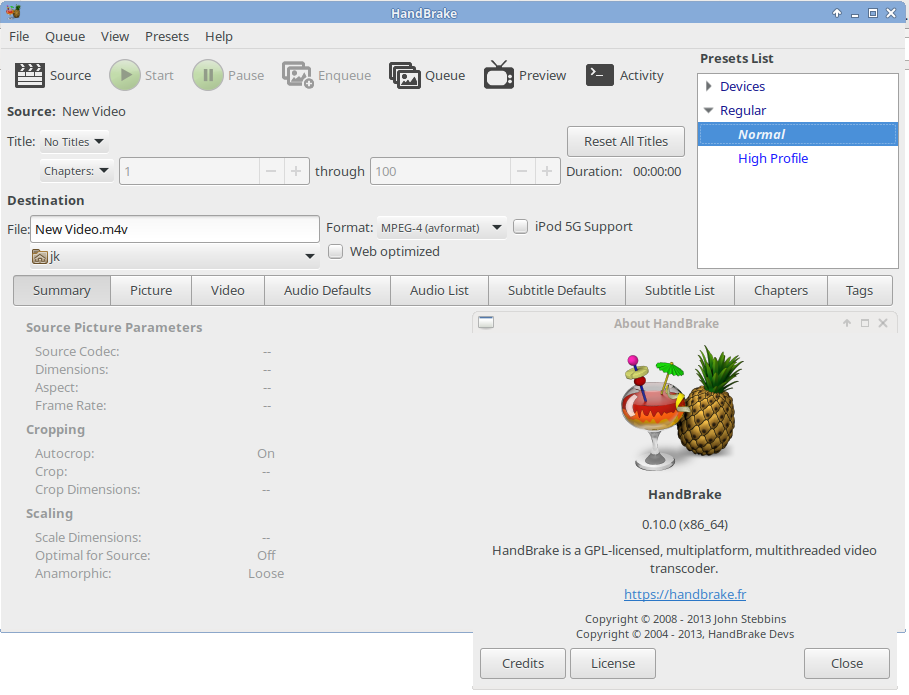
HandBrake is a free, open-source video transcoder for Windows, macOS, and Linux. Open a video, choose a preset close to the playback device or destination, then select an output format and quality setting. HandBrake’s constant-quality RF control trades file size against image quality: higher compression generally means more visible loss. Preview or encode a short section and inspect it before processing the whole video.

Shotcut: compress while editing
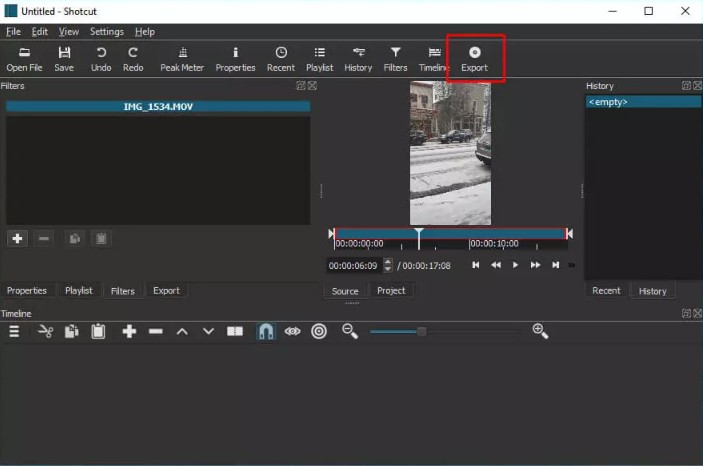
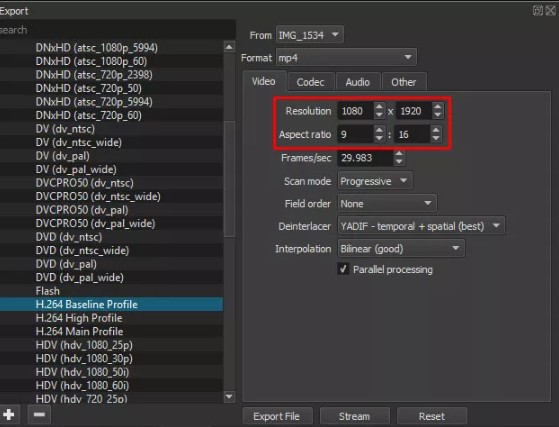
Shotcut is a free, open-source editor for Windows, macOS, and Linux. Import the clip, make any needed cuts, then use Export to choose a format and quality. It is a useful choice when you also need to trim footage, but it has more controls to learn than a one-purpose converter.
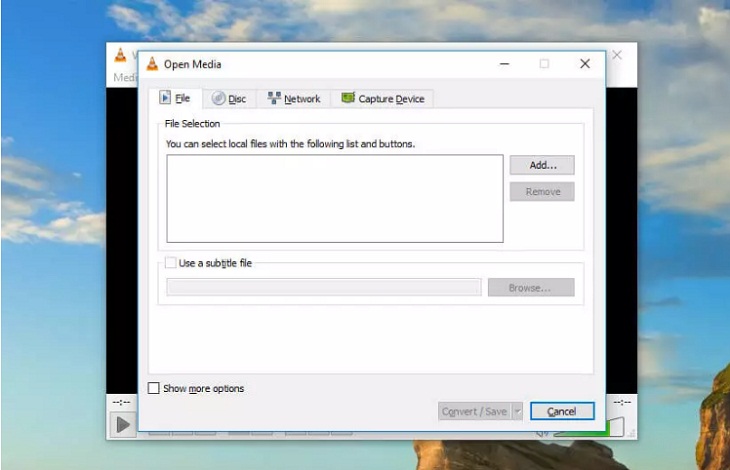
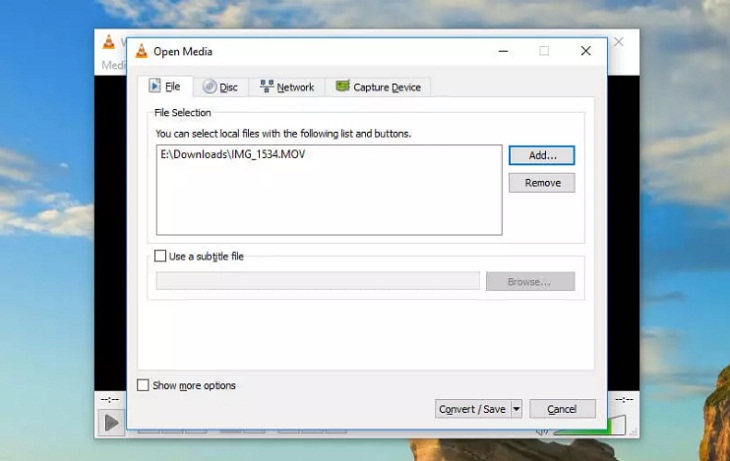
VLC: convert a clip you already play
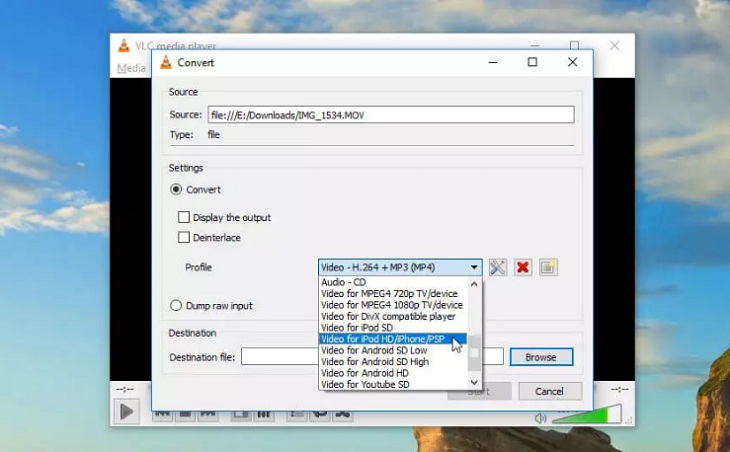
VLC media player can convert between media formats. On desktop, open Media > Convert/Save, add the source, choose a profile, select a destination file, then start the conversion. Profiles and menu labels vary by version. VLC is handy for a basic conversion, but dedicated encoders offer clearer control over quality and output size.
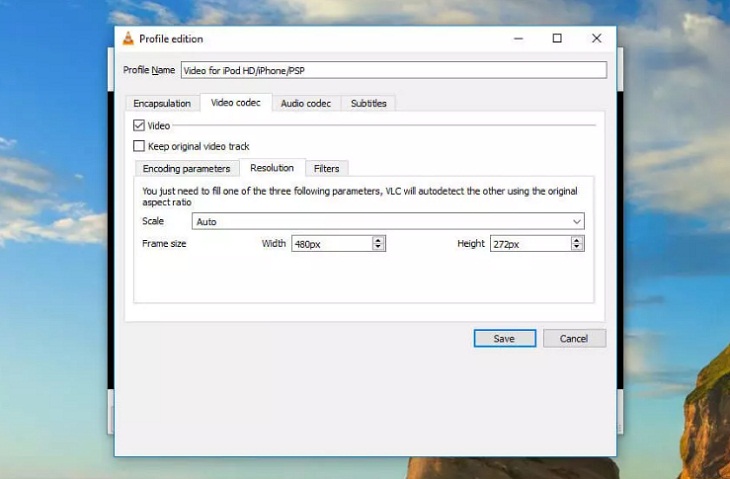
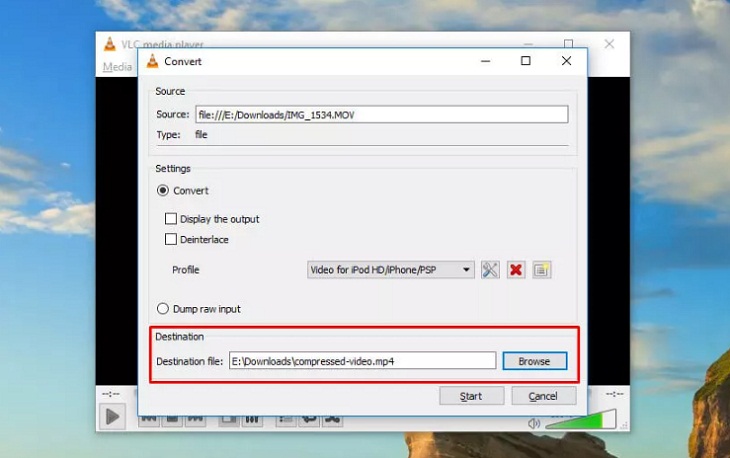
Settings that affect file size
- Resolution: reducing 4K to 1080p or 1080p to 720p can cut size substantially, but removes detail.
- Video quality or bitrate: lower values usually create smaller files and more compression artifacts.
- Codec: a newer codec may produce a smaller file at similar quality, but older devices may not play it.
- Duration: trim unwanted footage if you do not need the whole clip.
Changing only the file extension does not compress a video. Also, re-encoding a compressed source cannot restore detail already lost. Keep the original and compare the result at the size where people will watch it.
Other tools shown in the original list
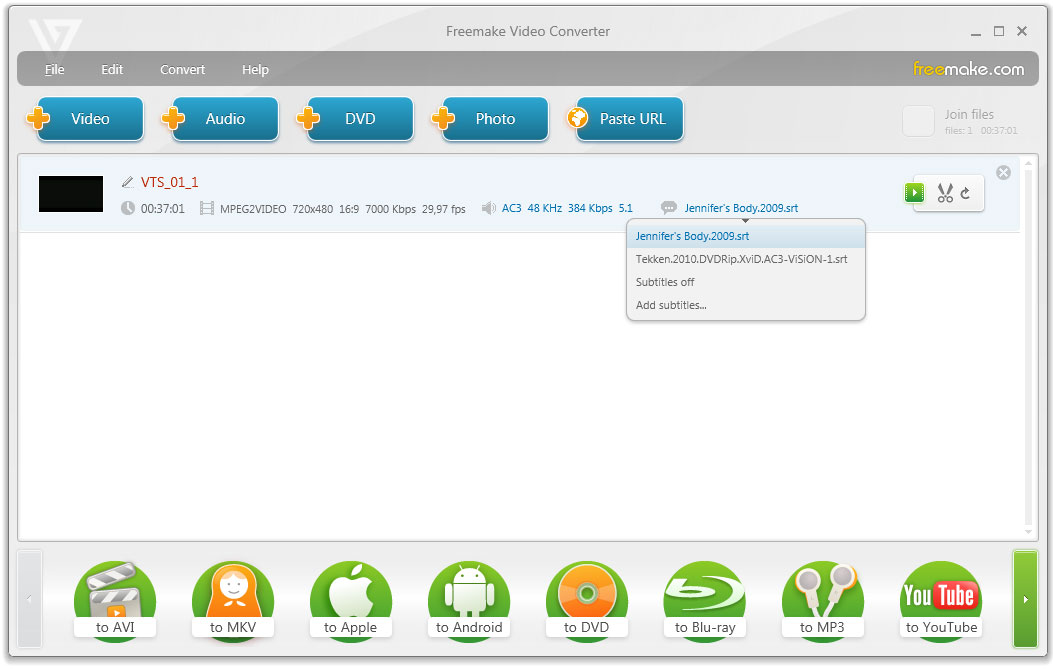
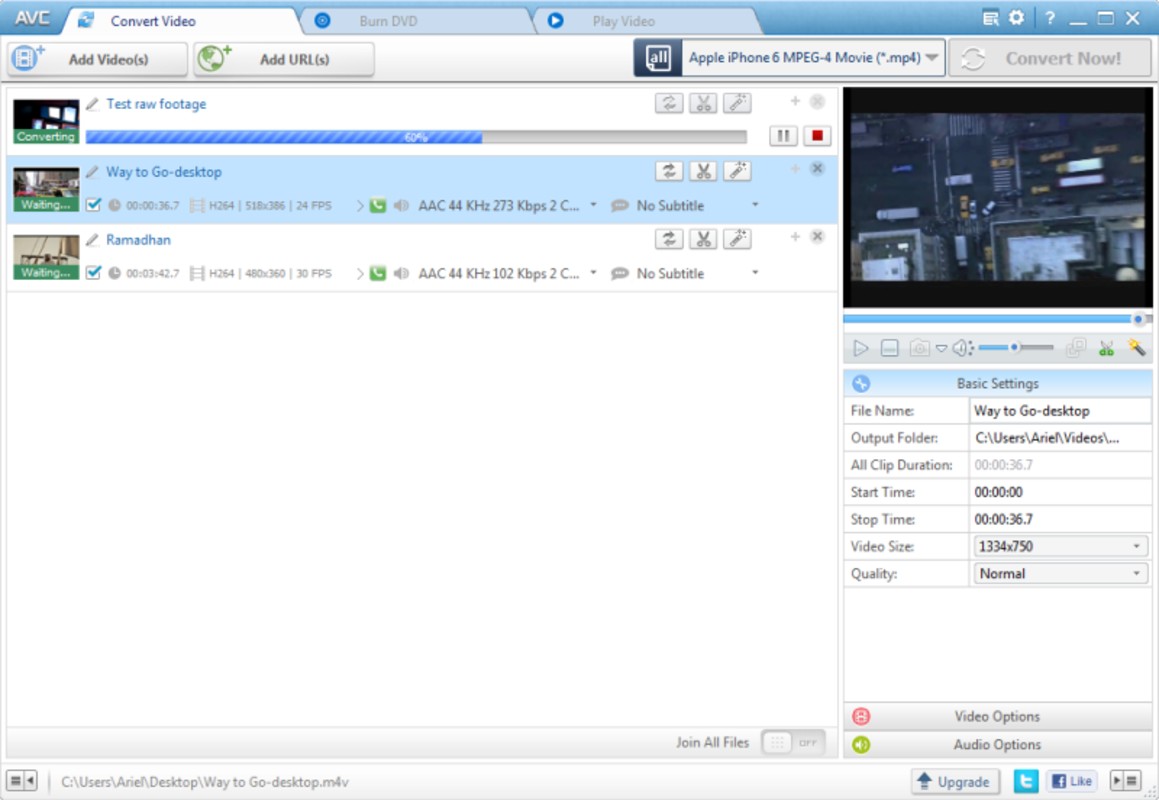
The source article also illustrated Freemake Video Converter and Any Video Converter. Their current free limits, bundled offers, and supported formats can change, so review the publisher’s present terms before installing or exporting. The screenshots below are retained from the earlier article; they are not a current endorsement.






Reader Comments 0
Sign in with email or Google to join the discussion.