Table of Contents
To silence the Windows 11 startup chime, open Settings > Personalization > Themes > Sounds, clear Play Windows Startup sound, then select Apply. This changes the Windows sound, not a separate chime played by your computer's firmware or manufacturer.
Turn it off in Sound settings
- Open Settings, choose Personalization, then Themes.
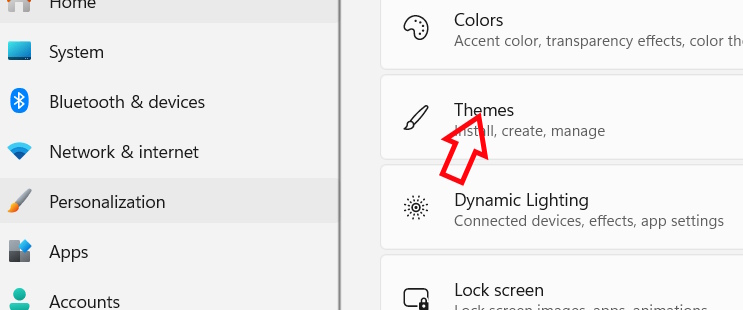
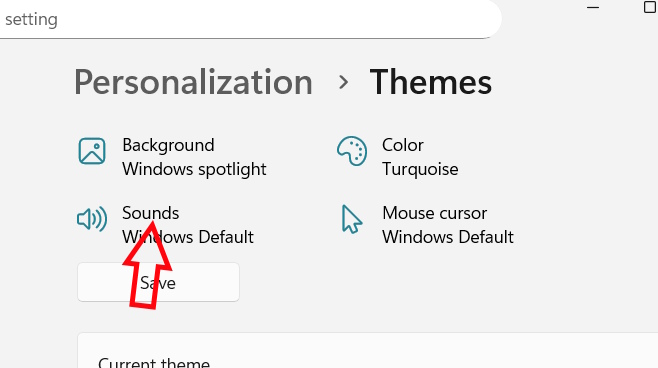
- Select Sounds to open the classic Sound dialog.
- On the Sounds tab, uncheck Play Windows Startup sound, then choose Apply and OK. Restart to test the change.
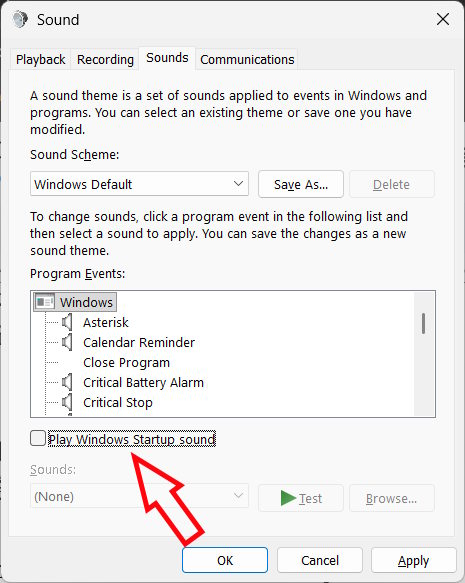
If you want to turn the sound back on, return to the same dialog and check the box. TipsMake has a shorter Windows 11 startup sound walkthrough if you only need this setting.
Use Group Policy on managed or Pro PCs
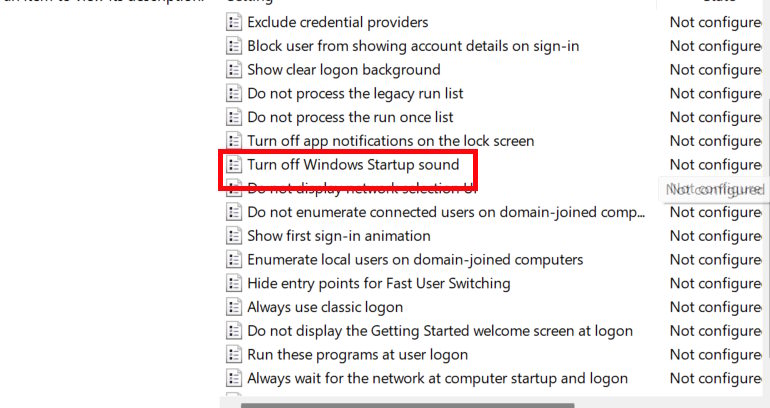
If your edition includes Local Group Policy Editor and the sound setting is locked or repeatedly reset, press Win + R, enter gpedit.msc, and go to Computer Configuration > Administrative Templates > System > Logon. Windows 11 Home generally does not include this editor.
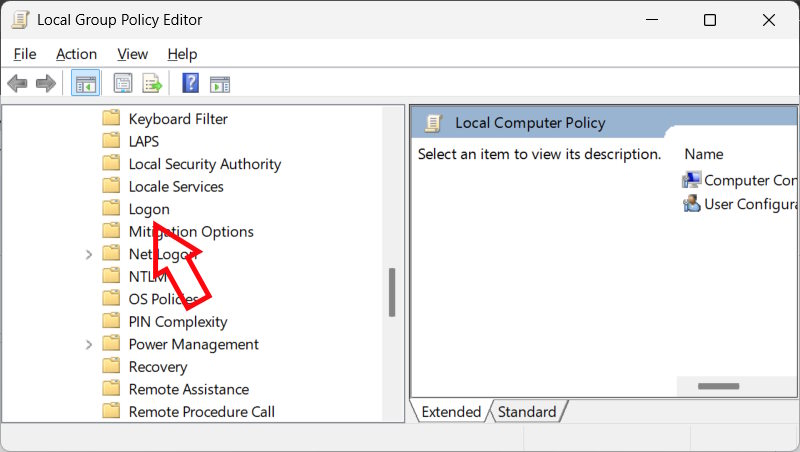
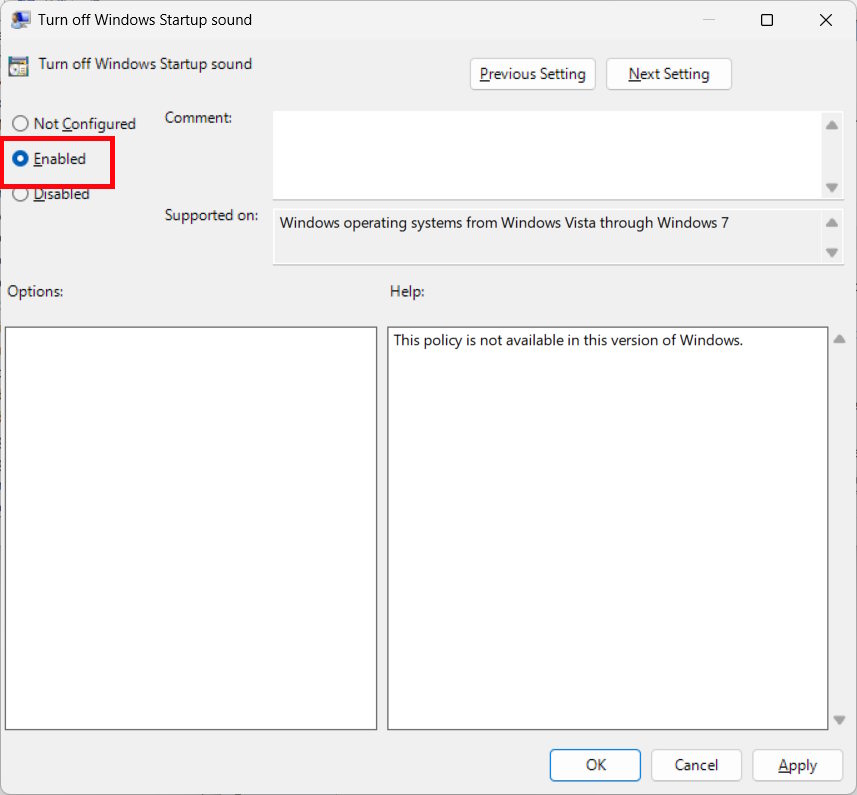
Open Turn off Windows Startup sound, choose Enabled, apply the change and restart. The policy name is phrased as an action, so Enabled means the sound is disabled. To allow the usual personal setting again, set the policy to Not Configured.
Registry option for advanced troubleshooting
Use the Sound dialog first. If you need to inspect a startup-sound value, export the specific key from Registry Editor before editing it. A mistaken edit to another value can affect Windows, and a work-managed policy can override a local choice.
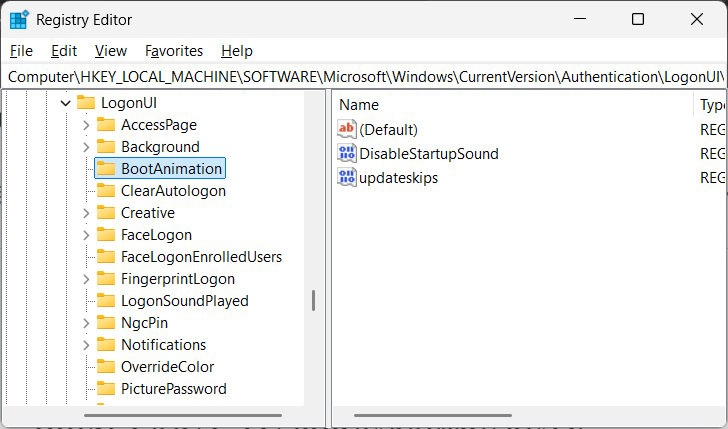
One location used for the sound setting is HKEY_LOCAL_MACHINESOFTWAREMicrosoftWindowsCurrentVersionAuthenticationLogonUIBootAnimation. In that key, DisableStartupSound is a DWORD: 1 disables the Windows startup sound; 0 allows it. The original instructions incorrectly said to enter 0 to disable it. Restart after changing the value.
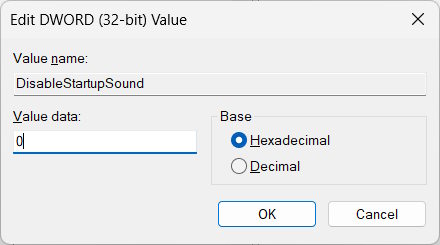
A policy-related DisableStartupSound value may also appear under HKEY_LOCAL_MACHINESOFTWAREMicrosoftWindowsCurrentVersionPoliciesSystem. Here, too, 1 disables the sound. This is an alternative policy location, not another step everyone must perform. If it was set by an administrator, ask them before changing it. Microsoft Q&A discusses the policy and BootAnimation paths.
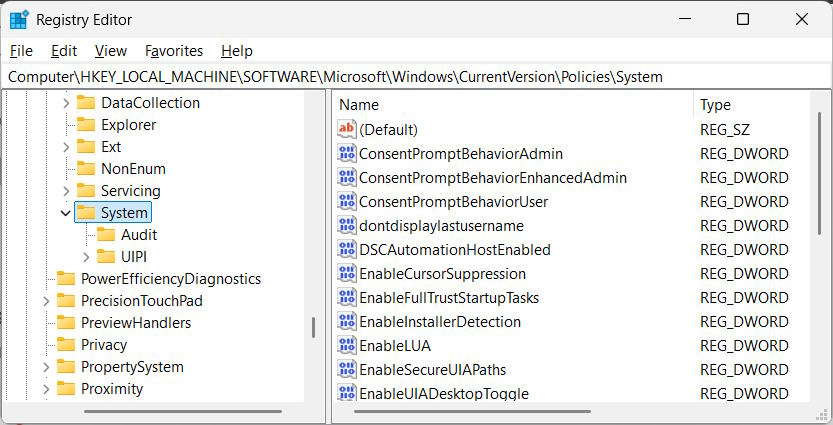
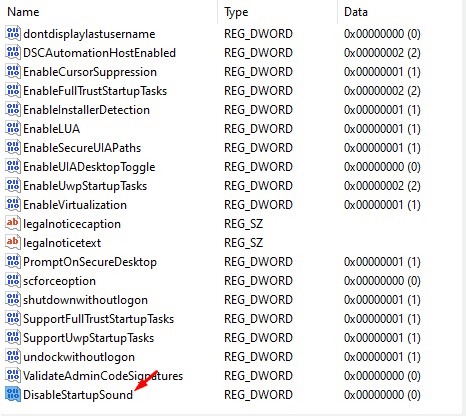
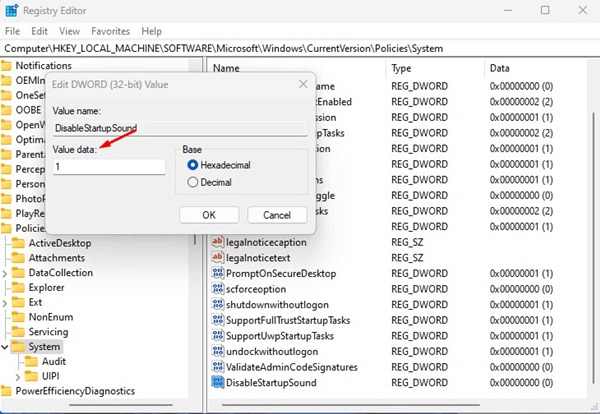
If a chime still plays with the Windows box cleared, identify when it sounds: before the Windows logo may indicate a firmware or manufacturer sound, while a sound after sign-in may come from an application. For customizing Windows sounds more broadly, see TipsMake's startup sound guide.
Related Articles
 How to Turn Off the Startup Sound on Windows 113 minutes read
 Instructions to Turn Off the Startup Sound on Windows 113 minutes read
 Why Did Microsoft Remove the Windows Startup Sound?4 minutes read
 How to Change Windows Startup Sound4 minutes read
 How to Turn Off Fast Startup on Windows 10 and Windows 8.1 // 87 minutes read
 How to Disable Fast Startup on Windows3 minutes read
Reader Comments 0
Sign in with email or Google to join the discussion.