Table of Contents
Quick Overview
Type C Charging Port : Learn how Type C Charging Port works, why it matters, and what to consider, including Structure of Type C charging port and Some frequently asked questions about USB Type C.
The Type C charging port, often called USB-C, has become Among the most popular charging ports and is frequently found on many modern electronic devices. With fast charging speed and reversible features, this charging port helps users be flexible in how they use it. However, many people still wonder what the Type C charging port is and whether they should use it or not? To answer these questions, let's learn about the characteristics and applications of this versatile charging port in the article below.
What is Type C charging port?
The Type C port, often called USB-C, is a versatile connection standard that is widely used in many electronic devices today. It is an evolution of the previous USB connectors, including USB-A and USB-B, and has its own unique features. It is designed with 24 pins, of which 12 pins are used for data transmission and the remaining 12 pins are for power transmission. This allows both data transmission and fast charging to be combined in a single connection port.
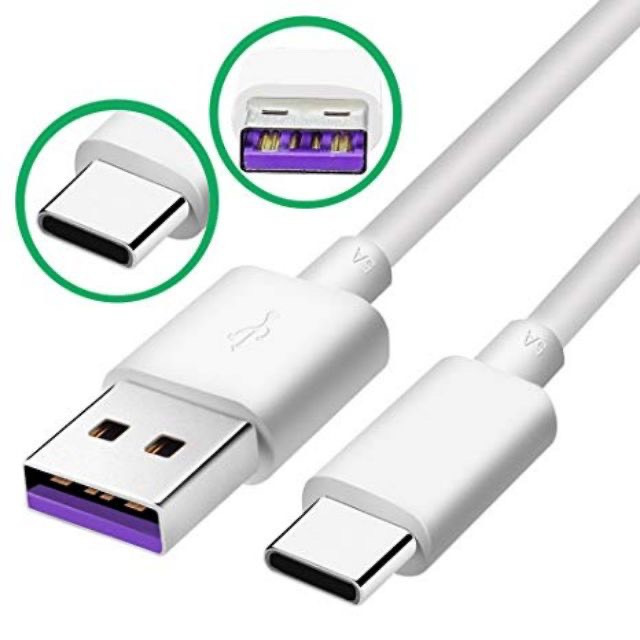
The Type C port was first introduced on August 11, 2014 by the USB Implementers Forum (USB-IF) and was officially recognized by the International Electronic Industry Association in July 2016 under the name "IEC 62680-1-3". The popularity of this charging port type is fueled by the support of many big names in the technology industry, including Apple, HP, Dell, Microsoft, Intel and Samsung, along with more than 700 other companies. This has helped USB-C become a widely used international standard.
Structure of Type C charging port
The structure of the USB Type C port shows a sophisticated design with a compact size of only 8.4 x 2.6mm. This enables it to connect to a wide range of electronic devices, while creating flexibility with two identical plugs. Despite its small size, it brings maximum convenience to users.
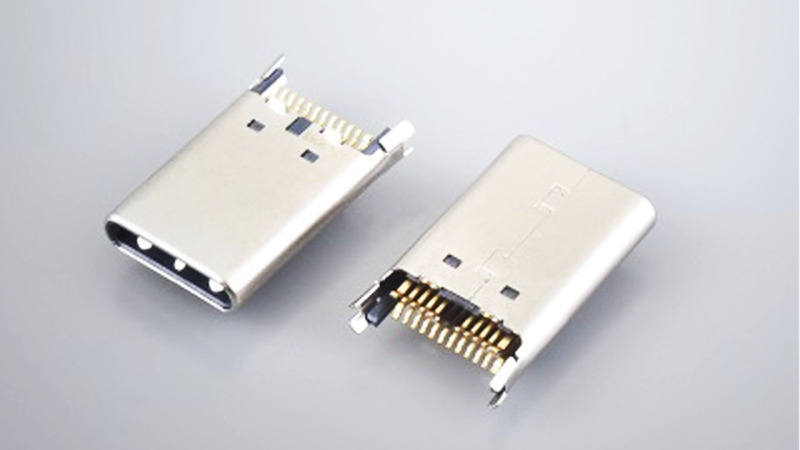
Despite its small size, Type USB-C is not limited in power supply. It has 24 pins inside, allowing for high power transfer of up to 20V and 5A. Of these, 12 pins are dedicated to data transmission, ensuring fast and efficient data transmission. The other four pins are used for power supply, allowing for fast charging and powerful performance. The remaining pins have a grounding function to ensure stability and safety during use.
The reason why Type C charging port becomes popular Today
The Type C charging port is currently the most popular connection standard in the tech world, and this is no coincidence. Here are some reasons why it is becoming more and more popular:
Support multiple device connection
Today, many people wonder if the Type C port on a laptop can be charged? The answer is yes because the Type C charging port is a versatile connection port, capable of connecting many types of electronic devices, from smartphones and tablets to laptops, computers, cameras, headphones and many other devices. This helps reduce the number of charging cables and chargers to carry.
This charging port also supports connection conversion with many different technologies, helping users connect and share data more easily. Currently, this charging port is associated with many names because of its versatility: Type-C Iphone charging port, Type Samsung charging port.
High data transmission speed
USB-C offers fast and efficient data transfer speeds. It has a data transfer speed of up to 10Gbps, which makes data transfer fast.
Backward compatibility
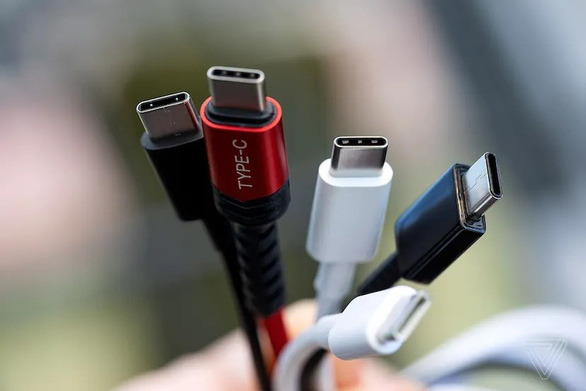
This charging port is also backward compatible with previous versions of USB via adapter cables. This means you can use your old devices with it without having to change or buy a lot of new devices.
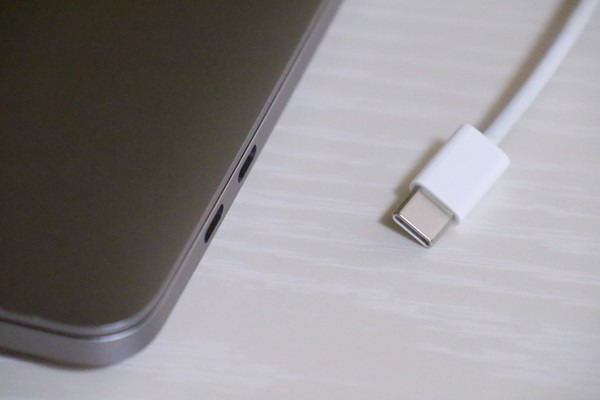
Thanks to these advantages, the Type C charging port has become a popular connection standard in the technology world and is helping users use electronic devices more conveniently and effectively.
The difference between Micro USB and USB Type C charging ports
The difference between Micro USB and USB Type C charging ports can be confusing when looking at their external appearance. However, when looking at the internal structure and size, these two types of ports have important differences.
USB Type C has an internal structure consisting of 24 connecting pins, which makes this port larger than Micro USB. However, USB Type C has the advantage of being more convenient. The USB Type C plug can be plugged in on both sides, eliminating the inconvenience of having to identify the correct plug side and the reverse plug side, as is the case with Micro USB which can only be plugged in on one side.
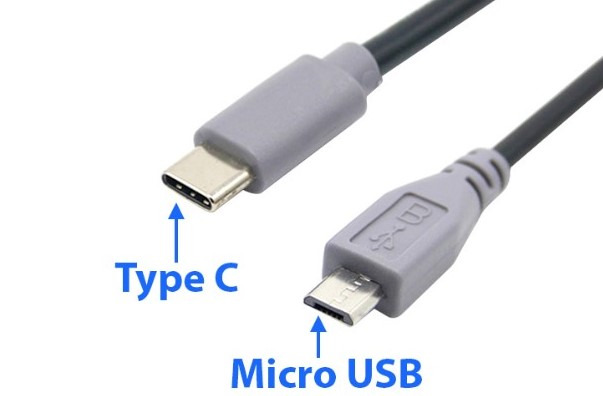
In addition to this, USB Type C is capable of faster data and power transfer, providing faster and more efficient data transfer speeds. USB Type C data transfer speeds can be up to 10Gbps (1.25 GB/s), while Micro USB usually has lower data transfer speeds.
Some frequently asked questions about USB Type C
Which Apple devices use the Type C charging port?
Currently, only Apple's new MacBook lines are equipped with Type C charging ports . On iPhone lines, Apple still mainly maintains the Lightning charging port. However, the exception is the Type C Iphone charging port currently used on the Iphone 15 device.
Is the Lightning port the same as the USB Type C charging port?
Although both ports are capable of transmitting data and power, and both have the same connector on both sides, the Lightning port and the Type C port are two completely different types of ports.
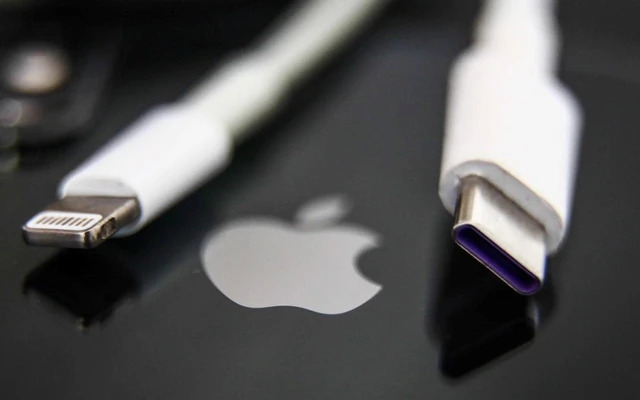
The Lightning port is specifically designed for Apple devices, while the Type C port is a universal standard that is widely used across a wide range of electronic devices from many different manufacturers. This means that the Lightning port is generally only compatible with Apple devices, while the Type C port is capable of connecting to a wide range of devices, from smartphones and tablets to laptops, computers, and many other accessories.
In the era of rapidly developing technology, the Type C charging port has become an important part of modern digital life. With its flexibility, fast speed and versatility, it has greatly reduced the inconvenience of connecting and charging electronic devices. Using the Type C charging port can help you save time and improve your device experience. So what are you waiting for without buying yourself a set to experience the convenience today. Hopefully, the information shared above by This guide will help you resolve your concerns about this charging port.
Related Articles
 How to Clean the Charging Port: Practical Guide8 minutes read
 How to Use the Public USB Charging Port Safely?10 minutes read
 How to Clean the iPhone Charging Port3 minutes read
 10 Devices That Can Be Plugged into the Smartphone Charging Port8 minutes read
 3 Ways to Clean the Lightning Charging Port Help iPhone Charge Faster5 minutes read
 What Is Jacking Juice? Why Shouldn't the Phone Be Charged in a12 minutes read
Reader Comments 0
Sign in with email or Google to join the discussion.