Table of Contents
There is no single best graphics card at every price. The right GPU depends on your monitor resolution, games, ray-tracing expectations, creator software, power supply, and the price available in your region. The recommendations below assume each card is reasonably close to its official launch price; a large retailer markup can change the ranking immediately.
Quick recommendations
| Use case | GPU | Why it stands out | Main caveat |
|---|---|---|---|
| Strong 1440p/entry 4K value | AMD Radeon RX 9070 XT | 16GB VRAM and strong conventional rendering | High board power; compare ray tracing and software support |
| Ray tracing and Nvidia features | GeForce RTX 5070 Ti | 16GB GDDR7, DLSS 4.5, mature creator ecosystem | Value falls quickly above launch price |
| Midrange 1080p/1440p | Radeon RX 9060 XT 16GB | 16GB capacity and relatively modest 160W board power | Narrower 128-bit memory interface; avoid confusing it with 8GB model |
| Lower-cost 1440p | Intel Arc B580 | 12GB VRAM and XeSS support | Resizable BAR is required; check game and app compatibility |
| Maximum GeForce performance | GeForce RTX 5090 | 32GB GDDR7 for high-end gaming and heavy creator work | Extreme cost, size, heat, and power requirements |
AMD Radeon RX 9070 XT: balanced high-end value
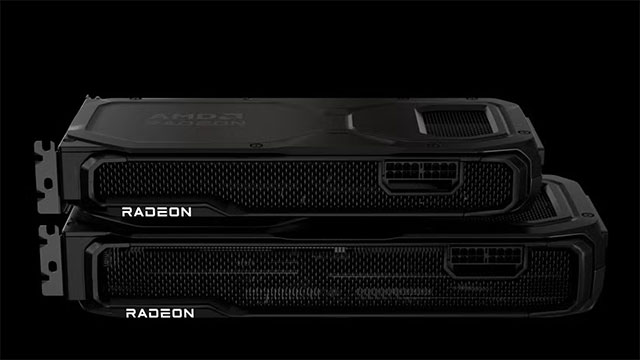
The RX 9070 XT is the most broadly appealing option here for buyers who prioritize 1440p at high settings or want to move into 4K without paying flagship prices. AMD specifies 16GB of GDDR6 on a 256-bit interface, 304W typical board power, and a 750W minimum power-supply recommendation.
Its strengths are VRAM capacity and conventional rasterized performance. Ray tracing and game-specific upscaling results vary, so check independent benchmarks for the exact games you play rather than relying on a single average. AMD's official launch price was $599, but partner-card premiums and local availability can erase the value advantage.
Read the official RX 9070 XT specifications and confirm case clearance, connector placement, and power requirements for the exact partner model.
Nvidia GeForce RTX 5070 Ti: ray tracing and creator features
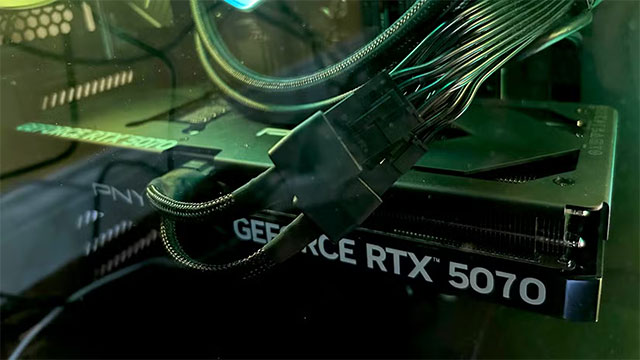
The RTX 5070 Ti combines 16GB of GDDR7 memory with Nvidia's ray-tracing, CUDA, Studio, and video-encoding ecosystem. It is a strong choice when specific games use DLSS well or when a creator application explicitly benefits from CUDA or Nvidia's encoders.
DLSS 4.5 on RTX 50-series cards can use Multi Frame Generation to insert several AI-generated frames between traditionally rendered frames. That can improve displayed smoothness in supported games, but generated frames do not replace a healthy native frame rate and should not be counted as equivalent to fully rendered frames when judging latency.
Nvidia announced a $749 starting price. Before paying more, compare the actual RTX 5070 Ti price with the RX 9070 XT and the next Nvidia tier. The official RTX 5070 family page lists the desktop specifications.
AMD Radeon RX 9060 XT 16GB: practical midrange choice
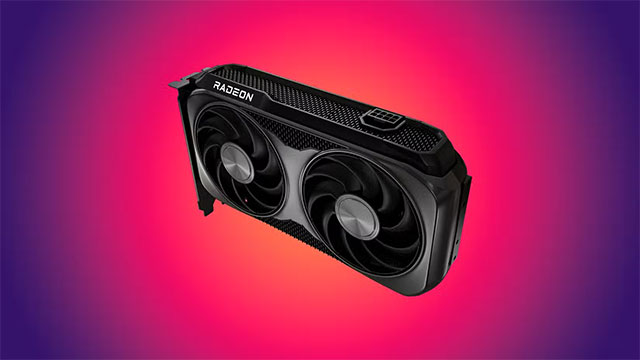
For mainstream 1080p and 1440p gaming, the 16GB RX 9060 XT is usually the version to compare. AMD specifies 16GB of GDDR6, a 128-bit interface, 160W typical board power, one 8-pin power connector, and a 450W minimum PSU recommendation.
The generous capacity is useful for high-resolution texture packs and games that exceed 8GB under demanding settings. Capacity is not the only performance factor—the 128-bit interface and GPU itself still matter—but 16GB provides more room than similarly priced 8GB cards.
AMD also sells an 8GB RX 9060 XT. Check the product title and specification label carefully because the cooler and model name may otherwise look similar. See AMD's RX 9060 XT 16GB specifications.
Intel Arc B580: lower-cost option with 12GB
The Arc B580 deserves consideration when it is priced near Intel's $249 launch figure. It has 12GB of GDDR6 on a 192-bit interface, 20 Xe cores, a 190W total board power rating, hardware ray tracing, and XeSS support.
Platform compatibility is the deciding factor. Intel's setup guide calls for a full-size PCIe 3.0-or-newer slot with Resizable BAR enabled and recommends a 600W power supply for the Limited Edition card. Driver support has improved over time, but check current results for older DirectX games, VR titles, and specialist applications you use.
Review the Arc B580 specifications and Intel's desktop installation checklist before buying.
Nvidia GeForce RTX 5090: maximum performance, poor value for most people
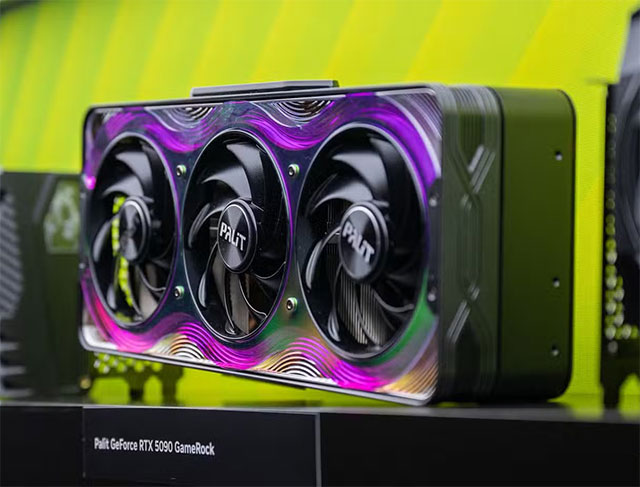
The RTX 5090 is the top GeForce choice for buyers who need the fastest consumer Nvidia card and can use its 32GB of GDDR7 memory. That includes uncompromising 4K gaming, GPU rendering, large creator projects, and some local AI workloads.
It starts at $1,999 before partner-card premiums. The Founders Edition's power, cooling, and connector requirements are substantial, while third-party cards may be larger still. A complete-system cost comparison is essential: the card may require a new power supply, larger case, improved airflow, or platform upgrade.
For gaming alone, an RTX 5090 is difficult to justify unless the rest of the system and display can use it. Nvidia publishes the current details on the RTX 5090 product page.
The GPU to avoid at the wrong price: RTX 5060 Ti 8GB
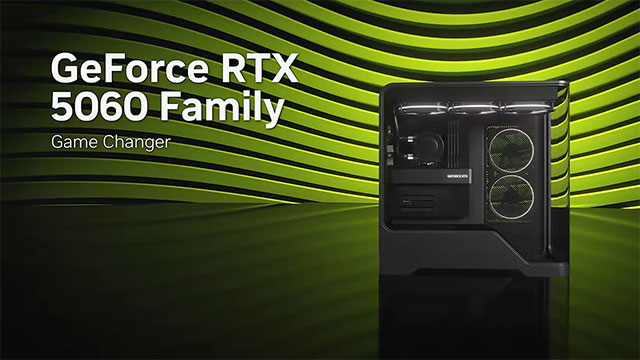
The RTX 5060 Ti is sold with either 8GB or 16GB of GDDR7. Nvidia launched them at $379 and $429 respectively—a $50 gap. When retail prices stay similarly close, the 8GB model is hard to recommend for a new gaming build because the 16GB card provides much more memory capacity without changing the GPU family.
This is not a claim that every game needs more than 8GB or that the 8GB card cannot run modern titles. It is a value judgment: at a small price difference, the 16GB version is less likely to require reduced texture settings in memory-heavy games. The 8GB model becomes reasonable only with a large discount and a workload that fits within its limits.
Also compare the 16GB RX 9060 XT and 12GB Arc B580 at their current local prices. Nvidia lists both RTX 5060 Ti capacities on the official RTX 5060 family page.
How to choose before ordering
- Set the target: identify resolution, refresh rate, quality settings, ray tracing, and the games or applications that matter.
- Check independent tests: use results from the same game version and settings; do not mix native rendering with frame-generated results.
- Compare live prices: calculate value from the price you can actually pay, not launch MSRP.
- Confirm compatibility: measure card length and thickness, check the PSU wattage and connectors, and leave room for cable bends and airflow.
- Check VRAM deliberately: capacity affects texture and workload headroom, but memory bandwidth and GPU performance also matter.
- Consider software: CUDA, ROCm, XeSS, DLSS, FSR, video encoders, and professional-app certification can matter more than average gaming FPS.
For related background, see how Intel XeSS compares with Nvidia DLSS and review the risks before using GPU overclocking software.
Related Articles
 Summary of Information About NVIDIA RTX 50 Series Graphics Cards Explained14 minutes read
 Top Best Graphics Cards (GPUs) 2024: Complete Guide7 minutes read
 How to Uninstall Nvidia Drivers9 minutes read
 7 Best Best AMD Graphics Cards (GPUs) 20205 minutes read
 5 Reasons to Buy NVIDIA Gpus Instead of AMD in 20248 minutes read
 Cheap 3D Graphics Cards from AMD and NVIDIA3 minutes read
Reader Comments 0
Sign in with email or Google to join the discussion.