Table of Contents
The best PC case is the one that fits your motherboard, graphics card, cooler, power supply, and preferred airflow layout—not simply the largest or most expensive model. The five cases below suit distinctly different builds: the HYTE Y70 for a showcase system, NZXT H5 Flow for a straightforward ATX build, Fractal Design Torrent for high-airflow air cooling, Cooler Master NR200 for a compact Mini-ITX PC, and ASUS Prime AP201 for a space-efficient Micro-ATX system.
Case revisions can share very similar names while using different internal layouts. Check the exact model and SKU before relying on any clearance figure, especially for the H5 Flow and NR200 families.
Quick comparison
| Case | Best suited to | Main consideration |
|---|---|---|
| HYTE Y70 | Showcase ATX builds with a vertically mounted GPU | Large footprint and vertical-GPU layout |
| NZXT H5 Flow | Clean, practical ATX gaming builds | Confirm whether the listing is the 2024 revision |
| Fractal Design Torrent | High-performance air cooling | Front radiators reduce graphics-card clearance |
| Cooler Master NR200 | Compact Mini-ITX builds | Tight interaction between GPU, cooler, fans, and PSU |
| ASUS Prime AP201 | Compact Micro-ATX builds with standard components | PSU and radiator choices affect usable interior space |
HYTE Y70: Best for a showcase build
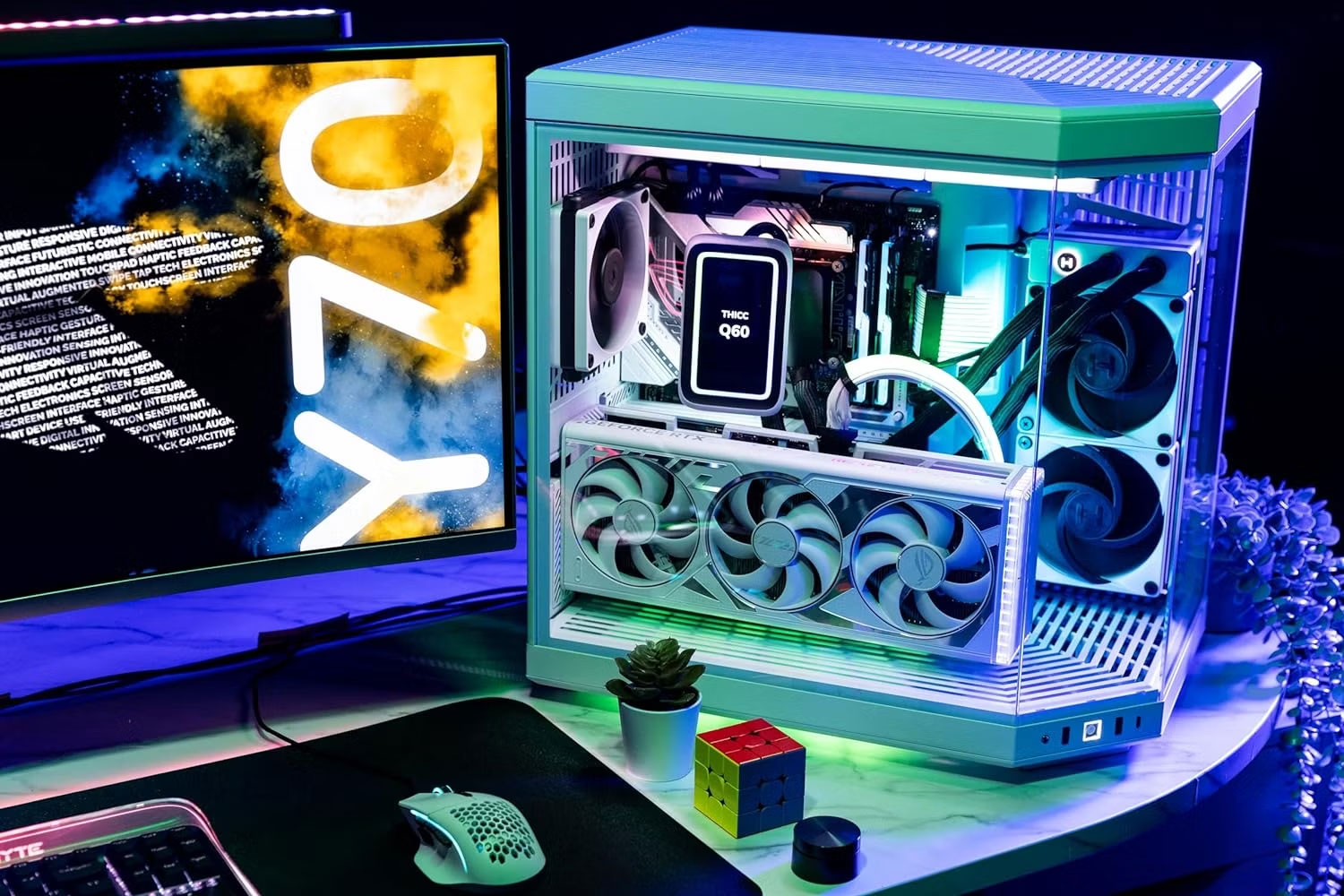
The HYTE Y70 is a dual-chamber ATX case designed around a four-slot vertical GPU mount and a panoramic glass view. It is a strong choice when presentation, cable concealment, and room for a large cooling layout matter more than desk space.
According to HYTE's specifications, the case supports 360 mm radiators at the top and side and can accommodate up to ten fans. The layout leaves substantial space between the graphics card and side glass, but you should still verify card height, thickness, power-connector clearance, and the included riser's compatibility with the rest of the build.
NZXT H5 Flow: Best value-oriented ATX choice
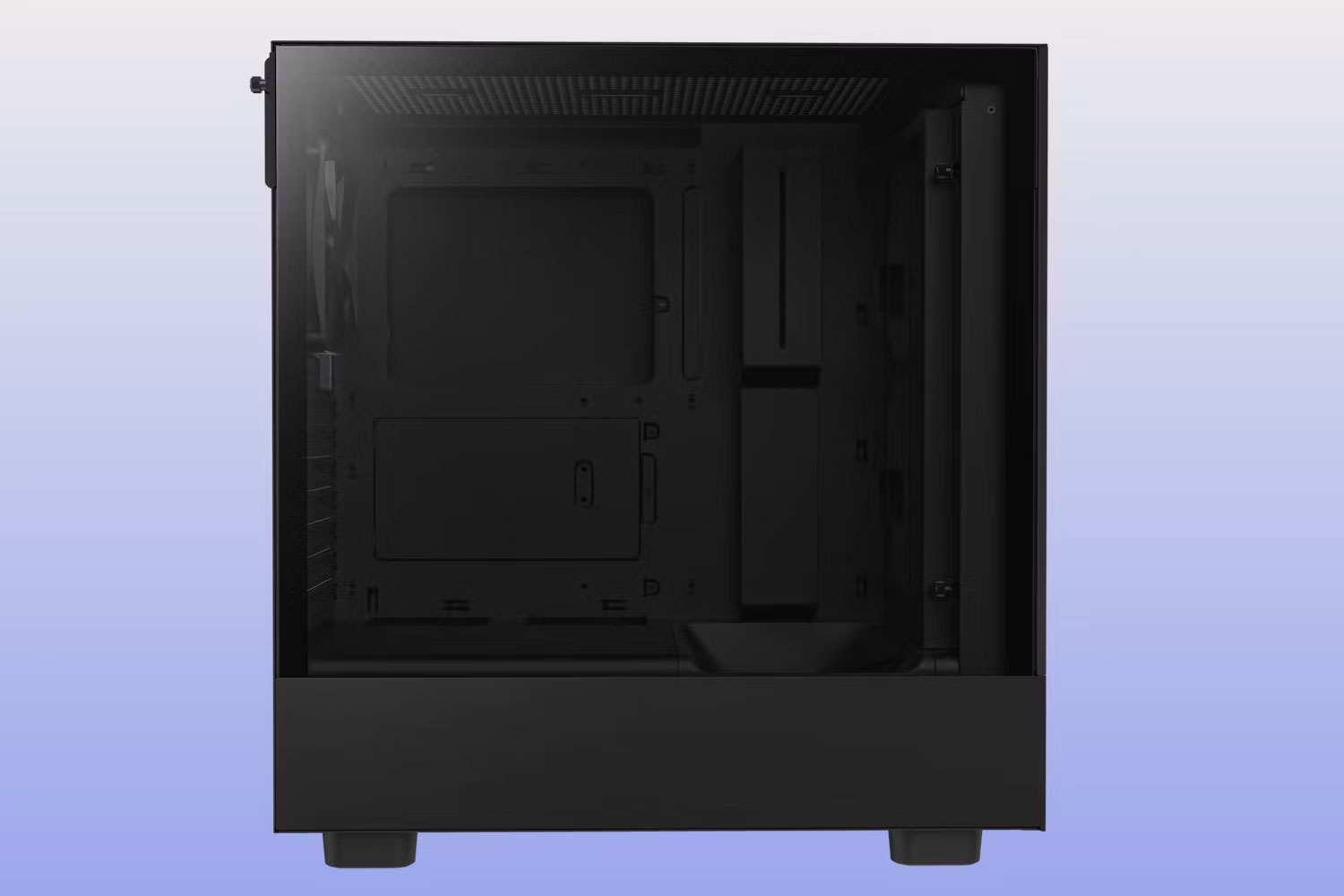
The H5 Flow is a sensible mid-tower for builders who want a conventional layout, a ventilated front panel, and uncomplicated cable management. It is easier to plan than a small-form-factor case and does not devote as much space to display features as the Y70.
The current 2024 H5 Flow supports a front radiator up to 360 mm and a top radiator up to 280 mm when paired with low-profile memory. NZXT lists up to 410 mm of GPU length, but a front radiator and its fans can reduce that clearance. Older H5 Flow versions use the same basic name and have a different fan layout, so match the product photos and model number to the current specification sheet before ordering.
Fractal Design Torrent: Best for air cooling
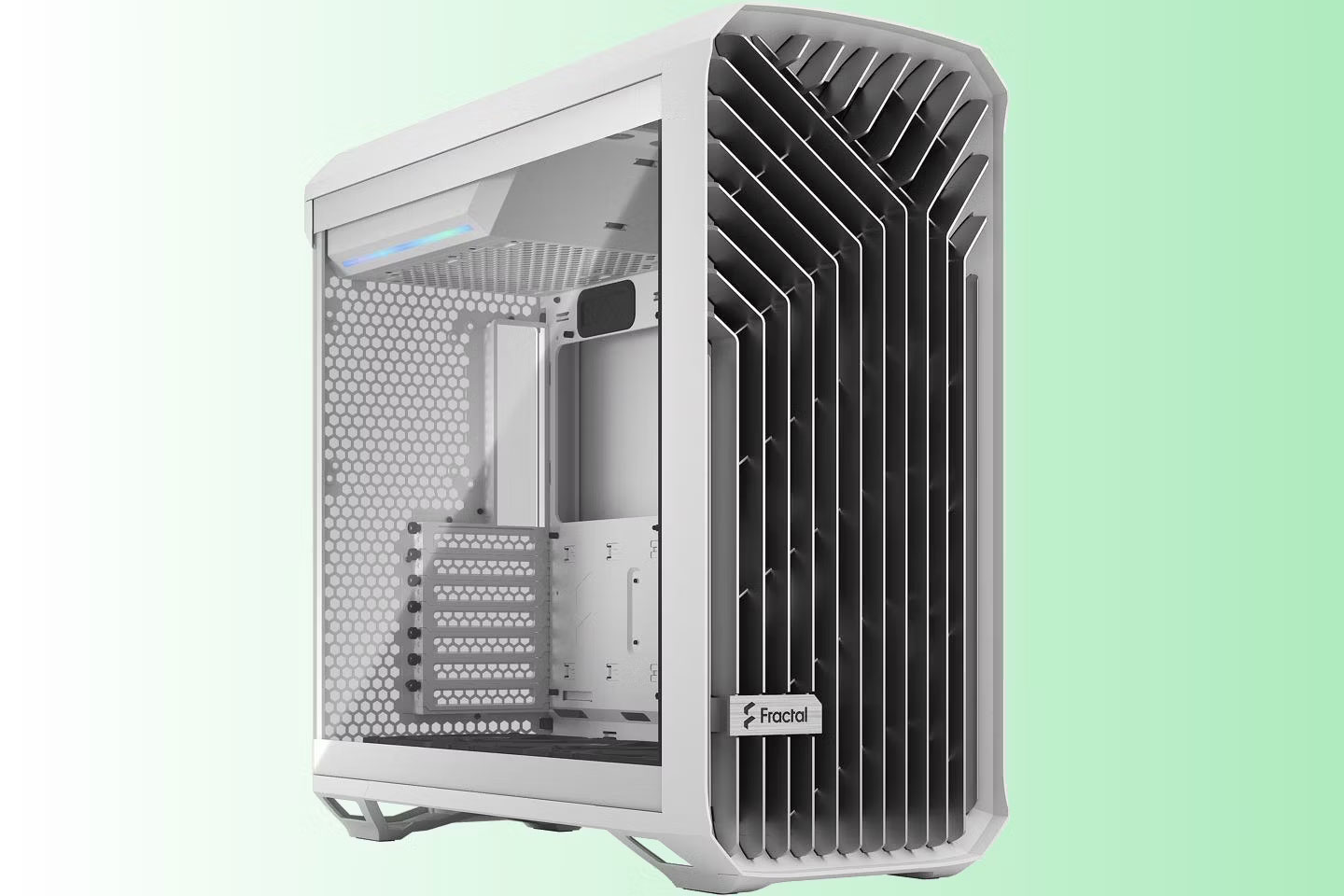
The full-size Fractal Design Torrent focuses on moving a large volume of air through an open front grille. It ships with two 180 mm front fans and three 140 mm bottom fans, while placing the power supply above the motherboard to keep the main intake path clear. That makes it particularly attractive for a powerful CPU and GPU cooled primarily by air.
Liquid cooling is possible, but replacing the large stock intake fans can weaken the reason to choose this case. Fractal's official Torrent page also notes that a front radiator reduces GPU clearance by its thickness; calculate the complete radiator-and-fan stack rather than checking the card length alone.
Cooler Master NR200: Best compact Mini-ITX option
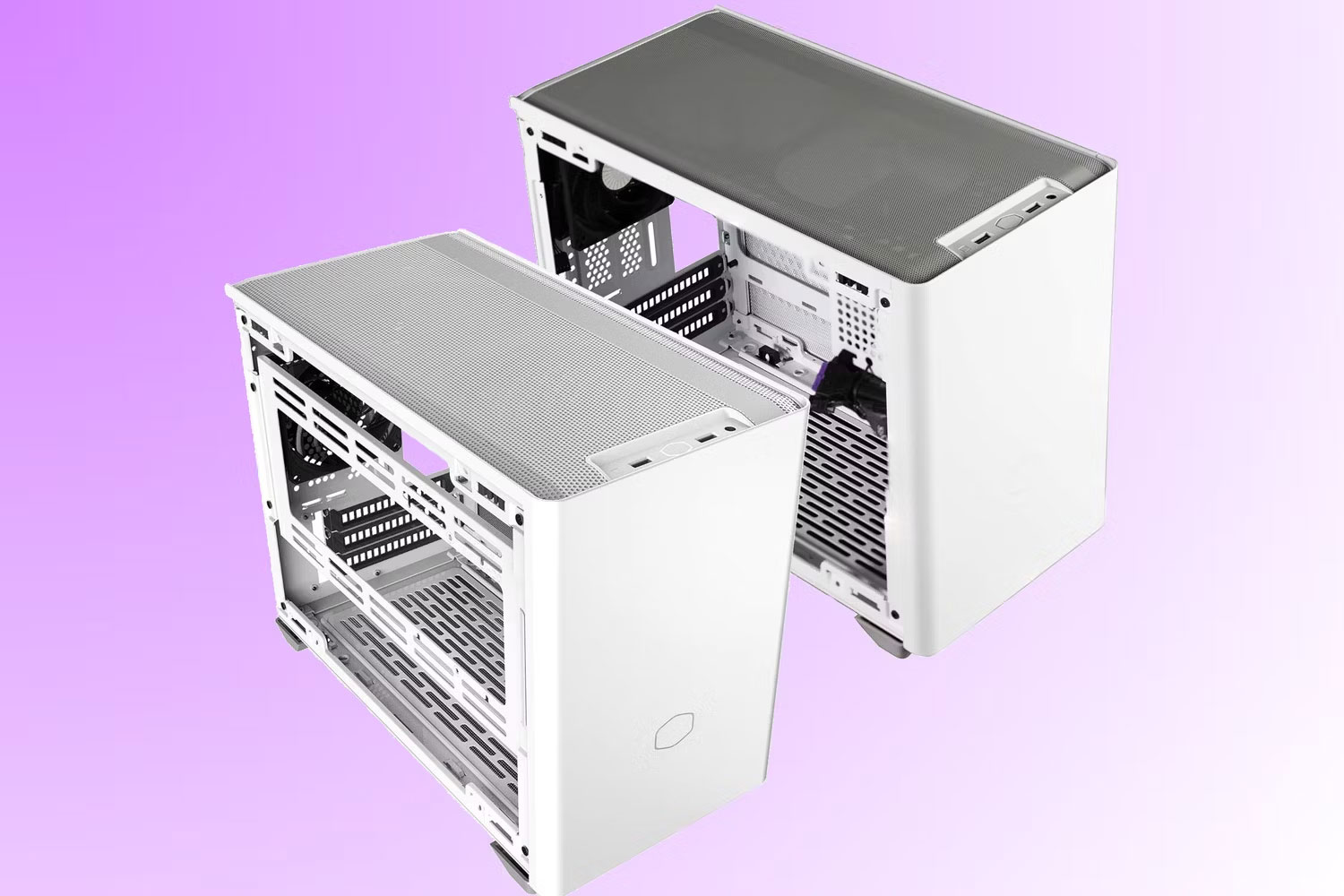
The original NR200 packs Mini-ITX or Mini-DTX hardware into an 18.25-liter chassis with removable panels and flexible fan placement. Cooler Master lists support for a graphics card up to 330 mm long, 156 mm high, and 60 mm thick, including its power connector, plus a CPU air cooler up to 155 mm tall. It uses an SFX or SFX-L power supply.
Small cases demand component-by-component planning. A thick graphics card can limit bottom fans, while a side radiator conflicts with some GPU orientations. The original NR200, NR200P, and newer NR200P V2/V3 are not interchangeable: the newer versions change GPU mounting and radiator support. Confirm the exact version shown by the seller rather than combining specifications from several models.
ASUS Prime AP201: Best compact Micro-ATX option
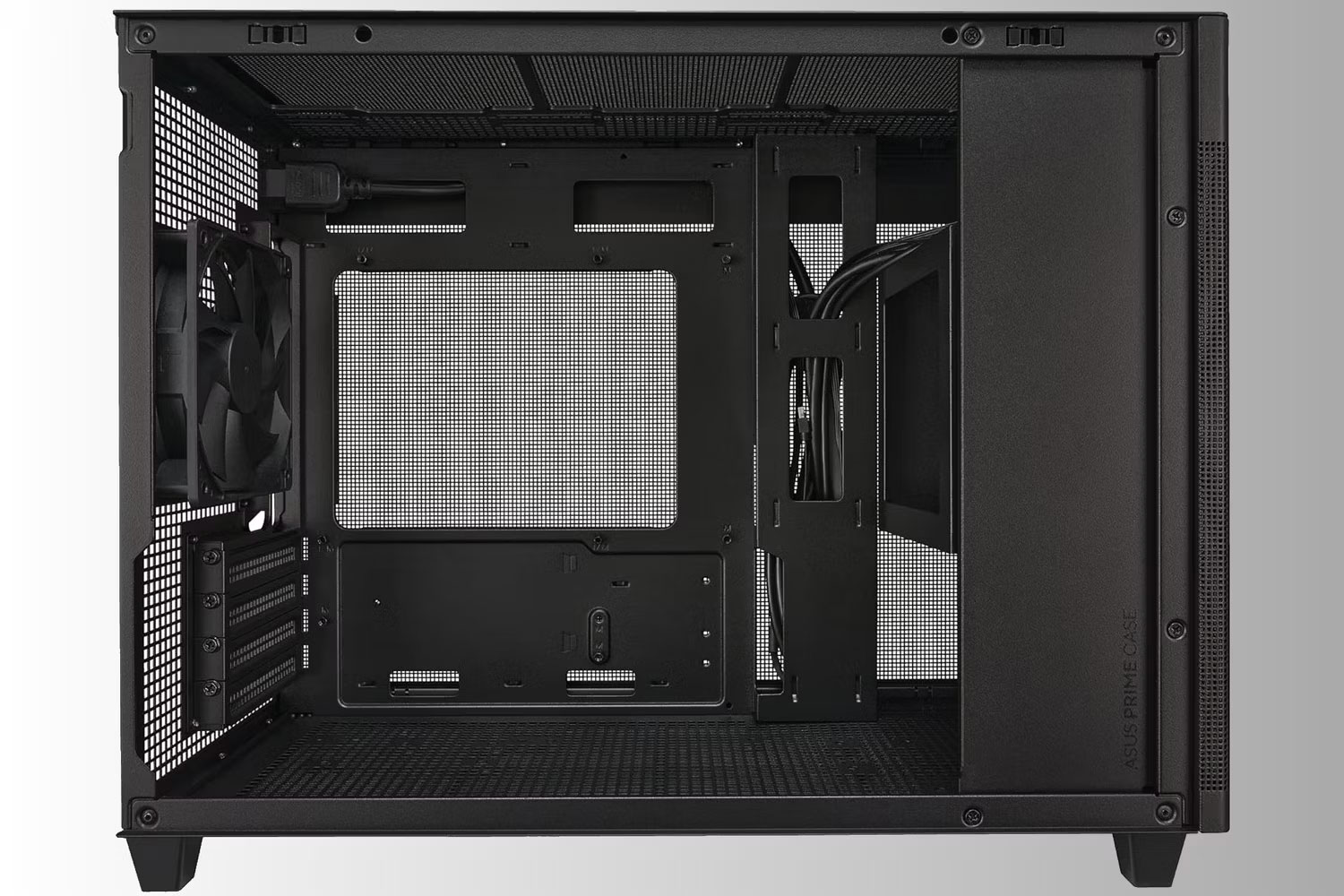
The mesh AP201 is a useful middle ground between a tiny ITX enclosure and a conventional ATX tower. Its 33-liter interior accepts Mini-ITX or Micro-ATX motherboards, a standard ATX power supply, and a top radiator up to 360 mm. ASUS specifies support for graphics cards up to 338 mm and power supplies up to 180 mm.
Those maximums should not be treated independently. A long PSU, extra cables, drive mounts, and a thick radiator can compete for the same working space. See the ASUS AP201 specifications and map every component before buying.
Compatibility checks that prevent expensive mistakes
- Motherboard: Match ATX, Micro-ATX, Mini-ITX, or Mini-DTX support exactly.
- Graphics card: Check length, height, slot thickness, power-connector bend room, and whether a vertical riser is required.
- CPU cooler: Compare air-cooler height or radiator size and thickness, including fans.
- Power supply: Confirm ATX, SFX, or SFX-L support and account for cable space.
- Airflow: Plan intake and exhaust paths before choosing fan sizes. Our guide to adjusting fan speed explains how software controls fit into that cooling plan.
- Front I/O: A front USB-C port is only useful at full capability when the motherboard has the matching internal header.
If the GPU is the starting point for the build, choose it first and compare its exact dimensions with the case manufacturer's drawing. The graphics-card selection guide can help narrow the performance tier before you check physical fit.
Related Articles
 Edit Test Cases in the Test Toolkit5 minutes read
 Confirmed Coronavirus Cases Hit 1 Million Worldwide3 minutes read
 The US Now Has More Coronavirus Cases Than China2 minutes read
 How to Clean Silicone Phone Cases: Complete Guide7 minutes read
 Coronavirus Updates: US House Passes $2 Trillion Stimulus18 minutes read
 Coronavirus Updates: UK Prime Minister Boris Johnson Tests16 minutes read
Reader Comments 0
Sign in with email or Google to join the discussion.