Table of Contents
Claude is strong at long-document work, writing, coding, and careful analysis, but no assistant is the best fit for every workflow. The most useful alternative depends on where your data lives and whether you need web research, office integration, marketing governance, automation, or access to several model providers.
This comparison focuses on product fit rather than declaring one universal winner. Features, quotas, and model access change often, so confirm the current plan before buying.
Claude alternatives at a glance
| Platform | Best fit | Main advantage over Claude | Important tradeoff |
|---|---|---|---|
| ChatGPT | General work, coding, images, and projects | Broad toolset and custom GPTs | Features and limits vary significantly by plan |
| Google Gemini | Google Workspace users and multimodal work | Integration with Google services | Workspace data access depends on account and admin settings |
| Microsoft Copilot | Microsoft 365 organizations | Grounding in Microsoft Graph and Office apps | Business value depends on licensing and well-managed tenant data |
| Perplexity | Current web research | Answer-first search with visible source links | Citations still require verification |
| Notion AI | Teams whose knowledge already lives in Notion | Works inside pages, databases, and connected search | Less compelling outside a Notion workspace |
| Jasper | Marketing teams with strict brand rules | Brand Voice and campaign workflows | Specialized and generally paid |
| Writesonic | SEO and AI-search visibility teams | Content plus visibility-monitoring tools | Requires editorial and SEO judgment |
| Poe | Comparing many model providers | Multiple text, image, audio, and video models in one app | Points, context, and features differ by bot |
| Sintra | Small-business workflow automation | Role-based helpers, shared business context, and integrations | Needs careful setup and action permissions |
1. ChatGPT: broad general-purpose alternative
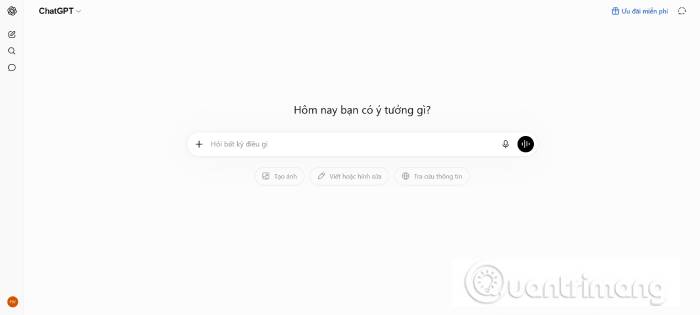
ChatGPT is the closest general-purpose alternative when you want writing, code assistance, data analysis, web research, file handling, image creation, and project organization in one product. Custom GPTs can package instructions, knowledge, and tools for repeat tasks.
Choose it for: mixed individual work, iterative visual creation, coding assistance, or workflows that benefit from OpenAI's project and customization features.
Watch for: dynamic usage limits and plan-specific tools. Generated facts, code, and citations still need review, and sensitive organizational data belongs in a plan with appropriate controls.
2. Google Gemini: best fit for Google users

Gemini supports text, images, audio, video, PDFs, and code, with model-specific context windows and capabilities. Its practical advantage is access to Google products: eligible accounts can use Gemini in Gmail, Docs, Sheets, Slides, Drive, and other Workspace surfaces.
Choose it for: summarizing Drive files, drafting within Google Workspace, multimodal analysis, or building with the Gemini API.
Watch for: model and context limits are not identical across the Gemini app, Workspace, AI Studio, and Vertex AI. An administrator must configure access appropriately for business data.
3. Microsoft Copilot: best for Microsoft 365
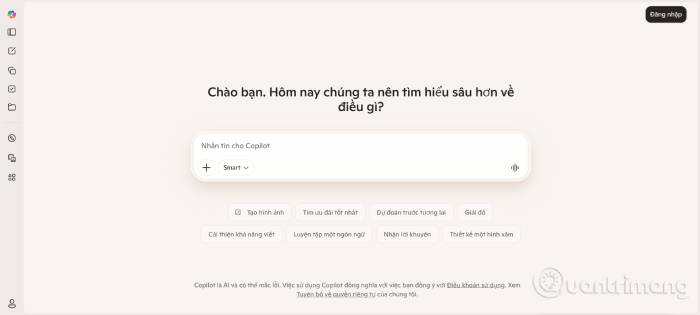
Microsoft 365 Copilot works in apps such as Word, Excel, PowerPoint, Outlook, and Teams and can ground responses in content the signed-in user is permitted to access through Microsoft Graph. That makes it useful for meeting recaps, document drafts, email preparation, and organization-specific questions.
Choose it for: a company already standardized on Microsoft 365 that wants assistance within existing Office workflows.
Watch for: Copilot respects existing permissions, so overshared SharePoint sites and poorly governed files can become a larger problem. Review access before rollout and distinguish the consumer Copilot app from Microsoft 365 Copilot licensing.
4. Perplexity: best for source-led web research
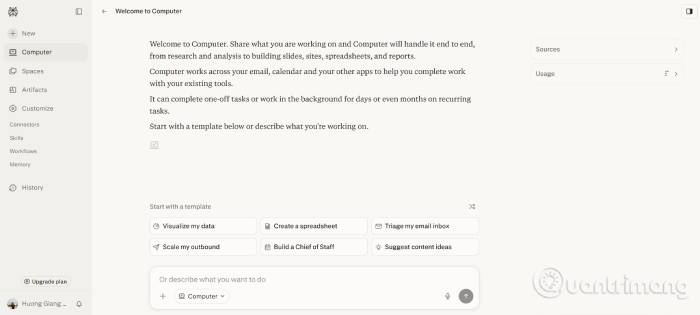
Perplexity searches the web and presents a synthesized response with links. Its free Standard plan supports basic searches, while paid plans add more advanced searches, model choice, file features, and other capabilities.
Choose it for: quickly mapping a topic, finding recent sources, or starting product and market research.
Watch for: a link beside a paragraph does not prove that it supports every claim. Open sources, check publication dates, and prefer original documentation, papers, or filings.
5. Notion AI: best for an existing Notion knowledge base
Notion AI works inside pages and databases and can search a workspace and supported connected services. It can draft and transform text, populate database properties, summarize meetings, and answer questions from accessible team knowledge.
Choose it for: teams already managing projects, notes, specifications, and internal documentation in Notion.
Watch for: AI features are limited or separately metered depending on the plan. Verify permissions on source pages and do not treat generated action items as automatically approved assignments.
6. Jasper: best for governed marketing content
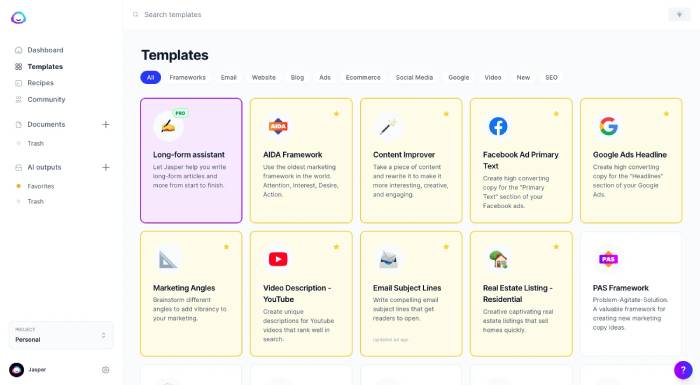
The original article mislabeled this entry as “Pep AI”; the described product is Jasper. Jasper focuses on marketing teams, with Brand Voice, visual guidelines, campaign workflows, and agents intended to keep output aligned across channels.
Choose it for: repeatable campaign production where approved messaging, tone, terminology, and review stages matter more than an open-ended chatbot.
Watch for: brand controls are only as reliable as the examples and rules supplied. Legal claims, product specifications, and regional copy still require expert review.
7. Writesonic: best for SEO and AI-search monitoring
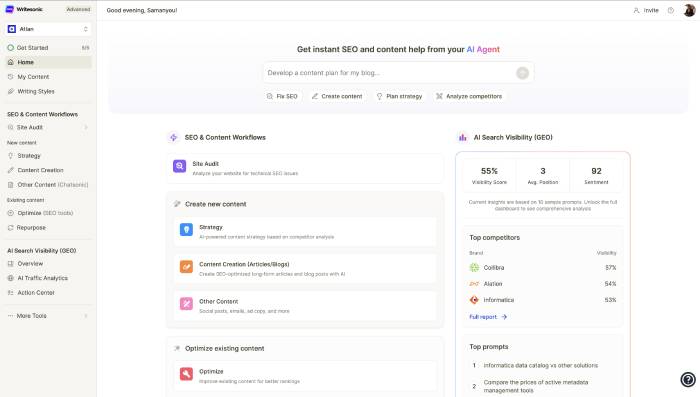
Writesonic combines AI-assisted content creation with SEO tools and products for tracking how a brand appears in AI-generated answers. It can support research, outlines, optimization, and visibility monitoring rather than only producing prose.
Choose it for: SEO teams and agencies that want content workflow and AI-search reporting in one service.
Watch for: visibility scores and generated recommendations are vendor-defined signals, not Google ranking factors. Avoid mass publishing; verify sources and add first-hand expertise.
8. Poe: best for trying multiple models
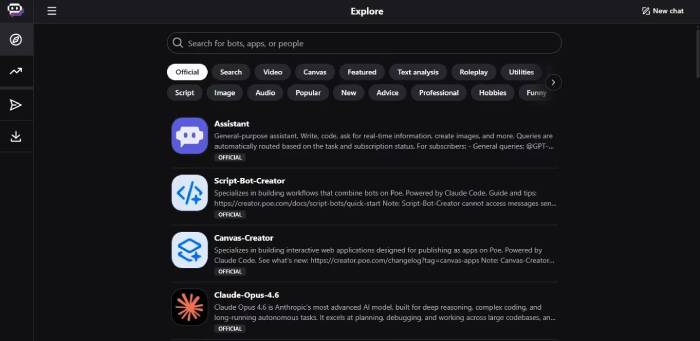
Quora's Poe provides one interface for models from several companies, plus image, video, and audio systems and user-created bots. It is convenient for comparing responses without maintaining separate apps.
Choose it for: experimentation, model comparison, or building a lightweight custom bot within Poe.
Watch for: access is governed by Poe's point system and the selected bot. A model on Poe may have different context, tools, retention, and release timing from the provider's first-party product. Quora's public question database does not automatically ground every Poe response.
9. Sintra: best for role-based small-business automation
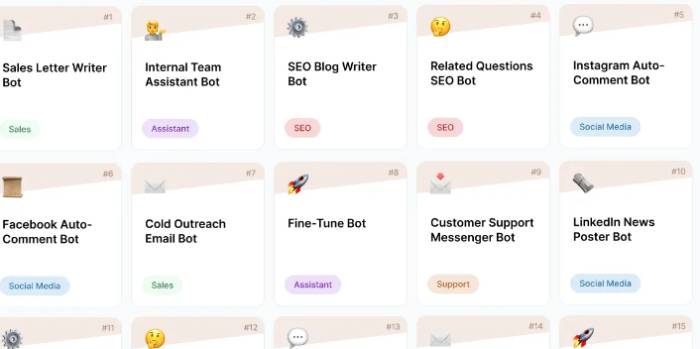
Sintra organizes specialized Helpers for roles such as social media, copywriting, email marketing, sales, support, data analysis, strategy, and SEO. Helpers draw on Brain AI, workspace information, and connected integrations. Sintra says it supports more than 1,000 integrations through Composio.
Choose it for: a small business that wants role-specific assistants to act across email, files, social channels, CRMs, and task tools.
Watch for: this is closer to an automation platform than a direct Claude replacement. Start with read-only or draft actions, test each integration, and require approval before external messages, record changes, purchases, or deletions.
How to choose
- Start with where your work lives: Gemini for Google Workspace, Copilot for Microsoft 365, and Notion AI for Notion.
- Choose by output: Perplexity for current source discovery, Jasper for governed marketing, Writesonic for SEO workflows, and Poe for model comparison.
- Separate assistance from automation: Sintra and workspace agents can take actions; that requires stricter permissions and approval rules than chat.
- Test with your own tasks: use the same representative prompts, files, and scoring rubric across two or three candidates.
- Compare total cost: include seats, usage credits, connectors, storage, API calls, and the human review time each tool requires.
- Review data terms: check retention, model-training controls, regional processing, export, and deletion before uploading sensitive material.
For most individuals, ChatGPT or Gemini is the broadest alternative. For teams, the assistant already integrated with the organization's documents often creates more value—provided permissions and governance are in good order.
Related Articles
 7 Features That Claude, the Best ChatGPT Alternative, Still Misses8 minutes read
 Why Claude Is the Super Smart AI Alternative to ChatGPT That's8 minutes read
 6 Reasons to Use Claude Instead of ChatGPT7 minutes read
 What Is Subframe? AI UI Design-to-Code Guide12 minutes read
 What Is the Claude Code: Clear Explanation7 minutes read
 Claude API: How to Get the Key and Use the API: Explained19 minutes read
Reader Comments 0
Sign in with email or Google to join the discussion.