Table of Contents
This updated guide compares browsers with the best AI features and highlights the details that matter most. If you spend hours in your browser every day, you're missing out if you're not using a browser with AI built in. Some browsers go beyond the basics, offering AI features that really help you get more done in less time.
4. Microsoft Edge

After switching to Google 's Chromium engine, Edge has become one of the best Chrome alternatives. It has also positioned itself as a strong contender in the AI browser space. Being a Microsoft product, Edge comes with Copilot, which is accessible in the right corner of the browser bar. Alternatively, if you prefer shortcuts, you can press Shift + Cmd +. (macOS) or Ctrl + Shift +. (Windows) to access Copilot.
With the Copilot panel open on the right, you can continue browsing uninterrupted while interacting with the chatbot at any time. As you browse, Copilot has access to the page that is currently open, allowing you to request a summary or further explanation of the topic. for instance, if you are watching a YouTube video, Copilot can generate a summary of the video, saving you time and effort.
3. Mozilla Firefox
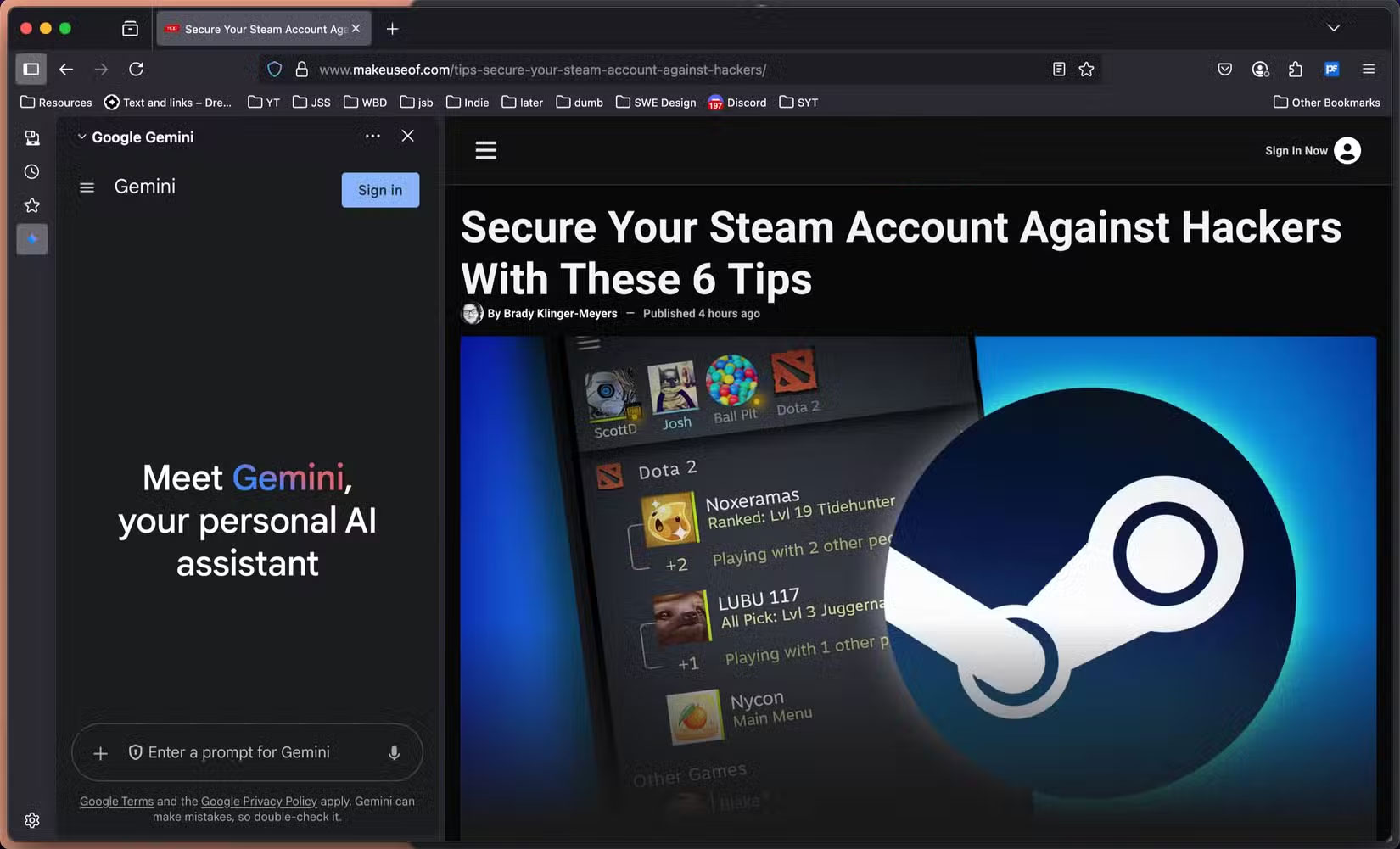
Starting with Firefox version 133, the browser added a dedicated shortcut in the sidebar to access various AI chatbots. Unlike other browsers that only provide access to one or two chatbots, Firefox offers many more options, including Claude, ChatGPT, Gemini, Mistral, and HuggingChat. HuggingChat, in particular, supports many open-source LLMs, including models like DeepSeek, giving you even more flexibility.
So if you like Claude more than ChatGPT, you can choose Claude instead. You can open Firefox's AI sidebar by pressing Ctrl + X and close it with the same key combination.
2. Brave

The Brave browser comes with a number of AI-powered features, focusing on the AI assistant Leo (powered by Mixtral) and AI features integrated into Brave Search. When using Brave Search, you can get answers from the AI assistant instead of having to visit each website for information.
The search bar also includes an option to get answers from AI instead of searching the web like normal. When you select the Ask Leo option, Brave will open a new tab for you to interact directly with the chatbot. Brave also includes an icon in the upper right corner of the search bar that you can choose to launch the sidebar and access the AI chatbot.
1. Opera
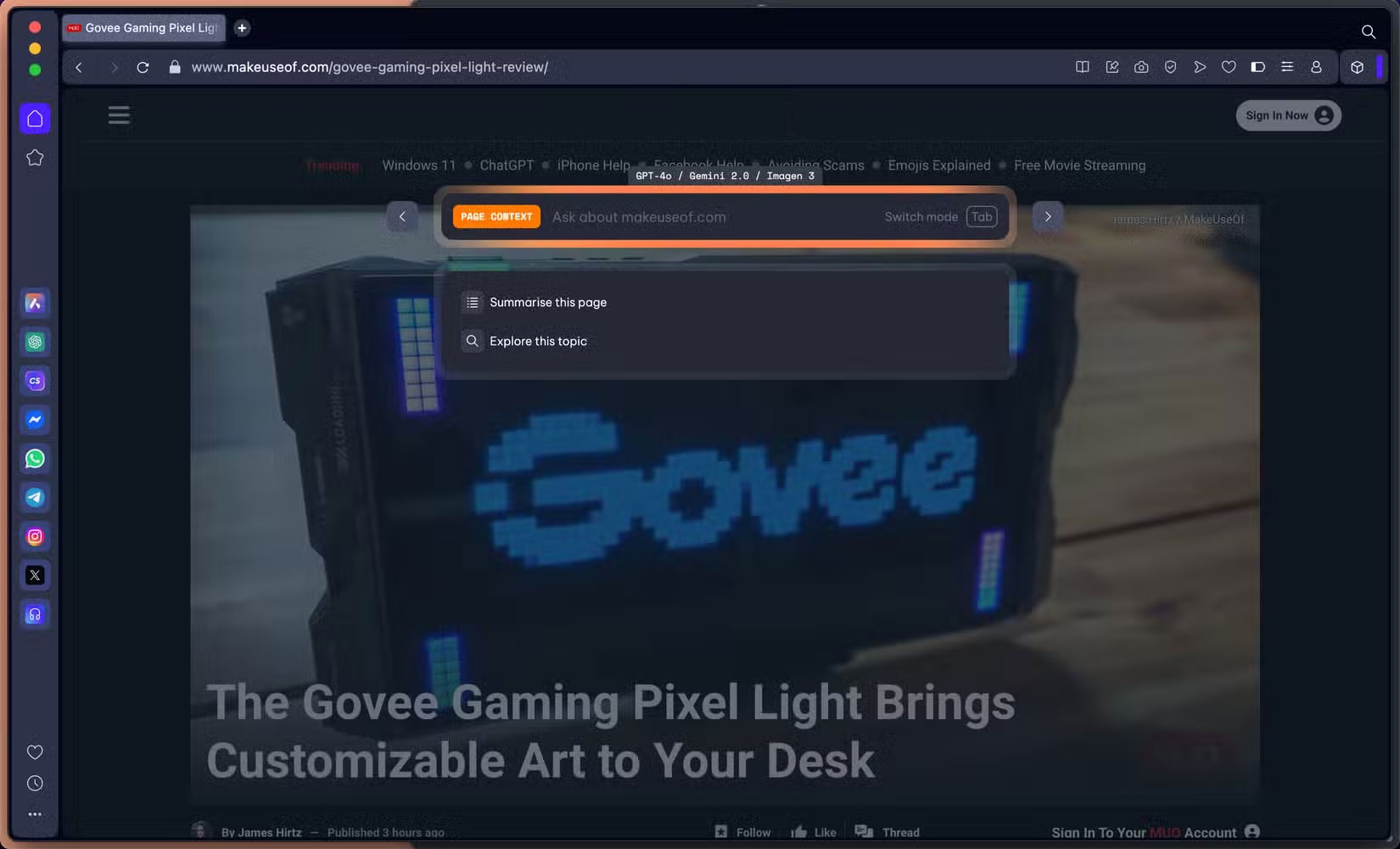
The standard Opera browser is another option that offers impressive AI features. It offers the company's AI chatbot, Aria, which is accessible from the sidebar. You can access Aria's command line while browsing the web with Ctrl + / (Windows) or Cmd + / (macOS).
Aria lets you interact with OpenAI and Google AI models via a sidebar in its default chat mode. Also, a separate Compose mode lets you create a variety of content types, including blog posts, emails, essays, and social media posts, with customizable options like tone, length, and style for optimal results.
to interact directly with ChatGPT, you can enable this option in Opera's sidebar settings. Still, the standout AI feature in Opera is Tab Commands , which lets you press Ctrl/Cmd + / to wake up Aria. Once open, you can press the Tab key to switch between different modes. One of the options is Page Context , which you can use to get a summary or ask anything about the currently open page.
Opera also unveiled Opera Neon, a browser that is completely AI-powered. Opera Neon will let you give commands like "book a flight from New York to London next week" and the browser will automatically do it for you, even preparing items for checkout. While promising, it is unclear when this feature will be available to the public.
FAQ
How were the browsers with the best ai features options evaluated?
The comparison focuses on practical features, ease of use, limitations, compatibility, and the type of user each option is most likely to help.
Which option is best for beginners?
Beginners should prioritize a clear interface, useful documentation, reliable support, and the core features needed for their first project.
Should I choose a free or paid option?
Start with a free option when it covers your needs. A paid plan may be worthwhile when you need advanced tools, commercial rights, collaboration, or professional support.
Related Articles
 4 Useful Browsers That Integrate Ad Blocking Features4 minutes read
 5 Best Fastest and Best Web Browsers in 20206 minutes read
 6 Best AI Browsers to Boost Your Productivity: Explained7 minutes read
 Google Blacklisted Some Web Browsers on Linux, Blocking Access to3 minutes read
 7 Extensions on Firefox No Browser Has8 minutes read
 Top 10 Best Alternative Web Browsers for Safari on iPhone6 minutes read
Reader Comments 0
Sign in with email or Google to join the discussion.