Table of Contents
Strawberry is a beta browser for Windows and macOS built around an AI Companion that can work across websites, tabs, and connected services. Its main appeal is automation: you can describe a multi-step task, watch the agent carry it out, and review actions that could have real consequences. That makes Strawberry more useful for repeatable business workflows than for someone who only wants page summaries or a chatbot beside the browser.
It is still a beta product, however, and “best AI browser” is too broad a claim. The right choice depends on the sites you use, the sensitivity of your data, the reliability you need, and whether an automation-first interface is worth changing browsers. The official Strawberry website provides the current download options and plan details.
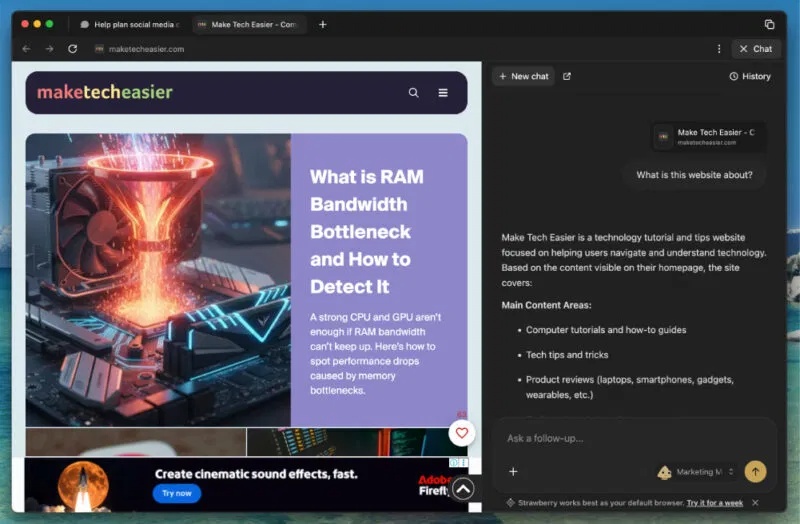
What Strawberry Browser does
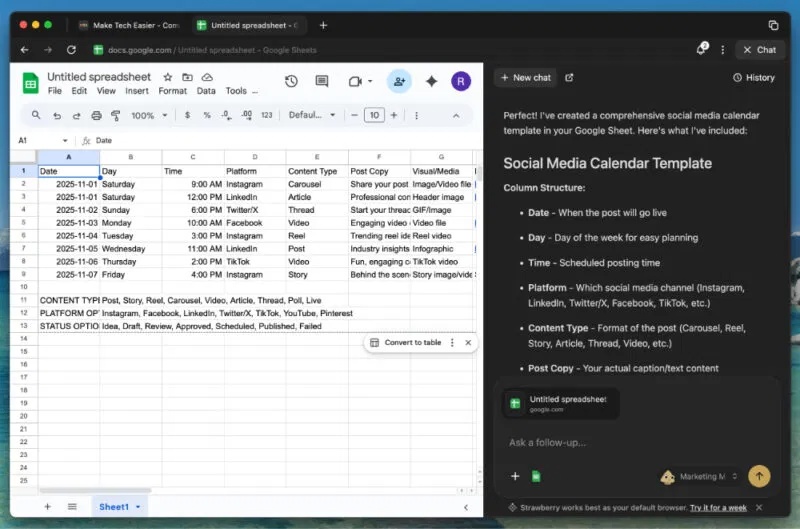
Strawberry calls its built-in agent a Companion. Instead of limiting AI to answering a question about the page, the Companion can navigate sites, use several tabs, collect information, create drafts, and follow a workflow. Early versions and screenshots used role-based Companions for jobs such as sales and recruiting; the current product emphasizes one personalized Companion, reusable workflows, and scheduled routines.
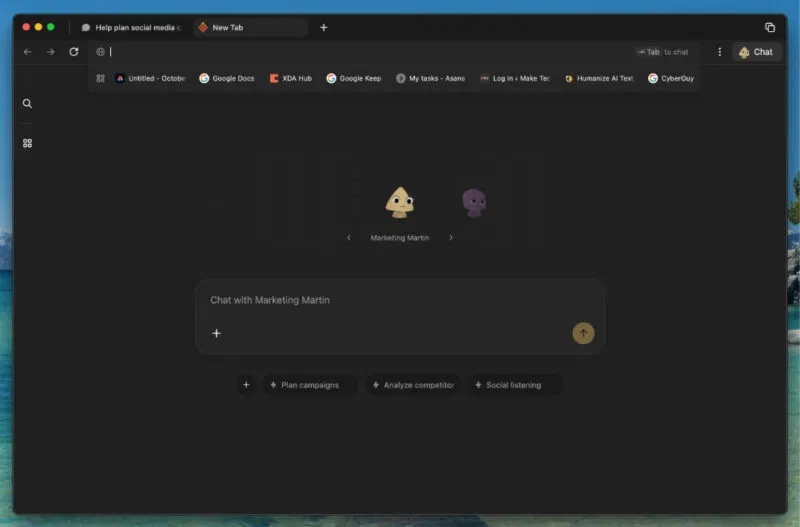
Typical uses include researching public information across several sources, organizing findings in a table, drafting meeting follow-ups, preparing a presentation, or repeating a routine web process. Strawberry also advertises meeting transcription and the ability to create artifacts such as documents and slides. Because features can change during beta, check the product page rather than relying on an old list of named assistants.
Where automation can actually help
The strongest use cases have clear inputs, a predictable sequence, and an output that a person can verify. For example, a Companion could:
- open a defined list of public company pages and extract the same fields from each one;
- compare information from several sources and prepare a research brief with links;
- turn meeting notes into a draft follow-up and a list of tasks;
- prepare a draft CRM update after you provide the source material; or
- repeat a routine check and flag changes for a person to review.
Start with low-risk work. Give the agent a small batch, specify the required fields, and check the source links before using the result. Avoid letting any browser agent make hiring, financial, legal, or other consequential decisions. Do not use it to send bulk unsolicited messages or to collect information you are not authorized to process.
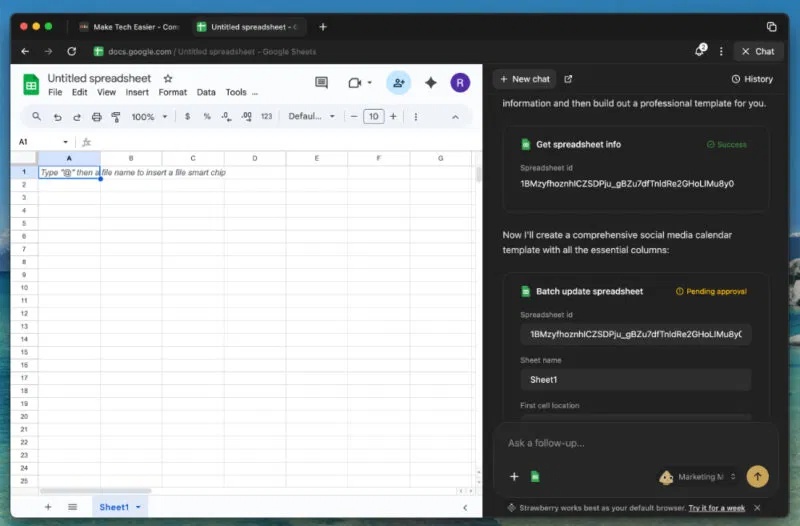
Human approval still matters
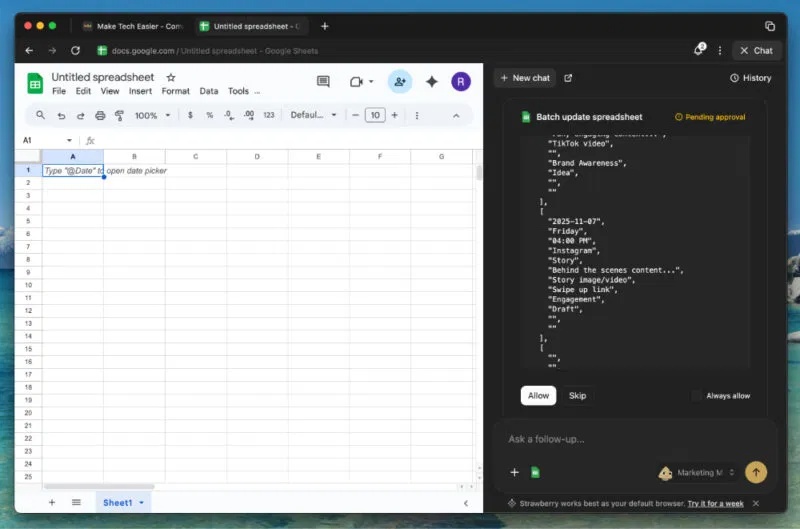
Strawberry says its Companion asks before irreversible actions. That checkpoint is useful, but it does not prove that the preceding steps or the proposed action are correct. Read the destination, recipients, attached data, and final text before approving a form submission, booking, or message.
For a first test, use an account with limited permissions, keep the task narrow, and stay present while the agent works. If a site changes its layout, presents a CAPTCHA, or returns ambiguous information, stop the run and complete that step manually. An agent can misunderstand a page even when its clicks appear successful.
Privacy: what stays local and what may leave the device
The original claim that all Strawberry data remains on the device is too simple. According to Strawberry’s current privacy policy, passwords, browsing history, and cookies are stored locally, and the company says passwords are not visible to Strawberry or its model providers. Other information may be stored in the cloud or sent to service providers so the agent can complete a task.
| Data or feature | What to know |
|---|---|
| Passwords, history, and cookies | The product says these are stored locally. Treat access to the browser profile as sensitive. |
| Prompts and page content | Content needed for an AI task may be transmitted to third-party model providers. Strawberry describes credential filtering as a best-effort safeguard, not an absolute guarantee. |
| Chat history, synced files, and connected accounts | Some data, including encrypted account tokens, may be stored in cloud systems to provide the service. |
| Activity Memory | This optional feature is off by default. If enabled, it can capture periodic screenshots across tabs and other applications and store a searchable activity log in the cloud. |
| Model training | The policy says user content is not used by default to train Strawberry or third-party generative models. It also allows de-identified or aggregated data to be used for analytics and product improvement. |
The service is offered for business use rather than personal or household use. Before connecting email, a CRM, or cloud storage, check your organization’s rules and the permissions requested. Pause Activity Memory around confidential material, and delete or export its records when appropriate.
How Strawberry differs from other AI browsers
Many browsers now combine ordinary browsing with AI summaries, writing help, or answers about the current page. Strawberry puts the agent and its workflows at the center of the experience. That distinction is useful, but it is not unique: products in the broader agentic-browser category increasingly overlap. See TipsMake’s overview of AI and privacy-focused browsers or its guide to Perplexity Comet for examples of other approaches.
| Browser approach | Best suited to | Main trade-off |
|---|---|---|
| Strawberry’s automation-first model | Repeatable, multi-step work across tabs and services | More account access, verification, and privacy review may be required |
| Traditional browser with an AI assistant | Browsing with occasional summaries, answers, or writing help | The assistant may have less ability to complete an entire workflow |
| Traditional browser without connected AI | Manual control and a smaller AI data-sharing surface | Repetitive web work remains manual |
Limitations to consider
Automation can fail when a page changes, a login expires, a site blocks automated interaction, or the requested information is unclear. AI output can also contain mistakes. Strawberry uses credits for Companion activity, so a workflow that makes many model calls may consume an allowance faster than expected. Current limits and plan terms should be checked before relying on it for recurring work.
Strawberry is worth testing when your goal is to automate a specific browser workflow and you can supervise the result. It is a weaker fit if you mainly want fast everyday browsing, cannot send work data to external AI services, or need mature administrative controls and predictable behavior. A small, reversible pilot will tell you more than a broad claim that any one AI browser is “the best.”
Related Articles
 ChatGPT Atlas: Complete Guide8 minutes read
 Hubble Space Telescope Has Just Captured the 'Crumbling4 minutes read
 Reasons Why Many People Uninstall ChatGPT Atlas: Explained8 minutes read
 Top Americ AI Browsers Worth Trying In 20269 minutes read
 Brightening Comet Atlas Could Soon Lift Your Gaze and4 minutes read
 Possible Superstar Comet Atlas Looks Like It's Breaking Up2 minutes read
Reader Comments 0
Sign in with email or Google to join the discussion.