Table of Contents
This guide compares 5 leading Best Photo Collage Software, focusing on useful features, compatibility, ease of use, and overall value.
1. FotoJet Collage Maker Software
Download link: https://www. fotojet. com/windows/collage-maker. html
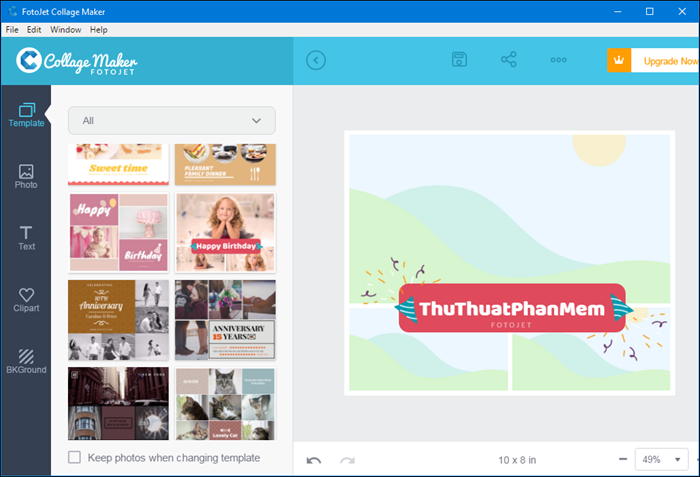
FotoJet is a very professional photo editing and editing software with a very nice and handy interface. With FotoJet, you can combine multiple photos into a photo frame, insert effects, images or text as you like. FotoJet provides you with more than 700 layouts and templates so you can create your own ideas to create the best photos. In addition to the desktop version, FotoJet also has a web-based version that you can use at any time without installing software. You can access the following link to use the software on the browser: https://www. fotojet. com/apps/
2. Fotor software
Download link: https://www. fotor. com/windows/index. html
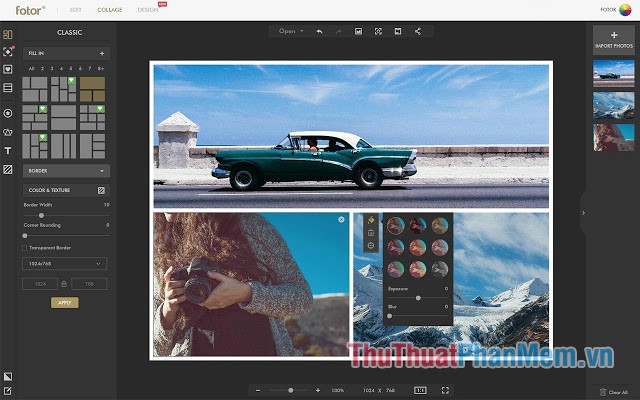
Fotor software supports stitching photos into frames with many beautiful models. The advantage of the software is the support on many platforms from PC to mobile. With that, users can save photos in almost all popular image formats. The software comes with many templates available for you, along with basic photo editing features such as cropping, changing colors, photo effects. You can also add text to photos if you like. In addition, Fotor also fully supports powerful photo editing tools such as rotation, image flip, brightness adjustment. The downside of this software is that the interface is quite difficult to use for newbies.
3. Photo Colage Maker Software
Download link: http://ams-photo-software. com/products/product_7. html
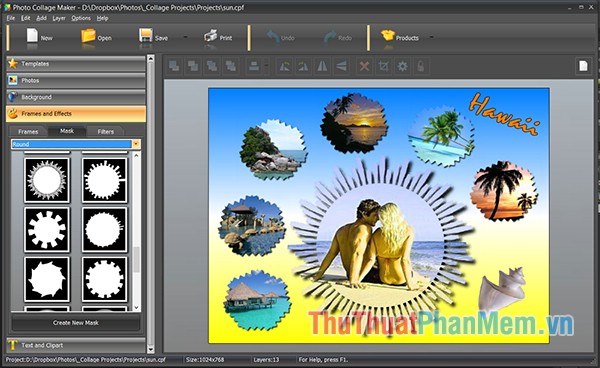
Photo Collage Maker helps you create collages with simple tools, add many different frames and themes for users to choose. Besides, there are accompanying effects for you to edit photos in many different styles, creating a personal impression in each picture. Photo Collage Maker offers a variety of effects on color, light, create watermarks, create black and white photos, spray colors, make old photos, create posters or engrave patterns on photos. Besides, the perspective function allows creating photos on a large picture to create a new gallery.
4. Picture Colage Maker Software
Download link: http://www. picturecollagesoftware. com/
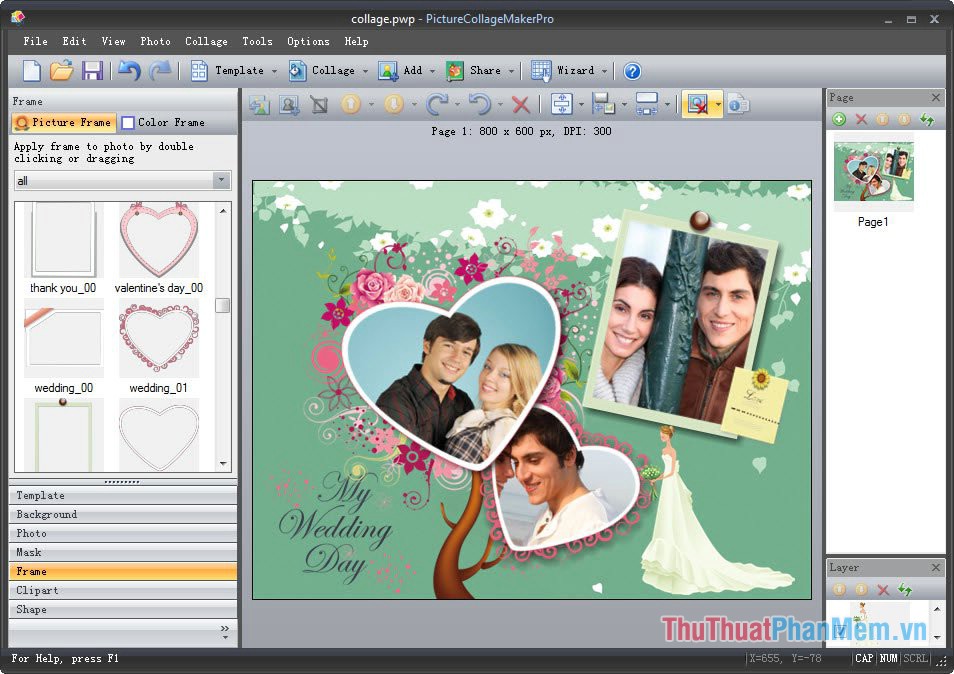
Picture Collage Maker is an application that creates unique collages and photo collages with just simple operations, used to design scrapbooks, calendars, greeting cards, invitations, posters. Picture Collage Maker allows selection From hundreds of collage templates, customize your collage photos with digital photos. The software possesses a huge template warehouse, highly customizable, allowing basic to complex image editing such as alignment, rotation, resizing, cropping or duplicating. Users can also nest a variety of frames, shades with different effects and themes. In particular, Picture Collage Maker also supports many common image formats such as JPG, PNG, BMP, GIF.
5. PhotoJoy software
Download link: https://photojoy. en. softonic. com/
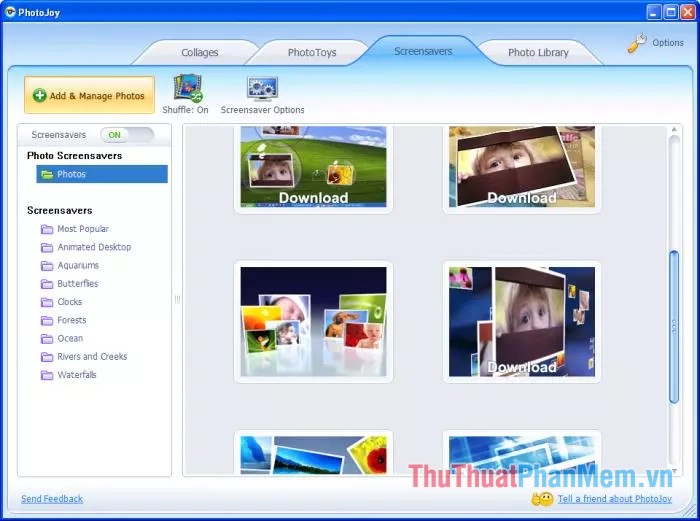
Collage photos in PhotoJoy simply add photos to an existing Wallpaper and then save the image file you want, then you can share it to your friends. In addition, with the PhotoJoy tool, your Desktop is ornately decorated with beautiful 3D visual effects with loads of images of various genres. These photos are built into the program library or users can also use personal image files on the computer. Wallpaper library in the software is extremely diverse and professional, arranged in groups to make it easy for users to find. Here we have the topic about the sea, nature, animals.
Above Thuthuatphanmem. vn introduced to you the top 5 best photo collage software today, hopefully through the article you will choose for yourself the most satisfactory software. Thank you for watching the article!
FAQ
How should I choose among Best Photo Collage Software?
Compare compatibility, essential features, ease of use, security, support, and total cost rather than choosing only by popularity.
Are free options suitable for everyday use?
Free tools can be sufficient for basic needs, but advanced features, commercial use, or priority support may require a paid plan.
What should I check before installing or using one?
Verify the official source, system requirements, recent updates, privacy practices, and support for your device and file types.
Related Articles
 The Best Photo Compositing Software on Computers, Iphone, Android9 minutes read
 How to Combine Photos on Software Collageit6 minutes read
 Top Hottest Computer Photo Collage Software 20217 minutes read
 TOP 10 Free Online and Free Photo Collage Software on Your6 minutes readTop 5 Best Photo Collage Software for Computers7 minutes read
 How to Combine Mockup Photos on Smartmockups4 minutes read
Reader Comments 0
Sign in with email or Google to join the discussion.